【OpenGL小作坊】C# + OpenTK + OpenGL实现.tif点云转换成.obj模型
2026-08-21 09:57:32
0浏览
收藏
[先生们/女士们先看结果]
1.高程图片.tif记录了模型的高度信息。
2.通过转换将.tif高程图片构建成.obj模型
一.读取高程图像(.tif)信息
这里我们会用到一个库——GDAL,它在C#中可用于获取.tif像素信息。对其感兴趣的小伙伴可深入研究一下,这里我们仅探讨如何读取.tif的图片信息。
Gdal.AllRegister(); //初始化GDAL

//获取高程图像.tif的图像信息dem
using Dataset ds = Gdal.Open(".tif图片路径", Access.GA_ReadOnly);
width = ds.RasterXSize;
height = ds.RasterYSize;
Band band = ds.GetRasterBand(1);
band.GetNoDataValue(out double noData, out int hasNoData);

float[] buffer = new float[width * height];
band.ReadRaster(0, 0, width, height, buffer, width, height, 0, 0);

float[,] dem = new float[height, width];
isNoData = new bool[height, width];

for (int y = 0; y for (int x = 0; x float v = buffer[y * width + x];
        bool nd = (hasNoData == 1 && Math.Abs(v - (float)noData) 0.001f) || v == 0f;
        dem[y, x] = nd ? 0 : v;
        isNoData[y, x] = nd;
    }
}
二.根据高程图像(.tif)构建模型网格Mesh.
上一步骤中,我们获取到了高程图像(.tif)的图像信息。下面我们就利用这些高度信息来构建模型。
先前对3D模型有所了解的同学想必清楚,构建一个3D模型,其实就是集齐模型的顶点、法线、面、纹理坐标(Uv),然后将高程图像的高度信息,作为要构建模型的顶点信息。
internal class ObjMesh //自定义的模型类
{
    public List Vertices { get; } = new();
    public Listint, int, int)> Faces { get; } = new();
}
   int rows = dem.GetLength(0);
   int cols = dem.GetLength(1);

   // 计算中心点偏移量
   float centerX = (cols - 1) * 0.5f * xyScale;
   float centerZ = -(rows - 1) * 0.5f * xyScale;  // 注意:Z轴为负方向

   ObjMesh mesh = new ObjMesh();
   int[,] topIndexMap = new int[rows, cols];
   int[,] bottomIndexMap = new int[rows, cols];

   // ---------- 顶部顶点 ----------
   for (int y = 0; y for (int x = 0; x if (outerNoData[y, x])
           {
               topIndexMap[y, x] = 0;
               continue;
           }

           topIndexMap[y, x] = mesh.Vertices.Count + 1;
           // 将坐标原点移动到中心点
           float xPos = x * xyScale - centerX;
           float zPos = -y * xyScale - centerZ;  // 注意:Z轴为负方向
           mesh.Vertices.Add(new Vector3(
               xPos,
               dem[y, x] * zScale,
               zPos
           ));
       }
   }

   // ---------- 顶部三角面 ----------
   for (int y = 0; y for (int x = 0; x int v00 = topIndexMap[y, x];
           int v10 = topIndexMap[y, x + step];
           int v01 = topIndexMap[y + step, x];
           int v11 = topIndexMap[y + step, x + step];

           if (v00 == 0 || v10 == 0 || v01 == 0 || v11 == 0)
               continue;

           mesh.Faces.Add((v00, v01, v10));
           mesh.Faces.Add((v10, v01, v11));
       }
   }

   // ---------- 创建底部顶点映射 ----------
   for (int y = 0; y for (int x = 0; x // 只有顶部有效的点才有底部顶点
           if (topIndexMap[y, x] != 0)
           {
               Vector3 topV = mesh.Vertices[topIndexMap[y, x] - 1];
               bottomIndexMap[y, x] = mesh.Vertices.Count + 1;
               mesh.Vertices.Add(new Vector3(
                   topV.X,
                   bottomY,
                   topV.Z
               ));
           }
       }
   }

   // ---------- 创建侧边墙 ----------
   // 垂直边(X方向)
   for (int y = 0; y for (int x = 0; x int idx00 = topIndexMap[y, x];
           int idx10 = topIndexMap[y, x + step];

           // 如果两个顶点都存在,且至少有一个是边缘点
           if (idx00 != 0 && idx10 != 0)
           {
               bool isEdge = IsEdgePoint(topIndexMap, x, y, rows, cols, step) ||
                            IsEdgePoint(topIndexMap, x + step, y, rows, cols, step);

               if (isEdge)
               {
                   int b00 = bottomIndexMap[y, x];
                   int b10 = bottomIndexMap[y, x + step];
                   mesh.Faces.Add((idx00, b00, b10));
                   mesh.Faces.Add((idx00, b10, idx10));
               }
           }
           // 如果一个存在一个不存在,创建三角形连接
           else if (idx00 != 0 && idx10 == 0)
           {
               int b00 = bottomIndexMap[y, x];
               Vector3 topV = mesh.Vertices[idx00 - 1];
               int b10 = mesh.Vertices.Count + 1;
               // 计算新的底部顶点坐标(使用中心偏移)
               float xPos = (x + step) * xyScale - centerX;
               float zPos = -y * xyScale - centerZ;
               mesh.Vertices.Add(new Vector3(
                   xPos,
                   bottomY,
                   zPos
               ));
               mesh.Faces.Add((idx00, b00, b10));
               // 更新映射
               bottomIndexMap[y, x + step] = b10;
           }
           else if (idx00 == 0 && idx10 != 0)
           {
               int b10 = bottomIndexMap[y, x + step];
               Vector3 topV = mesh.Vertices[idx10 - 1];
               int b00 = mesh.Vertices.Count + 1;
               // 计算新的底部顶点坐标(使用中心偏移)
               float xPos = x * xyScale - centerX;
               float zPos = -y * xyScale - centerZ;
               mesh.Vertices.Add(new Vector3(
                   xPos,
                   bottomY,
                   zPos
               ));
               mesh.Faces.Add((idx10, b10, b00));
               // 更新映射
               bottomIndexMap[y, x] = b00;
           }
       }
   }

   // 垂直边(Y方向)
   for (int y = 0; y for (int x = 0; x int idx00 = topIndexMap[y, x];
           int idx01 = topIndexMap[y + step, x];

           if (idx00 != 0 && idx01 != 0)
           {
               bool isEdge = IsEdgePoint(topIndexMap, x, y, rows, cols, step) ||
                            IsEdgePoint(topIndexMap, x, y + step, rows, cols, step);

               if (isEdge)
               {
                   int b00 = bottomIndexMap[y, x];
                   int b01 = bottomIndexMap[y + step, x];
                   mesh.Faces.Add((idx00, b00, b01));
                   mesh.Faces.Add((idx00, b01, idx01));
               }
           }
           else if (idx00 != 0 && idx01 == 0)
           {
               int b00 = bottomIndexMap[y, x];
               Vector3 topV = mesh.Vertices[idx00 - 1];
               int b01 = mesh.Vertices.Count + 1;
               // 计算新的底部顶点坐标(使用中心偏移)
               float xPos = x * xyScale - centerX;
               float zPos = -(y + step) * xyScale - centerZ;
               mesh.Vertices.Add(new Vector3(
                   xPos,
                   bottomY,
                   zPos
               ));
               mesh.Faces.Add((idx00, b00, b01));
               bottomIndexMap[y + step, x] = b01;
           }
           else if (idx00 == 0 && idx01 != 0)
           {
               int b01 = bottomIndexMap[y + step, x];
               Vector3 topV = mesh.Vertices[idx01 - 1];
               int b00 = mesh.Vertices.Count + 1;
               // 计算新的底部顶点坐标(使用中心偏移)
               float xPos = x * xyScale - centerX;
               float zPos = -y * xyScale - centerZ;
               mesh.Vertices.Add(new Vector3(
                   xPos,
                   bottomY,
                   zPos
               ));
               mesh.Faces.Add((idx01, b01, b00));
               bottomIndexMap[y, x] = b00;
           }
       }
   }

   // ---------- 创建底面(只覆盖有顶部顶点的地方) ----------
   // 只在顶部面存在的区域创建底面三角形
   for (int y = 0; y for (int x = 0; x int t00 = topIndexMap[y, x];
           int t10 = topIndexMap[y, x + step];
           int t01 = topIndexMap[y + step, x];
           int t11 = topIndexMap[y + step, x + step];

           // 如果这个网格的顶部存在(四个角都有顶部顶点),则创建对应的底面
           if (t00 != 0 && t10 != 0 && t01 != 0 && t11 != 0)
           {
               int b00 = bottomIndexMap[y, x];
               int b10 = bottomIndexMap[y, x + step];
               int b01 = bottomIndexMap[y + step, x];
               int b11 = bottomIndexMap[y + step, x + step];

               // 底面三角面(注意法线方向向下,顶点顺序要逆时针)
               mesh.Faces.Add((b00, b10, b01));
               mesh.Faces.Add((b10, b11, b01));
           }
       }
   }

   // ---------- 处理孤立的底面区域 ----------
   // 对于那些顶部只有一个顶点的地方,创建单个三角形的底面
   for (int y = 0; y for (int x = 0; x // 如果当前点有顶部顶点,但周围四个网格中没有一个完整的顶部面
           if (topIndexMap[y, x] != 0)
           {
               bool hasAdjacentTopFace = false;

               // 检查左上网格
               if (y - step >= 0 && x - step >= 0)
               {
                   if (topIndexMap[y - step, x - step] != 0 &&
                       topIndexMap[y - step, x] != 0 &&
                       topIndexMap[y, x - step] != 0)
                   {
                       hasAdjacentTopFace = true;
                   }
               }

               // 检查右上网格
               if (y - step >= 0 && x + step if (topIndexMap[y - step, x] != 0 &&
                       topIndexMap[y - step, x + step] != 0 &&
                       topIndexMap[y, x + step] != 0)
                   {
                       hasAdjacentTopFace = true;
                   }
               }

               // 检查左下网格
               if (y + step = 0)
               {
                   if (topIndexMap[y, x - step] != 0 &&
                       topIndexMap[y + step, x - step] != 0 &&
                       topIndexMap[y + step, x] != 0)
                   {
                       hasAdjacentTopFace = true;
                   }
               }

               // 检查右下网格
               if (y + step if (topIndexMap[y, x + step] != 0 &&
                       topIndexMap[y + step, x] != 0 &&
                       topIndexMap[y + step, x + step] != 0)
                   {
                       hasAdjacentTopFace = true;
                   }
               }

               // 如果没有相邻的顶部面,为这个孤立的点创建一个小的三角底面
               if (!hasAdjacentTopFace)
               {
                   int b00 = bottomIndexMap[y, x];
                   // 创建两个相邻的虚拟底部点(使用中心偏移)
                   Vector3 bottomCenter = mesh.Vertices[b00 - 1];
                   int b01 = mesh.Vertices.Count + 1;
                   mesh.Vertices.Add(new Vector3(
                       bottomCenter.X - 0.5f * xyScale,
                       bottomY,
                       bottomCenter.Z
                   ));
                   int b10 = mesh.Vertices.Count + 1;
                   mesh.Vertices.Add(new Vector3(
                       bottomCenter.X,
                       bottomY,
                       bottomCenter.Z + 0.5f * xyScale
                   ));

                   mesh.Faces.Add((b00, b10, b01));
               }
           }
       }
   }
三.将模型写入.obj文件
上一步中,我们已经获得了模型的所有顶点信息,面信息。下面只要将mesh写入.obj即可。
private static void WriteObj(string path, ObjMesh mesh)
{
    using StreamWriter sw = new StreamWriter(path);
    sw.WriteLine("# DEM Terrain with Walls + Bottom");
    foreach (var v in mesh.Vertices)
        sw.WriteLine($"v {v.X:F6} {v.Y:F6} {v.Z:F6}");
    foreach (var f in mesh.Faces)
        sw.WriteLine($"f {f.Item1} {f.Item2} {f.Item3}");

}
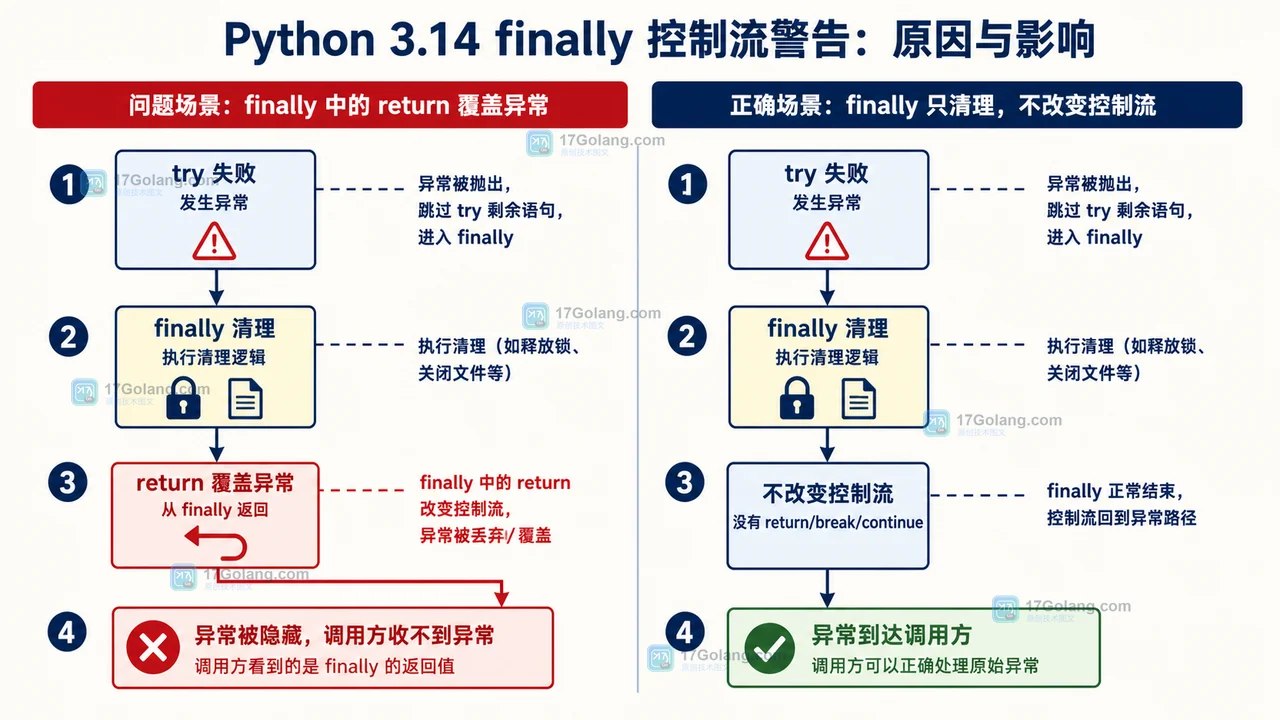 Python 3.14 finally 控制流警告怎么处理:异常保留与迁移检查
- 上一篇
- Python 3.14 finally 控制流警告怎么处理:异常保留与迁移检查

- 下一篇
- C# 正则表达式(4):分支与回溯引用
查看更多
最新文章
-
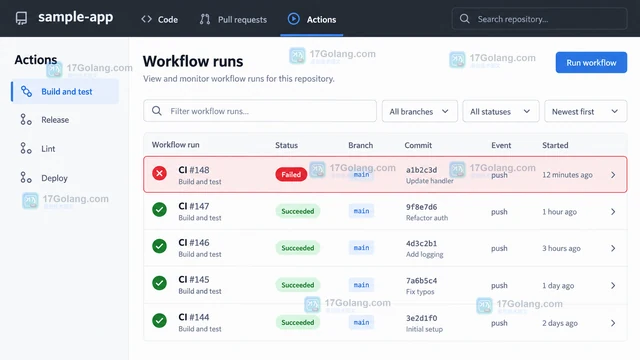
- 文章 · 软件教程 | 41分钟前 | github · 故障排查 · CI/CD · gitHub actions · GitHub Actions 失败任务 Job workflow run 重跑任务
- GitHub Actions 怎么手动重跑单个失败任务
- 162浏览 收藏
-
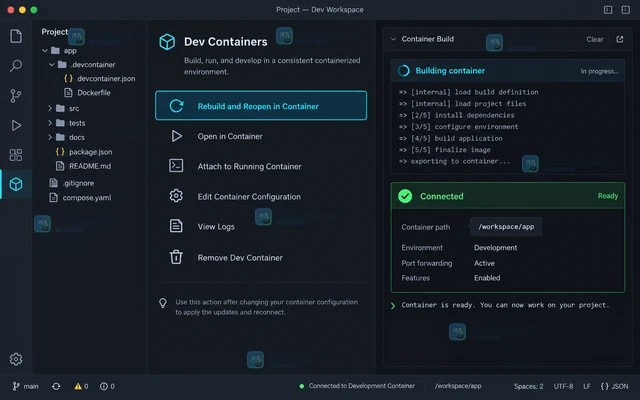
- 文章 · 软件教程 | 8小时前 | 开发环境 · vs code · VS Code Docker Compose Dockerfile devcontainer.json Dev Containers
- VS Code Dev Containers 修改配置后怎么完整重建容器
- 368浏览 收藏
-

- 文章 · 软件教程 | 12小时前 | vs code · 软件教程 · VS Code 设置同步 Profiles Settings Sync 扩展同步
- VS Code Profiles 怎么只同步指定扩展和设置
- 345浏览 收藏
-

- 文章 · 软件教程 | 18小时前 |
- VS Code 提示仓库不安全时怎么处理 safe.directory
- 199浏览 收藏
-

- 文章 · 软件教程 | 20小时前 | docker · Context ·
- Docker Context 怎么切换远程守护进程
- 372浏览 收藏
-

- 文章 · 软件教程 | 22小时前 | 命令行 · 效率工具 · github · 开发工具 · 软件教程 · 位置参数 命令别名 GitHub CLI gh alias set shell alias
- GitHub CLI 怎么创建带参数的命令别名
- 404浏览 收藏
-
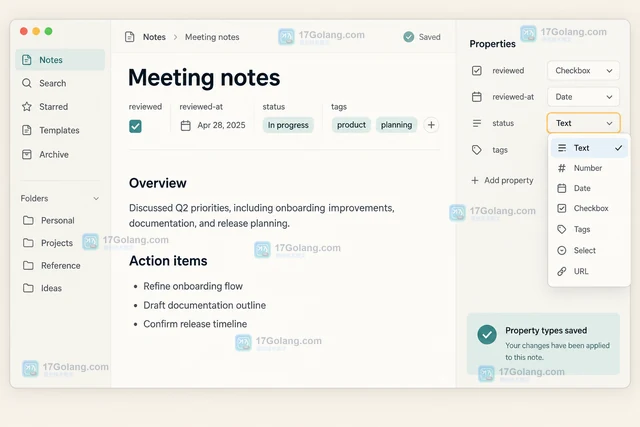
- 文章 · 软件教程 | 1天前 | obsidian · 软件教程 · YAML Properties Obsidian 笔记元数据 属性类型 Properties视图
- Obsidian Properties 怎么统一管理笔记元数据
- 378浏览 收藏
-

- 文章 · 软件教程 | 1天前 | postman · 软件教程 · 接口测试 · 环境变量 初始值 Postman 当前值 Local value Shared value
- Postman 环境变量怎么区分初始值与当前值
- 360浏览 收藏
-

- 文章 · 软件教程 | 1天前 | CI/CD · gitHub actions · 软件教程 · GitHub GitHub Actions 构件保留时间
- GitHub Actions 怎么设置构件保留时间
- 395浏览 收藏
-
- 文章 · 软件教程 | 1天前 | git · 软件教程 · Git Git worktree worktree prune
- Git worktree 怎么清理失效工作区记录
- 287浏览 收藏


查看更多
课程推荐
-

- 前端进阶之JavaScript设计模式
- 设计模式是开发人员在软件开发过程中面临一般问题时的解决方案,代表了最佳的实践。本课程的主打内容包括JS常见设计模式以及具体应用场景,打造一站式知识长龙服务,适合有JS基础的同学学习。
- 543次学习
-

- GO语言核心编程课程
- 本课程采用真实案例,全面具体可落地,从理论到实践,一步一步将GO核心编程技术、编程思想、底层实现融会贯通,使学习者贴近时代脉搏,做IT互联网时代的弄潮儿。
- 516次学习
-

- 简单聊聊mysql8与网络通信
- 如有问题加微信:Le-studyg;在课程中,我们将首先介绍MySQL8的新特性,包括性能优化、安全增强、新数据类型等,帮助学生快速熟悉MySQL8的最新功能。接着,我们将深入解析MySQL的网络通信机制,包括协议、连接管理、数据传输等,让
- 500次学习
-

- JavaScript正则表达式基础与实战
- 在任何一门编程语言中,正则表达式,都是一项重要的知识,它提供了高效的字符串匹配与捕获机制,可以极大的简化程序设计。
- 487次学习
-

- 从零制作响应式网站—Grid布局
- 本系列教程将展示从零制作一个假想的网络科技公司官网,分为导航,轮播,关于我们,成功案例,服务流程,团队介绍,数据部分,公司动态,底部信息等内容区块。网站整体采用CSSGrid布局,支持响应式,有流畅过渡和展现动画。
- 485次学习
查看更多
AI推荐
-

- PubMedQA
- 深入了解PubMedQA生物医学问答数据集,涵盖其核心功能、使用方法及在临床决策、药物研发等场景的应用,助力提升NLP模型性能。
- 343次使用
-

- H2O EvalGPT
- H2O EvalGPT是H2O.ai推出的开源LLM评估平台,提供详细的大模型性能排行榜、行业特定基准测试及A/B测试功能,助您快速选择最适合项目的高性能大语言模型。
- 403次使用
-

- LMArena
- LMArena是加州大学伯克利分校推出的AI模型匿名评测平台。通过盲测投票机制,用户可对比不同大模型回答并生成实时排行榜,助力开发者优化模型及用户选择最佳AI工具。
- 404次使用
-
- HELM
- 深入了解斯坦福推出的HELM(Holistic Evaluation of Language Models)大模型评测体系。本文解析其核心功能、安装配置步骤及应用场景,涵盖准确性、公平性、鲁棒性等多维度指标,助力开发者全面优化语言模型性能。
- 363次使用
-

- MMBench
- MMBench是由上海人工智能实验室等机构联合推出的多模态基准测试平台,提供细粒度能力评估、大规模数据集及VLMEvalKit工具。本文详细介绍其核心功能、安装使用方法及应用场景,助力开发者全面评估多模态模型性能。
- 185次使用
查看更多
相关文章
-
- VS Code 怎么给 Go 项目配置测试任务:tasks.json 运行与结果验收
- 2026-07-09 501浏览
-
- Windows 11 如何开启 HEIF 图片支持
- 2026-05-31 501浏览
-
- TikTok用户画像与付费订阅变现方法
- 2026-05-27 501浏览
-
- 学信网学历翻译件申请方法
- 2026-05-27 501浏览
-
- Windows 11 24H2 更新失败0x80070005解决方法
- 2026-05-26 501浏览