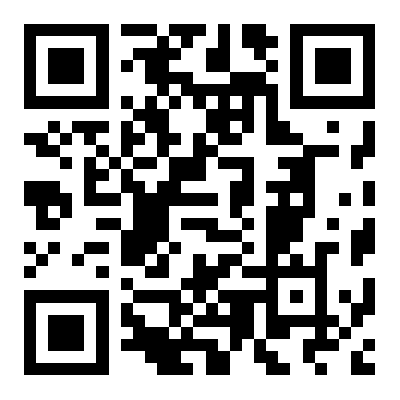
PHP生成二维码详细教程
“纵有疾风来,人生不言弃”,这句话送给正在学习文章的朋友们,也希望在阅读本文《PHP生成二维码方法教程》后,能够真的帮助到大家。我也会在后续的文章中,陆续更新文章相关的技术文章,有好的建议欢迎大家在评论留言,非常感谢!
Use phpqrcode via Composer to generate QR codes in PHP. 2. Customize size, margin, and error correction levels for better readability. 3. Overlay logos using GD/Imagick without covering more than 20% of the center. 4. Embed QR codes directly in HTML using base64-encoded data. 5. Secure sensitive data with input sanitization, URL encoding, HTTPS, and AES-256 encryption.

If you want to generate QR codes using PHP, several libraries and techniques can help. Here's how to create and use QR codes effectively:
The operating environment of this tutorial: MacBook Pro, macOS Sonoma
1. Use the phpqrcode Library
phpqrcode is a widely used open-source library that allows PHP applications to generate QR codes without relying on external APIs. It runs entirely on the server side and supports various output formats such as PNG, SVG, and text-based representations.
- Download the phpqrcode library from its official repository or via Composer by running: composer require chillerlan/php-qrcode
- Include the autoload file in your script: require_once 'vendor/autoload.php';
- Create a new instance of QRCode and pass the data string to be encoded
- Call the render() or output() method to display or save the QR code image
2. Generate QR Code with Custom Size and Error Correction
You can adjust the size, margin, and error correction level of the generated QR code for better readability and design integration. Higher error correction allows the code to remain scannable even if partially damaged.
- Set the desired ECC level using constants like QR_ECLEVEL_L, QR_ECLEVEL_M, QR_ECLEVEL_Q, or QR_ECLEVEL_H
- Define the pixel size per module (e.g., 10 pixels per dot) and margin around the code
- Pass these parameters when calling the output function to customize appearance
- Save the output to a file path or stream it directly to the browser with proper headers
3. Embed Logo or Customize Appearance
To make your QR code visually appealing, you can overlay a logo or change colors while maintaining scannability. This requires post-processing the image using GD or Imagick after generating the base QR code.
- Generate the base QR code and save it as an image resource
- Load a small logo image (preferably transparent PNG) and resize it to fit the center
- Use imagecopy() or similar GD functions to merge the logo onto the QR code
- Ensure the logo does not cover more than 20% of the center area to preserve scan reliability
4. Output QR Code Directly in HTML Page
Instead of saving files, you can dynamically serve QR codes within web pages using base64-encoded image data embedded in the src attribute of an img tag.
- Start output buffering and generate the QR code as a PNG
- Convert the image content to base64 using base64_encode()
- Embed it in an HTML img tag like:

- This method avoids file storage and enables real-time generation per request
5. Secure Data in QR Codes
When encoding sensitive information such as login tokens or personal details, always sanitize input and consider encryption before placing data into the QR payload.
- Apply URL encoding to special characters to prevent parsing errors
- Use HTTPS links instead of plain HTTP when redirecting through QR codes
- For confidential content, encrypt the message with AES-256 and include a secure key exchange mechanism
- Avoid storing raw passwords, API keys, or private identifiers in plain text format inside the QR
今天带大家了解了的相关知识,希望对你有所帮助;关于文章的技术知识我们会一点点深入介绍,欢迎大家关注golang学习网公众号,一起学习编程~
 DockerAlpine解决ComposerPHP冲突方法
- 上一篇
- DockerAlpine解决ComposerPHP冲突方法
- 下一篇
- PDF动态表单制作与使用教程
-
- 文章 · php教程 | 20小时前 |
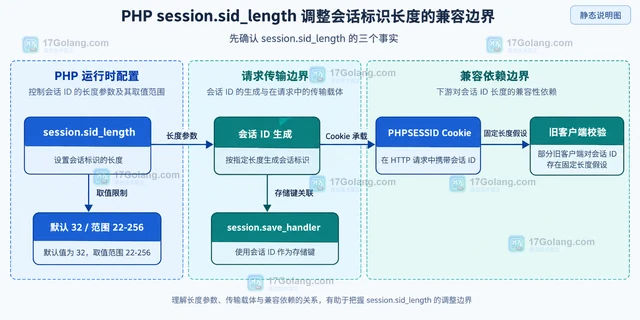
- PHP session.sid_length 调整会话标识长度的兼容边界
- 403浏览 收藏
-
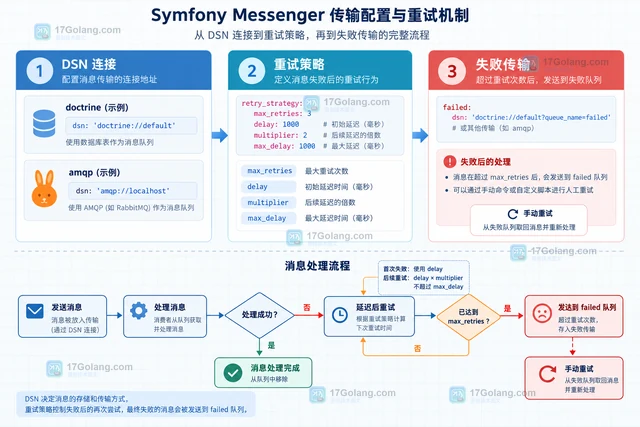
- 文章 · php教程 | 22小时前 | 消息队列 · PHP · 异步任务 · PHP消息队列 失败重试 Symfony Messenger DelayStamp 异步传输
- Symfony Messenger 延迟消息的传输配置
- 301浏览 收藏
-
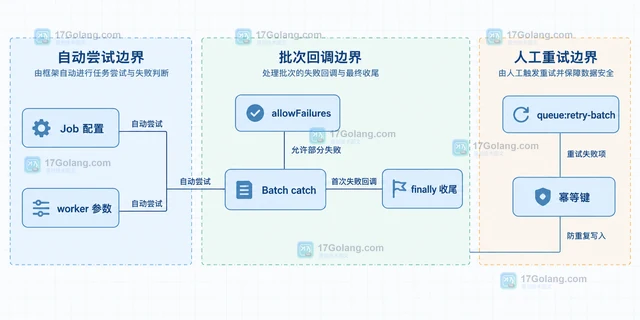
- 文章 · php教程 | 23小时前 | 队列 · PHP · laravel · 工程实践 · 批处理 · Laravel 队列 失败重试 Job Batching queue:retry-batch
- Laravel 队列批处理的失败项重试边界
- 121浏览 收藏
-
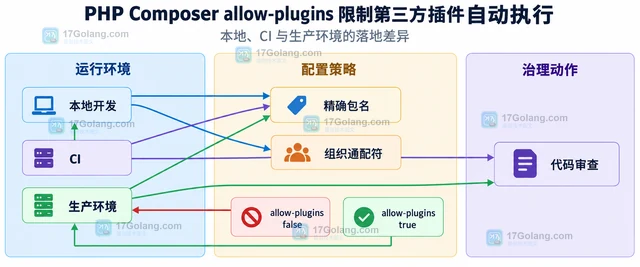
- 文章 · php教程 | 1天前 | 插件 · PHP · php 依赖管理 Composer allow-plugins
- PHP Composer allow-plugins 限制第三方插件自动执行
- 170浏览 收藏
-
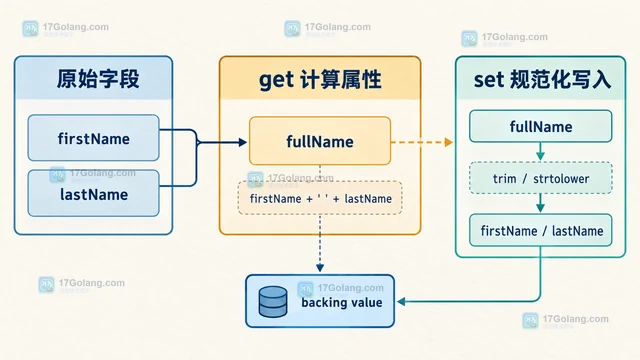
- 文章 · php教程 | 1天前 |
- PHP 属性钩子处理延迟计算字段的设计
- 311浏览 收藏
-
- 文章 · php教程 | 1天前 |
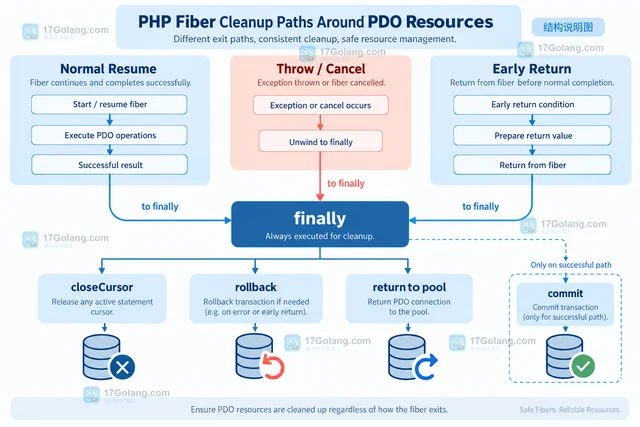
- PHP Fiber 与数据库异步封装的资源释放
- 153浏览 收藏
-

- 前端进阶之JavaScript设计模式
- 设计模式是开发人员在软件开发过程中面临一般问题时的解决方案,代表了最佳的实践。本课程的主打内容包括JS常见设计模式以及具体应用场景,打造一站式知识长龙服务,适合有JS基础的同学学习。
- 543次学习
-

- GO语言核心编程课程
- 本课程采用真实案例,全面具体可落地,从理论到实践,一步一步将GO核心编程技术、编程思想、底层实现融会贯通,使学习者贴近时代脉搏,做IT互联网时代的弄潮儿。
- 516次学习
-

- 简单聊聊mysql8与网络通信
- 如有问题加微信:Le-studyg;在课程中,我们将首先介绍MySQL8的新特性,包括性能优化、安全增强、新数据类型等,帮助学生快速熟悉MySQL8的最新功能。接着,我们将深入解析MySQL的网络通信机制,包括协议、连接管理、数据传输等,让
- 500次学习
-

- JavaScript正则表达式基础与实战
- 在任何一门编程语言中,正则表达式,都是一项重要的知识,它提供了高效的字符串匹配与捕获机制,可以极大的简化程序设计。
- 487次学习
-

- 从零制作响应式网站—Grid布局
- 本系列教程将展示从零制作一个假想的网络科技公司官网,分为导航,轮播,关于我们,成功案例,服务流程,团队介绍,数据部分,公司动态,底部信息等内容区块。网站整体采用CSSGrid布局,支持响应式,有流畅过渡和展现动画。
- 485次学习
-
- PubMedQA
- 深入了解PubMedQA生物医学问答数据集,涵盖其核心功能、使用方法及在临床决策、药物研发等场景的应用,助力提升NLP模型性能。
- 421次使用
-
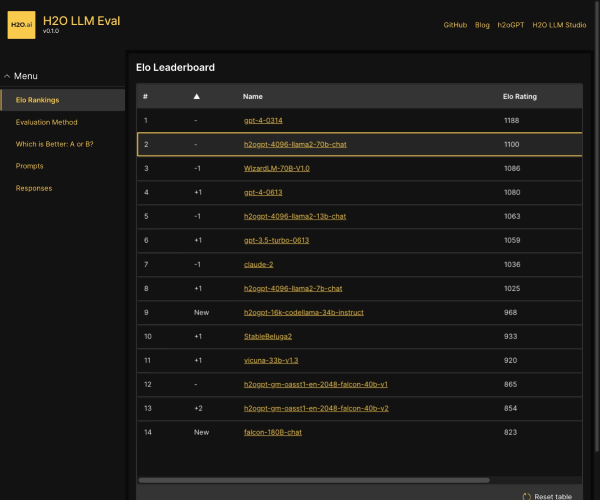
- H2O EvalGPT
- H2O EvalGPT是H2O.ai推出的开源LLM评估平台,提供详细的大模型性能排行榜、行业特定基准测试及A/B测试功能,助您快速选择最适合项目的高性能大语言模型。
- 500次使用
-

- LMArena
- LMArena是加州大学伯克利分校推出的AI模型匿名评测平台。通过盲测投票机制,用户可对比不同大模型回答并生成实时排行榜,助力开发者优化模型及用户选择最佳AI工具。
- 510次使用
-
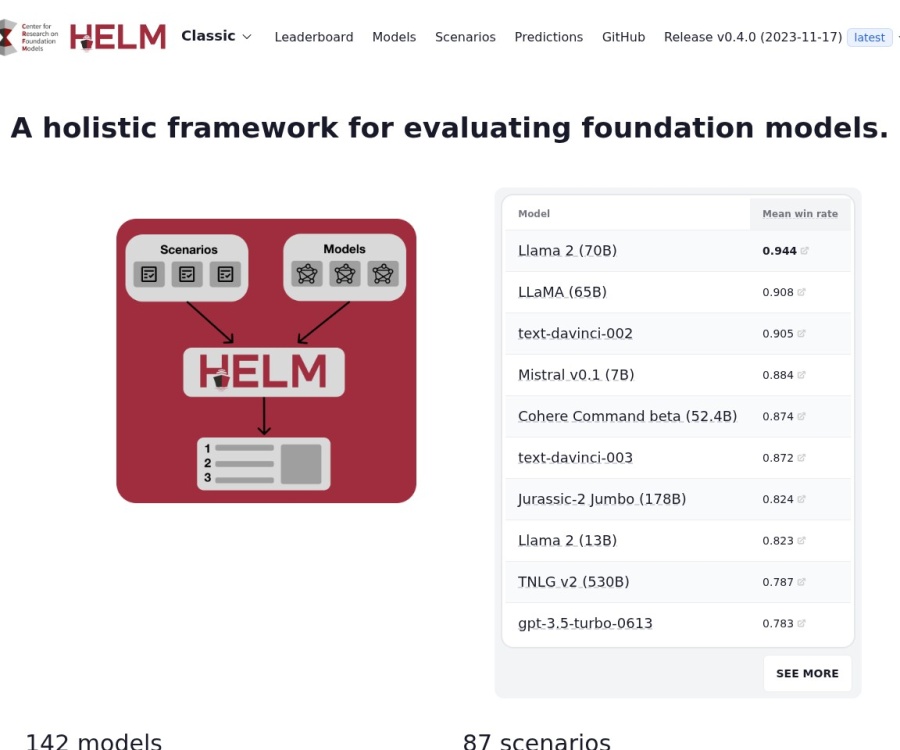
- HELM
- 深入了解斯坦福推出的HELM(Holistic Evaluation of Language Models)大模型评测体系。本文解析其核心功能、安装配置步骤及应用场景,涵盖准确性、公平性、鲁棒性等多维度指标,助力开发者全面优化语言模型性能。
- 456次使用
-
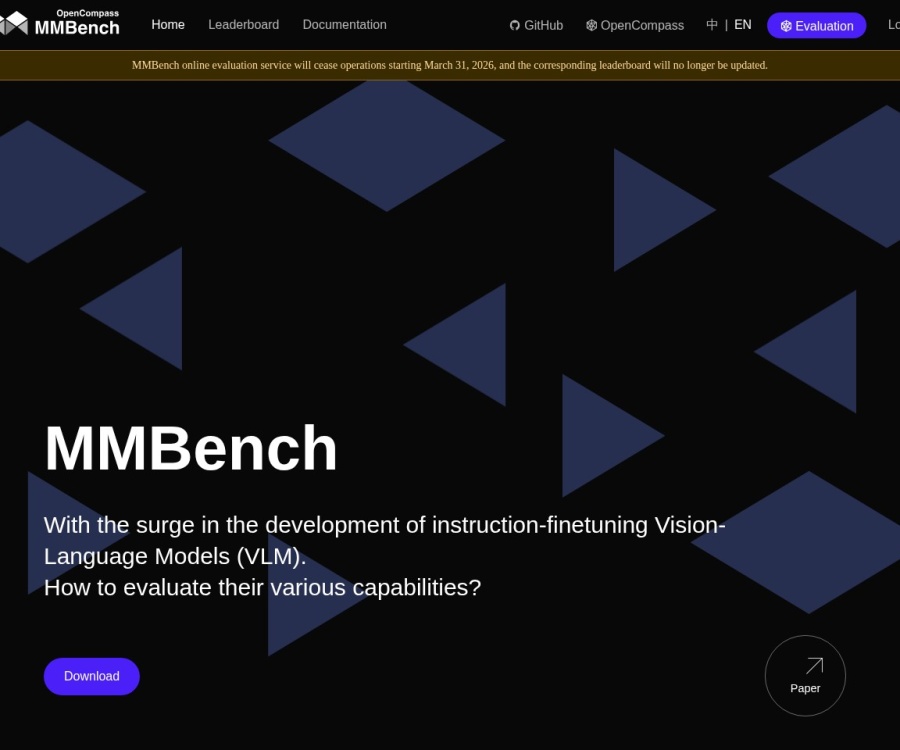
- MMBench
- MMBench是由上海人工智能实验室等机构联合推出的多模态基准测试平台,提供细粒度能力评估、大规模数据集及VLMEvalKit工具。本文详细介绍其核心功能、安装使用方法及应用场景,助力开发者全面评估多模态模型性能。
- 285次使用
-
- PHP JSON_THROW_ON_ERROR 抛错后怎么保留原始字段位置
- 2026-09-09 501浏览
-
- PHP 8.5 array_last() 怎么处理空数组:从 null 结果到兼容旧版本的 Polyfill
- 2026-08-16 501浏览
-
- 宝塔配置Ruby环境:RVM+Nginx反代教程
- 2026-05-29 501浏览
-
- unset函数作用范围详解
- 2026-05-29 501浏览
-
- VS Code配置Xdebug教程:PHP调试技巧全解析
- 2026-05-13 501浏览