
PHP首页制作教程:轻松搭建网站主页
亲爱的编程学习爱好者,如果你点开了这篇文章,说明你对《PHP首页制作教程:轻松实现网站主页功能》很感兴趣。本篇文章就来给大家详细解析一下,主要介绍一下,希望所有认真读完的童鞋们,都有实质性的提高。
创建index.php并设置HTML5结构,包含DOCTYPE、html、head和body标签;2. 在body中嵌入并使用include引入模块化头部;3. 创建header.php文件并通过PHP包含到页面顶部以实现统一导航;4. 在PHP中定义$siteTitle等变量并在HTML中动态输出标题;5. 使用mysqli连接MySQL数据库并查询最新文章,通过循环展示内容;6. 利用PHP动态设置CSS类名,如根据$currentPage变量高亮当前页,同时引入外部样式表美化界面。

1. Set Up the Basic HTML Structure
Every PHP website begins with a proper HTML foundation. This structure ensures that the page renders correctly in browsers and allows PHP code to be embedded seamlessly. It's important to include the DOCTYPE, html, head, and body tags.
- Create a new file named index.php
- Add the standard HTML5 doctype declaration:
- Enclose the entire content within tags
- Include for metadata and for visible content
2. Embed PHP Code in the HTML
PHP is embedded within HTML using tags. This allows dynamic content generation directly on the server before sending the page to the user’s browser. You can use PHP to display current dates, include files, or conditionally show content.
- Insert inside the section
- Use to modularize common elements
- Ensure the file is saved with a .php extension so the server processes it
3. Create a Dynamic Header and Navigation
A consistent header and navigation improve usability. Using PHP, you can define a single header file and reuse it across multiple pages, making maintenance easier. This reduces redundancy and supports scalable design.
- Create a file called header.php containing logo and menu items
- Use at the top of index.php
- Style navigation links with CSS for hover effects and alignment
4. Display Dynamic Content from Variables
Using PHP variables allows you to manage content centrally. For example, site titles, slogans, or promotional messages can be defined once and displayed dynamically, enabling quick updates without changing multiple files.
- Define variables at the top of index.php like:
- Output them in the HTML with:
- Use variables for meta descriptions to improve SEO consistency
5. Connect to a Database for Dynamic Data
To make your homepage interactive, connect it to a database such as MySQL. This enables features like showing recent blog posts, user comments, or product highlights directly on the front page.
- Use mysqli or PDO to establish a connection:
- Run a query to fetch data: $result = $conn->query("SELECT title, content FROM posts LIMIT 3")
- Loop through results and display them using a while loop inside HTML
- Always sanitize output with htmlspecialchars() to prevent XSS attacks
6. Apply CSS Styling Through PHP-Generated Classes
You can enhance visual presentation by dynamically assigning CSS classes via PHP. This technique is useful for highlighting active menu items, alternating row colors, or applying themes based on user preferences.
- Set a variable like $currentPage = "home";
- In the navigation, use:
- Home
- Link an external stylesheet using standard
今天关于《PHP首页制作教程:轻松搭建网站主页》的内容介绍就到此结束,如果有什么疑问或者建议,可以在golang学习网公众号下多多回复交流;文中若有不正之处,也希望回复留言以告知!
 CSS按钮滑动背景遮住文字怎么处理
- 上一篇
- CSS按钮滑动背景遮住文字怎么处理

- 下一篇
- 腾讯AI官网最新入口在哪
-
- 文章 · php教程 | 1天前 |
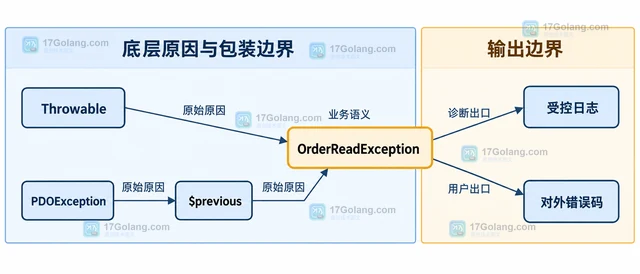
- PHP 错误处理怎样保留原始异常链
- 188浏览 收藏
-
- 文章 · php教程 | 1天前 |
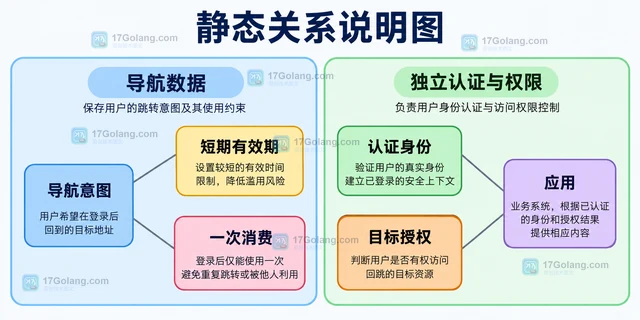
- PHP session 过期后怎样保留安全的回跳地址
- 285浏览 收藏
-
- 文章 · php教程 | 1天前 | php hash_equals 签名校验 hash_hmac
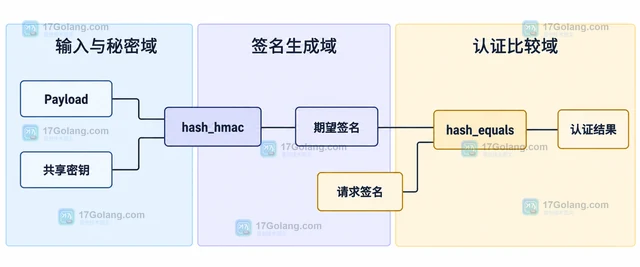
- PHP hash_equals 怎样比较签名避免时序差异
- 112浏览 收藏
-
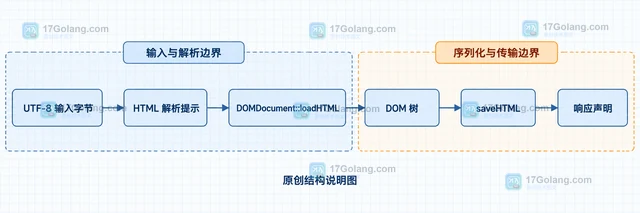
- 文章 · php教程 | 1天前 | PHP · php UTF-8 DOMDocument HTML编码 loadHTML
- PHP DOMDocument 解析中文 HTML 怎样设置编码
- 228浏览 收藏
-
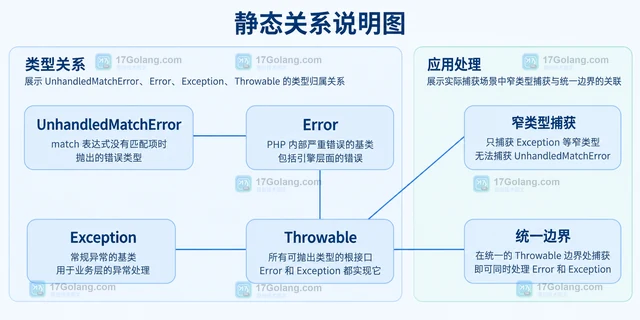
- 文章 · php教程 | 1天前 |
- PHP match 表达式没有匹配项为什么会抛异常
- 257浏览 收藏
-
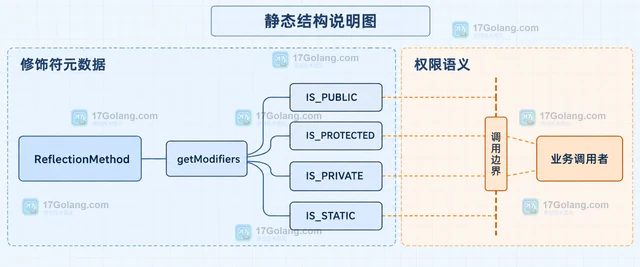
- 文章 · php教程 | 1天前 | 反射 · 面向对象 · PHP · php ReflectionMethod isPublic isProtected isPrivate
- PHP ReflectionMethod 怎样读取方法的可见性
- 216浏览 收藏
-
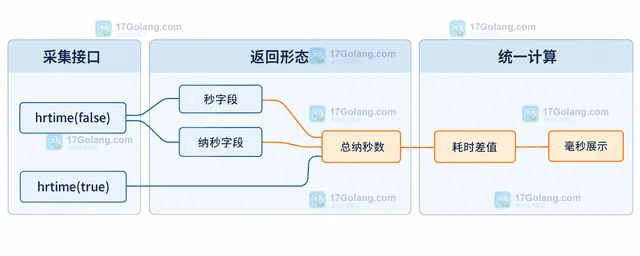
- 文章 · php教程 | 1天前 |
- PHP hrtime 怎样测量短代码的单调耗时
- 116浏览 收藏
-
- 文章 · php教程 | 1天前 |
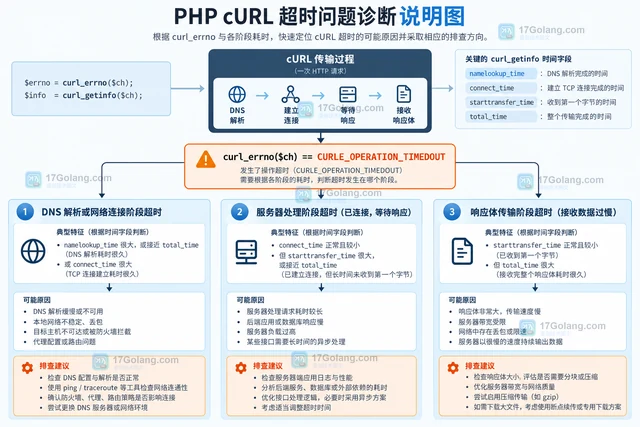
- PHP cURL 怎样区分连接超时和响应超时
- 280浏览 收藏
-
- 文章 · php教程 | 1天前 | 数组 · 排序 · PHP · php 数组 array_multisort 多列排序
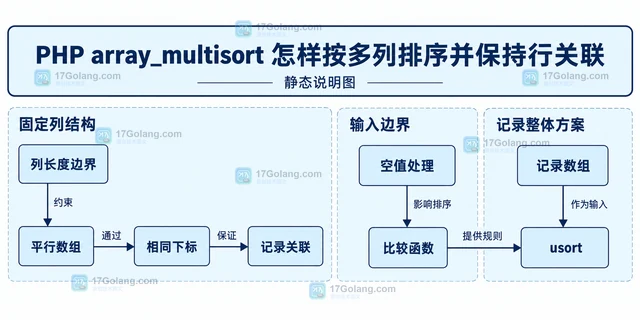
- PHP array_multisort 怎样按多列排序并保持行关联
- 366浏览 收藏
-
- 文章 · php教程 | 1天前 |
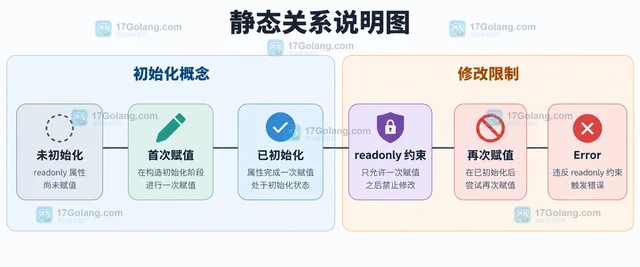
- PHP 8.4 readonly 属性继承时怎样理解 protected(set)
- 233浏览 收藏
-

- 前端进阶之JavaScript设计模式
- 设计模式是开发人员在软件开发过程中面临一般问题时的解决方案,代表了最佳的实践。本课程的主打内容包括JS常见设计模式以及具体应用场景,打造一站式知识长龙服务,适合有JS基础的同学学习。
- 543次学习
-

- GO语言核心编程课程
- 本课程采用真实案例,全面具体可落地,从理论到实践,一步一步将GO核心编程技术、编程思想、底层实现融会贯通,使学习者贴近时代脉搏,做IT互联网时代的弄潮儿。
- 516次学习
-

- 简单聊聊mysql8与网络通信
- 如有问题加微信:Le-studyg;在课程中,我们将首先介绍MySQL8的新特性,包括性能优化、安全增强、新数据类型等,帮助学生快速熟悉MySQL8的最新功能。接着,我们将深入解析MySQL的网络通信机制,包括协议、连接管理、数据传输等,让
- 500次学习
-

- JavaScript正则表达式基础与实战
- 在任何一门编程语言中,正则表达式,都是一项重要的知识,它提供了高效的字符串匹配与捕获机制,可以极大的简化程序设计。
- 487次学习
-

- 从零制作响应式网站—Grid布局
- 本系列教程将展示从零制作一个假想的网络科技公司官网,分为导航,轮播,关于我们,成功案例,服务流程,团队介绍,数据部分,公司动态,底部信息等内容区块。网站整体采用CSSGrid布局,支持响应式,有流畅过渡和展现动画。
- 485次学习
-

- PubMedQA
- 深入了解PubMedQA生物医学问答数据集,涵盖其核心功能、使用方法及在临床决策、药物研发等场景的应用,助力提升NLP模型性能。
- 643次使用
-

- H2O EvalGPT
- H2O EvalGPT是H2O.ai推出的开源LLM评估平台,提供详细的大模型性能排行榜、行业特定基准测试及A/B测试功能,助您快速选择最适合项目的高性能大语言模型。
- 674次使用
-

- LMArena
- LMArena是加州大学伯克利分校推出的AI模型匿名评测平台。通过盲测投票机制,用户可对比不同大模型回答并生成实时排行榜,助力开发者优化模型及用户选择最佳AI工具。
- 717次使用
-

- HELM
- 深入了解斯坦福推出的HELM(Holistic Evaluation of Language Models)大模型评测体系。本文解析其核心功能、安装配置步骤及应用场景,涵盖准确性、公平性、鲁棒性等多维度指标,助力开发者全面优化语言模型性能。
- 679次使用
-

- MMBench
- MMBench是由上海人工智能实验室等机构联合推出的多模态基准测试平台,提供细粒度能力评估、大规模数据集及VLMEvalKit工具。本文详细介绍其核心功能、安装使用方法及应用场景,助力开发者全面评估多模态模型性能。
- 510次使用
-
- PHP JSON_THROW_ON_ERROR 抛错后怎么保留原始字段位置
- 2026-09-09 501浏览
-
- PHP 8.5 array_last() 怎么处理空数组:从 null 结果到兼容旧版本的 Polyfill
- 2026-08-16 501浏览
-
- 宝塔配置Ruby环境:RVM+Nginx反代教程
- 2026-05-29 501浏览
-
- unset函数作用范围详解
- 2026-05-29 501浏览
-
- VS Code配置Xdebug教程:PHP调试技巧全解析
- 2026-05-13 501浏览


