
PHP中如何使用RGB颜色
哈喽!大家好,很高兴又见面了,我是golang学习网的一名作者,今天由我给大家带来一篇《PHP中RGB颜色怎么用》,本文主要会讲到等等知识点,希望大家一起学习进步,也欢迎大家关注、点赞、收藏、转发! 下面就一起来看看吧!
Define RGB values using variables like $red = 255, $green = 0, $blue = 0 for direct manipulation in image functions. 2. Store RGB components in an associative array such as $color = ['red' => 255, 'green' => 165, 'blue' => 0] for better readability and reusability. 3. Convert RGB to hexadecimal format using sprintf('%02X%02X%02X', $red, $green, $blue) for CSS styling. 4. Apply RGB colors in GD library image creation by allocating colors with imagecolorallocate() and using them in drawing functions, then outputting the image with proper headers.

If you are trying to work with RGB color values in PHP, understanding how to define and manipulate these values is essential for tasks like image processing or dynamic styling. Here are the ways to use and implement RGB colors in PHP:
The operating environment of this tutorial: MacBook Pro, macOS Sonoma
1. Define RGB Values as Variables
RGB colors can be represented using three separate variables for red, green, and blue components. Each component ranges from 0 to 255. This method allows direct manipulation and reuse of color values across functions.
- Set individual variables such as $red = 255, $green = 0, $blue = 0 for pure red
- Use these variables in image functions like imagecolorallocate() to apply the color
- Modify values dynamically based on conditions or user input
2. Use Arrays to Store RGB Components
Grouping RGB values into an associative array improves code readability and enables easy passing of color data between functions. This approach enhances maintainability when handling multiple colors.
- Create an array like $color = ['red' => 255, 'green' => 165, 'blue' => 0] for orange
- Access components via keys: $color['red'], $color['green'], $color['blue']
- Pass the entire array to custom drawing or conversion functions
3. Convert RGB to Hexadecimal Format
Sometimes it's necessary to output RGB colors in hexadecimal format, especially when generating CSS styles. A simple function can convert decimal RGB values into a hex string.
- Use sprintf('%02X%02X%02X', $red, $green, $blue) to generate a hex color code
- Ensure input values are within 0–255 range to avoid invalid outputs
- Prefix with '#' when embedding in HTML style attributes
4. Apply RGB Colors in Image Creation
When creating images with the GD library, RGB values are used to allocate colors that can be applied to shapes, text, or backgrounds. Proper allocation ensures accurate color rendering.
- Initialize a canvas using imagecreatetruecolor(200, 100)
- Allocate a color: $textColor = imagecolorallocate($image, 0, 0, 255) for blue
- Use the color identifier in functions like imagestring() or imagefilledrectangle()
- Output the image with header('Content-Type: image/png') and imagepng($image)
今天关于《PHP中如何使用RGB颜色》的内容就介绍到这里了,是不是学起来一目了然!想要了解更多关于的内容请关注golang学习网公众号!
 QQ邮箱定时发送设置教程
- 上一篇
- QQ邮箱定时发送设置教程

- 下一篇
- Excel删除空格实用技巧分享
-
- 文章 · php教程 | 14小时前 |
- PHP Laravel 配置缓存后环境变量为什么不变
- 134浏览 收藏
-
- 文章 · php教程 | 14小时前 | 异常处理 · PHP · HTTP客户端 · php Symfony HTTP客户端 连接超时 httpclient 响应超时 max_connect_duration max_duration
- PHP Symfony HttpClient 怎样设置连接和响应超时
- 148浏览 收藏
-
- 文章 · php教程 | 14小时前 | HTTP · PHP · PHP PSR-7 请求体重复读取 StreamInterface rewind getContents
- PHP PSR-7 请求体怎样重复读取
- 123浏览 收藏
-
- 文章 · php教程 | 14小时前 | 依赖管理 · PHP · 排错 · php Composer 依赖冲突 composer.lock composer.json
- PHP Composer 依赖冲突怎样从约束定位
- 304浏览 收藏
-
- 文章 · php教程 | 14小时前 | 工程实践 · php教程 · php redis Symfony Cache 缓存标签 TagAwareCacheInterface invalidateTags
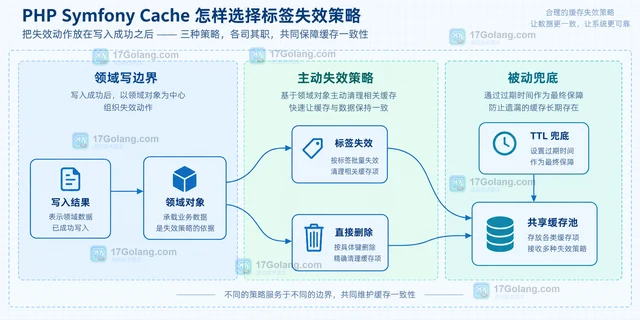
- PHP Symfony Cache 怎样选择标签失效策略
- 175浏览 收藏
-
- 文章 · php教程 | 14小时前 | php教程 · php password_hash password_verify bcrypt password_needs_rehash cost
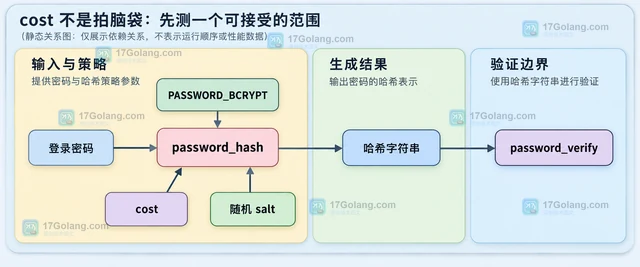
- PHP password_hash 怎样选择 cost 参数
- 100浏览 收藏
-
- 文章 · php教程 | 14小时前 | PHP · 时区 · 工程实践 · php 时间处理 DateTimeZone PHP时区 DateTimeImmutable
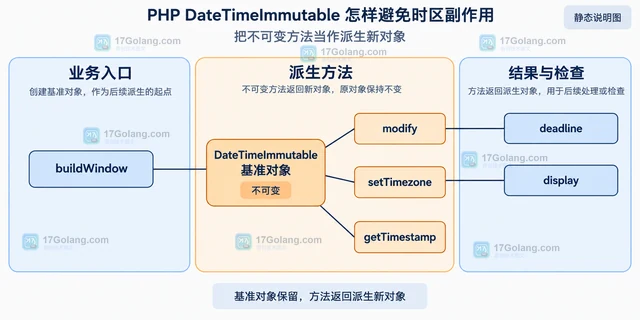
- PHP DateTimeImmutable 怎样避免时区副作用
- 409浏览 收藏
-
- 文章 · php教程 | 14小时前 | 队列 · PHP · 并发控制 · laravel · php教程 · php Laravel Laravel Queue ShouldBeUnique WithoutOverlapping 队列锁 任务幂等
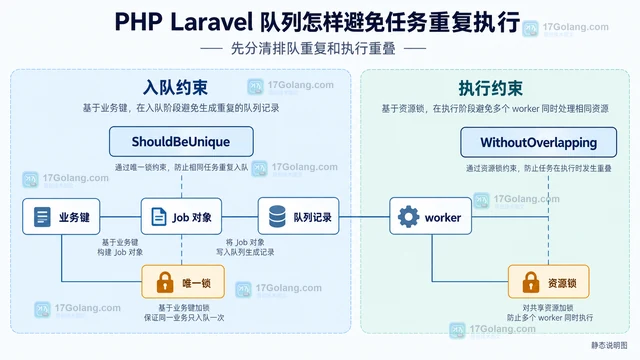
- PHP Laravel 队列怎样避免任务重复执行
- 465浏览 收藏
-
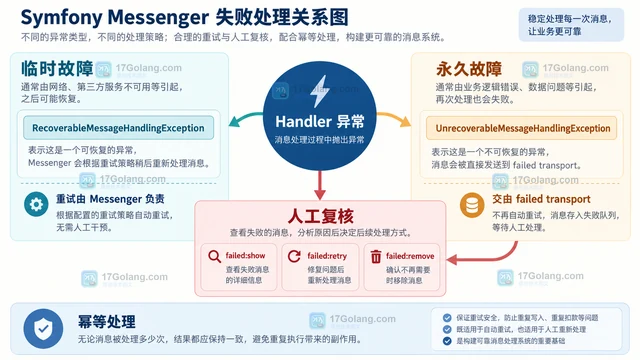
- 文章 · php教程 | 14小时前 | 消息队列 · php教程 · php 消息队列 重试 Symfony Messenger 失败消息 failure_transport 幂等处理
- PHP Symfony Messenger 怎样处理失败消息重试
- 333浏览 收藏
-

- 前端进阶之JavaScript设计模式
- 设计模式是开发人员在软件开发过程中面临一般问题时的解决方案,代表了最佳的实践。本课程的主打内容包括JS常见设计模式以及具体应用场景,打造一站式知识长龙服务,适合有JS基础的同学学习。
- 543次学习
-

- GO语言核心编程课程
- 本课程采用真实案例,全面具体可落地,从理论到实践,一步一步将GO核心编程技术、编程思想、底层实现融会贯通,使学习者贴近时代脉搏,做IT互联网时代的弄潮儿。
- 516次学习
-

- 简单聊聊mysql8与网络通信
- 如有问题加微信:Le-studyg;在课程中,我们将首先介绍MySQL8的新特性,包括性能优化、安全增强、新数据类型等,帮助学生快速熟悉MySQL8的最新功能。接着,我们将深入解析MySQL的网络通信机制,包括协议、连接管理、数据传输等,让
- 500次学习
-

- JavaScript正则表达式基础与实战
- 在任何一门编程语言中,正则表达式,都是一项重要的知识,它提供了高效的字符串匹配与捕获机制,可以极大的简化程序设计。
- 487次学习
-

- 从零制作响应式网站—Grid布局
- 本系列教程将展示从零制作一个假想的网络科技公司官网,分为导航,轮播,关于我们,成功案例,服务流程,团队介绍,数据部分,公司动态,底部信息等内容区块。网站整体采用CSSGrid布局,支持响应式,有流畅过渡和展现动画。
- 485次学习
-
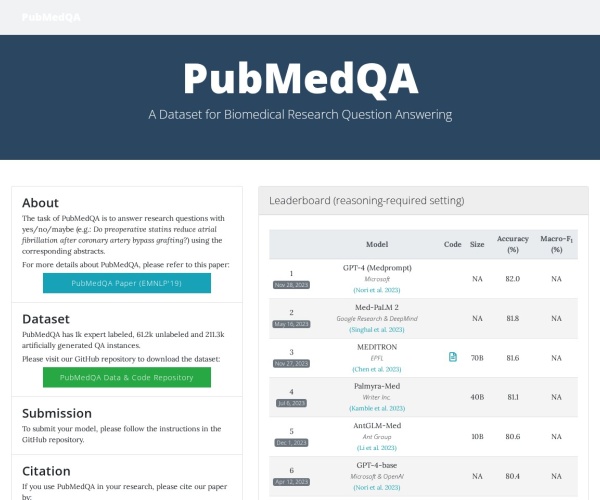
- PubMedQA
- 深入了解PubMedQA生物医学问答数据集,涵盖其核心功能、使用方法及在临床决策、药物研发等场景的应用,助力提升NLP模型性能。
- 474次使用
-
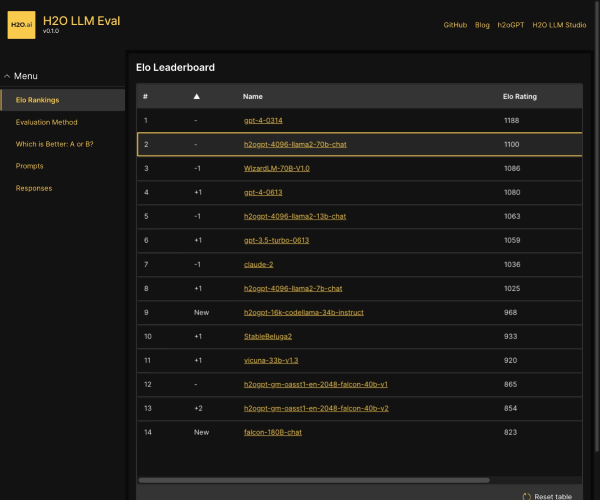
- H2O EvalGPT
- H2O EvalGPT是H2O.ai推出的开源LLM评估平台,提供详细的大模型性能排行榜、行业特定基准测试及A/B测试功能,助您快速选择最适合项目的高性能大语言模型。
- 532次使用
-

- LMArena
- LMArena是加州大学伯克利分校推出的AI模型匿名评测平台。通过盲测投票机制,用户可对比不同大模型回答并生成实时排行榜,助力开发者优化模型及用户选择最佳AI工具。
- 552次使用
-
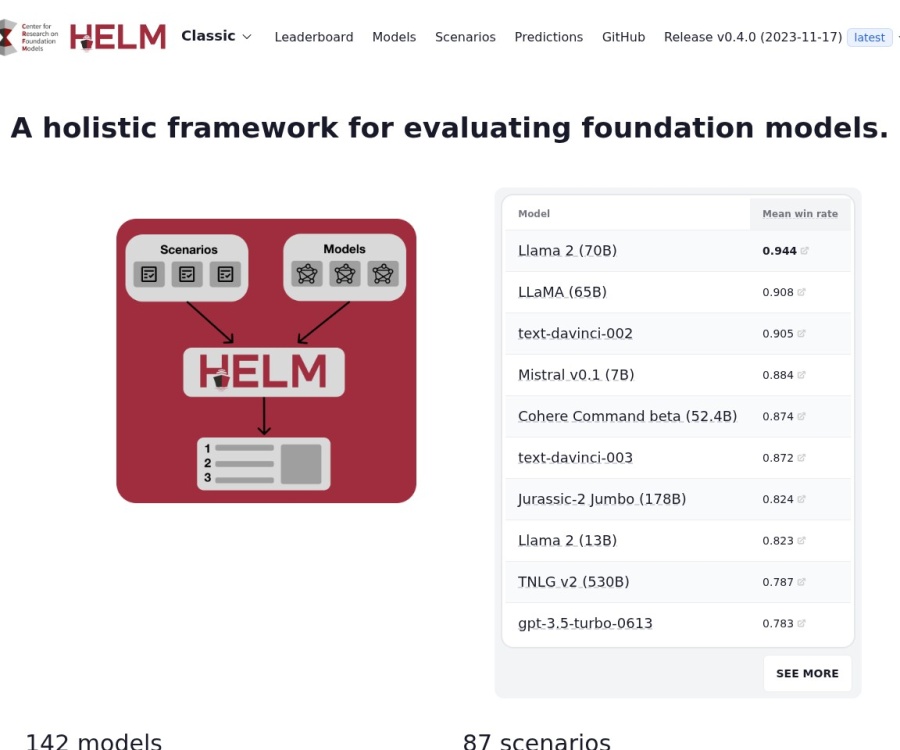
- HELM
- 深入了解斯坦福推出的HELM(Holistic Evaluation of Language Models)大模型评测体系。本文解析其核心功能、安装配置步骤及应用场景,涵盖准确性、公平性、鲁棒性等多维度指标,助力开发者全面优化语言模型性能。
- 505次使用
-

- MMBench
- MMBench是由上海人工智能实验室等机构联合推出的多模态基准测试平台,提供细粒度能力评估、大规模数据集及VLMEvalKit工具。本文详细介绍其核心功能、安装使用方法及应用场景,助力开发者全面评估多模态模型性能。
- 324次使用
-
- PHP JSON_THROW_ON_ERROR 抛错后怎么保留原始字段位置
- 2026-09-09 501浏览
-
- PHP 8.5 array_last() 怎么处理空数组:从 null 结果到兼容旧版本的 Polyfill
- 2026-08-16 501浏览
-
- 宝塔配置Ruby环境:RVM+Nginx反代教程
- 2026-05-29 501浏览
-
- unset函数作用范围详解
- 2026-05-29 501浏览
-
- VS Code配置Xdebug教程:PHP调试技巧全解析
- 2026-05-13 501浏览