
技术分享|sysbench 压测工具用法浅析
来源:SegmentFault
2023-02-24 21:15:31
0浏览
收藏
来到golang学习网的大家,相信都是编程学习爱好者,希望在这里学习数据库相关编程知识。下面本篇文章就来带大家聊聊《技术分享|sysbench 压测工具用法浅析》,介绍一下MySQL、数据库,希望对大家的知识积累有所帮助,助力实战开发!
- GreatSQL社区原创内容未经授权不得随意使用,转载请联系小编并注明来源。
介绍
新业务上线的时候通常需要对数据库性能进行压力测试,以确认是否满足需要,今天简单介绍下sysbench的用法:
- 1.sysbench 是一个开源跨平台的多线程性能测试工具。
- 2.可以用来进行 CPU、内存、磁盘IO、线程、数据库的性能测试。
- 3.目前支持的数据库是 MySQL、Oracle 和 PostgreSQL。
安装
1.YUM 安装
curl -s https://packagecloud.io/install/repositories/akopytov/sysbench/script.rpm.sh | sudo bash
sudo yum -y install sysbench
2.安装完成后会有一些 lua 脚本
[root@mgr1 src]# ll /usr/share/sysbench/
total 132
-rwxr-xr-x. 1 root root  1452 May  8  2020 bulk_insert.lua
-rw-r--r--. 1 root root 14369 May  8  2020 oltp_common.lua
-rwxr-xr-x. 1 root root  1290 May  8  2020 oltp_delete.lua
-rwxr-xr-x. 1 root root  2415 May  8  2020 oltp_insert.lua
......
3.部分lua脚本说明
- insert.lua 单值插入数据
- bulk_inert.lua 批量插入数据
- delete.lua 删除数据
- select.lua 简单主键查询
- oltp.lua 混合读写测试
用法
1.sysbench 常用参数
sysbench [general-options]... --test=[test-options]... command --num-threads=N # 创建测试线程的数,默认为1. --max-requests=N # 请求的最大数目,默认为10000,0 代表不限制。 --max-time=N # 最大执行时间,单位是s。默认是0,不限制。 --forced-shutdown=STRING # 超过 max-time 的时候会强制中断。默认是off。 --thread-stack-size=SIZE # 每个线程的堆栈大小。默认是32K。 --init-rng=[on|off] # 在测试开始时是否初始化随机数发生器。默认是off。 --test=STRING # 指定测试项目名称。 --debug=[on|off] # 是否显示更多的调试信息。默认是off。 --validate=[on|off] # 在可能情况下执行验证检查。默认是off。 --version=[on|off] # 版本信息。 --help=[on|off] # 帮助信息。
2.可以测试的项目
fileio # IO
cpu -  # CPU
memory # 内存
threads # 线程
mutex # 互斥性能
oltp # 数据库,事务处理
3.各个测试项目查看帮助
# IO
sysbench  --test=fileio help
# CPU
sysbench  --test=cpu help
# 内存
sysbench  --test=memory help
# 线程
sysbench  --test=threads help
# 互斥性能
sysbench  --test=mutex help
# 事务处理
sysbench --test=oltp help
4.测试阶段
prepare:测试前准备工作,例如为fileis测试在磁盘上创建必要的文件,为OLTP测试准备测试数据
run:执行完整的测试,必须指定–-test选项
cleanup:测试结束后删除数据
三、测试
3.1 文件IO测试
磁盘IO性能测试,主要查看请求数(request)和总体的吞吐量(total)。
[root@mgr1 src]# sysbench --test=fileio --num-threads=4 --file-total-size=1G --file-test-mode=rndrw prepare
sysbench 0.4.12.10:  multi-threaded system evaluation benchmark

128 files, 8192Kb each, 1024Mb total
Creating files for the test...
Extra file open flags: 0
Reusing existing file test_file.0
Reusing existing file test_file.1
Reusing existing file test_file.2
Reusing existing file test_file.127
No bytes written.

[root@mgr1 src]# sysbench --test=fileio --num-threads=4 --file-total-size=1G --file-test-mode=rndrw run
sysbench 0.4.12.10:  multi-threaded system evaluation benchmark

Running the test with following options:
Number of threads: 4
Random number generator seed is 0 and will be ignored


Extra file open flags: 0
128 files, 8Mb each
1Gb total file size
Block size 16Kb
Number of random requests for random IO: 10000
Read/Write ratio for combined random IO test: 1.50
Periodic FSYNC enabled, calling fsync() each 100 requests.
Calling fsync() at the end of test, Enabled.
Using synchronous I/O mode
Doing random r/w test
Threads started!
Done.

Operations performed:  6000 reads, 4000 writes, 12800 Other = 22800 Total
Read 93.75Mb  Written 62.5Mb  Total transferred 156.25Mb  (6.3811Mb/sec)
  408.39 Requests/sec executed

General statistics:
    total time:                          24.4863s
    total number of events:              10000
    total time taken by event execution: 0.1070
    response time:
         min:                                  0.00ms
         avg:                                  0.01ms
         max:                                 13.36ms
         approx.  95 percentile:               0.01ms

Threads fairness:
    events (avg/stddev):           2500.0000/526.25
    execution time (avg/stddev):   0.0267/0.01
3.2、CPU测试
CPU测试计算质数直到某个最大值所需要的时间,主要方法是进行素数的加法运算,在下面的例子中,指定了最大的素数为 10000
[root@mgr1 src]# sysbench --test=cpu --cpu-max-prime=10000 run
sysbench 0.4.12.10:  multi-threaded system evaluation benchmark

Running the test with following options:
Number of threads: 1
Random number generator seed is 0 and will be ignored

Doing CPU performance benchmark

Primer numbers limit: 10000

Threads started!
Done.

General statistics:
    total time:                          10.7192s
    total number of events:              10000
    total time taken by event execution: 10.7031
    response time:
         min:                                  0.90ms
         avg:                                  1.07ms
         max:                                 10.32ms
         approx.  95 percentile:               1.30ms

Threads fairness:
    events (avg/stddev):           10000.0000/0.00
    execution time (avg/stddev):   10.7031/0.00
3.3 线程测试
- --thread-yields=N 每个请求产生多少个线程。默认是1000
- --thread-locks=N 每个线程的锁的数量。默认是8
[root@mgr1 src]# sysbench --test=threads --num-threads=32 --thread-yields=48 --thread-locks=2 run
sysbench 0.4.12.10:  multi-threaded system evaluation benchmark

Running the test with following options:
Number of threads: 32
Random number generator seed is 0 and will be ignored

Doing thread subsystem performance test
Thread yields per test: 48 Locks used: 2
Threads started!
Done.

General statistics:
    total time:                          2.0646s
    total number of events:              10000
    total time taken by event execution: 66.0149
    response time:
         min:                                  0.03ms
         avg:                                  6.60ms
         max:                                 69.03ms
         approx.  95 percentile:              24.01ms

Threads fairness:
    events (avg/stddev):           312.5000/22.72
    execution time (avg/stddev):   2.0630/0.00
3.4 内存测试
- 测试内存连续读写性能
[root@mgr1 src]# sysbench --test=memory --memory-block-size=8k --memory-total-size=1G run
sysbench 0.4.12.10:  multi-threaded system evaluation benchmark
Operations performed: 1310720 (216525.32 ops/sec)
10140.00 MB transferred (2097.85 MB/sec)
Test execution summary:
total time:                          3.6055s
total number of events:              1410720
total time taken by event execution: 201.0560
per-request statistics:
min:                                  0.00ms
avg:                                  0.16ms
max:                               1071.04ms
approx.  95 percentile:               0.02ms
Threads fairness:
events (avg/stddev):           12107.2000/3870.38
execution time (avg/stddev):   2.0506/0.28
3.5 OLTP 测试
- 测试事务处理数,和读写数
# prepare准备数据
[root@mgr1 src]# sysbench --test=oltp --mysql-table-engine=InnoDB --oltp-table-size=1000000 --mysql-socket=/data/GreatSQL/mysql.sock --mysql-user=root --mysql-password=GreatSQL --mysql-db=test prepare
sysbench 0.4.12.10:  multi-threaded system evaluation benchmark

No DB drivers specified, using mysql
Creating table 'sbtest'...
Creating 1000000 records in table 'sbtest'...

# 正式run测试
[root@mgr1 src]# sysbench --test=oltp --mysql-table-engine=InnoDB --oltp-table-size=1000000 --mysql-socket=/data/GreatSQL/mysql.sock --mysql-user=root --mysql-password=GreatSQL --mysql-db=test run
sysbench 0.4.12.10:  multi-threaded system evaluation benchmark

No DB drivers specified, using mysql
Running the test with following options:
Number of threads: 1
Random number generator seed is 0 and will be ignored


Doing OLTP test.
Running mixed OLTP test
Using Special distribution (12 iterations,  1 pct of values are returned in 75 pct cases)
Using "BEGIN" for starting transactions
Using auto_inc on the id column
Maximum number of requests for OLTP test is limited to 10000
Using 1 test tables
Threads started!
Done.

OLTP test statistics:
    queries performed:
        read:                            140000
        write:                           40000
        other:                           20000
        total:                           200000
    transactions:                        10000  (27.65 per sec.)
    deadlocks:                           0      (0.00 per sec.)
    read/write requests:                 180000 (497.67 per sec.)
    other operations:                    20000  (55.30 per sec.)

General statistics:
    total time:                          361.6868s
    total number of events:              10000
    total time taken by event execution: 361.5698
    response time:
         min:                                 18.73ms
         avg:                                 36.16ms
         max:                                283.84ms
         approx.  95 percentile:              63.45ms

Threads fairness:
    events (avg/stddev):           10000.0000/0.00
    execution time (avg/stddev):   361.5698/0.00


# 删除 sbtest 测试表
[root@mgr1 src]# sysbench --test=oltp --mysql-table-engine=InnoDB --oltp-table-size=1000000 --mysql-socket=/data/GreatSQL/mysql.sock --mysql-user=root --mysql-password=GreatSQL --mysql-db=test cleanup
sysbench 0.4.12.10:  multi-threaded system evaluation benchmark

No DB drivers specified, using mysql
Dropping table 'sbtest'...
Done.
Enjoy GreatSQL :)
本文由博客一文多发平台 OpenWrite 发布!
好了,本文到此结束,带大家了解了《技术分享|sysbench 压测工具用法浅析》,希望本文对你有所帮助!关注golang学习网公众号,给大家分享更多数据库知识!
版本声明
本文转载于:SegmentFault 如有侵犯,请联系study_golang@163.com删除
 记一次通过id关联查询时过滤失效问题,实际上是varchar和bigint转换问题
- 上一篇
- 记一次通过id关联查询时过滤失效问题,实际上是varchar和bigint转换问题
- 下一篇
- Golang连接MySQL数据库并进行简单查询
查看更多
最新文章
-
- 数据库 · MySQL | 14小时前 |
- MySQL histogram 怎样用直方图解释选择性估算
- 122浏览 收藏
-
- 数据库 · MySQL | 14小时前 | MySQL · 正则表达式 · mysql regexp_replace 正则替换 pos occurrence match_type
- MySQL REGEXP_REPLACE 怎样只替换指定次数的文本
- 426浏览 收藏
-
- 数据库 · MySQL | 14小时前 |
- MySQL JSON_TABLE 结合 JSON_KEYS 读取动态对象键名
- 368浏览 收藏
-
- 数据库 · MySQL | 14小时前 |
- MySQL multi-valued index 怎样为 JSON 数组建立多值索引
- 139浏览 收藏
-
- 数据库 · MySQL | 14小时前 |
- MySQL named window 怎样复用多个查询的窗口定义
- 226浏览 收藏
-
- 数据库 · MySQL | 14小时前 | MySQL · JSON · 数据库运维 · mysql JSON_MERGE_PATCH JSON null JSON_REMOVE JSON合并
- MySQL JSON_MERGE_PATCH 怎样让 JSON null 删除对象成员
- 287浏览 收藏
-
- 数据库 · MySQL | 14小时前 | MySQL · 窗口函数 ROW_NUMBER PARTITION BY 每组最新记录 MySQL window function
- MySQL window function 怎样用 ROW_NUMBER 取每组最新记录
- 123浏览 收藏
-
- 数据库 · MySQL | 14小时前 |
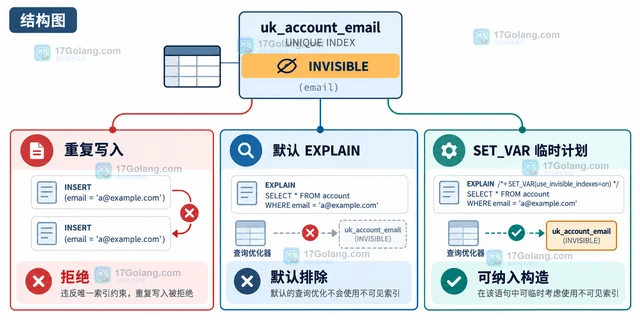
- MySQL invisible index 唯一索引设为不可见后约束还生效吗
- 335浏览 收藏
-
- 数据库 · MySQL | 14小时前 |
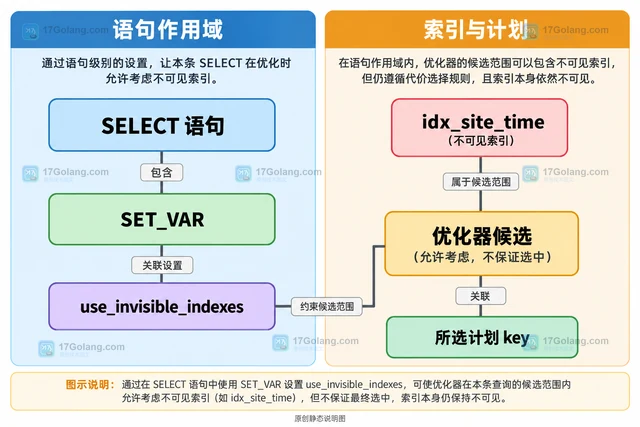
- MySQL invisible index 怎样临时让优化器使用不可见索引
- 345浏览 收藏
查看更多
课程推荐
-

- 前端进阶之JavaScript设计模式
- 设计模式是开发人员在软件开发过程中面临一般问题时的解决方案,代表了最佳的实践。本课程的主打内容包括JS常见设计模式以及具体应用场景,打造一站式知识长龙服务,适合有JS基础的同学学习。
- 543次学习
-

- GO语言核心编程课程
- 本课程采用真实案例,全面具体可落地,从理论到实践,一步一步将GO核心编程技术、编程思想、底层实现融会贯通,使学习者贴近时代脉搏,做IT互联网时代的弄潮儿。
- 516次学习
-

- 简单聊聊mysql8与网络通信
- 如有问题加微信:Le-studyg;在课程中,我们将首先介绍MySQL8的新特性,包括性能优化、安全增强、新数据类型等,帮助学生快速熟悉MySQL8的最新功能。接着,我们将深入解析MySQL的网络通信机制,包括协议、连接管理、数据传输等,让
- 500次学习
-

- JavaScript正则表达式基础与实战
- 在任何一门编程语言中,正则表达式,都是一项重要的知识,它提供了高效的字符串匹配与捕获机制,可以极大的简化程序设计。
- 487次学习
-

- 从零制作响应式网站—Grid布局
- 本系列教程将展示从零制作一个假想的网络科技公司官网,分为导航,轮播,关于我们,成功案例,服务流程,团队介绍,数据部分,公司动态,底部信息等内容区块。网站整体采用CSSGrid布局,支持响应式,有流畅过渡和展现动画。
- 485次学习
查看更多
AI推荐
-

- PubMedQA
- 深入了解PubMedQA生物医学问答数据集,涵盖其核心功能、使用方法及在临床决策、药物研发等场景的应用,助力提升NLP模型性能。
- 680次使用
-

- H2O EvalGPT
- H2O EvalGPT是H2O.ai推出的开源LLM评估平台,提供详细的大模型性能排行榜、行业特定基准测试及A/B测试功能,助您快速选择最适合项目的高性能大语言模型。
- 696次使用
-

- LMArena
- LMArena是加州大学伯克利分校推出的AI模型匿名评测平台。通过盲测投票机制,用户可对比不同大模型回答并生成实时排行榜,助力开发者优化模型及用户选择最佳AI工具。
- 741次使用
-

- HELM
- 深入了解斯坦福推出的HELM(Holistic Evaluation of Language Models)大模型评测体系。本文解析其核心功能、安装配置步骤及应用场景,涵盖准确性、公平性、鲁棒性等多维度指标,助力开发者全面优化语言模型性能。
- 711次使用
-

- MMBench
- MMBench是由上海人工智能实验室等机构联合推出的多模态基准测试平台,提供细粒度能力评估、大规模数据集及VLMEvalKit工具。本文详细介绍其核心功能、安装使用方法及应用场景,助力开发者全面评估多模态模型性能。
- 548次使用
查看更多
相关文章
-
- MySQL 明明加了索引,为什么查询还是很慢?先查这 6 个点
- 2026-06-27 374浏览
-
- 接口返回的数据和数据库不一致怎么办?按数据生命周期排查
- 2026-06-27 398浏览
-
- golang MySQL实现对数据库表存储获取操作示例
- 2022-12-22 499浏览
-
- golang 基于 mysql 简单实现分布式读写锁
- 2023-01-07 384浏览
-
- 详解如何利用GORM实现MySQL事务
- 2023-01-07 184浏览


