
golang中命令行库cobra的使用方法示例
知识点掌握了,还需要不断练习才能熟练运用。下面golang学习网给大家带来一个Golang开发实战,手把手教大家学习《golang中命令行库cobra的使用方法示例》,在实现功能的过程中也带大家重新温习相关知识点,温故而知新,回头看看说不定又有不一样的感悟!
简介
Cobra既是一个用来创建强大的现代CLI命令行的golang库,也是一个生成程序应用和命令行文件的程序。下面是Cobra使用的一个演示:

Cobra提供的功能
- 简易的子命令行模式,如 app server, app fetch等等
- 完全兼容posix命令行模式
- 嵌套子命令subcommand
- 支持全局,局部,串联flags
- 使用Cobra很容易的生成应用程序和命令,使用cobra create appname和cobra add cmdname
- 如果命令输入错误,将提供智能建议,如 app srver,将提示srver没有,是否是app server
- 自动生成commands和flags的帮助信息
- 自动生成详细的help信息,如app help
- 自动识别-h,--help帮助flag
- 自动生成应用程序在bash下命令自动完成功能
- 自动生成应用程序的man手册
- 命令行别名
- 自定义help和usage信息
- 可选的紧密集成的viper apps
如何使用
上面所有列出的功能我没有一一去使用,下面我来简单介绍一下如何使用Cobra,基本能够满足一般命令行程序的需求,如果需要更多功能,可以研究一下源码github。
安装cobra
Cobra是非常容易使用的,使用go get来安装最新版本的库。当然这个库还是相对比较大的,可能需要安装它可能需要相当长的时间,这取决于你的速网。安装完成后,打开GOPATH目录,bin目录下应该有已经编译好的cobra.exe程序,当然你也可以使用源代码自己生成一个最新的cobra程序。
> go get -v github.com/spf13/cobra/cobra
使用cobra生成应用程序
假设现在我们要开发一个基于CLIs的命令程序,名字为demo。首先打开CMD,切换到GOPATH的src目录下[^1],执行如下指令:
[^1]:cobra.exe只能在GOPATH目录下执行
src> ..\bin\cobra.exe init demo
Your Cobra application is ready at
C:\Users\liubo5\Desktop\transcoding_tool\src\demo
Give it a try by going there and running `go run main.go`
Add commands to it by running `cobra add [cmdname]`
在src目录下会生成一个demo的文件夹,如下:
▾ demo
▾ cmd/
root.go
main.go
如果你的demo程序没有subcommands,那么cobra生成应用程序的操作就结束了。
如何实现没有子命令的CLIs程序
接下来就是可以继续demo的功能设计了。例如我在demo下面新建一个包,名称为imp。如下:
▾ demo
▾ cmd/
root.go
▾ imp/
imp.go
imp_test.go
main.go
imp.go文件的代码如下:
package imp

import(
 "fmt"
)

func Show(name string, age int) {
 fmt.Printf("My Name is %s, My age is %d\n", name, age)
}
demo程序成命令行接收两个参数name和age,然后打印出来。打开cobra自动生成的main.go文件查看:
// Copyright © 2016 NAME HERE// // Licensed under the Apache License, Version 2.0 (the "License"); // you may not use this file except in compliance with the License. // You may obtain a copy of the License at // // http://www.apache.org/licenses/LICENSE-2.0 // // Unless required by applicable law or agreed to in writing, software // distributed under the License is distributed on an "AS IS" BASIS, // WITHOUT WARRANTIES OR CONDITIONS OF ANY KIND, either express or implied. // See the License for the specific language governing permissions and // limitations under the License. package main import "demo/cmd" func main() { cmd.Execute() }
可以看出main函数执行cmd包,所以我们只需要在cmd包内调用imp包就能实现demo程序的需求。接着打开root.go文件查看:
// Copyright © 2016 NAME HERE// // Licensed under the Apache License, Version 2.0 (the "License"); // you may not use this file except in compliance with the License. // You may obtain a copy of the License at // // http://www.apache.org/licenses/LICENSE-2.0 // // Unless required by applicable law or agreed to in writing, software // distributed under the License is distributed on an "AS IS" BASIS, // WITHOUT WARRANTIES OR CONDITIONS OF ANY KIND, either express or implied. // See the License for the specific language governing permissions and // limitations under the License. package cmd import ( "fmt" "os" "github.com/spf13/cobra" "github.com/spf13/viper" ) var cfgFile string // RootCmd represents the base command when called without any subcommands var RootCmd = &cobra.Command{ Use: "demo", Short: "A brief description of your application", Long: `A longer description that spans multiple lines and likely contains examples and usage of using your application. For example: Cobra is a CLI library for Go that empowers applications. This application is a tool to generate the needed files to quickly create a Cobra application.`, // Uncomment the following line if your bare application // has an action associated with it: // Run: func(cmd *cobra.Command, args []string) { }, } // Execute adds all child commands to the root command sets flags appropriately. // This is called by main.main(). It only needs to happen once to the rootCmd. func Execute() { if err := RootCmd.Execute(); err != nil { fmt.Println(err) os.Exit(-1) } } func init() { cobra.OnInitialize(initConfig) // Here you will define your flags and configuration settings. // Cobra supports Persistent Flags, which, if defined here, // will be global for your application. RootCmd.PersistentFlags().StringVar(&cfgFile, "config", "", "config file (default is $HOME/.demo.yaml)") // Cobra also supports local flags, which will only run // when this action is called directly. RootCmd.Flags().BoolP("toggle", "t", false, "Help message for toggle") } // initConfig reads in config file and ENV variables if set. func initConfig() { if cfgFile != "" { // enable ability to specify config file via flag viper.SetConfigFile(cfgFile) } viper.SetConfigName(".demo") // name of config file (without extension) viper.AddConfigPath("$HOME") // adding home directory as first search path viper.AutomaticEnv() // read in environment variables that match // If a config file is found, read it in. if err := viper.ReadInConfig(); err == nil { fmt.Println("Using config file:", viper.ConfigFileUsed()) } }
从源代码来看cmd包进行了一些初始化操作并提供了Execute接口。十分简单,其中viper是cobra集成的配置文件读取的库,这里不需要使用,我们可以注释掉(不注释可能生成的应用程序很大约10M,这里没哟用到最好是注释掉)。cobra的所有命令都是通过cobra.Command这个结构体实现的。为了实现demo功能,显然我们需要修改RootCmd。修改后的代码如下:
// Copyright © 2016 NAME HERE// // Licensed under the Apache License, Version 2.0 (the "License"); // you may not use this file except in compliance with the License. // You may obtain a copy of the License at // // http://www.apache.org/licenses/LICENSE-2.0 // // Unless required by applicable law or agreed to in writing, software // distributed under the License is distributed on an "AS IS" BASIS, // WITHOUT WARRANTIES OR CONDITIONS OF ANY KIND, either express or implied. // See the License for the specific language governing permissions and // limitations under the License. package cmd import ( "fmt" "os" "github.com/spf13/cobra" // "github.com/spf13/viper" "demo/imp" ) //var cfgFile string var name string var age int // RootCmd represents the base command when called without any subcommands var RootCmd = &cobra.Command{ Use: "demo", Short: "A test demo", Long: `Demo is a test appcation for print things`, // Uncomment the following line if your bare application // has an action associated with it: Run: func(cmd *cobra.Command, args []string) { if len(name) == 0 { cmd.Help() return } imp.Show(name, age) }, } // Execute adds all child commands to the root command sets flags appropriately. // This is called by main.main(). It only needs to happen once to the rootCmd. func Execute() { if err := RootCmd.Execute(); err != nil { fmt.Println(err) os.Exit(-1) } } func init() { // cobra.OnInitialize(initConfig) // Here you will define your flags and configuration settings. // Cobra supports Persistent Flags, which, if defined here, // will be global for your application. // RootCmd.PersistentFlags().StringVar(&cfgFile, "config", "", "config file (default is $HOME/.demo.yaml)") // Cobra also supports local flags, which will only run // when this action is called directly. // RootCmd.Flags().BoolP("toggle", "t", false, "Help message for toggle") RootCmd.Flags().StringVarP(&name, "name", "n", "", "person's name") RootCmd.Flags().IntVarP(&age, "age", "a", 0, "person's age") } // initConfig reads in config file and ENV variables if set. //func initConfig() { // if cfgFile != "" { // enable ability to specify config file via flag // viper.SetConfigFile(cfgFile) // } // viper.SetConfigName(".demo") // name of config file (without extension) // viper.AddConfigPath("$HOME") // adding home directory as first search path // viper.AutomaticEnv() // read in environment variables that match // // If a config file is found, read it in. // if err := viper.ReadInConfig(); err == nil { // fmt.Println("Using config file:", viper.ConfigFileUsed()) // } //}
到此demo的功能已经实现了,我们编译运行一下看看实际效果:
>demo.exe
Demo is a test appcation for print thingsUsage:
demo [flags]Flags:
-a, --age int person's age
-h, --help help for demo
-n, --name string person's name
>demo -n borey --age 26
My Name is borey, My age is 26
如何实现带有子命令的CLIs程序
在执行cobra.exe init demo之后,继续使用cobra为demo添加子命令test:
src\demo>..\..\bin\cobra add test
test created at C:\Users\liubo5\Desktop\transcoding_tool\src\demo\cmd\test.go
在src目录下demo的文件夹下生成了一个cmd\test.go文件,如下:
▾ demo
▾ cmd/
root.go
test.go
main.go
接下来的操作就和上面修改root.go文件一样去配置test子命令。效果如下:
src\demo>demo
Demo is a test appcation for print things

Usage:
 demo [flags]
 demo [command]

Available Commands:
 test  A brief description of your command

Flags:
 -a, --age int  person's age
 -h, --help   help for demo
 -n, --name string person's name

Use "demo [command] --help" for more information about a command.
可以看出demo既支持直接使用标记flag,又能使用子命令
src\demo>demo test -h
A longer description that spans multiple lines and likely contains examples
and usage of using your command. For example:

Cobra is a CLI library for Go that empowers applications.
This application is a tool to generate the needed files
to quickly create a Cobra application.

Usage:
 demo test [flags]
调用test命令输出信息,这里没有对默认信息进行修改。
src\demo>demo tst
Error: unknown command "tst" for "demo"

Did you mean this?
  test

Run 'demo --help' for usage.
unknown command "tst" for "demo"

Did you mean this?
  test
这是错误命令提示功能
OVER
Cobra的使用就介绍到这里,更新细节可去github详细研究一下。这里只是一个简单的使用入门介绍,如果有错误之处,敬请指出,谢谢~
总结
今天带大家了解了Cobra、命令行库的相关知识,希望对你有所帮助;关于Golang的技术知识我们会一点点深入介绍,欢迎大家关注golang学习网公众号,一起学习编程~
 golang利用不到20行代码实现路由调度详解
- 上一篇
- golang利用不到20行代码实现路由调度详解
- 下一篇
- golang如何自定义json序列化应用详解
-

- 整齐的白云
- 受益颇多,一直没懂这个问题,但其实工作中常常有遇到...不过今天到这,看完之后很有帮助,总算是懂了,感谢博主分享技术文章!
- 2023-04-01 22:31:55
-
- 危机的猫咪
- 这篇技术贴出现的刚刚好,细节满满,受益颇多,已收藏,关注作者了!希望作者能多写Golang相关的文章。
- 2023-03-30 21:40:25
-
- 乐观的口红
- 这篇文章出现的刚刚好,好细啊,太给力了,码起来,关注大佬了!希望大佬能多写Golang相关的文章。
- 2023-01-12 07:40:37
-
- 烂漫的黑夜
- 这篇文章真是及时雨啊,太全面了,太给力了,已加入收藏夹了,关注作者了!希望作者能多写Golang相关的文章。
- 2023-01-01 12:52:15
-
- 等待的硬币
- 太给力了,一直没懂这个问题,但其实工作中常常有遇到...不过今天到这,帮助很大,总算是懂了,感谢师傅分享技术文章!
- 2023-01-01 06:02:01
-
- Golang · Go教程 | 2小时前 |
- Go goroutine 怎样用 semaphore 限制并发
- 402浏览 收藏
-
- Golang · Go教程 | 2小时前 |
- Go database/sql ExecContext 怎样判断影响行数为零
- 449浏览 收藏
-
- Golang · Go教程 | 2小时前 |
- Go HTTP/3 怎样选择 quic-go 适配层
- 199浏览 收藏
-
- Golang · Go教程 | 2小时前 |
- Go HTTP/2 怎样限制并发流
- 130浏览 收藏
-
- Golang · Go教程 | 2小时前 |
- Go fuzzing 怎样让输入先通过格式预检查
- 381浏览 收藏
-
- Golang · Go教程 | 2小时前 |
- Go map 删除期间迭代怎样设计清理逻辑
- 230浏览 收藏
-
- Golang · Go教程 | 2小时前 |
- Go sort.Interface 怎样稳定排序重复键
- 319浏览 收藏
-
- Golang · Go教程 | 2小时前 |
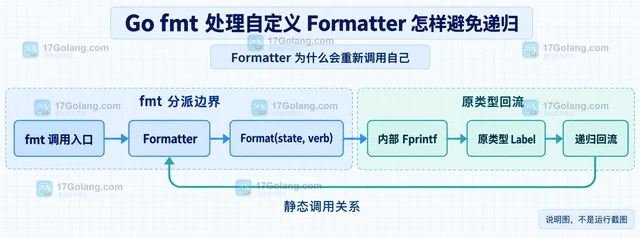
- Go fmt 处理自定义 Formatter 怎样避免递归
- 314浏览 收藏
-
- Golang · Go教程 | 2小时前 | 标准库 · go · Go iter.Seq bytes.Lines 按行读取
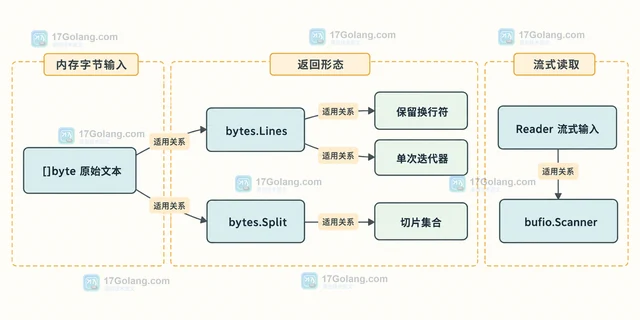
- Go bytes.Lines 保留换行符的遍历方式
- 297浏览 收藏
-
- Golang · Go教程 | 2小时前 | 内存 · 缓存 · go · GC · 运行时 · 缓存 Go GOMEMLIMIT runtime/debug SetMemoryLimit
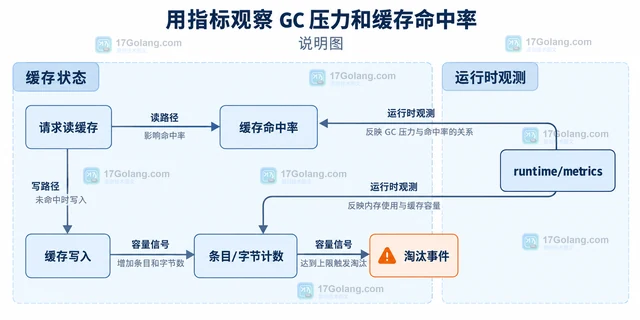
- Go runtime.SetMemoryLimit 怎样配合缓存上限
- 381浏览 收藏
-
- Golang · Go教程 | 2小时前 |
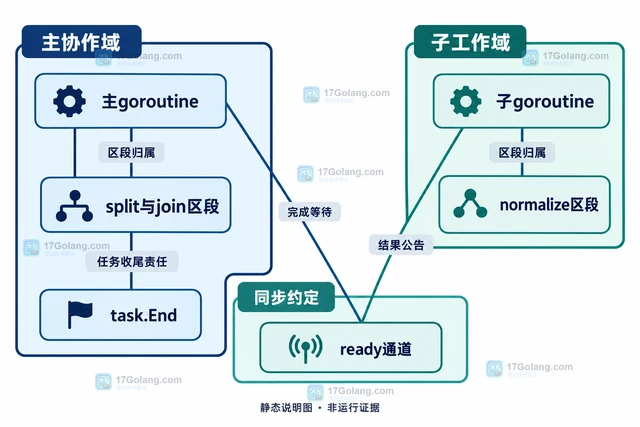
- Go trace 怎样关联任务阶段
- 402浏览 收藏
-

- 前端进阶之JavaScript设计模式
- 设计模式是开发人员在软件开发过程中面临一般问题时的解决方案,代表了最佳的实践。本课程的主打内容包括JS常见设计模式以及具体应用场景,打造一站式知识长龙服务,适合有JS基础的同学学习。
- 543次学习
-

- GO语言核心编程课程
- 本课程采用真实案例,全面具体可落地,从理论到实践,一步一步将GO核心编程技术、编程思想、底层实现融会贯通,使学习者贴近时代脉搏,做IT互联网时代的弄潮儿。
- 516次学习
-

- 简单聊聊mysql8与网络通信
- 如有问题加微信:Le-studyg;在课程中,我们将首先介绍MySQL8的新特性,包括性能优化、安全增强、新数据类型等,帮助学生快速熟悉MySQL8的最新功能。接着,我们将深入解析MySQL的网络通信机制,包括协议、连接管理、数据传输等,让
- 500次学习
-

- JavaScript正则表达式基础与实战
- 在任何一门编程语言中,正则表达式,都是一项重要的知识,它提供了高效的字符串匹配与捕获机制,可以极大的简化程序设计。
- 487次学习
-

- 从零制作响应式网站—Grid布局
- 本系列教程将展示从零制作一个假想的网络科技公司官网,分为导航,轮播,关于我们,成功案例,服务流程,团队介绍,数据部分,公司动态,底部信息等内容区块。网站整体采用CSSGrid布局,支持响应式,有流畅过渡和展现动画。
- 485次学习
-

- PubMedQA
- 深入了解PubMedQA生物医学问答数据集,涵盖其核心功能、使用方法及在临床决策、药物研发等场景的应用,助力提升NLP模型性能。
- 531次使用
-

- H2O EvalGPT
- H2O EvalGPT是H2O.ai推出的开源LLM评估平台,提供详细的大模型性能排行榜、行业特定基准测试及A/B测试功能,助您快速选择最适合项目的高性能大语言模型。
- 589次使用
-

- LMArena
- LMArena是加州大学伯克利分校推出的AI模型匿名评测平台。通过盲测投票机制,用户可对比不同大模型回答并生成实时排行榜,助力开发者优化模型及用户选择最佳AI工具。
- 615次使用
-

- HELM
- 深入了解斯坦福推出的HELM(Holistic Evaluation of Language Models)大模型评测体系。本文解析其核心功能、安装配置步骤及应用场景,涵盖准确性、公平性、鲁棒性等多维度指标,助力开发者全面优化语言模型性能。
- 567次使用
-

- MMBench
- MMBench是由上海人工智能实验室等机构联合推出的多模态基准测试平台,提供细粒度能力评估、大规模数据集及VLMEvalKit工具。本文详细介绍其核心功能、安装使用方法及应用场景,助力开发者全面评估多模态模型性能。
- 390次使用
-
- go语言PflagViperCobra核心功能使用介绍
- 2023-01-07 417浏览
-
- 玩转Go命令行工具Cobra
- 2022-12-31 364浏览


