
生成的 Pod 一直处于 0/2 状态,导致图像无法在 ECR 和 EKS 之间正常工作
亲爱的编程学习爱好者,如果你点开了这篇文章,说明你对《生成的 Pod 一直处于 0/2 状态,导致图像无法在 ECR 和 EKS 之间正常工作》很感兴趣。本篇文章就来给大家详细解析一下,主要介绍一下,希望所有认真读完的童鞋们,都有实质性的提高。
我已经尝试了几乎所有方法来让事情走上正确的路径,但仍然无法让我的 pod 处于可用状态。
所以我有一个用 go 编写的基本应用程序。
我使用 docker build --tag docker-gs-ping . 创建了程序的映像
然后我尝试在容器内运行相同的命令 docker run --publish 8080:8080 docker-gs-ping
然后我想将我的图像保存到 amazon ecr,为此我在 ecr 中创建了一个存储库。
现在,在创建存储库后,我标记了本地中存在的图像。
docker tag f49366b7f534 ****40312665.dkr.ecr.us-east-1.amazonaws.com/docker-gs-ping:latest
f49366b7f534是我本地的图像标签。 docker-gs-ping 是 ecr 中的存储库名称。
然后我使用命令将标记的图像上传到 ecr。
docker push ****40312665.dkr.ecr.us-east-1.amazonaws.com/docker-gs-ping:latest
不确定上述命令是否会从本地推送标记的图像或最近的图像,因为无法提及要推送到 ecr 的特定图像。
目前的结果是
完成上述步骤后,我使用以下文件和命令创建了一个 vps:
eks 堆栈:
---
awstemplateformatversion: '2010-09-09'
description: 'amazon eks cluster'

parameters:
  clustername:
    type: string
    default: my-eks-cluster
  numberofworkernodes:
    type: number
    default: 1
  workernodesinstancetype:
    type: string
    default: t2.micro
  kubernetesversion:
    type: string
    default: 1.22

resources:

  ###########################################
  ## roles
  ###########################################
  eksrole:
    type: aws::iam::role
    properties:
      rolename: my.eks.cluster.role
      assumerolepolicydocument:
        version: "2012-10-17"
        statement:
          - effect: allow
            principal:
              service:
                - eks.amazonaws.com
            action:
              - sts:assumerole
      path: /
      managedpolicyarns:
        - "arn:aws:iam::aws:policy/amazoneksclusterpolicy"
  eksnoderole:
    type: aws::iam::role
    properties:
      rolename: my.eks.node.role
      assumerolepolicydocument:
        version: "2012-10-17"
        statement:
          - effect: allow
            principal:
              service:
                - ec2.amazonaws.com
            action:
              - sts:assumerole
      path: /
      managedpolicyarns:
        - "arn:aws:iam::aws:policy/amazoneksworkernodepolicy"
        - "arn:aws:iam::aws:policy/amazonec2containerregistryreadonly"
        - "arn:aws:iam::aws:policy/amazoneks_cni_policy"

  ###########################################
  ## eks cluster
  ###########################################

  ekscluster:
    type: aws::eks::cluster
    properties:
      name: !ref clustername
      version: !ref kubernetesversion
      rolearn: !getatt eksrole.arn
      resourcesvpcconfig:
        securitygroupids:
          - !importvalue controlplanesecuritygroupid
        subnetids: !split [ ',', !importvalue privatesubnetids ]

  eksnodegroup:
    type: aws::eks::nodegroup
    dependson: ekscluster
    properties:
      clustername: !ref clustername
      noderole: !getatt eksnoderole.arn
      scalingconfig:
        minsize:
          ref: numberofworkernodes
        desiredsize:
          ref: numberofworkernodes
        maxsize:
          ref: numberofworkernodes
      subnets: !split [ ',', !importvalue privatesubnetids ]
命令:aws cloudformation create-stack --region us-east-1 --stack-name my-eks-cluster --capability capability_named_iam --template-body file://eks-stack.yaml
eks vpc yaml
---
awstemplateformatversion: '2010-09-09'
description: 'amazon eks vpc - private and public subnets'

parameters:

  vpcblock:
    type: string
    default: 192.168.0.0/16
    description: the cidr range for the vpc. this should be a valid private (rfc 1918) cidr range.

  publicsubnet01block:
    type: string
    default: 192.168.0.0/18
    description: cidrblock for public subnet 01 within the vpc

  publicsubnet02block:
    type: string
    default: 192.168.64.0/18
    description: cidrblock for public subnet 02 within the vpc

  privatesubnet01block:
    type: string
    default: 192.168.128.0/18
    description: cidrblock for private subnet 01 within the vpc

  privatesubnet02block:
    type: string
    default: 192.168.192.0/18
    description: cidrblock for private subnet 02 within the vpc

metadata:
  aws::cloudformation::interface:
    parametergroups:
      -
        label:
          default: "worker network configuration"
        parameters:
          - vpcblock
          - publicsubnet01block
          - publicsubnet02block
          - privatesubnet01block
          - privatesubnet02block

resources:
  vpc:
    type: aws::ec2::vpc
    properties:
      cidrblock:  !ref vpcblock
      enablednssupport: true
      enablednshostnames: true
      tags:
      - key: name
        value: !sub '${aws::stackname}-vpc'

  internetgateway:
    type: "aws::ec2::internetgateway"

  vpcgatewayattachment:
    type: "aws::ec2::vpcgatewayattachment"
    properties:
      internetgatewayid: !ref internetgateway
      vpcid: !ref vpc

  publicroutetable:
    type: aws::ec2::routetable
    properties:
      vpcid: !ref vpc
      tags:
      - key: name
        value: public subnets
      - key: network
        value: public

  privateroutetable01:
    type: aws::ec2::routetable
    properties:
      vpcid: !ref vpc
      tags:
      - key: name
        value: private subnet az1
      - key: network
        value: private01

  privateroutetable02:
    type: aws::ec2::routetable
    properties:
      vpcid: !ref vpc
      tags:
      - key: name
        value: private subnet az2
      - key: network
        value: private02

  publicroute:
    dependson: vpcgatewayattachment
    type: aws::ec2::route
    properties:
      routetableid: !ref publicroutetable
      destinationcidrblock: 0.0.0.0/0
      gatewayid: !ref internetgateway

  privateroute01:
    dependson:
    - vpcgatewayattachment
    - natgateway01
    type: aws::ec2::route
    properties:
      routetableid: !ref privateroutetable01
      destinationcidrblock: 0.0.0.0/0
      natgatewayid: !ref natgateway01

  privateroute02:
    dependson:
    - vpcgatewayattachment
    - natgateway02
    type: aws::ec2::route
    properties:
      routetableid: !ref privateroutetable02
      destinationcidrblock: 0.0.0.0/0
      natgatewayid: !ref natgateway02

  natgateway01:
    dependson:
    - natgatewayeip1
    - publicsubnet01
    - vpcgatewayattachment
    type: aws::ec2::natgateway
    properties:
      allocationid: !getatt 'natgatewayeip1.allocationid'
      subnetid: !ref publicsubnet01
      tags:
      - key: name
        value: !sub '${aws::stackname}-natgatewayaz1'

  natgateway02:
    dependson:
    - natgatewayeip2
    - publicsubnet02
    - vpcgatewayattachment
    type: aws::ec2::natgateway
    properties:
      allocationid: !getatt 'natgatewayeip2.allocationid'
      subnetid: !ref publicsubnet02
      tags:
      - key: name
        value: !sub '${aws::stackname}-natgatewayaz2'

  natgatewayeip1:
    dependson:
    - vpcgatewayattachment
    type: 'aws::ec2::eip'
    properties:
      domain: vpc

  natgatewayeip2:
    dependson:
    - vpcgatewayattachment
    type: 'aws::ec2::eip'
    properties:
      domain: vpc

  publicsubnet01:
    type: aws::ec2::subnet
    metadata:
      comment: subnet 01
    properties:
      mappubliciponlaunch: true
      availabilityzone:
        fn::select:
        - '0'
        - fn::getazs:
            ref: aws::region
      cidrblock:
        ref: publicsubnet01block
      vpcid:
        ref: vpc
      tags:
      - key: name
        value: !sub "${aws::stackname}-publicsubnet01"
      - key: kubernetes.io/role/elb
        value: 1

  publicsubnet02:
    type: aws::ec2::subnet
    metadata:
      comment: subnet 02
    properties:
      mappubliciponlaunch: true
      availabilityzone:
        fn::select:
        - '1'
        - fn::getazs:
            ref: aws::region
      cidrblock:
        ref: publicsubnet02block
      vpcid:
        ref: vpc
      tags:
      - key: name
        value: !sub "${aws::stackname}-publicsubnet02"
      - key: kubernetes.io/role/elb
        value: 1

  privatesubnet01:
    type: aws::ec2::subnet
    metadata:
      comment: subnet 03
    properties:
      availabilityzone:
        fn::select:
        - '0'
        - fn::getazs:
            ref: aws::region
      cidrblock:
        ref: privatesubnet01block
      vpcid:
        ref: vpc
      tags:
      - key: name
        value: !sub "${aws::stackname}-privatesubnet01"
      - key: kubernetes.io/role/internal-elb
        value: 1

  privatesubnet02:
    type: aws::ec2::subnet
    metadata:
      comment: private subnet 02
    properties:
      availabilityzone:
        fn::select:
        - '1'
        - fn::getazs:
            ref: aws::region
      cidrblock:
        ref: privatesubnet02block
      vpcid:
        ref: vpc
      tags:
      - key: name
        value: !sub "${aws::stackname}-privatesubnet02"
      - key: kubernetes.io/role/internal-elb
        value: 1

  publicsubnet01routetableassociation:
    type: aws::ec2::subnetroutetableassociation
    properties:
      subnetid: !ref publicsubnet01
      routetableid: !ref publicroutetable

  publicsubnet02routetableassociation:
    type: aws::ec2::subnetroutetableassociation
    properties:
      subnetid: !ref publicsubnet02
      routetableid: !ref publicroutetable

  privatesubnet01routetableassociation:
    type: aws::ec2::subnetroutetableassociation
    properties:
      subnetid: !ref privatesubnet01
      routetableid: !ref privateroutetable01

  privatesubnet02routetableassociation:
    type: aws::ec2::subnetroutetableassociation
    properties:
      subnetid: !ref privatesubnet02
      routetableid: !ref privateroutetable02

  controlplanesecuritygroup:
    type: aws::ec2::securitygroup
    properties:
      groupdescription: cluster communication with worker nodes
      vpcid: !ref vpc

outputs:

  publicsubnetids:
    description: public subnets ids in the vpc
    value: !join [ ",", [ !ref publicsubnet01, !ref publicsubnet02 ] ]
    export:
      name: publicsubnetids

  privatesubnetids:
    description: private subnets ids in the vpc
    value: !join [ ",", [ !ref privatesubnet01, !ref privatesubnet02 ] ]
    export:
      name: privatesubnetids

  controlplanesecuritygroupid:
    description: security group for the cluster control plane communication with worker nodes
    value: !ref controlplanesecuritygroup
    export:
      name: controlplanesecuritygroupid

  vpcid:
    description: the vpc id
    value: !ref vpc
    export:
      name: vpcid
命令:aws cloudformation create-stack --region us-east-1 --stack-name my-eks-vpc --template-body file://eks-vpc-stack.yaml
命令后的结果:
现在我尝试部署deployment.yaml和service.yaml文件
deployment.yaml
apiversion: apps/v1
kind: deployment
metadata:
  name: helloworld
  namespace: default
spec:
  replicas: 2
  selector:
    matchlabels:
      app: helloworld
  template:
    metadata:
      labels:
        app: helloworld
    spec:
      containers:
        - name: new-container
          image: ****40312665.dkr.ecr.us-east-1.amazonaws.com/docker-gs-ping:latest
          ports:
            - containerport: 80
命令和结果:
现在service.yaml
apiversion: v1
kind: service
metadata:
  name: helloworld
spec:
  type: loadbalancer
  selector:
    app: helloworld
  ports:
    - name: http
      port: 80
      targetport: 80
命令和结果:
完成这一切后,当我运行 kubectl get 部署时,我得到如下结果:
为了调试,我尝试了 kubectl描述pod helloworld,我得到如下
C:\Users\visratna\GolandProjects\testaws>kubectl describe pod helloworld
Name:             helloworld-c6dc56598-jmpvr
Namespace:        default
Priority:         0
Service Account:  default
Node:             docker-desktop/192.168.65.4
Start Time:       Fri, 07 Jul 2023 22:22:18 +0530
Labels:           app=helloworld
                  pod-template-hash=c6dc56598
Annotations:
Status:           Pending
IP:               10.1.0.7
IPs:
  IP:           10.1.0.7
Controlled By:  ReplicaSet/helloworld-c6dc56598
Containers:
  new-container:
    Container ID:
    Image:          549840312665.dkr.ecr.us-east-1.amazonaws.com/docker-gs-ping:latest
    Image ID:
    Port:           80/TCP
    Host Port:      0/TCP
    State:          Waiting
      Reason:       ImagePullBackOff
    Ready:          False
    Restart Count:  0
    Environment:
    Mounts:
      /var/run/secrets/kubernetes.io/serviceaccount from kube-api-access-sldvv (ro)
Conditions:
  Type              Status
  Initialized       True
  Ready             False
  ContainersReady   False
  PodScheduled      True
Volumes:
  kube-api-access-sldvv:
    Type:                    Projected (a volume that contains injected data from multiple sources)
    TokenExpirationSeconds:  3607
    ConfigMapName:           kube-root-ca.crt
    ConfigMapOptional:
    DownwardAPI:             true
QoS Class:                   BestEffort
Node-Selectors:
Tolerations:                 node.kubernetes.io/not-ready:NoExecute op=Exists for 300s
                             node.kubernetes.io/unreachable:NoExecute op=Exists for 300s
Events:
  Type     Reason     Age                   From               Message
  ----     ------     ----                  ----               -------
  Normal   Scheduled  23m                   default-scheduler  Successfully assigned default/helloworld-c6dc56598-jmpvr to docker-desktop
  Normal   Pulling    22m (x4 over 23m)     kubelet            Pulling image "549840312665.dkr.ecr.us-east-1.amazonaws.com/docker-gs-ping:latest"
  Warning  Failed     22m (x4 over 23m)     kubelet            Failed to pull image "549840312665.dkr.ecr.us-east-1.amazonaws.com/docker-gs-ping:latest": rpc error: code = Unknown desc = Error response from daemon: Head "https://549840312665.dkr.ecr.us-east-1.amazonaws.com/v2/docker-gs-ping/manifests/latest": no basic auth credentials
  Warning  Failed     22m (x4 over 23m)     kubelet            Error: ErrImagePull
  Warning  Failed     22m (x6 over 23m)     kubelet            Error: ImagePullBackOff
  Normal   BackOff    3m47s (x85 over 23m)  kubelet            Back-off pulling image "549840312665.dkr.ecr.us-east-1.amazonaws.com/docker-gs-ping:latest"

Name:             helloworld-c6dc56598-r9b4d
Namespace:        default
Priority:         0
Service Account:  default
Node:             docker-desktop/192.168.65.4
Start Time:       Fri, 07 Jul 2023 22:22:18 +0530
Labels:           app=helloworld
                  pod-template-hash=c6dc56598
Annotations:
Status:           Pending
IP:               10.1.0.6
IPs:
  IP:           10.1.0.6
Controlled By:  ReplicaSet/helloworld-c6dc56598
Containers:
  new-container:
    Container ID:
    Image:          549840312665.dkr.ecr.us-east-1.amazonaws.com/docker-gs-ping:latest
    Image ID:
    Port:           80/TCP
    Host Port:      0/TCP
    State:          Waiting
      Reason:       ImagePullBackOff
    Ready:          False
    Restart Count:  0
    Environment:
    Mounts:
      /var/run/secrets/kubernetes.io/serviceaccount from kube-api-access-84rw4 (ro)
Conditions:
  Type              Status
  Initialized       True
  Ready             False
  ContainersReady   False
  PodScheduled      True
Volumes:
  kube-api-access-84rw4:
    Type:                    Projected (a volume that contains injected data from multiple sources)
    TokenExpirationSeconds:  3607
    ConfigMapName:           kube-root-ca.crt
    ConfigMapOptional:
    DownwardAPI:             true
QoS Class:                   BestEffort
Node-Selectors:
Tolerations:                 node.kubernetes.io/not-ready:NoExecute op=Exists for 300s
                             node.kubernetes.io/unreachable:NoExecute op=Exists for 300s
Events:
  Type     Reason     Age                   From               Message
  ----     ------     ----                  ----               -------
  Normal   Scheduled  23m                   default-scheduler  Successfully assigned default/helloworld-c6dc56598-r9b4d to docker-desktop
  Normal   Pulling    22m (x4 over 23m)     kubelet            Pulling image "549840312665.dkr.ecr.us-east-1.amazonaws.com/docker-gs-ping:latest"
  Warning  Failed     22m (x4 over 23m)     kubelet            Failed to pull image "549840312665.dkr.ecr.us-east-1.amazonaws.com/docker-gs-ping:latest": rpc error: code = Unknown desc = Error response from daemon: Head "https://549840312665.dkr.ecr.us-east-1.amazonaws.com/v2/docker-gs-ping/manifests/latest": no basic auth credentials
  Warning  Failed     22m (x4 over 23m)     kubelet            Error: ErrImagePull
  Warning  Failed     22m (x6 over 23m)     kubelet            Error: ImagePullBackOff
  Normal   BackOff    3m43s (x86 over 23m)  kubelet            Back-off pulling image "549840312665.dkr.ecr.us-east-1.amazonaws.com/docker-gs-ping:latest"
我已经按照 stackoverflow 上的建议尝试了许多解决方案,但似乎没有任何对我有用的解决方案,有什么建议我可以让事情正常工作吗?预先非常感谢您。
正确答案
有几件事。首先,您应该避免使用最新标签。这是一种反模式。当您将映像推送到 ECR 时,请使用构建标签或版本号作为映像标签。其次,您需要验证您的工作线程节点是否有权从 ECR 提取映像,特别是 AmazonEC2ContainerRegistryReadOnly 策略。否则,kubelet 将无法从 ECR 中提取镜像。如果注册表与集群位于不同的帐户中,则需要创建存储库[资源]策略。请参阅 https://docs.aws.amazon.com/AmazonECR /latest/userguide/repository-policies.html。
理论要掌握,实操不能落!以上关于《生成的 Pod 一直处于 0/2 状态,导致图像无法在 ECR 和 EKS 之间正常工作》的详细介绍,大家都掌握了吧!如果想要继续提升自己的能力,那么就来关注golang学习网公众号吧!
 波士顿动力Atlas:独立搬运汽车零件的新进展
- 上一篇
- 波士顿动力Atlas:独立搬运汽车零件的新进展
- 下一篇
- 区块链供应链 DApps 开发中的新功能:仅为所有者名称添加预算
-
- Golang · Go问答 | 13小时前 |
- Go ColumnTypes 推断动态查询字段的安全用法
- 319浏览 收藏
-
- Golang · Go问答 | 13小时前 | Go问答 · Go 错误检查 database/sql Rows.Err
- Go Rows.Err 在迭代结束后的错误检查
- 266浏览 收藏
-
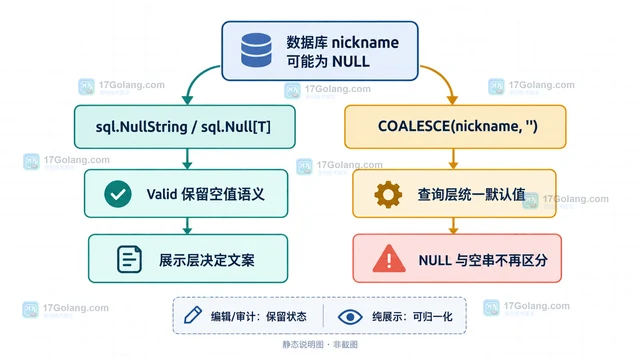
- Golang · Go问答 | 14小时前 |
- Go sql.Scan NULL 到字符串失败的字段适配
- 388浏览 收藏
-
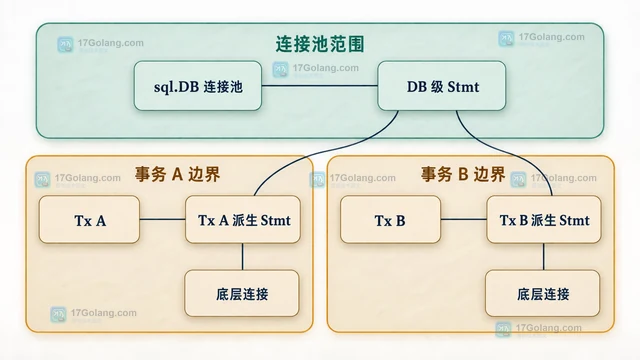
- Golang · Go问答 | 14小时前 |
- Go Tx.Stmt 复用预处理语句的生命周期
- 154浏览 收藏
-
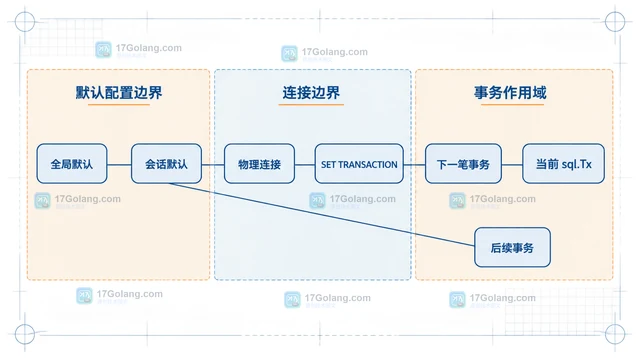
- Golang · Go问答 | 14小时前 |
- Go 事务隔离级别设置未生效的驱动边界
- 165浏览 收藏
-
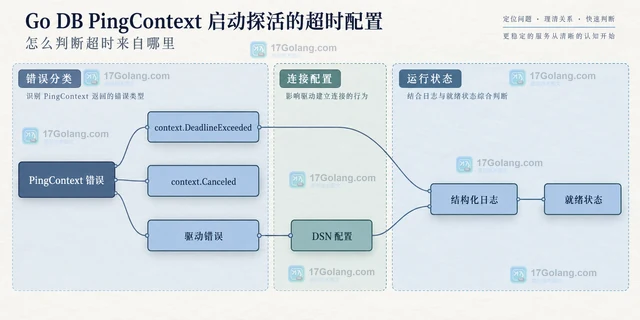
- Golang · Go问答 | 15小时前 |
- Go DB PingContext 启动探活的超时配置
- 438浏览 收藏
-
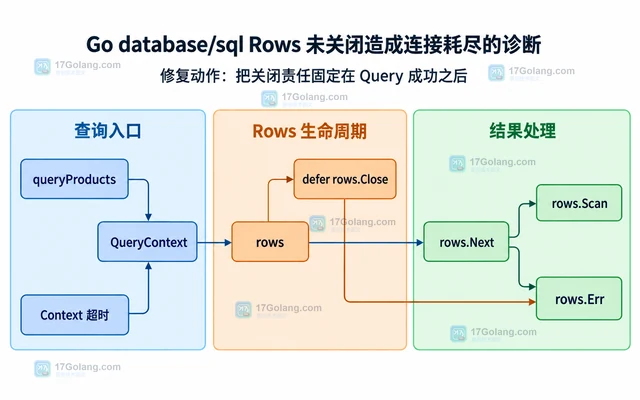
- Golang · Go问答 | 15小时前 |
- Go database/sql Rows 未关闭造成连接耗尽的诊断
- 354浏览 收藏
-
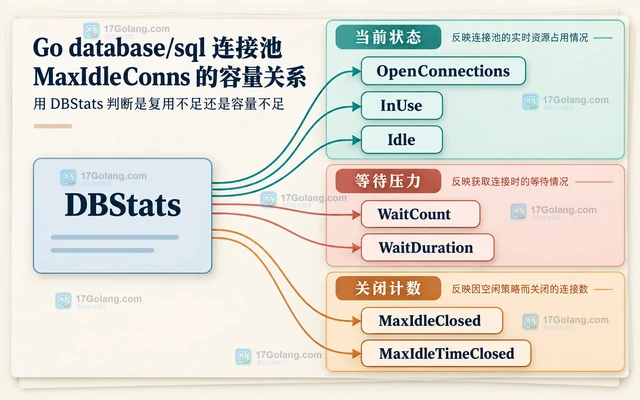
- Golang · Go问答 | 16小时前 |
- Go database/sql 连接池 MaxIdleConns 的容量关系
- 478浏览 收藏
-
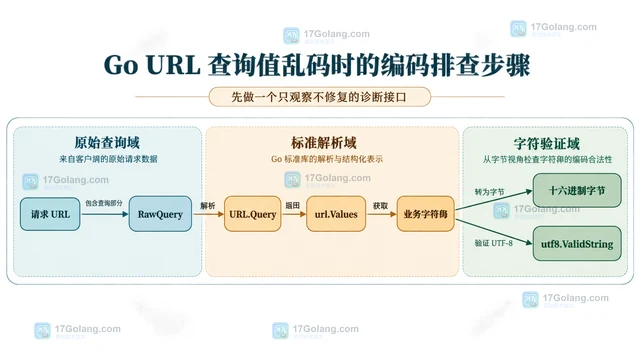
- Golang · Go问答 | 16小时前 |
- Go URL 查询值乱码时的编码排查步骤
- 285浏览 收藏
-
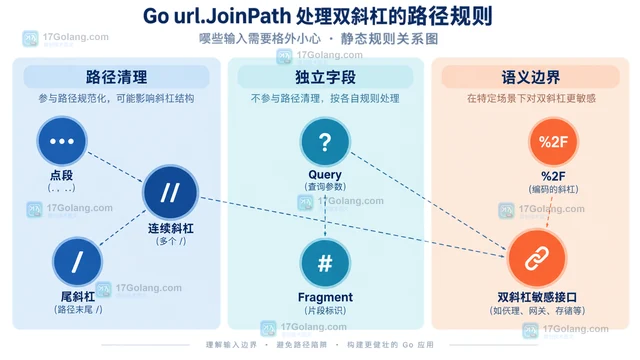
- Golang · Go问答 | 17小时前 | Go问答 · Go URL路径 url.JoinPath PathEscape 双斜杠
- Go url.JoinPath 处理双斜杠的路径规则
- 446浏览 收藏
-

- 前端进阶之JavaScript设计模式
- 设计模式是开发人员在软件开发过程中面临一般问题时的解决方案,代表了最佳的实践。本课程的主打内容包括JS常见设计模式以及具体应用场景,打造一站式知识长龙服务,适合有JS基础的同学学习。
- 543次学习
-

- GO语言核心编程课程
- 本课程采用真实案例,全面具体可落地,从理论到实践,一步一步将GO核心编程技术、编程思想、底层实现融会贯通,使学习者贴近时代脉搏,做IT互联网时代的弄潮儿。
- 516次学习
-

- 简单聊聊mysql8与网络通信
- 如有问题加微信:Le-studyg;在课程中,我们将首先介绍MySQL8的新特性,包括性能优化、安全增强、新数据类型等,帮助学生快速熟悉MySQL8的最新功能。接着,我们将深入解析MySQL的网络通信机制,包括协议、连接管理、数据传输等,让
- 500次学习
-

- JavaScript正则表达式基础与实战
- 在任何一门编程语言中,正则表达式,都是一项重要的知识,它提供了高效的字符串匹配与捕获机制,可以极大的简化程序设计。
- 487次学习
-

- 从零制作响应式网站—Grid布局
- 本系列教程将展示从零制作一个假想的网络科技公司官网,分为导航,轮播,关于我们,成功案例,服务流程,团队介绍,数据部分,公司动态,底部信息等内容区块。网站整体采用CSSGrid布局,支持响应式,有流畅过渡和展现动画。
- 485次学习
-

- PubMedQA
- 深入了解PubMedQA生物医学问答数据集,涵盖其核心功能、使用方法及在临床决策、药物研发等场景的应用,助力提升NLP模型性能。
- 263次使用
-

- H2O EvalGPT
- H2O EvalGPT是H2O.ai推出的开源LLM评估平台,提供详细的大模型性能排行榜、行业特定基准测试及A/B测试功能,助您快速选择最适合项目的高性能大语言模型。
- 312次使用
-

- LMArena
- LMArena是加州大学伯克利分校推出的AI模型匿名评测平台。通过盲测投票机制,用户可对比不同大模型回答并生成实时排行榜,助力开发者优化模型及用户选择最佳AI工具。
- 293次使用
-

- HELM
- 深入了解斯坦福推出的HELM(Holistic Evaluation of Language Models)大模型评测体系。本文解析其核心功能、安装配置步骤及应用场景,涵盖准确性、公平性、鲁棒性等多维度指标,助力开发者全面优化语言模型性能。
- 269次使用
-

- MMBench
- MMBench是由上海人工智能实验室等机构联合推出的多模态基准测试平台,提供细粒度能力评估、大规模数据集及VLMEvalKit工具。本文详细介绍其核心功能、安装使用方法及应用场景,助力开发者全面评估多模态模型性能。
- 87次使用
-
- 用Nginx反向代理部署go写的网站。
- 2023-01-17 502浏览
-
- GoLand调式动态执行代码
- 2023-01-13 502浏览
-
- Go tls.GetCertificate 为什么收不到空 ServerName 请求
- 2026-09-27 501浏览
-
- Go sql.Tx提交成功前读取结果导致事务边界混乱的修复方法
- 2026-09-20 501浏览
-
- Go select 用 time.After 做超时有什么资源代价
- 2026-09-10 501浏览