
获取已发布消息的响应:RabbitMQ 戈兰
RabbitMQ 的实现中存在一个问题,该问题导致 API 无法将响应与请求相匹配。该问题源于使用非线程安全的存储来管理响应消息。此外,消息在发布之前没有添加到存储中,导致在发布失败的情况下无法正确删除消息。文章提供了一个修改后的代码示例,解决了这些问题,包括使用互斥锁来确保存储的线程安全性,并在发布之前将消息添加到存储中,并在发布失败时将其删除。
我已经实现了使用消息的工作人员,用它们执行某种类型的工作并将结果发布到队列上。
我有api,它将接收http请求,向worker发布消息并等待worker发送响应。
我有两个队列,一个是工作队列,另一个是网关队列。
api 将 -> 在工作队列上发布事件。使用网关队列中的事件(等待响应) worker 将 -> 从工作队列中消费事件。在网关队列上发布事件。
worker 工作得很好,我从来没有遇到过问题。所以我会重点关注 api,因为那里就是错误所在。
问题:
每次我的 api 发布消息时。它首先会生成一些 uuid,我们会在地图中记住这些 uuid,以便在我们使用响应时使用。我们可以匹配该响应对应的请求。
当我们消费消息时,第一次一切正常,我们可以将响应与请求进行匹配。但第二次,我们在地图中找不到该响应。尽管我已经添加了它。
以下是一些代码示例。
存储、与地图配合使用的接口
package main

import "fmt"

type channelstorage interface {

    add(uid string, message chan responsemessage)
    delete(uid string)
    get(uid string) chan responsemessage
}

func newchannelstorage() channelstorage {
    return channelmapstorage{
        channelmap: make(map[string]chan responsemessage),
    }
}

type channelmapstorage struct {
    channelmap map[string]chan responsemessage
}

func (storage channelmapstorage) add(uid string, message chan responsemessage) {
    fmt.println(fmt.sprintf("adding message: %s ", uid))
    storage.channelmap[uid] = message
}

func (storage channelmapstorage) delete(uid string) {
    fmt.println(fmt.sprintf("deleting message: %s ", uid))
    delete(storage.channelmap, uid)
}

func (storage channelmapstorage) get(uid string) chan responsemessage {
    fmt.println(fmt.sprintf("getting message: %s ", uid))
    return storage.channelmap[uid]
}
这是我的发布者,它将向工作队列发送事件。
package main

import (
    "fmt"
    "github.com/streadway/amqp"
)

var channel *amqp.channel

func init()  {

    // connect to the rabbit.
    conn, err := amqp.dial(rabbitconfig.uri)
    if err != nil {
        panic(err)
    }

    // create channel
    channel, err = conn.channel()
    if err != nil {
        panic(err)
    }
}

func publish(queuename string , data []byte, id string) error {

    // publish message
    return channel.publish(
        "",            // exchange
        queuename, // routing key
        false,         // mandatory
        false,         // immediate
        amqp.publishing{
            correlationid: id,
            contenttype: "text/plain",
            body:        data,
        },
    )

}
这里是发送者,这是代码的一部分,所有操作都发生在其中。 它的工作是连接到rabbitmq,消费事件。将事件与请求匹配并通知我们收到响应。
package main

import (
    "encoding/json"
    "errors"
    "fmt"
    "github.com/streadway/amqp"
    "log"
    "time"
)

func init()  {

    conn, err := amqp.dial(rabbitconfig.uri)

    failonerror(err, "publisher failed to connect to the rabbitmq")

    // create channel
    channel, err := conn.channel()

    failonerror(err, "publisher failed to create channel")

    // create queue
    queue, err := channel.queuedeclare(
        recieve_queue_name, // channelname
        true,      // durable
        false,     // delete when unused
        false,     // exclusive
        false,     // no-wait
        nil,       // arguments
    )

    failonerror(err, "failed to create queue for consumer")

    // channel
    messages, err := channel.consume(
        queue.name, // queue
        "",         // consumer
        true,      // auto-ack
        false,      // exclusive
        false,      // no-local
        false,      // no-wait
        nil,        // args
    )

    failonerror(err, "failed on consuming event")

    go func() {
        for message:= range messages {
            go handlemessage(message)
        }
    }()
}

func sendmessage(name string, id string ,requesttype string) ([]byte, int, error) {

    // create new task message
    message := taskmessage{
        uid: uid(),
        replyto: recieve_queue_name,
        type: requesttype,
        name: name,
        id: id,
    }

    data ,err := json.marshal(message)

    if err != nil {
        fmt.println(fmt.sprintf("cant unmarshall message %s", err.error()))
        return nil, 0, err
    }

    err = publish(send_queue_name, data, message.uid)

    if err != nil {
        fmt.println(fmt.sprintf("cant publish message %s", err.error()))
        return nil, 0, err
    }

    // whenever we send message, we need to add it to the waiting response channel
    rchannel := make(chan responsemessage)
    channelstorage.add(message.uid, rchannel)

    // wait for the response
    select {

    case response := <- rchannel:

        fmt.println(fmt.sprintf("sending response: %s ", message.uid))

        data := response.response
        code := response.statuscode

        channelstorage.delete(message.uid)

        return data, code, nil

    case <-time.after(3 * time.second):

        // remove channel from rchans
        channelstorage.delete(message.uid)

        // return timeout error.
        return nil, 0, errors.new("response timed out on rabbit.")
    }
}

func handlemessage(msg amqp.delivery)  {

    // parse message.
    response := &responsemessage{}

    // parse response.
    err := json.unmarshal(msg.body, response)

    if err != nil {
        log.printf("error: fail unmarshl: %s", msg.body)
        return
    }

    // find waiting channel(with uid) and forward the reply to it
    if channel := channelstorage.get(response.uid); channel != nil {
        channel <- *response
    }
}
方法sendmessage()将发布事件,等待消费响应。将其与我们的请求进行映射并返回结果。
在这里我将创建新任务
// create new task message
    message := taskmessage{
        uid: uid(),
        replyto: recieve_queue_name,
        type: requesttype,
        name: name,
        id: id,
    }

    data ,err := json.marshal(message)

    if err != nil {
        fmt.println(fmt.sprintf("cant unmarshall message %s", err.error()))
        return nil, 0, err
    }
使用publisher.go中的方法发布任务
err = publish(send_queue_name, data, message.uid)

    if err != nil {
        fmt.println(fmt.sprintf("cant publish message %s", err.error()))
        return nil, 0, err
    }
使用我们的存储接口将响应与我们生成的唯一 id 进行映射。
rchannel := make(chan responsemessage)
channelstorage.add(message.uid, rchannel)
等待我们收到已发布事件的响应时通知的频道。如果我们在 3 秒内没有得到响应,我们就会超时。
case response := <- rchannel:

        fmt.println(fmt.sprintf("sending response: %s ", message.uid))

        data := response.response
        code := response.statuscode

        channelstorage.delete(message.uid)

        return data, code, nil

    case <-time.after(3 * time.second):

        // remove channel from rchans
        channelstorage.delete(message.uid)

        // return timeout error.
        return nil, 0, errors.new("response timed out on rabbit.")
    }
当我们使用消息,但尝试将 id 与响应映射时,就会出现问题。它说它从我们的地图中返回 nil id。
func handlemessage(msg amqp.delivery)  {

    // parse message.
    response := &responsemessage{}

    // parse response.
    err := json.unmarshal(msg.body, response)

    if err != nil {
        log.printf("error: fail unmarshl: %s", msg.body)
        return
    }

    // find waiting channel(with uid) and forward the reply to it
    if channel := channelstorage.get(response.uid); channel != nil {
        channel <- *response
    }
}
我的main.go看起来像这样,它将创建全局存储并运行http服务器:
package main

import (
    "fmt"
    "os"
)

var channelStorage ChannelStorage

func main()  {

    channelStorage = NewChannelStorage()

    err := SetupRouter(NewApi()).Run(":8080")

    if err != nil {
        fmt.Println(err)
        os.Exit(1)
    }
}
因为我对 golang 没有太多经验。问题可能会发生,因为我创建了全局存储或类似的东西。
解决方案
首先:您的存储现在不是线程安全的,您应该使用sync.mutex。
type channelmapstorage struct {
    m sync.nutex
    channelmap map[string]chan responsemessage
}

func (storage *channelmapstorage) add(uid string, message chan responsemessage) {
    storage.m.lock()
    fmt.println(fmt.sprintf("adding message: %s ", uid))
    storage.channelmap[uid] = message
    storage.m.unlock()
}
所有其他方法都是一样的。
第二:您应该在发布之前将消息添加到存储中,如果发布失败则将其删除。
data ,err := json.Marshal(message)

if err != nil {
    fmt.Println(fmt.Sprintf("Cant unmarshall message %s", err.Error()))
    return nil, 0, err
}

rchannel := make(chan ResponseMessage)
channelStorage.Add(message.Uid, rchannel)

err = publish(SEND_QUEUE_NAME, data, message.Uid)
if err != nil {
    channelStorage.Del(message.Uid)
    fmt.Println(fmt.Sprintf("Cant publish message %s", err.Error()))
    return nil, 0, err
}
到这里,我们也就讲完了《获取已发布消息的响应:RabbitMQ 戈兰》的内容了。个人认为,基础知识的学习和巩固,是为了更好的将其运用到项目中,欢迎关注golang学习网公众号,带你了解更多关于的知识点!
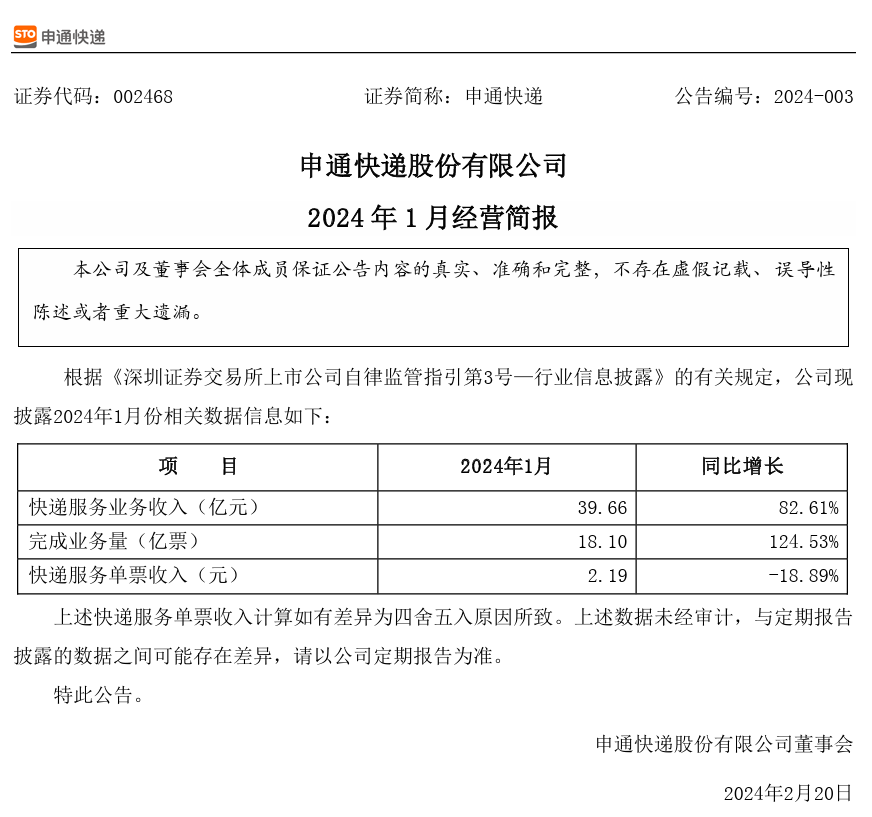 申通快递服务业务收入在2024年1月达到39.66亿元,同比增长82.61%
- 上一篇
- 申通快递服务业务收入在2024年1月达到39.66亿元,同比增长82.61%
- 下一篇
- 设置和注意事项:MySQL 复合主键
-
- Golang · Go问答 | 35分钟前 | Go问答 · Go 错误检查 database/sql Rows.Err
- Go Rows.Err 在迭代结束后的错误检查
- 266浏览 收藏
-
- Golang · Go问答 | 1小时前 |
- Go sql.Scan NULL 到字符串失败的字段适配
- 388浏览 收藏
-
- Golang · Go问答 | 1小时前 |
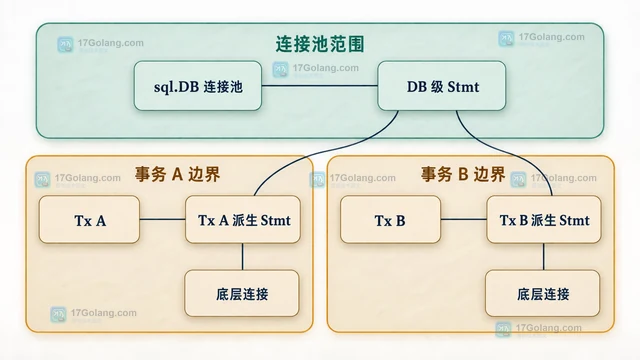
- Go Tx.Stmt 复用预处理语句的生命周期
- 154浏览 收藏
-
- Golang · Go问答 | 1小时前 |
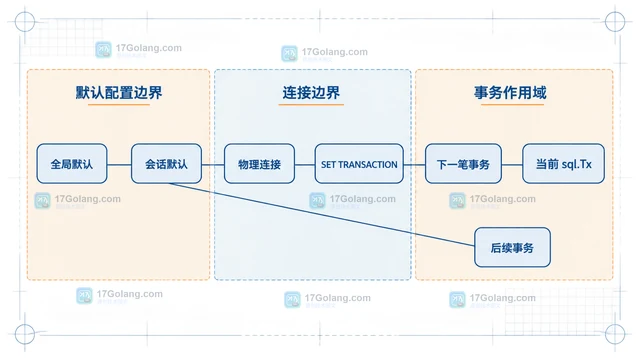
- Go 事务隔离级别设置未生效的驱动边界
- 165浏览 收藏
-
- Golang · Go问答 | 2小时前 |
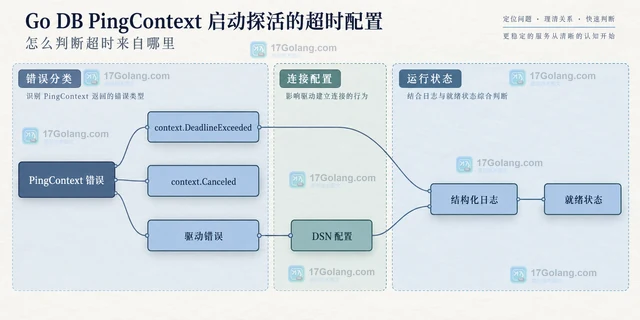
- Go DB PingContext 启动探活的超时配置
- 438浏览 收藏
-
- Golang · Go问答 | 2小时前 |
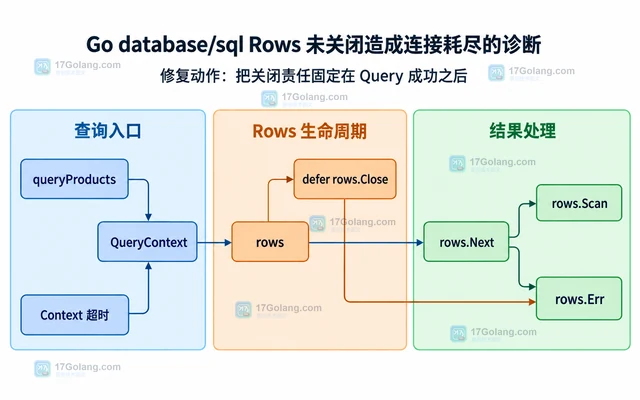
- Go database/sql Rows 未关闭造成连接耗尽的诊断
- 354浏览 收藏
-
- Golang · Go问答 | 2小时前 |
- Go database/sql 连接池 MaxIdleConns 的容量关系
- 478浏览 收藏
-
- Golang · Go问答 | 3小时前 |
- Go URL 查询值乱码时的编码排查步骤
- 285浏览 收藏
-
- Golang · Go问答 | 3小时前 | Go问答 · Go URL路径 url.JoinPath PathEscape 双斜杠
- Go url.JoinPath 处理双斜杠的路径规则
- 446浏览 收藏
-
- Golang · Go问答 | 4小时前 |
- Go Resolver PreferGo 与系统解析器的差异边界
- 452浏览 收藏
-

- 前端进阶之JavaScript设计模式
- 设计模式是开发人员在软件开发过程中面临一般问题时的解决方案,代表了最佳的实践。本课程的主打内容包括JS常见设计模式以及具体应用场景,打造一站式知识长龙服务,适合有JS基础的同学学习。
- 543次学习
-

- GO语言核心编程课程
- 本课程采用真实案例,全面具体可落地,从理论到实践,一步一步将GO核心编程技术、编程思想、底层实现融会贯通,使学习者贴近时代脉搏,做IT互联网时代的弄潮儿。
- 516次学习
-

- 简单聊聊mysql8与网络通信
- 如有问题加微信:Le-studyg;在课程中,我们将首先介绍MySQL8的新特性,包括性能优化、安全增强、新数据类型等,帮助学生快速熟悉MySQL8的最新功能。接着,我们将深入解析MySQL的网络通信机制,包括协议、连接管理、数据传输等,让
- 500次学习
-

- JavaScript正则表达式基础与实战
- 在任何一门编程语言中,正则表达式,都是一项重要的知识,它提供了高效的字符串匹配与捕获机制,可以极大的简化程序设计。
- 487次学习
-

- 从零制作响应式网站—Grid布局
- 本系列教程将展示从零制作一个假想的网络科技公司官网,分为导航,轮播,关于我们,成功案例,服务流程,团队介绍,数据部分,公司动态,底部信息等内容区块。网站整体采用CSSGrid布局,支持响应式,有流畅过渡和展现动画。
- 485次学习
-

- PubMedQA
- 深入了解PubMedQA生物医学问答数据集,涵盖其核心功能、使用方法及在临床决策、药物研发等场景的应用,助力提升NLP模型性能。
- 258次使用
-

- H2O EvalGPT
- H2O EvalGPT是H2O.ai推出的开源LLM评估平台,提供详细的大模型性能排行榜、行业特定基准测试及A/B测试功能,助您快速选择最适合项目的高性能大语言模型。
- 303次使用
-

- LMArena
- LMArena是加州大学伯克利分校推出的AI模型匿名评测平台。通过盲测投票机制,用户可对比不同大模型回答并生成实时排行榜,助力开发者优化模型及用户选择最佳AI工具。
- 282次使用
-

- HELM
- 深入了解斯坦福推出的HELM(Holistic Evaluation of Language Models)大模型评测体系。本文解析其核心功能、安装配置步骤及应用场景,涵盖准确性、公平性、鲁棒性等多维度指标,助力开发者全面优化语言模型性能。
- 259次使用
-

- MMBench
- MMBench是由上海人工智能实验室等机构联合推出的多模态基准测试平台,提供细粒度能力评估、大规模数据集及VLMEvalKit工具。本文详细介绍其核心功能、安装使用方法及应用场景,助力开发者全面评估多模态模型性能。
- 68次使用
-
- 用Nginx反向代理部署go写的网站。
- 2023-01-17 502浏览
-
- GoLand调式动态执行代码
- 2023-01-13 502浏览
-
- Go tls.GetCertificate 为什么收不到空 ServerName 请求
- 2026-09-27 501浏览
-
- Go sql.Tx提交成功前读取结果导致事务边界混乱的修复方法
- 2026-09-20 501浏览
-
- Go select 用 time.After 做超时有什么资源代价
- 2026-09-10 501浏览