
Go语言C联合体绑定实战技巧
golang学习网今天将给大家带来《Go语言中C联合体绑定技巧与实践》,感兴趣的朋友请继续看下去吧!以下内容将会涉及到等等知识点,如果你是正在学习Golang或者已经是大佬级别了,都非常欢迎也希望大家都能给我建议评论哈~希望能帮助到大家!

在Go语言中处理C语言联合体(Union)结构体绑定时,由于Go不支持直接的联合体概念,需要采用特定的建模策略。本文将详细介绍如何通过为联合体各成员定义独立的Go结构体,并将其嵌入主结构体中。核心在于利用类型判别字段,并通过提供带有严格验证逻辑的访问器和修改器方法,确保数据一致性和API的类型安全,从而实现符合Go语言习惯的C联合体绑定。
引言:Go与C联合体的绑定挑战
在系统编程领域,C语言的联合体(Union)是一种强大的特性,它允许在同一块内存区域存储不同类型的数据。这意味着联合体中的所有成员共享相同的起始内存地址,并且其大小由最大的成员决定。然而,Go语言出于其设计哲学,如类型安全和内存布局的明确性,并没有直接提供联合体这一语言特性。
当需要为包含C联合体的C结构体编写Go绑定时,挑战在于如何在Go中以一种安全、惯用且易于维护的方式来表示这种共享内存的逻辑。直接将C联合体映射到Go结构体可能会导致数据不一致或类型不安全的问题,因为Go编译器无法理解哪一个联合体成员在特定时刻是“活跃”的。因此,我们需要一种策略来抽象C联合体的行为,并将其转化为Go语言的表达方式。
C联合体结构体示例分析
为了更好地理解问题,我们以一个具体的C结构体为例,该结构体来自libfreefare库:
struct mifare_desfire_file_settings {
    uint8_t file_type;
    uint8_t communication_settings;
    uint16_t access_rights;
    union {
        struct {
            uint32_t file_size;
        } standard_file;
        struct {
            int32_t lower_limit;
            int32_t upper_limit;
            int32_t limited_credit_value;
            uint8_t limited_credit_enabled;
        } value_file;
        struct {
            uint32_t record_size;
            uint32_t max_number_of_records;
            uint32_t current_number_of_records;
        } linear_record_file;
    } settings;
};
在这个mifare_desfire_file_settings结构体中,settings字段是一个联合体,它包含了三种不同类型的子结构体:standard_file、value_file和linear_record_file。这些子结构体在内存中共享同一块区域。结构体中的file_type字段充当了判别器(discriminator),它决定了当前settings联合体中哪一个成员是有效的。例如,当file_type表示标准文件时,standard_file成员是活跃的;当表示值文件时,value_file成员是活跃的,依此类推。
Go语言的建模策略
在Go语言中,我们可以通过以下步骤来建模上述C联合体:
1. 定义联合体成员的Go结构体
首先,为C联合体中的每一个成员定义一个独立的Go结构体。这些Go结构体将包含C对应成员的所有字段。
package mifare

// StandardFile 对应 C 联合体中的 standard_file
type StandardFile struct {
    FileSize uint32
}

// ValueFile 对应 C 联合体中的 value_file
type ValueFile struct {
    LowerLimit           int32
    UpperLimit           int32
    LimitedCreditValue   int32
    LimitedCreditEnabled uint8
}

// LinearRecordFile 对应 C 联合体中的 linear_record_file
type LinearRecordFile struct {
    RecordSize            uint32
    MaxNumberOfRecords     uint32
    CurrentNumberOfRecords uint32
}
2. 封装主结构体
接下来,定义Go中的主结构体DESFireFileSettings,它将包含C结构体中的所有非联合体字段,以及一个用于容纳所有联合体成员的嵌套结构体。
type DESFireFileSettings struct {
    FileType              uint8
    CommunicationSettings uint8
    AccessRights          uint16
    // settings 字段是一个匿名结构体,用于封装所有可能的联合体成员
    // 在Go中,我们不能直接模拟C的内存共享,而是将所有成员都包含进来。
    // 联合体的“活跃”状态将通过 FileType 字段和访问器方法来逻辑控制。
    settings struct {
        StandardFile
        ValueFile
        LinearRecordFile
    }
}
这里,settings字段被定义为一个匿名的内部结构体。它通过嵌入(embedding)的方式包含了StandardFile、ValueFile和LinearRecordFile。这意味着DESFireFileSettings结构体将包含所有这些子结构体的字段,但Go运行时会为它们分配独立的内存空间,而不是像C联合体那样共享。这种方式的优势在于,它为我们提供了一个统一的Go结构体,可以容纳C联合体所有可能的数据形态。
3. 引入类型判别常量
为了使代码更具可读性和可维护性,应该为file_type字段可能的值定义Go常量。这些常量将用于后续的类型判别逻辑。
const (
    MDFTStandardDataFile            = 0x00 // 标准数据文件
    MDFTBackupDataFile             = 0x01 // 备份数据文件
    MDFTValueFileWithBackup        = 0x02 // 带备份的值文件
    MDFTLinearRecordFileWithBackup = 0x03 // 带备份的线性记录文件
    MDFTCyclicRecordFileWithBackup = 0x04 // 带备份的循环记录文件
)
实现安全的访问器与修改器方法
Go语言中处理C联合体最关键的一步是为DESFireFileSettings结构体定义访问器(Getter)和修改器(Setter)方法。这些方法不仅提供对联合体成员的访问,更重要的是,它们必须包含基于FileType字段的类型验证逻辑,以确保数据的一致性和安全性。
直接暴露settings内部结构体的字段是不安全的,因为它允许用户在不考虑FileType的情况下修改任何成员,从而导致数据不一致。通过方法进行封装,我们可以强制执行类型检查。
访问器(Getter)示例
// StandardFile 方法返回 StandardFile 类型数据,如果当前 FileType 不匹配则返回错误。
func (fs *DESFireFileSettings) StandardFile() (StandardFile, error) {
    if fs.FileType != MDFTStandardDataFile && fs.FileType != MDFTBackupDataFile {
        return StandardFile{}, fmt.Errorf("file type %d is not a standard or backup data file", fs.FileType)
    }
    return fs.settings.StandardFile, nil
}

// ValueFile 方法返回 ValueFile 类型数据,如果当前 FileType 不匹配则返回错误。
func (fs *DESFireFileSettings) ValueFile() (ValueFile, error) {
    if fs.FileType != MDFTValueFileWithBackup {
        return ValueFile{}, fmt.Errorf("file type %d is not a value file", fs.FileType)
    }
    return fs.settings.ValueFile, nil
}

// LinearRecordFile 方法返回 LinearRecordFile 类型数据,如果当前 FileType 不匹配则返回错误。
func (fs *DESFireFileSettings) LinearRecordFile() (LinearRecordFile, error) {
    if fs.FileType != MDFTLinearRecordFileWithBackup && fs.FileType != MDFTCyclicRecordFileWithBackup {
        return LinearRecordFile{}, fmt.Errorf("file type %d is not a linear or cyclic record file", fs.FileType)
    }
    return fs.settings.LinearRecordFile, nil
}
修改器(Setter)示例
修改器方法也需要进行类似的类型验证。当设置某个联合体成员时,通常也需要更新FileType字段以反映当前活跃的类型。
// SetStandardFile 设置 StandardFile 类型数据,并更新 FileType 字段。
func (fs *DESFireFileSettings) SetStandardFile(standardFile StandardFile) error {
    // 可以在此处添加更多业务逻辑验证
    fs.settings.StandardFile = standardFile
    fs.FileType = MDFTStandardDataFile // 或者 MDFTBackupDataFile,取决于具体业务逻辑
    return nil
}

// SetValueFile 设置 ValueFile 类型数据,并更新 FileType 字段。
func (fs *DESFireFileSettings) SetValueFile(valueFile ValueFile) error {
    // 可以在此处添加更多业务逻辑验证
    fs.settings.ValueFile = valueFile
    fs.FileType = MDFTValueFileWithBackup
    return nil
}

// SetLinearRecordFile 设置 LinearRecordFile 类型数据,并更新 FileType 字段。
func (fs *DESFireFileSettings) SetLinearRecordFile(linearRecordFile LinearRecordFile) error {
    // 可以在此处添加更多业务逻辑验证
    fs.settings.LinearRecordFile = linearRecordFile
    fs.FileType = MDFTLinearRecordFileWithBackup // 或者 MDFTCyclicRecordFileWithBackup
    return nil
}
重要提示: 在实际的Go绑定中,这些Set方法在将数据写入C结构体之前,还需要负责将Go结构体的数据正确地复制到C的内存布局中,并确保FileType字段与C端保持同步。这通常涉及到unsafe.Pointer和CGO相关的操作。上述示例主要关注Go层面的数据模型和API设计。
完整示例代码
以下是整合了所有Go代码的示例:
package mifare

import "fmt"

// 定义文件类型常量,对应 C 结构体中的 file_type
const (
    MDFTStandardDataFile            = 0x00 // 标准数据文件
    MDFTBackupDataFile             = 0x01 // 备份数据文件
    MDFTValueFileWithBackup        = 0x02 // 带备份的值文件
    MDFTLinearRecordFileWithBackup = 0x03 // 带备份的线性记录文件
    MDFTCyclicRecordFileWithBackup = 0x04 // 带备份的循环记录文件
)

// StandardFile 对应 C 联合体中的 standard_file
type StandardFile struct {
    FileSize uint32
}

// ValueFile 对应 C 联合体中的 value_file
type ValueFile struct {
    LowerLimit           int32
    UpperLimit           int32
    LimitedCreditValue   int32
    LimitedCreditEnabled uint8
}

// LinearRecordFile 对应 C 联合体中的 linear_record_file
type LinearRecordFile struct {
    RecordSize            uint32
    MaxNumberOfRecords     uint32
    CurrentNumberOfRecords uint32
}

// DESFireFileSettings 是 C 结构体 mifare_desfire_file_settings 在 Go 中的表示
type DESFireFileSettings struct {
    FileType              uint8
    CommunicationSettings uint8
    AccessRights          uint16
    // settings 字段是一个匿名结构体,用于封装所有可能的联合体成员。
    // 在 Go 中,我们不能直接模拟 C 的内存共享,而是将所有成员都包含进来。
    // 联合体的“活跃”状态将通过 FileType 字段和访问器方法来逻辑控制。
    settings struct {
        StandardFile
        ValueFile
        LinearRecordFile
    }
}

// StandardFile 方法返回 StandardFile 类型数据,如果当前 FileType 不匹配则返回错误。
func (fs *DESFireFileSettings) StandardFile() (StandardFile, error) {
    if fs.FileType != MDFTStandardDataFile && fs.FileType != MDFTBackupDataFile {
        return StandardFile{}, fmt.Errorf("file type %d is not a standard or backup data file", fs.FileType)
    }
    return fs.settings.StandardFile, nil
}

// SetStandardFile 设置 StandardFile 类型数据,并更新 FileType 字段。
// 注意:在实际的 CGO 绑定中,这里还需要将数据写入 C 内存,并确保 FileType 同步。
func (fs *DESFireFileSettings) SetStandardFile(standardFile StandardFile) error {
    // 可以在此处添加更多业务逻辑验证
    fs.settings.StandardFile = standardFile
    fs.FileType = MDFTStandardDataFile // 假设设置为标准数据文件类型
    return nil
}

// ValueFile 方法返回 ValueFile 类型数据,如果当前 FileType 不匹配则返回错误。
func (fs *DESFireFileSettings) ValueFile() (ValueFile, error) {
    if fs.FileType != MDFTValueFileWithBackup {
        return ValueFile{}, fmt.Errorf("file type %d is not a value file", fs.FileType)
    }
    return fs.settings.ValueFile, nil
}

// SetValueFile 设置 ValueFile 类型数据,并更新 FileType 字段。
func (fs *DESFireFileSettings) SetValueFile(valueFile ValueFile) error {
    // 可以在此处添加更多业务逻辑验证
    fs.settings.ValueFile = valueFile
    fs.FileType = MDFTValueFileWithBackup
    return nil
}

// LinearRecordFile 方法返回 LinearRecordFile 类型数据,如果当前 FileType 不匹配则返回错误。
func (fs *DESFireFileSettings) LinearRecordFile() (LinearRecordFile, error) {
    if fs.FileType != MDFTLinearRecordFileWithBackup && fs.FileType != MDFTCyclicRecordFileWithBackup {
        return LinearRecordFile{}, fmt.Errorf("file type %d is not a linear or cyclic record file", fs.FileType)
    }
    return fs.settings.LinearRecordFile, nil
}

// SetLinearRecordFile 设置 LinearRecordFile 类型数据,并更新 FileType 字段。
func (fs *DESFireFileSettings) SetLinearRecordFile(linearRecordFile LinearRecordFile) error {
    // 可以在此处添加更多业务逻辑验证
    fs.settings.LinearRecordFile = linearRecordFile
    fs.FileType = MDFTLinearRecordFileWithBackup // 假设设置为线性记录文件类型
    return nil
}

// 假设的 CGO 绑定函数示例
/*
// #cgo LDFLAGS: -lfreefare
// #include
// #include  // for free

import "C"

// MifareTag 是 C.MifareTag 的 Go 封装
type MifareTag *C.MifareTag

// DESFireTag 是 MifareTag 的特定类型封装
type DESFireTag MifareTag

// FileSettings 从 C 库获取文件设置并转换为 Go 结构体
func (t DESFireTag) FileSettings(fileNo byte) (DESFireFileSettings, error) {
    var cSettings C.struct_mifare_desfire_file_settings
    ret := C.mifare_desfire_get_file_settings(C.MifareTag(t), C.uint8_t(fileNo), &cSettings)
    if ret != 0 {
        return DESFireFileSettings{}, fmt.Errorf("failed to get file settings: %d", ret)
    }

    // 将 C 结构体的数据复制到 Go 结构体
    goSettings := DESFireFileSettings{
        FileType:              uint8(cSettings.file_type),
        CommunicationSettings: uint8(cSettings.communication_settings),
        AccessRights:          uint16(cSettings.access_rights),
    }

    // 根据 file_type 复制联合体数据
    switch goSettings.FileType {
    case MDFTStandardDataFile, MDFTBackupDataFile:
        goSettings.settings.StandardFile = StandardFile{
            FileSize: uint32(cSettings.settings.standard_file.file_size),
        }
    case MDFTValueFileWithBackup:
        goSettings.settings.ValueFile = ValueFile{
            LowerLimit:           int32(cSettings.settings.value_file.lower_limit),
            UpperLimit:           int32(cSettings.settings.value_file.upper_limit),
            LimitedCreditValue:   int32(cSettings.settings.value_file.limited_credit_value),
            LimitedCreditEnabled: uint8(cSettings.settings.value_file.limited_credit_enabled),
        }
    case MDFTLinearRecordFileWithBackup, MDFTCyclicRecordFileWithBackup:
        goSettings.settings.LinearRecordFile = LinearRecordFile{
            RecordSize:            uint32(cSettings.settings.linear_record_file.record_size),
            MaxNumberOfRecords:     uint32(cSettings.settings.linear_record_file.max_number_of_records),
            CurrentNumberOfRecords: uint32(cSettings.settings.linear_record_file.current_number_of_records),
        }
    default:
        // 处理未知文件类型的情况
    }

    return goSettings, nil
}

// UpdateFileSettings 将 Go 结构体数据写入 C 库
func (t DESFireTag) UpdateFileSettings(fileNo byte, settings DESFireFileSettings) error {
    var cSettings C.struct_mifare_desfire_file_settings

    // 将 Go 结构体的数据复制到 C 结构体
    cSettings.file_type = C.uint8_t(settings.FileType)
    cSettings.communication_settings = C.uint8_t(settings.CommunicationSettings)
    cSettings.access_rights = C.uint16_t(settings.AccessRights)

    // 根据 FileType 复制联合体数据
    switch settings.FileType {
    case MDFTStandardDataFile, MDFTBackupDataFile:
        cSettings.settings.standard_file.file_size = C.uint32_t(settings.settings.StandardFile.FileSize)
    case MDFTValueFileWithBackup:
        cSettings.settings.value_file.lower_limit = C.int32_t(settings.settings.ValueFile.LowerLimit)
        cSettings.settings.value_file.upper_limit = C.int32_t(settings.settings.ValueFile.UpperLimit)
        cSettings.settings.value_file.limited_credit_value = C.int32_t(settings.settings.ValueFile.LimitedCreditValue)
        cSettings.settings.value_file.limited_credit_enabled = C.uint8_t
以上就是《Go语言C联合体绑定实战技巧》的详细内容,更多关于的资料请关注golang学习网公众号!
 JavaScript代理与元编程深度解析
- 上一篇
- JavaScript代理与元编程深度解析

- 下一篇
- 夸克PC版如何查天气?入口及使用教程
-
- Golang · Go教程 | 35分钟前 |
- WithoutCancel 怎样创建不继承取消信号的收尾任务
- 445浏览 收藏
-
- Golang · Go教程 | 57分钟前 | Context · 超时控制 · 并发编程 · 资源管理 · go语言 · Go并发 资源释放 WithTimeout context.AfterFunc 超时任务
- 用 context.AfterFunc 释放超时任务占用的资源
- 179浏览 收藏
-
- Golang · Go教程 | 1小时前 |
- WithCancelCause 如何向调用链保留业务取消原因
- 160浏览 收藏
-
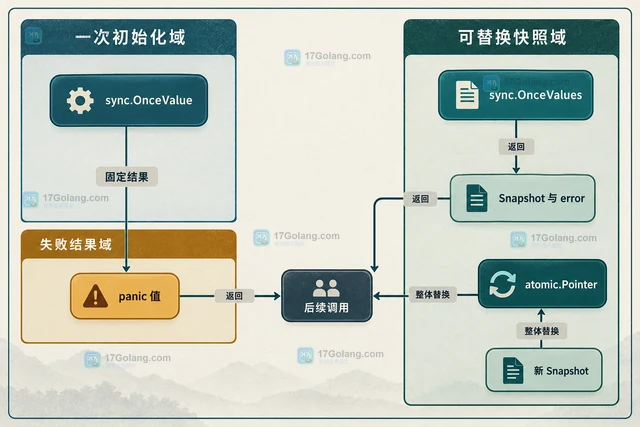
- Golang · Go教程 | 2小时前 | 标准库 · 配置管理 · 并发编程 · go语言 · 工程实践 · Go并发 延迟加载 配置快照 sync.OnceValue sync.OnceValues
- 用 OnceValue 延迟加载只读配置快照
- 462浏览 收藏
-
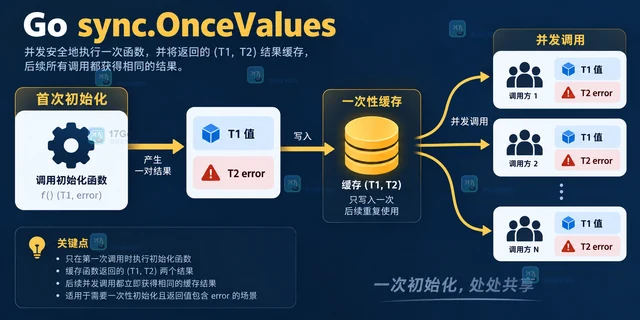
- Golang · Go教程 | 2小时前 | 错误处理 · go并发 ·
- sync.OnceValues 如何缓存带错误的初始化结果
- 229浏览 收藏
-
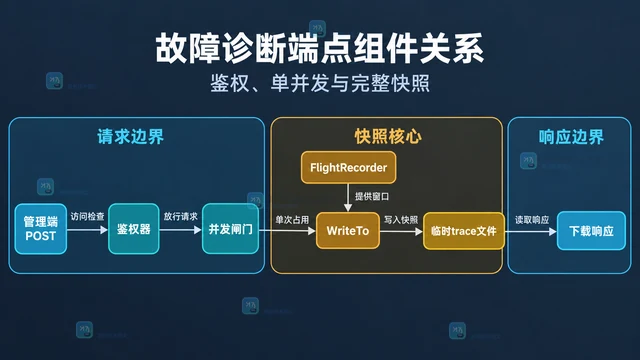
- Golang · Go教程 | 2小时前 |
- 怎样把 flight recorder 快照写入故障诊断端点
- 453浏览 收藏
-
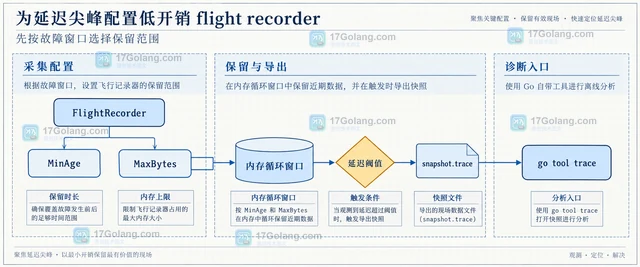
- Golang · Go教程 | 3小时前 | go · Go Flight Recorder runtime/trace 延迟排查
- 为延迟尖峰配置低开销 flight recorder
- 493浏览 收藏
-
- Golang · Go教程 | 3小时前 |
- x509 证书池怎样按租户隔离信任根
- 212浏览 收藏
-
- Golang · Go教程 | 3小时前 | goroutine · go · 性能排查 · Go Flight Recorder 慢请求 runtime/trace go tool trace
- Go flight recorder 如何保留故障前后的运行轨迹
- 390浏览 收藏
-
- Golang · Go教程 | 4小时前 | TLS · Go教程 · Go x509 VerifyOptions ExtKeyUsageServerAuth ExtKeyUsageClientAuth mTLS证书用途
- 用 VerifyOptions 区分服务器与客户端证书用途
- 341浏览 收藏
-
- Golang · Go教程 | 4小时前 | go · Go crypto/x509 OID CertificatePolicies
- Go x509 如何限制证书链必须满足指定策略 OID
- 267浏览 收藏
-

- 前端进阶之JavaScript设计模式
- 设计模式是开发人员在软件开发过程中面临一般问题时的解决方案,代表了最佳的实践。本课程的主打内容包括JS常见设计模式以及具体应用场景,打造一站式知识长龙服务,适合有JS基础的同学学习。
- 543次学习
-

- GO语言核心编程课程
- 本课程采用真实案例,全面具体可落地,从理论到实践,一步一步将GO核心编程技术、编程思想、底层实现融会贯通,使学习者贴近时代脉搏,做IT互联网时代的弄潮儿。
- 516次学习
-

- 简单聊聊mysql8与网络通信
- 如有问题加微信:Le-studyg;在课程中,我们将首先介绍MySQL8的新特性,包括性能优化、安全增强、新数据类型等,帮助学生快速熟悉MySQL8的最新功能。接着,我们将深入解析MySQL的网络通信机制,包括协议、连接管理、数据传输等,让
- 500次学习
-

- JavaScript正则表达式基础与实战
- 在任何一门编程语言中,正则表达式,都是一项重要的知识,它提供了高效的字符串匹配与捕获机制,可以极大的简化程序设计。
- 487次学习
-

- 从零制作响应式网站—Grid布局
- 本系列教程将展示从零制作一个假想的网络科技公司官网,分为导航,轮播,关于我们,成功案例,服务流程,团队介绍,数据部分,公司动态,底部信息等内容区块。网站整体采用CSSGrid布局,支持响应式,有流畅过渡和展现动画。
- 485次学习
-

- PubMedQA
- 深入了解PubMedQA生物医学问答数据集,涵盖其核心功能、使用方法及在临床决策、药物研发等场景的应用,助力提升NLP模型性能。
- 395次使用
-

- H2O EvalGPT
- H2O EvalGPT是H2O.ai推出的开源LLM评估平台,提供详细的大模型性能排行榜、行业特定基准测试及A/B测试功能,助您快速选择最适合项目的高性能大语言模型。
- 476次使用
-

- LMArena
- LMArena是加州大学伯克利分校推出的AI模型匿名评测平台。通过盲测投票机制,用户可对比不同大模型回答并生成实时排行榜,助力开发者优化模型及用户选择最佳AI工具。
- 482次使用
-

- HELM
- 深入了解斯坦福推出的HELM(Holistic Evaluation of Language Models)大模型评测体系。本文解析其核心功能、安装配置步骤及应用场景,涵盖准确性、公平性、鲁棒性等多维度指标,助力开发者全面优化语言模型性能。
- 426次使用
-

- MMBench
- MMBench是由上海人工智能实验室等机构联合推出的多模态基准测试平台,提供细粒度能力评估、大规模数据集及VLMEvalKit工具。本文详细介绍其核心功能、安装使用方法及应用场景,助力开发者全面评估多模态模型性能。
- 253次使用
-
- Java 性能优化上线清单:从定位、改造到灰度发布
- 2026-06-11 860浏览
-
- Spring Boot 压测验证:Gatling、JMeter 与性能回归门禁
- 2026-06-11 843浏览
-
- Java NMT 非堆内存排查:Direct Buffer、线程栈与 Metaspace 分析
- 2026-06-11 826浏览
-
- Spring Boot 容器内存优化:JVM 堆、非堆与 MaxRAMPercentage
- 2026-06-11 809浏览
-
- Tomcat 连接与线程参数调优:maxThreads、acceptCount 与 KeepAlive
- 2026-06-11 792浏览