
SpringSecurity配置H2数据库控制台步骤
学习知识要善于思考,思考,再思考!今天golang学习网小编就给大家带来《Spring Security配置H2数据库控制台方法》,以下内容主要包含等知识点,如果你正在学习或准备学习文章,就都不要错过本文啦~让我们一起来看看吧,能帮助到你就更好了!
本文旨在解决在Spring Boot应用中集成Spring Security后,H2数据库控制台无法正常访问的问题。即使配置了permitAll(),H2控制台仍可能因CSRF保护和iframe安全策略而受阻。我们将详细介绍如何利用PathRequest.toH2Console()或AntPathRequestMatcher正确配置Spring Security,以允许对H2控制台的访问,并确保必要的CSRF忽略和iframe同源策略设置,从而实现H2控制台的顺畅使用。
H2数据库控制台的集成基础
H2数据库是一个轻量级的内存或文件型数据库,常用于开发和测试环境。Spring Boot提供了对其的良好支持,包括一个内置的Web控制台,方便开发者管理和查看数据。
要启用H2控制台,首先需要在项目的pom.xml中添加H2数据库的依赖:
   com.h2database
   h2
   runtime
接着,在application.properties或application.yml中配置H2数据库和控制台:
spring.datasource.url=jdbc:h2:file:/data/noNameDB # 示例:文件模式数据库路径
spring.h2.console.enabled=true # 启用H2控制台
spring.h2.console.path=/h2-console # 设置控制台访问路径
spring.datasource.driverClassName=org.h2.Driver
spring.datasource.username=admin
spring.datasource.password=admin
spring.jpa.database-platform=org.hibernate.dialect.H2Dialect
spring.jpa.show-sql=true
spring.jpa.hibernate.ddl-auto=update
配置完成后,理论上可以通过http://localhost:8080/h2-console访问控制台。然而,当Spring Security集成到应用中时,访问往往会受阻。
Spring Security对H2控制台的默认影响
当Spring Security集成到Spring Boot应用中时,它会默认对所有传入的HTTP请求进行安全检查。即使在SecurityConfig中通过requestMatchers("/h2-console/**").permitAll()明确允许了对H2控制台路径的访问,开发者仍然可能遇到401 Unauthorized或403 Forbidden错误,或者控制台页面无法正常显示。
这通常是由于以下几个原因:
- CSRF保护(Cross-Site Request Forgery): Spring Security默认启用CSRF保护。H2控制台在提交表单时通常不包含有效的CSRF令牌,导致请求被拒绝。
- Frame Options安全策略: H2控制台通常在一个iframe中运行。Spring Security的默认X-Frame-Options策略(例如DENY或SAMEORIGIN但配置不当)可能阻止浏览器加载iframe内容,导致页面空白或显示错误。
- 请求匹配器差异: Spring Security内部处理路径匹配的方式可能比预期的更复杂。简单的字符串路径匹配器(String... patterns)在某些Spring Security版本或配置下,可能被解释为MvcRequestMatcher,而H2控制台并非Spring MVC端点,这可能导致匹配失败。
解决方案:正确配置Spring Security
为了确保H2控制台能够正常访问,我们需要在Spring Security配置中进行以下调整:
1. 允许H2控制台路径的访问
最直接且推荐的方法是使用Spring Boot提供的PathRequest.toH2Console()来创建请求匹配器。这种方式能够确保Spring Security正确识别H2控制台路径,并应用适当的授权规则。
import static org.springframework.boot.autoconfigure.security.servlet.PathRequest.toH2Console; // 导入静态方法
import org.springframework.context.annotation.Bean;
import org.springframework.context.annotation.Configuration;
import org.springframework.security.config.annotation.web.builders.HttpSecurity;
import org.springframework.security.config.annotation.web.configuration.EnableWebSecurity;
import org.springframework.security.web.SecurityFilterChain;

@Configuration
@EnableWebSecurity
public class SecurityConfig {

    @Bean
    public SecurityFilterChain filterChain(HttpSecurity http) throws Exception {
        http
            .authorizeHttpRequests(auth -> auth
                .requestMatchers(toH2Console()).permitAll() // 允许H2控制台访问
                .anyRequest().authenticated() // 其他所有请求需要认证
            )
            .csrf(csrf -> csrf
                .ignoringRequestMatchers(toH2Console()) // 忽略H2控制台的CSRF保护
            )
            .headers(headers -> headers
                .frameOptions(frameOptions -> frameOptions.sameOrigin()) // 允许H2控制台在同源iframe中显示
            );
            // ... 其他Spring Security配置,例如JWT过滤器等

        return http.build();
    }
}
配置详解:
- requestMatchers(toH2Console()).permitAll():这是Spring Boot推荐的方式,它内部会生成一个AntPathRequestMatcher,精确匹配H2控制台路径,并允许所有用户访问。
- csrf(csrf -> csrf.ignoringRequestMatchers(toH2Console())):明确告诉Spring Security,对于H2控制台路径的请求,禁用CSRF保护。这是因为H2控制台的UI可能不会发送CSRF令牌。
- headers(headers -> headers.frameOptions(frameOptions -> frameOptions.sameOrigin())):设置X-Frame-Options头为SAMEORIGIN。这允许H2控制台在与应用同源的iframe中加载,解决了因浏览器安全策略导致的显示问题。
2. 替代方案:使用AntPathRequestMatcher
如果由于某种原因无法使用PathRequest.toH2Console()(例如,非Spring Boot项目或自定义需求),可以直接使用AntPathRequestMatcher。这种方式提供了更底层的控制,其效果与toH2Console()类似。
import org.springframework.security.web.util.matcher.AntPathRequestMatcher;
// ... 其他导入

@Configuration
@EnableWebSecurity
public class SecurityConfig {

    @Bean
    public SecurityFilterChain filterChain(HttpSecurity http) throws Exception {
        http
            .authorizeHttpRequests(auth -> auth
                .requestMatchers(new AntPathRequestMatcher("/h2-console/**")).permitAll()
                .anyRequest().authenticated()
            )
            .csrf(csrf -> csrf
                .ignoringRequestMatchers(new AntPathRequestMatcher("/h2-console/**"))
            )
            .headers(headers -> headers
                .frameOptions(frameOptions -> frameOptions.sameOrigin())
            );
            // ... 其他配置

        return http.build();
    }
}
请注意,AntPathRequestMatcher的构造函数接受路径字符串,它会创建一个基于Ant风格路径匹配的请求匹配器。
完整配置示例(结合JWT认证)
考虑到原始问题中包含了JWT认证的配置,以下是一个更完整的示例,展示了如何将H2控制台的配置与JWT过滤器等结合起来:
import com.example.noName.security.JwtAuthenticationEntryPoint;
import com.example.noName.security.JwtAuthenticationFilter;
import org.springframework.beans.factory.annotation.Autowired;
import org.springframework.context.annotation.Bean;
import org.springframework.context.annotation.Configuration;
import org.springframework.security.authentication.AuthenticationManager;
import org.springframework.security.config.annotation.authentication.configuration.AuthenticationConfiguration;
import org.springframework.security.config.annotation.web.builders.HttpSecurity;
import org.springframework.security.config.annotation.web.configuration.EnableWebSecurity;
import org.springframework.security.config.http.SessionCreationPolicy;
import org.springframework.security.crypto.bcrypt.BCryptPasswordEncoder;
import org.springframework.security.crypto.password.PasswordEncoder;
import org.springframework.security.web.SecurityFilterChain;
import org.springframework.security.web.authentication.UsernamePasswordAuthenticationFilter;
import static org.springframework.boot.autoconfigure.security.servlet.PathRequest.toH2Console; // 导入H2控制台路径匹配器

@Configuration
@EnableWebSecurity
public class SecurityConfig {

    @Autowired
    private JwtAuthenticationEntryPoint jwtAuthenticationEntryPoint;

    @Bean
    public JwtAuthenticationFilter jwtAuthenticationFilter() {
        return new JwtAuthenticationFilter();
    }

    @Bean
    public PasswordEncoder passwordEncoder() {
        return new BCryptPasswordEncoder();
    }

    @Bean
    public AuthenticationManager authenticationManager(
            AuthenticationConfiguration authConfig) throws Exception {
        return authConfig.getAuthenticationManager();
    }

    @Bean
文中关于的知识介绍,希望对你的学习有所帮助!若是受益匪浅,那就动动鼠标收藏这篇《SpringSecurity配置H2数据库控制台步骤》文章吧,也可关注golang学习网公众号了解相关技术文章。
 Windows8如何创建Ad-Hoc网络
- 上一篇
- Windows8如何创建Ad-Hoc网络

- 下一篇
- Rem与Em响应式布局实用技巧解析
-
- 文章 · java教程 | 5小时前 | 可观测性 · Java教程 · LongAdder JFR事件流 RecordingStream Java延迟指标 近似分位数
- JFR 事件流如何在线聚合延迟指标
- 418浏览 收藏
-
- 文章 · java教程 | 9小时前 | Java · 并发编程 · CompletableFuture · java completablefuture 取消原因 异步编排
- Java CompletableFuture 怎样在阶段之间保留取消原因
- 415浏览 收藏
-
- 文章 · java教程 | 13小时前 | spring · Spring Boot · 事务管理 · Java教程 · REQUIRES_NEW Spring事务事件 TransactionalEventListener AFTER_COMMIT Spring事件
- Spring 事务事件监听器如何在提交后执行
- 126浏览 收藏
-
- 文章 · java教程 | 16小时前 | 配置管理 · Java · Spring Boot · 故障排查 · Java教程 · spring boot actuator @ConfigurationProperties 配置属性绑定 PropertySource
- Spring Boot 配置属性绑定失败怎样定位字段来源
- 184浏览 收藏
-
- 文章 · java教程 | 18小时前 | Java ·
- Java Vector API 怎样批量计算浮点数组
- 319浏览 收藏
-
- 文章 · java教程 | 20小时前 | Java · java Class-File API LineNumberTable
- Java Class-File API 如何重写方法的行号表属性
- 418浏览 收藏
-
- 文章 · java教程 | 22小时前 | Java · 性能优化 · Java教程 · arena 内存映射 超大文件 FileChannel.map Java MemorySegment
- Java 内存段怎样安全映射超大文件
- 435浏览 收藏
-
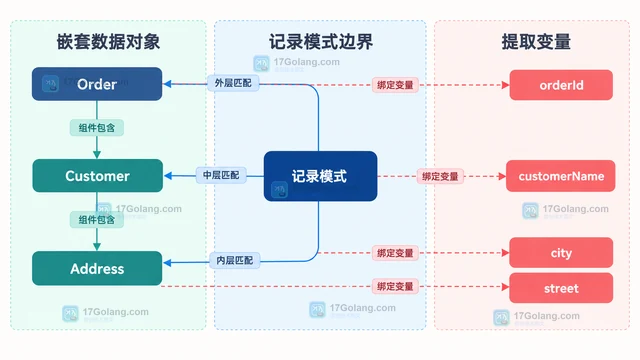
- 文章 · java教程 | 1天前 | Java · record pattern Java记录模式 嵌套record Java模式匹配 Java switch模式
- Java 记录模式怎样拆解嵌套数据对象
- 308浏览 收藏
-
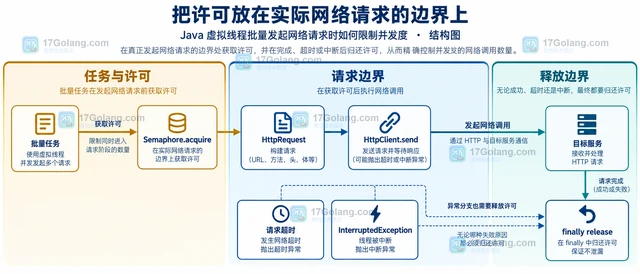
- 文章 · java教程 | 1天前 |
- Java 虚拟线程批量发起网络请求时如何限制并发度
- 265浏览 收藏
-
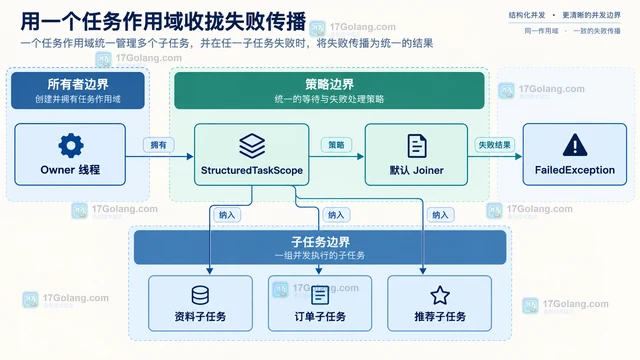
- 文章 · java教程 | 1天前 | Java · 并发编程 · 虚拟线程 · java 结构化并发 StructuredTaskScope 子任务取消
- Java 结构化并发怎样统一取消一组子任务
- 370浏览 收藏
-
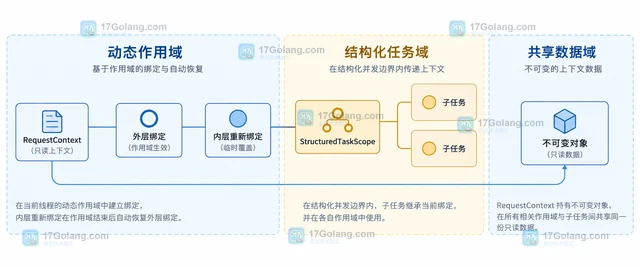
- 文章 · java教程 | 1天前 | 并发 · Java · java threadlocal ScopedValue 并发上下文
- Java ScopedValue 如何替代只读 ThreadLocal 上下文
- 457浏览 收藏
-
- 文章 · java教程 | 1天前 |
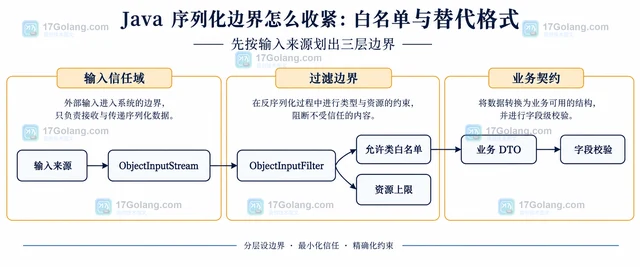
- Java 序列化边界怎么收紧:白名单与替代格式
- 278浏览 收藏
-

- 前端进阶之JavaScript设计模式
- 设计模式是开发人员在软件开发过程中面临一般问题时的解决方案,代表了最佳的实践。本课程的主打内容包括JS常见设计模式以及具体应用场景,打造一站式知识长龙服务,适合有JS基础的同学学习。
- 543次学习
-

- GO语言核心编程课程
- 本课程采用真实案例,全面具体可落地,从理论到实践,一步一步将GO核心编程技术、编程思想、底层实现融会贯通,使学习者贴近时代脉搏,做IT互联网时代的弄潮儿。
- 516次学习
-

- 简单聊聊mysql8与网络通信
- 如有问题加微信:Le-studyg;在课程中,我们将首先介绍MySQL8的新特性,包括性能优化、安全增强、新数据类型等,帮助学生快速熟悉MySQL8的最新功能。接着,我们将深入解析MySQL的网络通信机制,包括协议、连接管理、数据传输等,让
- 500次学习
-

- JavaScript正则表达式基础与实战
- 在任何一门编程语言中,正则表达式,都是一项重要的知识,它提供了高效的字符串匹配与捕获机制,可以极大的简化程序设计。
- 487次学习
-

- 从零制作响应式网站—Grid布局
- 本系列教程将展示从零制作一个假想的网络科技公司官网,分为导航,轮播,关于我们,成功案例,服务流程,团队介绍,数据部分,公司动态,底部信息等内容区块。网站整体采用CSSGrid布局,支持响应式,有流畅过渡和展现动画。
- 485次学习
-
- PubMedQA
- 深入了解PubMedQA生物医学问答数据集,涵盖其核心功能、使用方法及在临床决策、药物研发等场景的应用,助力提升NLP模型性能。
- 398次使用
-
- H2O EvalGPT
- H2O EvalGPT是H2O.ai推出的开源LLM评估平台,提供详细的大模型性能排行榜、行业特定基准测试及A/B测试功能,助您快速选择最适合项目的高性能大语言模型。
- 478次使用
-

- LMArena
- LMArena是加州大学伯克利分校推出的AI模型匿名评测平台。通过盲测投票机制,用户可对比不同大模型回答并生成实时排行榜,助力开发者优化模型及用户选择最佳AI工具。
- 483次使用
-
- HELM
- 深入了解斯坦福推出的HELM(Holistic Evaluation of Language Models)大模型评测体系。本文解析其核心功能、安装配置步骤及应用场景,涵盖准确性、公平性、鲁棒性等多维度指标,助力开发者全面优化语言模型性能。
- 429次使用
-

- MMBench
- MMBench是由上海人工智能实验室等机构联合推出的多模态基准测试平台,提供细粒度能力评估、大规模数据集及VLMEvalKit工具。本文详细介绍其核心功能、安装使用方法及应用场景,助力开发者全面评估多模态模型性能。
- 257次使用
-
- Java try-with-resources 多个资源关闭顺序是什么
- 2026-09-10 501浏览
-
- 矩阵主副对角线快速定位技巧
- 2026-05-31 501浏览
-
- Java多态优化流程代码与行为分发改进
- 2026-05-26 501浏览
-
- JVM 类元数据双亲委派链表深度解析
- 2026-05-21 501浏览
-
- 反射异常处理:InvocationTargetException解析与应用
- 2026-05-16 501浏览