
AstroMarkdown内容提取方法全解析
在Astro项目中,直接通过`frontmatter.body`获取Markdown正文内容会失败。本文详解了两种正确提取Astro Markdown正文的方法,助你高效处理Markdown内容。首先,使用`compiledContent()`方法获取已编译为HTML的正文,适用于在网页上直接渲染Markdown内容。其次,利用`rawContent()`方法获取原始Markdown字符串,适用于自定义渲染或文本分析。通过示例代码,展示了如何在页面中渲染Markdown文章列表,以及如何在组件中安全地展示HTML内容。掌握这两种方法,能有效避免`undefined`错误,并灵活应用于各种Markdown内容处理场景,提升Astro项目开发效率。
在Astro项目中,尝试通过`frontmatter.body`获取Markdown文件的正文内容会导致`undefined`错误。这是因为Astro并未将正文作为Frontmatter的一部分导出。正确的做法是利用Markdown文件对象提供的`compiledContent()`方法来获取已编译为HTML的正文,或者使用`rawContent()`获取原始Markdown字符串。本文将详细介绍这两种方法及其应用示例,帮助开发者高效地处理Markdown内容。
理解Astro Markdown内容处理机制
在使用Astro构建网站时,Markdown文件不仅包含其正文内容,还可能包含Frontmatter(YAML格式的元数据)。Astro在处理Markdown文件时,会将Frontmatter解析为可访问的属性,但Markdown的正文内容并非直接作为frontmatter对象的一部分暴露。因此,直接访问frontmatter.body会得到undefined。
为了解决这个问题,Astro为导入的Markdown文件对象提供了特定的方法来访问其正文内容,这些方法是其导出属性的一部分。
获取编译后的HTML内容:compiledContent()
compiledContent()方法用于获取Markdown文件正文经过Astro编译处理后的HTML字符串。这是在大多数情况下,您希望在网页上渲染Markdown内容时使用的首选方法。它会将Markdown语法(如标题、段落、列表、代码块等)转换为相应的HTML标签。
应用场景:
- 在页面中直接渲染Markdown文章的正文。
- 将Markdown内容传递给组件进行展示。
示例代码:
假设您有一个PostCard组件,需要显示文章的标题和正文。您可以通过Astro.glob获取所有Markdown文件,然后使用compiledContent()来获取其正文。
---
// src/pages/index.astro
import PostCard from '../components/PostCard.astro';
// 假设 'latest' 是一个包含多个Markdown文件对象的数组
// 例如:const latest = await Astro.glob('./posts/*.md');
const latest = await Astro.glob('./posts/*.md'); // 实际项目中可能这样获取
---
{latest.map(post => (
在PostCard.astro组件中,您可以通过set:html指令安全地渲染接收到的HTML内容:
---
interface Props {
url: string;
content: string; // 接收编译后的HTML字符串
}
const { url, content } = Astro.props;
---
获取原始Markdown字符串:rawContent()
除了编译后的HTML,Astro还提供了rawContent()方法,用于获取Markdown文件正文的原始字符串,即未经任何编译处理的纯Markdown文本。
应用场景:
- 需要将原始Markdown内容传递给第三方库进行自定义渲染。
- 在管理后台或编辑器中显示原始Markdown文本。
- 进行文本分析或搜索操作,需要原始文本而非HTML。
示例代码:
---
// src/pages/raw-content-example.astro
const post = await Astro.glob('./posts/my-article.md')[0]; // 假设只获取一篇

// 在服务器端或客户端脚本中访问原始内容
const rawMarkdown = post.rawContent();
console.log(rawMarkdown);
---


  原始Markdown内容示例
  {rawMarkdown}
完整示例:批量渲染Markdown文章列表
以下是一个更完整的示例,展示了如何使用Astro.glob获取多个Markdown文件,并将其编译后的内容渲染到页面上。
假设您的项目结构如下:
src/
├── pages/
│   ├── index.astro
│   └── posts/
│       ├── article-a.md
│       └── article-b.md
└── components/
    └── PostCard.astro
src/pages/index.astro:
---
// 导入所有位于 ./posts/ 目录下的 .md 文件
const posts = await Astro.glob('./posts/*.md');
---
我的博客文章
最新文章
-
{posts.map(post => (
// 对于每个文章对象,使用 post.compiledContent() 获取其HTML正文
// 并通过 set:html 指令安全地渲染
-
{post.frontmatter.title || '无标题'}
))}
src/pages/posts/article-a.md:
---
title: "Astro Markdown 文章A"
description: "这是关于Astro Markdown的示例文章A。"
---

## 欢迎阅读文章A

这是文章A的**正文内容**。

- 列表项1
- 列表项2

```javascript
console.log("Hello from code block A!");
`src/pages/posts/article-b.md`: ```markdown --- title: "Astro Markdown 文章B" description: "这是关于Astro Markdown的示例文章B。" --- ### 文章B的精彩内容 这是文章B的*正文内容*。 这是一个[链接](https://docs.astro.build/)。
在这个示例中,index.astro页面会动态地遍历posts数组,并为每篇文章生成一个列表项。每个列表项内部,post.compiledContent()返回的HTML会被set:html指令渲染出来,从而正确显示Markdown的正文内容。
注意事项与总结
- 避免使用frontmatter.body: 再次强调,frontmatter.body在Astro中是无效的,会导致undefined。
- 选择正确的方法:
- 当您需要将Markdown内容直接渲染到HTML页面时,使用compiledContent()。
- 当您需要访问原始Markdown文本时,使用rawContent()。
- 安全性: 当使用set:html指令渲染外部或用户提供的HTML内容时,请务必注意潜在的XSS(跨站脚本攻击)风险。Astro的compiledContent()方法通常会进行一些基本的清理,但对于完全不受信任的输入,仍需谨慎。
- 参考文档: 建议查阅Astro官方文档中关于Markdown内容处理的“导出属性”部分,以获取最权威和最新的信息:Astro Markdown Content - Exported Properties。
通过理解并正确使用compiledContent()和rawContent(),您可以高效且灵活地在Astro项目中处理和展示Markdown文件的正文内容。
好了,本文到此结束,带大家了解了《AstroMarkdown内容提取方法全解析》,希望本文对你有所帮助!关注golang学习网公众号,给大家分享更多文章知识!
 CSS多层弹出菜单层级控制技巧
- 上一篇
- CSS多层弹出菜单层级控制技巧

- 下一篇
- Python轻松实现GPT-2文本生成方法
-
- 文章 · 前端 | 13小时前 |
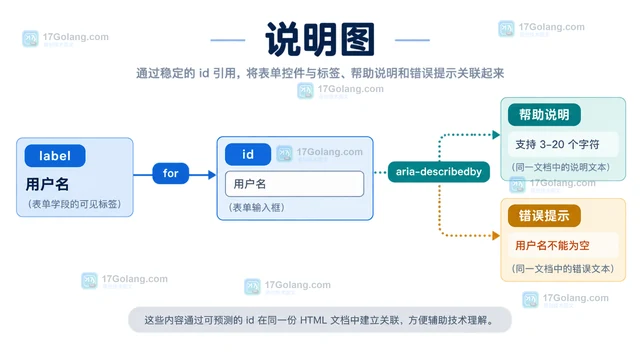
- 表单 aria-describedby 关联错误提示的可访问设计
- 349浏览 收藏
-
- 文章 · 前端 | 23小时前 | 前端 · css · 组合选择器 CSS :is specificity :where 级联层
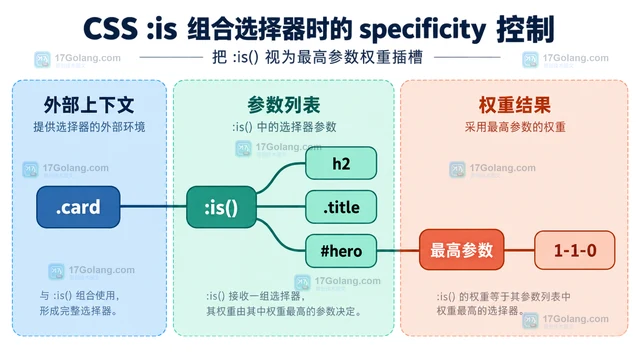
- CSS :is 组合选择器时的 specificity 控制
- 327浏览 收藏
-
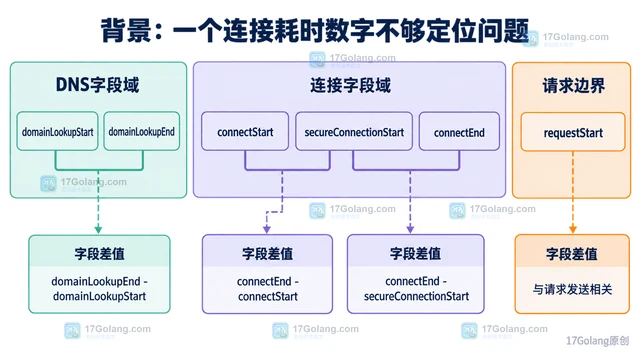
- 文章 · 前端 | 1天前 | javascript · DNS耗时 PerformanceResourceTiming TLS耗时
- PerformanceResourceTiming 拆分 DNS 与 TLS 耗时
- 108浏览 收藏
-
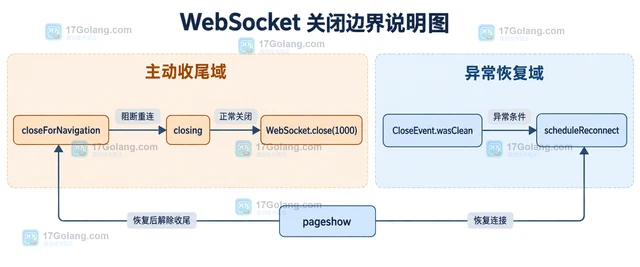
- 文章 · 前端 | 4天前 | 前端 · websocket ·
- WebSocket 重连退避与页面卸载的收尾
- 381浏览 收藏
-
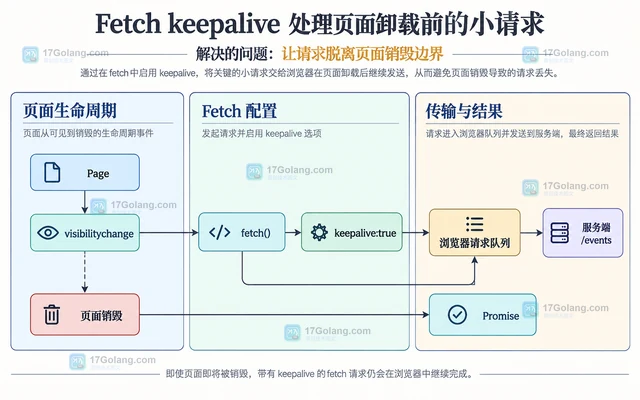
- 文章 · 前端 | 4天前 |
- Fetch keepalive 处理页面卸载前的小请求
- 291浏览 收藏
-
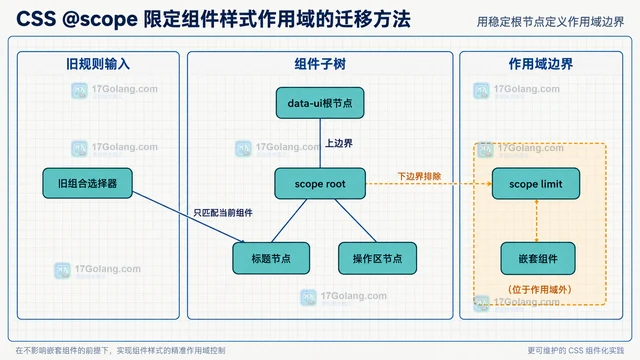
- 文章 · 前端 | 4天前 |
- CSS @scope 限定组件样式作用域的迁移方法
- 294浏览 收藏
-
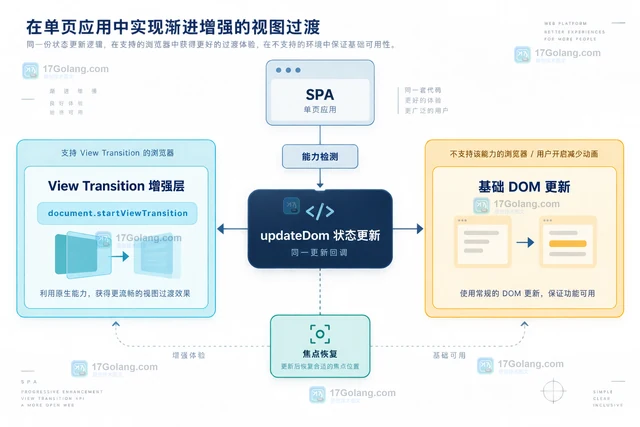
- 文章 · 前端 | 4天前 |
- View Transition API 在 SPA 状态切换中的降级方案
- 142浏览 收藏
-
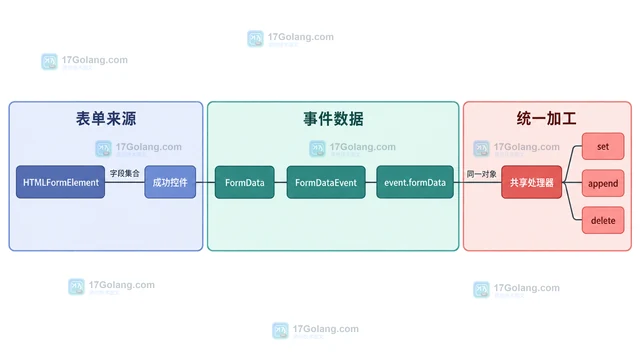
- 文章 · 前端 | 4天前 | javascript · 表单 · FormData FormDataEvent formdata事件 原生表单
- FormDataEvent 统一拦截原生表单数据的实现
- 288浏览 收藏
-
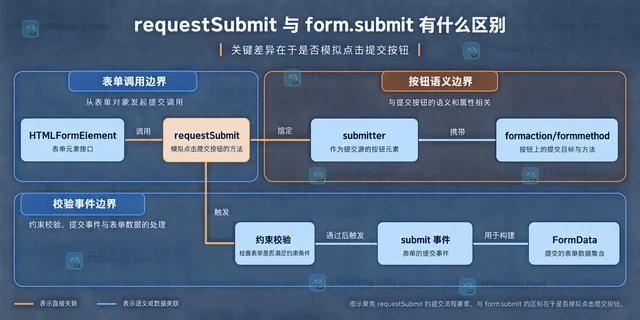
- 文章 · 前端 | 4天前 | html · javascript · 表单 · requestSubmit form.submit HTML表单校验
- requestSubmit 与 form.submit 有什么区别
- 392浏览 收藏
-
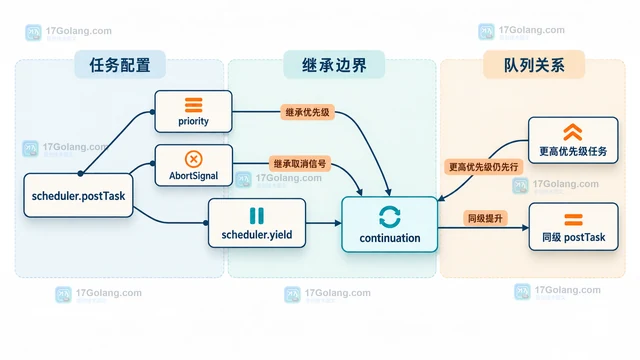
- 文章 · 前端 | 5天前 |
- scheduler.yield 怎么把长任务拆开又保持优先级
- 110浏览 收藏
-
- 文章 · 前端 | 5天前 | CSS 滚动动画 animation-timeline scroll-timeline
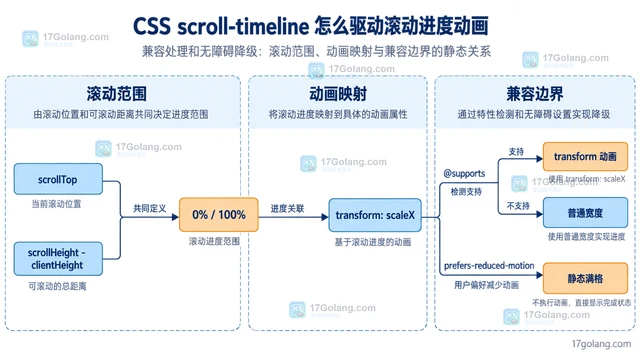
- CSS scroll-timeline 怎么驱动滚动进度动画
- 251浏览 收藏
-
- 文章 · 前端 | 5天前 |
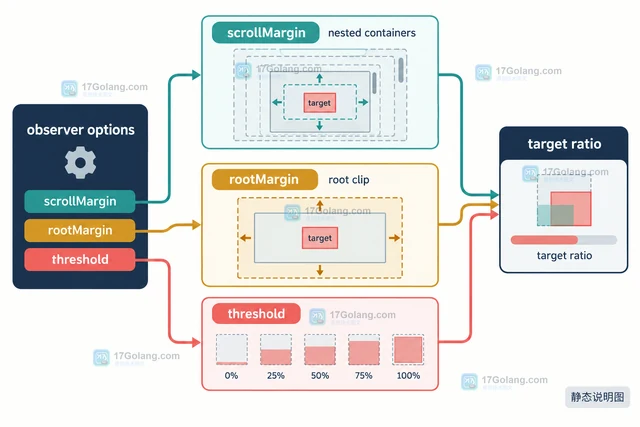
- IntersectionObserver scrollMargin 怎么处理嵌套滚动容器
- 380浏览 收藏
-

- 前端进阶之JavaScript设计模式
- 设计模式是开发人员在软件开发过程中面临一般问题时的解决方案,代表了最佳的实践。本课程的主打内容包括JS常见设计模式以及具体应用场景,打造一站式知识长龙服务,适合有JS基础的同学学习。
- 543次学习
-

- GO语言核心编程课程
- 本课程采用真实案例,全面具体可落地,从理论到实践,一步一步将GO核心编程技术、编程思想、底层实现融会贯通,使学习者贴近时代脉搏,做IT互联网时代的弄潮儿。
- 516次学习
-

- 简单聊聊mysql8与网络通信
- 如有问题加微信:Le-studyg;在课程中,我们将首先介绍MySQL8的新特性,包括性能优化、安全增强、新数据类型等,帮助学生快速熟悉MySQL8的最新功能。接着,我们将深入解析MySQL的网络通信机制,包括协议、连接管理、数据传输等,让
- 500次学习
-

- JavaScript正则表达式基础与实战
- 在任何一门编程语言中,正则表达式,都是一项重要的知识,它提供了高效的字符串匹配与捕获机制,可以极大的简化程序设计。
- 487次学习
-

- 从零制作响应式网站—Grid布局
- 本系列教程将展示从零制作一个假想的网络科技公司官网,分为导航,轮播,关于我们,成功案例,服务流程,团队介绍,数据部分,公司动态,底部信息等内容区块。网站整体采用CSSGrid布局,支持响应式,有流畅过渡和展现动画。
- 485次学习
-

- PubMedQA
- 深入了解PubMedQA生物医学问答数据集,涵盖其核心功能、使用方法及在临床决策、药物研发等场景的应用,助力提升NLP模型性能。
- 307次使用
-

- H2O EvalGPT
- H2O EvalGPT是H2O.ai推出的开源LLM评估平台,提供详细的大模型性能排行榜、行业特定基准测试及A/B测试功能,助您快速选择最适合项目的高性能大语言模型。
- 365次使用
-

- LMArena
- LMArena是加州大学伯克利分校推出的AI模型匿名评测平台。通过盲测投票机制,用户可对比不同大模型回答并生成实时排行榜,助力开发者优化模型及用户选择最佳AI工具。
- 360次使用
-

- HELM
- 深入了解斯坦福推出的HELM(Holistic Evaluation of Language Models)大模型评测体系。本文解析其核心功能、安装配置步骤及应用场景,涵盖准确性、公平性、鲁棒性等多维度指标,助力开发者全面优化语言模型性能。
- 328次使用
-

- MMBench
- MMBench是由上海人工智能实验室等机构联合推出的多模态基准测试平台,提供细粒度能力评估、大规模数据集及VLMEvalKit工具。本文详细介绍其核心功能、安装使用方法及应用场景,助力开发者全面评估多模态模型性能。
- 152次使用
-
- JavaScript函数定义及示例详解
- 2025-05-11 502浏览
-
- 智能体安全引领产业升级——国内AI安全产品市场深度分析
- 2026-08-21 501浏览
-
- CSS变量简化按钮悬停效果技巧
- 2026-05-31 501浏览
-
- JavaScript符号类型详解与应用
- 2026-05-31 501浏览
-
- HTML剪贴板复制粘贴怎么用
- 2026-05-26 501浏览


