
MySQL中常用的数据查询语句有哪些?
各位小伙伴们,大家好呀!看看今天我又给各位带来了什么文章?本文标题是《MySQL中常用的数据查询语句有哪些?》,很明显是关于数据库的文章哈哈哈,其中内容主要会涉及到等等,如果能帮到你,觉得很不错的话,欢迎各位多多点评和分享!
一、基本概念(查询语句)
①基本语句
1、“select * from 表名;”,—可查询表中全部数据;
2、“select 字段名 from 表名;”,—可查询表中指定字段的数据;
3、“select distinct 字段名 from 表名;”,—可对表中数据进行去重查询。
4、“select 字段名 from 表名 where 查询条件;”,—可根据条件查询表中指定字段的数据;
②条件查询
1)比较运算符:>, =,
查询大于18岁的信息
select * from students where age>18;
select id, name,gender from students where age>18;
查询小于18岁的信息
select * from students where age查询年龄为18岁的所有学生的名字
select * from students where age=18;
2)逻辑运算符:and, or, not
–18到28之间的学生信息
select * from students where age>18_and age–18岁以上的女性
select * from students where age>18 and gender="女"; select * from students where age>18 and gender=2;–18以上或者身高查过180(包含)以上
select * from students where age>18 or height>=180;不在18岁以上的女性这个范围内的信息
select * from students where not (age>18 and gender=2);年龄不是小于或者等于18并且是女性
select * from students where (not age
3)模糊查询:like, rlike
% 替换1个或者多个
_ 替换1个
查询姓名中 以“小”开始的名字select name from students where name="小"; select name from students where name like"小%";查询姓名中有“小”所有的名字
select name from students whece name like "%小%";查询有2个字的名字
select name from students where name like "__";查询有3个字的名字
select name from students where name like "__";查询至少有2个字的名字 select name from
students where name like "__%";rlike正则
查询以周开始的姓名select name from students where name rlike "^周.*";查询以周开始、伦结尾的姓名
select name from students where name rlike "^周.*伦$";
4)范围查询:in,not in,between…and,not between…and
查询年龄为18、34的姓名
select name, age from students where age=18 or age=34;
select name,age from students where age in (18,34);
not in不非连续的范围之内
年龄不是 18、34岁之间的信息select name,age from students where age not in (18,34);between … and …表示在一个连续的范围内
查询年龄在18到34之间的的信息select name,age from students where age between 18 and 34;not between … and …表示不在一个连续的范围内
查询年龄不在在18到34之间的的信息select * from students where age not between 18 and 34;
空判断
判空 is null
查询身高为空的信息select *from students where height is null/NULL/Null;判非空is not null
select * from students where height is not null;
排序:order_by
–查询年龄在18到34岁之间的男性,按照年龄从小到大排序
select * from students where (age between 18 and 34) and gender=1;
select * from students where (age between 18 and 34) and gender=1 order by age;
select * from students where (age between 18 and 34) and gender=1 order by age asc;
查询年龄在18到34岁之间的女性,身高从高到矮排序
select * from students where (age between18 and 34) and gender=2 order by height desc;order by多个字段
查询年龄在18到34岁之间的女性,身高从高到矮排序,如果身高相同的情况下按照年龄从小到大排序select * from students where (age between 18 and 34) and gender=2 order by height desc,age asc;查询年龄在18到34岁之间的女性,身高从高到矮排序,如果身高相同的情况下按照年龄从小到大排序,如果年龄也相同那么按照id从大到小排序
select * from students where (age between 18 and 34) and gender=2 order by height desc,age asc, id desc;按照年龄从小到大、身高从高到矮的排序
select * from students order by age asc,height desc;
分组:group_by, group_concat():查询内容, having
where :是对整个数据表信息的判断;
having:是对于分组后的数据进行判断
–group by
按照性别分组,查询所有的性别select gender from students group by gender;–计算每种性别中的人数
select gender, count(*) from students group by gender;where是在group by 前面
–计算男性的人数select count(*) from students where gender='男';–group_concat(…)
查询同种性别中的姓名select gender,group_concat(name) from students group by gender;having :having是在group by后面
查询平均年龄超过30岁的性别,以及姓名select gender ,avg(age) from students group by gender having avg(age) > 30;查询每种性别中的人数多于2个的信息
select gender,count(*) from students group by gender having count(*) > 2;– 查询每组性别的平均年龄
select gender,avg(age) from students group by gender;
分页: limit
limit start,count   (start:表示从哪─个开始;count:表示数量)
即limit(第N页-1)*每个的个数,每页的个数;
limit在使用的时候,要放在最后面.
限制查询出来的数据个数
select *from students where gender=1 limit 2;查询前5个数据
select* from students limit 0,5;查询id6-10(包含)的书序
select * from students limit 5,5;每页显示2个,第1个页面
select * from students limit 0,2;每页显示2个,第2个页面
select * from students limit 2,2;每页显示2个,第3个页面
select * from students limit 4,2;每页显示2个,第4个页面
select * from students limit 6,2;每页显示2个,显示第6页的信息,按照年龄从小到大排序
select * from students order by age asc limit 10,2;– 如果重新排序了,那么会显示第一页
select * from students where gender=2 order by height des limit 0,2;
5)聚合函数:count(), max(), min(), sum(), avg(), round()
聚合函数
-总数-- count
-查询男性有多少人,女性有多少人select count(*) from students where gender=1; select count(*) as 男性人数 from students where gender=1; select count(*) as 女性人数 from students where gender=2;-最大值-最小值
– max --min
一查询最大的年龄select max (age) from students;–查询女性的最高身高
select max (height) from students where gender=2;-求和
–sum
-计算所有人的年龄总和select sum ( age) from students;–平均值
– avg
–计算平均年龄select avg(age) from students;–计算平均年龄
select sum ( age) / count(* ) from students;–四舍五入round ( 123.23 ,_1)保留1位小数
–计算所有人的平均年龄,保留2位小数select round (sum(age)/count(*),2) from students; select round ( sum(age)/count(*),3) from students ;–计算男性的平均身高保留2位小数
select round(avg (height),2) from students where gender=1; select name,round(avg(height),2) from students where gender=1;
6)连接查询 :inner join, left join, right join
inner join
select … from 表 A inner join表B;select * from students inner join classes;查询有能够对应班级的学生以及班级信息
select * from students inner join classes on students.cls_id=classes.id;按照要求显示姓名、班级
select students.*, classes.name from students inner join classes on students.cls_id=classes.id;
select students.name,classes.name from students inner join classes on students.cls_id=classes.id;
给数据表起名字
select s.name,c.name from students as s inner join classes as c on s.cls_id=c.id;查询有能够对应班级的学生以及班级信息,显示学生的所有信息,只显示班级名称
select s.*,c.name from students as s inner join classes as c on s.cls_id=c.id;在以上的查询中,将班级姓名显示在第1列
select c.name,s.* from students as s inner join classes as c on s.cls_id=c.id;查询有能够对应班级的学生以及班级信息,按照班级进行排序
select c.xxx s.xxx from student as s inner join clssses as c on … order by …;select c.name,s.* from students as s inner join classes as c on s.cls_id=c.id order by c.name;当时同一个班级的时候,按照学生的id进行从小到大排序
select c.name,s.* from students as s inner join classes as c on s.cls_id=c.id order by c.name,s.id;left join
查询每位学生对应的班级信息select * from students as s left join classes as c on s.cls_id=c.id;查询没有对应班级信息的学生
– select … from xxx as s left join xxx as c on… where …
– select … from xxx as s left join xxx as c on… . … having …select * from students as s left join classes as c on s.cls_id=c.id having c.id is null; select * from students as s left join classes as c on s.cls_id=c.id where c.id is null;
left join是按照左边的表为基准和右边的表进行查询,查到就显示,查不到就显示为null
补充
查询所有字段:select * from 表名;
查询指定字段:select 列1,列2,... from 表名;
使用 as 给字段起别名: select 字段 as 名字.... from 表名;
查询某个表的某个字段:select 表名.字段 .... from表名;
可以通过 as 给表起别名: select 别名.字段 .... from 表名 as 别名;
消除重复行: distinct 字段
注意:WHERE子句中是不能用聚集函数作为条件表达式的!
二、总结
1、普通查询
(1)命令:select * from ;
(2)命令:select from ;
2、去重查询(distinct)
命令:select distinct from
3、排序查询(order by)
升序:asc
降序:desc
降序排列命令:select from order by desc
不加desc一般默认为升序排列
4、分组查询(group by)
命令:select , Sum(score) from group by
假设现在又有一个学生成绩表(result)。要求查询一个学生的总成绩。我们根据学号将他们分为了不同的组。
命令:
select id, Sum(score)
from result
group by id;
现在有两个表学生表(stu)和成绩表(result)。
5.等值查询
当连接运算符为“=”时,为等值连接查询。
现在要查询年龄小于20岁学生的不及格成绩。
select stu.id,score from stu,result where stu.id = result.id and age等值查询效率太低
6.外连接查询
①语法
select f1,f2,f3,.... from table1 left/right outer join table2 on 条件;②左外连接查询,例如
select a.id,score from (select id,age from stu where age左外连接就是左表过滤的结果必须全部存在。如果存在左表中过滤出来的数据,右表没有匹配上,这样的话右表就会出现NULL;
③右外连接查询,例如
select a.id,score from (select id,age from stu where age右外连接就是左表过滤的结果必须全部存在
7.内连接查询
①语法
select f1,f2,f3,.... from table1 inter join table2 on 条件;②例如
select a.id,score from (select id,age from stu where age8.合并查询
在图书表(t_book)和图书类别表(t_bookType)中
①.union
使用union关键字是,数据库系统会将所有的查询结果合并到一起,然后去掉相同的记录;
select id from t_book union select id from t_bookType;②.union all
使用union all,不会去除掉重复的记录;
select id from t_book union all select id from t_bookType;今天关于《MySQL中常用的数据查询语句有哪些?》的内容介绍就到此结束,如果有什么疑问或者建议,可以在golang学习网公众号下多多回复交流;文中若有不正之处,也希望回复留言以告知!
 MySQL存储过程和存储函数的使用方法简介
- 上一篇
- MySQL存储过程和存储函数的使用方法简介
- 下一篇
- 如何解决 MySQL 中的连接查询问题?
-

- 欢呼的宝马
- 这篇技术贴真及时,太全面了,很棒,已加入收藏夹了,关注up主了!希望up主能多写数据库相关的文章。
- 2023-05-25 15:42:31
-
- 沉静的睫毛
- 写的不错,一直没懂这个问题,但其实工作中常常有遇到...不过今天到这,帮助很大,总算是懂了,感谢师傅分享文章内容!
- 2023-05-12 00:25:22
-
- 害怕的裙子
- 这篇技术文章真是及时雨啊,太全面了,很有用,已收藏,关注博主了!希望博主能多写数据库相关的文章。
- 2023-05-09 19:41:36
-
- 数据库 · MySQL | 2天前 |
- MySQL 事务死锁日志对应索引与访问顺序的排查
- 401浏览 收藏
-
- 数据库 · MySQL | 2天前 | 执行计划 · MySQL教程 · mysql 执行计划 索引优化 访问路径 EXPLAIN FORMAT=JSON
- MySQL EXPLAIN FORMAT=JSON 读取访问路径的操作清单
- 243浏览 收藏
-
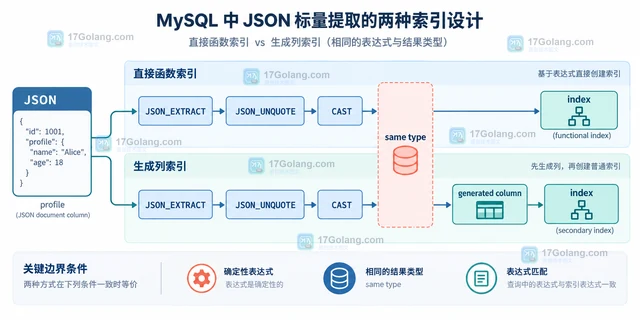
- 数据库 · MySQL | 2天前 |
- MySQL 函数索引提取表达式结果的设计方法
- 228浏览 收藏
-
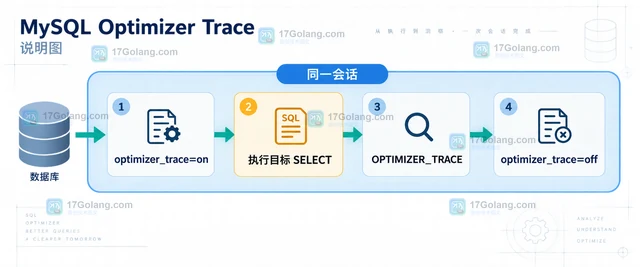
- 数据库 · MySQL | 2天前 |
- MySQL Optimizer Trace 怎么查看索引选择原因
- 500浏览 收藏
-
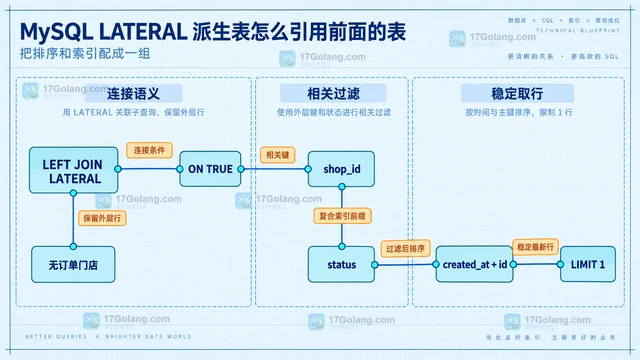
- 数据库 · MySQL | 2天前 |
- MySQL LATERAL 派生表怎么引用前面的表
- 252浏览 收藏
-
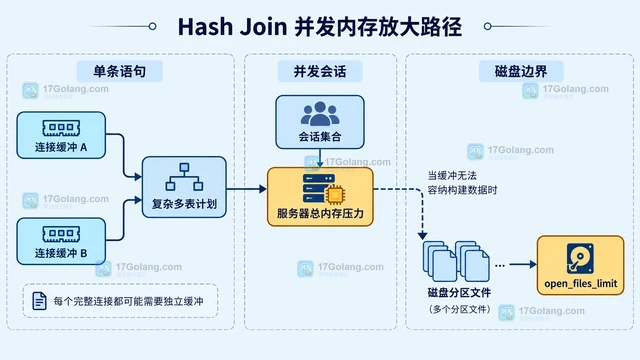
- 数据库 · MySQL | 2天前 |
- MySQL Hash Join 什么时候会消耗大量内存
- 488浏览 收藏
-
- 数据库 · MySQL | 3天前 |
- MySQL Clone 插件怎么为副本准备一致数据
- 184浏览 收藏
-
- 数据库 · MySQL | 3天前 |
- MySQL 动态 redo 日志容量怎么设置
- 153浏览 收藏
-

- 前端进阶之JavaScript设计模式
- 设计模式是开发人员在软件开发过程中面临一般问题时的解决方案,代表了最佳的实践。本课程的主打内容包括JS常见设计模式以及具体应用场景,打造一站式知识长龙服务,适合有JS基础的同学学习。
- 543次学习
-

- GO语言核心编程课程
- 本课程采用真实案例,全面具体可落地,从理论到实践,一步一步将GO核心编程技术、编程思想、底层实现融会贯通,使学习者贴近时代脉搏,做IT互联网时代的弄潮儿。
- 516次学习
-

- 简单聊聊mysql8与网络通信
- 如有问题加微信:Le-studyg;在课程中,我们将首先介绍MySQL8的新特性,包括性能优化、安全增强、新数据类型等,帮助学生快速熟悉MySQL8的最新功能。接着,我们将深入解析MySQL的网络通信机制,包括协议、连接管理、数据传输等,让
- 500次学习
-

- JavaScript正则表达式基础与实战
- 在任何一门编程语言中,正则表达式,都是一项重要的知识,它提供了高效的字符串匹配与捕获机制,可以极大的简化程序设计。
- 487次学习
-

- 从零制作响应式网站—Grid布局
- 本系列教程将展示从零制作一个假想的网络科技公司官网,分为导航,轮播,关于我们,成功案例,服务流程,团队介绍,数据部分,公司动态,底部信息等内容区块。网站整体采用CSSGrid布局,支持响应式,有流畅过渡和展现动画。
- 485次学习
-

- PubMedQA
- 深入了解PubMedQA生物医学问答数据集,涵盖其核心功能、使用方法及在临床决策、药物研发等场景的应用,助力提升NLP模型性能。
- 280次使用
-

- H2O EvalGPT
- H2O EvalGPT是H2O.ai推出的开源LLM评估平台,提供详细的大模型性能排行榜、行业特定基准测试及A/B测试功能,助您快速选择最适合项目的高性能大语言模型。
- 334次使用
-

- LMArena
- LMArena是加州大学伯克利分校推出的AI模型匿名评测平台。通过盲测投票机制,用户可对比不同大模型回答并生成实时排行榜,助力开发者优化模型及用户选择最佳AI工具。
- 329次使用
-

- HELM
- 深入了解斯坦福推出的HELM(Holistic Evaluation of Language Models)大模型评测体系。本文解析其核心功能、安装配置步骤及应用场景,涵盖准确性、公平性、鲁棒性等多维度指标,助力开发者全面优化语言模型性能。
- 299次使用
-

- MMBench
- MMBench是由上海人工智能实验室等机构联合推出的多模态基准测试平台,提供细粒度能力评估、大规模数据集及VLMEvalKit工具。本文详细介绍其核心功能、安装使用方法及应用场景,助力开发者全面评估多模态模型性能。
- 120次使用
-
- MySQL JSON_TABLE 展开数组时如何保留缺失字段
- 2026-09-10 501浏览
-
- MySQL 分区表怎么处理跨分区唯一键:分区列约束与建表取舍
- 2026-08-30 501浏览
-
- MySQL权限管理设置全攻略
- 2026-03-29 501浏览
-
- MySQL分片实现方法及常见方案解析
- 2025-06-24 501浏览
-
- MySQL表空间碎片怎么清理?超详细优化教程
- 2025-06-13 501浏览