
PHP登录功能实现教程
欢迎各位小伙伴来到golang学习网,相聚于此都是缘哈哈哈!今天我给大家带来《PHP登录功能实现与用户认证教程》,这篇文章主要讲到等等知识,如果你对文章相关的知识非常感兴趣或者正在自学,都可以关注我,我会持续更新相关文章!当然,有什么建议也欢迎在评论留言提出!一起学习!
Create a secure login form using HTML with POST method and CSRF protection. 2. Sanitize inputs in PHP using filter_input() or htmlspecialchars(). 3. Connect to MySQL securely via PDO with credentials stored outside web root. 4. Use prepared statements to query user data and verify passwords with password_verify(). 5. Start session upon success, set session variables, and regenerate session ID. 6. Protect pages by checking session status and redirecting unauthorized users. 7. Implement logout via session_destroy() to clear all session data.
To implement a login system in PHP, you need to handle user authentication securely. Here's how to create a functional and secure login feature:
The operating environment of this tutorial: MacBook Pro, macOS Sonoma
1. Create a Login Form with HTML and PHP
This step involves building a simple front-end form that collects the user's credentials and sends them to a PHP script for processing. The form should use the POST method to prevent credentials from appearing in the URL.
- Create an HTML file named login.html with fields for username and password
- Set the form action to a PHP file like authenticate.php
- Ensure the form includes CSRF protection via a hidden token field
2. Validate User Input in PHP
Before processing any data, validate and sanitize user input to prevent injection attacks. This step ensures only properly formatted data moves forward in the authentication process.
- In authenticate.php, check if the request method is POST
- Use filter_input() or htmlspecialchars() to sanitize input
- Verify that both username and password fields are not empty
3. Connect to MySQL Database Securely
A secure database connection is essential for retrieving user information. Use PDO or MySQLi with prepared statements to avoid SQL injection vulnerabilities.
- Establish a connection using PDO and store credentials in environment variables or config files outside the web root
- Set error mode to exception for better debugging: $pdo->setAttribute(PDO::ATTR_ERRMODE, PDO::ERRMODE_EXCEPTION)
- Keep the connection details such as host, username, password, and database name separate from the main script
4. Verify Credentials Using Password Hashing
User passwords must be stored using strong hashing algorithms like bcrypt. During login, compare the submitted password against the hashed version in the database using PHP’s password_verify() function.
- Query the database for the user by username using a prepared statement
- Fetch the stored hash and use password_verify($_POST['password'], $stored_hash)
- If verification fails, deny access and log the attempt for security monitoring
5. Start Session and Maintain User State
After successful authentication, start a PHP session to keep the user logged in across pages. This allows personalized content and access control on subsequent requests.
- Call session_start() at the beginning of authenticate.php
- Set session variables such as $_SESSION['user_id'] and $_SESSION['logged_in'] = true
- Regenerate session ID using session_regenerate_id() to prevent fixation attacks
6. Implement Access Control on Protected Pages
For pages that require authentication, check the session status at the top of each script to ensure only authorized users can view the content.
- Add session_start() at the top of every protected page
- Check if $_SESSION['logged_in'] is true; otherwise, redirect to the login page
- Optionally verify additional attributes like role or permissions for granular access control
7. Log Out Functionality with Session Destruction
Provide a secure logout mechanism that destroys the session and clears sensitive data, ensuring the user is fully signed out.
- Create a logout.php file that calls session_start()
- Unset all session variables using $_SESSION = array()
- Destroy the session with session_destroy() and redirect to the login page
今天关于《PHP登录功能实现教程》的内容介绍就到此结束,如果有什么疑问或者建议,可以在golang学习网公众号下多多回复交流;文中若有不正之处,也希望回复留言以告知!
 高德地图查看历史轨迹步骤详解
- 上一篇
- 高德地图查看历史轨迹步骤详解
- 下一篇
- 转转绑定支付宝收款步骤详解
-
- 文章 · php教程 | 18分钟前 |
- PHP消息队列是什么?RabbitMQ实战解析
- 248浏览 收藏
-
- 文章 · php教程 | 19分钟前 |
- MySQL加分如何不超满分技巧
- 133浏览 收藏
-
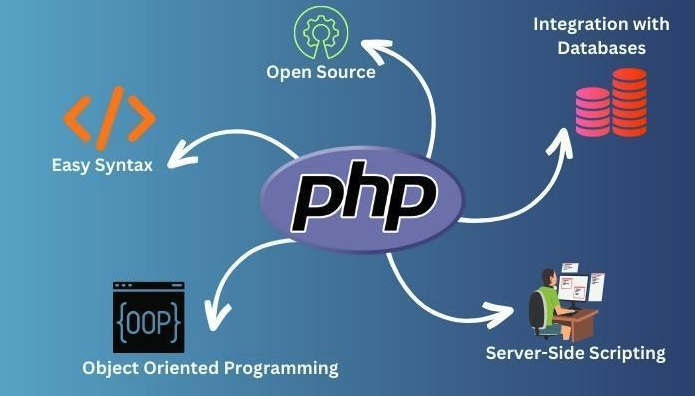
- 文章 · php教程 | 35分钟前 |
- PHP处理MySQL死锁问题的解决方法
- 492浏览 收藏
-
- 文章 · php教程 | 43分钟前 |
- PHP8.4生成验证码图片方法详解
- 381浏览 收藏
-
- 文章 · php教程 | 1小时前 |
- PHP会话管理详解:Session组件使用指南
- 279浏览 收藏
-
- 文章 · php教程 | 1小时前 |
- PHP链接嵌入失败header已发送解决办法
- 308浏览 收藏
-
- 文章 · php教程 | 1小时前 |
- PHPHTMLJavaScript混编入门教程
- 420浏览 收藏
-

- 文章 · php教程 | 1小时前 |
- PHP管道操作符怎么用?新手必看教程
- 273浏览 收藏
-

- 文章 · php教程 | 1小时前 |
- PHP处理苹果支付订单状态方法
- 392浏览 收藏
-
- 文章 · php教程 | 1小时前 |
- PHP接收URL参数及解码技巧
- 119浏览 收藏
-
- 文章 · php教程 | 2小时前 |
- Nginx配置server_name虚拟主机详解
- 296浏览 收藏
-
- 文章 · php教程 | 2小时前 |
- PHP微服务搭建入门指南
- 216浏览 收藏
-

- 前端进阶之JavaScript设计模式
- 设计模式是开发人员在软件开发过程中面临一般问题时的解决方案,代表了最佳的实践。本课程的主打内容包括JS常见设计模式以及具体应用场景,打造一站式知识长龙服务,适合有JS基础的同学学习。
- 543次学习
-

- GO语言核心编程课程
- 本课程采用真实案例,全面具体可落地,从理论到实践,一步一步将GO核心编程技术、编程思想、底层实现融会贯通,使学习者贴近时代脉搏,做IT互联网时代的弄潮儿。
- 516次学习
-

- 简单聊聊mysql8与网络通信
- 如有问题加微信:Le-studyg;在课程中,我们将首先介绍MySQL8的新特性,包括性能优化、安全增强、新数据类型等,帮助学生快速熟悉MySQL8的最新功能。接着,我们将深入解析MySQL的网络通信机制,包括协议、连接管理、数据传输等,让
- 500次学习
-

- JavaScript正则表达式基础与实战
- 在任何一门编程语言中,正则表达式,都是一项重要的知识,它提供了高效的字符串匹配与捕获机制,可以极大的简化程序设计。
- 487次学习
-

- 从零制作响应式网站—Grid布局
- 本系列教程将展示从零制作一个假想的网络科技公司官网,分为导航,轮播,关于我们,成功案例,服务流程,团队介绍,数据部分,公司动态,底部信息等内容区块。网站整体采用CSSGrid布局,支持响应式,有流畅过渡和展现动画。
- 485次学习
-
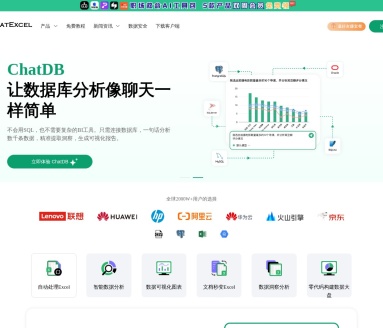
- ChatExcel酷表
- ChatExcel酷表是由北京大学团队打造的Excel聊天机器人,用自然语言操控表格,简化数据处理,告别繁琐操作,提升工作效率!适用于学生、上班族及政府人员。
- 3670次使用
-
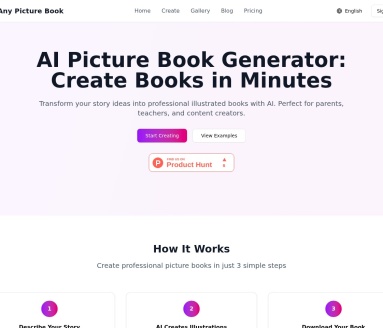
- Any绘本
- 探索Any绘本(anypicturebook.com/zh),一款开源免费的AI绘本创作工具,基于Google Gemini与Flux AI模型,让您轻松创作个性化绘本。适用于家庭、教育、创作等多种场景,零门槛,高自由度,技术透明,本地可控。
- 3932次使用
-

- 可赞AI
- 可赞AI,AI驱动的办公可视化智能工具,助您轻松实现文本与可视化元素高效转化。无论是智能文档生成、多格式文本解析,还是一键生成专业图表、脑图、知识卡片,可赞AI都能让信息处理更清晰高效。覆盖数据汇报、会议纪要、内容营销等全场景,大幅提升办公效率,降低专业门槛,是您提升工作效率的得力助手。
- 3875次使用
-
- 星月写作
- 星月写作是国内首款聚焦中文网络小说创作的AI辅助工具,解决网文作者从构思到变现的全流程痛点。AI扫榜、专属模板、全链路适配,助力新人快速上手,资深作者效率倍增。
- 5047次使用
-

- MagicLight
- MagicLight.ai是全球首款叙事驱动型AI动画视频创作平台,专注于解决从故事想法到完整动画的全流程痛点。它通过自研AI模型,保障角色、风格、场景高度一致性,让零动画经验者也能高效产出专业级叙事内容。广泛适用于独立创作者、动画工作室、教育机构及企业营销,助您轻松实现创意落地与商业化。
- 4248次使用
-
- PHP技术的高薪回报与发展前景
- 2023-10-08 501浏览
-
- 基于 PHP 的商场优惠券系统开发中的常见问题解决方案
- 2023-10-05 501浏览
-
- 如何使用PHP开发简单的在线支付功能
- 2023-09-27 501浏览
-
- PHP消息队列开发指南:实现分布式缓存刷新器
- 2023-09-30 501浏览
-
- 如何在PHP微服务中实现分布式任务分配和调度
- 2023-10-04 501浏览


