
Vue3Fetch获取数据绑定下拉菜单教程
在IT行业这个发展更新速度很快的行业,只有不停止的学习,才不会被行业所淘汰。如果你是文章学习者,那么本文《Vue3 Fetch获取数据与下拉菜单动态绑定教程》就很适合你!本篇内容主要包括##content_title##,希望对大家的知识积累有所帮助,助力实战开发!

本文深入探讨了Vue 3应用中通过Fetch API获取数据并动态填充下拉菜单时遇到的常见问题及解决方案。重点讲解了如何正确处理API返回的数组结构数据,通过数据转换(如使用`map`和`Set`)提取并去重所需字段,以适配组件的渲染需求,确保下拉菜单能够正确显示数据。
在Vue 3开发中,从后端API获取数据并将其渲染到前端UI组件(如下拉菜单)是常见的需求。然而,API返回的数据结构往往不直接与前端组件的期望格式匹配,这就需要进行适当的数据转换。本文将以一个具体的案例为例,详细阐述如何解决Fetch API获取数据后,下拉菜单未能正确填充的问题。
1. 问题描述与初步尝试
假设我们有一个Vue 3组件,旨在从一个交通事件API获取数据,并根据事件的“原因”、“条件”和“事件类型”来填充三个独立的下拉菜单。API接口(例如:https://eapps.ncdot.gov/services/traffic-prod/v1/incidents?verbose=true)返回的是一个事件记录的数组,每条记录都包含reason、condition和incidentType等字段。
初始的Vue组件代码可能如下所示:
to wit: {{ dropdownData }}
尽管Fetch API调用成功并返回了数据(例如418条记录),但下拉菜单却未能填充。dropdownData对象在模板中显示为空数组。
2. 问题分析:API数据结构与组件期望不符
问题的核心在于API返回的数据结构与组件中dropdownData的期望结构不匹配。API返回的data是一个数组,例如:
[
  { "id": 1, "reason": "Accident", "condition": "Wet", "incidentType": "Collision" },
  { "id": 2, "reason": "Construction", "condition": "Dry", "incidentType": "Roadwork" },
  { "id": 3, "reason": "Accident", "condition": "Icy", "incidentType": "Collision" }
  // ... 更多事件对象
]而我们的dropdownData期望的是一个包含reasons、conditions、incidentTypes等属性的对象,每个属性的值都是一个包含所有唯一选项的数组,例如:
{
  "reasons": ["Accident", "Construction"],
  "conditions": ["Wet", "Dry", "Icy"],
  "incidentTypes": ["Collision", "Roadwork"]
}
因此,this.dropdownData = { reasons: [...data.reasons], ... } 这样的代码会失败,因为data本身是一个数组,而不是一个直接包含reasons、conditions等属性的对象。我们需要从data数组中的每个事件对象里提取相应的字段,并进行去重处理。
3. 解决方案:数据转换与去重
为了解决这个问题,我们需要在fetchDropdownData方法中对API返回的data进行转换。具体步骤如下:
- 提取所有相关字段: 使用Array.prototype.map()方法遍历data数组,从每个事件对象中提取reason、condition和incidentType字段,生成各自的原始列表。
- 去重处理: 由于下拉菜单选项通常需要是唯一的,我们可以使用Set数据结构来自动去除重复的值。将map生成的结果转换为Set,然后再转换回数组。
修改后的fetchDropdownData方法如下:
// ... (之前的代码)

    fetchDropdownData() {
      fetch(`${import.meta.env.VITE_API_VERBOSE}`)
        .then((response) => {
          if (!response.ok) {
            throw new Error('Network response was not ok')
          }
          return response.json()
        })
        .then((data) => {
          // 确保data是数组,并进行数据转换
          if (Array.isArray(data)) {
            const reasons = [...new Set(data.map(item => item.reason))];
            const conditions = [...new Set(data.map(item => item.condition))];
            const incidentTypes = [...new Set(data.map(item => item.incidentType))];

            this.dropdownData = {
              reasons: reasons.filter(Boolean), // 过滤掉可能的undefined或null值
              conditions: conditions.filter(Boolean),
              incidentTypes: incidentTypes.filter(Boolean)
            };
          } else {
            console.warn('API returned data is not an array:', data);
            // 可以根据实际情况处理非数组数据,例如清空下拉菜单数据
            this.dropdownData = { reasons: [], conditions: [], incidentTypes: [] };
          }
        })
        .catch((error) => {
          console.error('Error fetching dropdown data:', error);
          // 在错误发生时,清空下拉菜单数据或显示错误信息
          this.dropdownData = { reasons: [], conditions: [], incidentTypes: [] };
        })
    },

// ... (后续代码)
4. 完整的Vue组件代码
结合上述修正,完整的Vue 3组件代码如下:
交通事件数据筛选
当前下拉菜单数据预览: {{ dropdownData }}
注意事项:
- 异步操作处理: 在mounted生命周期钩子中调用fetchDropdownData是常见的做法,确保组件挂载后立即获取数据。使用async/await可以使异步代码更易读和维护。
- 错误处理: 务必在fetch操作中包含.catch()或try...catch块来处理网络请求失败或API返回错误的情况,并向用户提供反馈。
- 数据验证: 在处理API响应时,最好检查data是否为预期的数组类型,以增强代码的健壮性。
- 过滤空值: filter(Boolean)是一个简洁的方法,可以从数组中移除所有假值(如null, undefined, 0, '')。这对于确保下拉菜单中不出现空白选项很有用。
- key属性: 在v-for循环中,为
- 默认选项: 为下拉菜单添加一个-- 请选择 --的默认选项,并将其value设置为null,可以提供更好的用户体验。
5. 总结
在Vue 3应用中,通过Fetch API获取数据并填充下拉菜单是一个常见任务。关键在于理解API返回的数据结构,并根据前端组件的渲染需求进行适当的数据转换。利用Array.prototype.map()进行字段提取和Set进行去重,是处理此类问题的有效方法。同时,良好的错误处理、数据验证和用户体验考量(如默认选项和加载状态)也是构建健壮应用不可或缺的部分。通过本文的实践指南,开发者可以更自信地处理类似的数据绑定场景。
终于介绍完啦!小伙伴们,这篇关于《Vue3Fetch获取数据绑定下拉菜单教程》的介绍应该让你收获多多了吧!欢迎大家收藏或分享给更多需要学习的朋友吧~golang学习网公众号也会发布文章相关知识,快来关注吧!
 Golang实现RPC双向流通信方法
- 上一篇
- Golang实现RPC双向流通信方法

- 下一篇
- 12306候补截止时间详解
-
- 文章 · 前端 | 4小时前 | javascript · DNS耗时 PerformanceResourceTiming TLS耗时
- PerformanceResourceTiming 拆分 DNS 与 TLS 耗时
- 108浏览 收藏
-
- 文章 · 前端 | 2天前 | 前端 · websocket ·
- WebSocket 重连退避与页面卸载的收尾
- 381浏览 收藏
-
- 文章 · 前端 | 2天前 |
- Fetch keepalive 处理页面卸载前的小请求
- 291浏览 收藏
-
- 文章 · 前端 | 2天前 |
- CSS @scope 限定组件样式作用域的迁移方法
- 294浏览 收藏
-
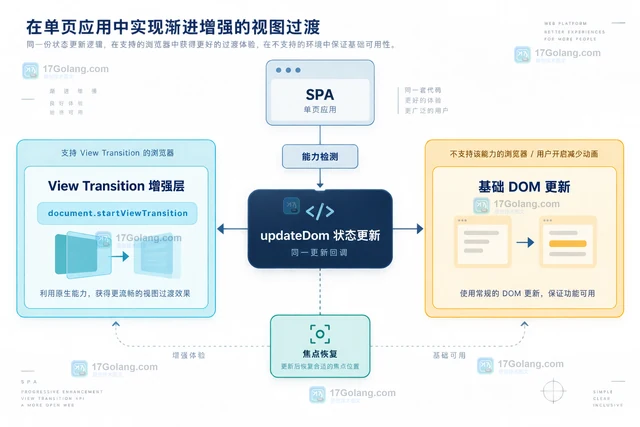
- 文章 · 前端 | 3天前 |
- View Transition API 在 SPA 状态切换中的降级方案
- 142浏览 收藏
-
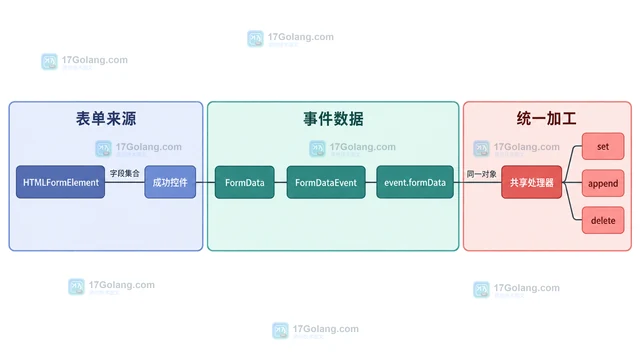
- 文章 · 前端 | 3天前 | javascript · 表单 · FormData FormDataEvent formdata事件 原生表单
- FormDataEvent 统一拦截原生表单数据的实现
- 288浏览 收藏
-
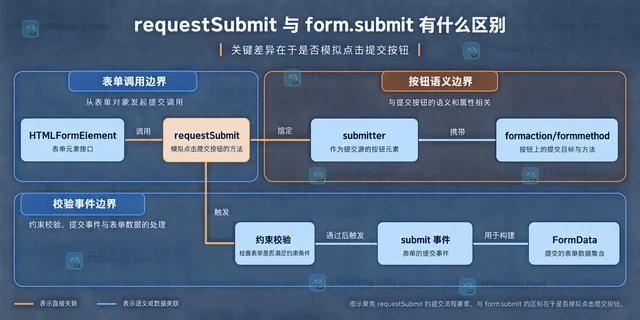
- 文章 · 前端 | 3天前 | html · javascript · 表单 · requestSubmit form.submit HTML表单校验
- requestSubmit 与 form.submit 有什么区别
- 392浏览 收藏
-
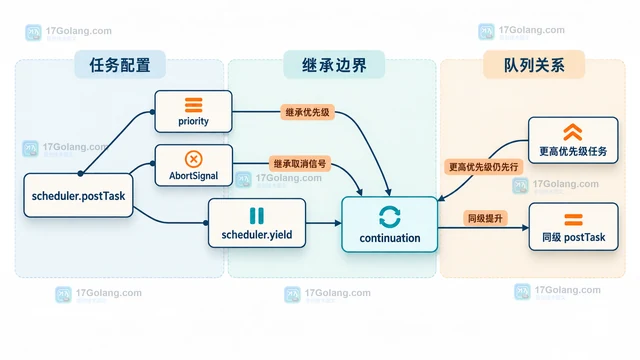
- 文章 · 前端 | 3天前 |
- scheduler.yield 怎么把长任务拆开又保持优先级
- 110浏览 收藏
-
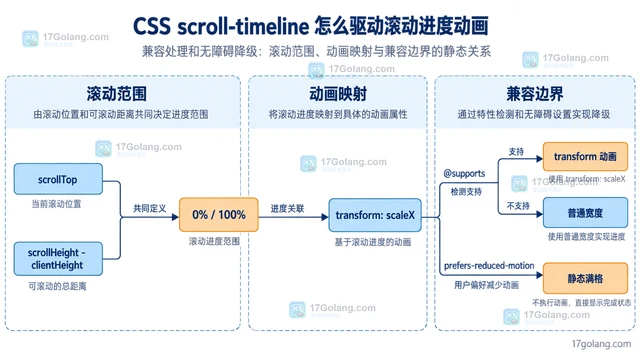
- 文章 · 前端 | 3天前 | CSS 滚动动画 animation-timeline scroll-timeline
- CSS scroll-timeline 怎么驱动滚动进度动画
- 251浏览 收藏
-
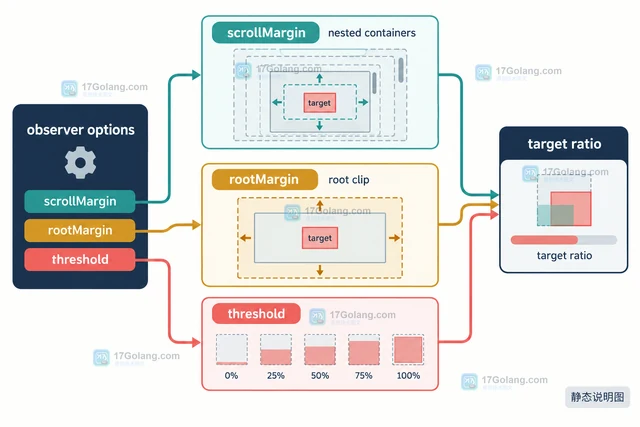
- 文章 · 前端 | 3天前 |
- IntersectionObserver scrollMargin 怎么处理嵌套滚动容器
- 380浏览 收藏
-
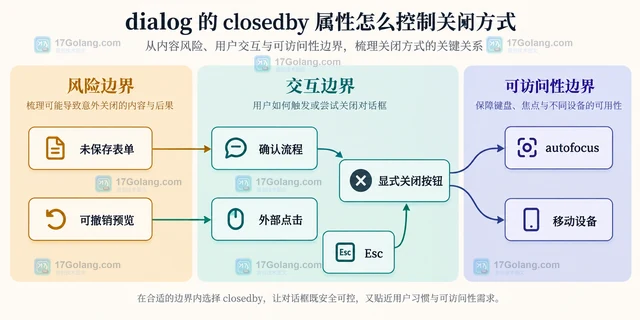
- 文章 · 前端 | 4天前 |
- dialog 的 closedby 属性怎么控制关闭方式
- 269浏览 收藏
-

- 文章 · 前端 | 4天前 |
- HTML popover 属性怎么管理轻量浮层
- 249浏览 收藏
-

- 前端进阶之JavaScript设计模式
- 设计模式是开发人员在软件开发过程中面临一般问题时的解决方案,代表了最佳的实践。本课程的主打内容包括JS常见设计模式以及具体应用场景,打造一站式知识长龙服务,适合有JS基础的同学学习。
- 543次学习
-

- GO语言核心编程课程
- 本课程采用真实案例,全面具体可落地,从理论到实践,一步一步将GO核心编程技术、编程思想、底层实现融会贯通,使学习者贴近时代脉搏,做IT互联网时代的弄潮儿。
- 516次学习
-

- 简单聊聊mysql8与网络通信
- 如有问题加微信:Le-studyg;在课程中,我们将首先介绍MySQL8的新特性,包括性能优化、安全增强、新数据类型等,帮助学生快速熟悉MySQL8的最新功能。接着,我们将深入解析MySQL的网络通信机制,包括协议、连接管理、数据传输等,让
- 500次学习
-

- JavaScript正则表达式基础与实战
- 在任何一门编程语言中,正则表达式,都是一项重要的知识,它提供了高效的字符串匹配与捕获机制,可以极大的简化程序设计。
- 487次学习
-

- 从零制作响应式网站—Grid布局
- 本系列教程将展示从零制作一个假想的网络科技公司官网,分为导航,轮播,关于我们,成功案例,服务流程,团队介绍,数据部分,公司动态,底部信息等内容区块。网站整体采用CSSGrid布局,支持响应式,有流畅过渡和展现动画。
- 485次学习
-

- PubMedQA
- 深入了解PubMedQA生物医学问答数据集,涵盖其核心功能、使用方法及在临床决策、药物研发等场景的应用,助力提升NLP模型性能。
- 290次使用
-

- H2O EvalGPT
- H2O EvalGPT是H2O.ai推出的开源LLM评估平台,提供详细的大模型性能排行榜、行业特定基准测试及A/B测试功能,助您快速选择最适合项目的高性能大语言模型。
- 343次使用
-

- LMArena
- LMArena是加州大学伯克利分校推出的AI模型匿名评测平台。通过盲测投票机制,用户可对比不同大模型回答并生成实时排行榜,助力开发者优化模型及用户选择最佳AI工具。
- 345次使用
-

- HELM
- 深入了解斯坦福推出的HELM(Holistic Evaluation of Language Models)大模型评测体系。本文解析其核心功能、安装配置步骤及应用场景,涵盖准确性、公平性、鲁棒性等多维度指标,助力开发者全面优化语言模型性能。
- 308次使用
-

- MMBench
- MMBench是由上海人工智能实验室等机构联合推出的多模态基准测试平台,提供细粒度能力评估、大规模数据集及VLMEvalKit工具。本文详细介绍其核心功能、安装使用方法及应用场景,助力开发者全面评估多模态模型性能。
- 130次使用
-
- JavaScript函数定义及示例详解
- 2025-05-11 502浏览
-
- 智能体安全引领产业升级——国内AI安全产品市场深度分析
- 2026-08-21 501浏览
-
- CSS变量简化按钮悬停效果技巧
- 2026-05-31 501浏览
-
- JavaScript符号类型详解与应用
- 2026-05-31 501浏览
-
- HTML剪贴板复制粘贴怎么用
- 2026-05-26 501浏览