
PrestaShop1.7组合价显示设置教程
从现在开始,努力学习吧!本文《PrestaShop 1.7 产品组合价格显示教程》主要讲解了等等相关知识点,我会在golang学习网中持续更新相关的系列文章,欢迎大家关注并积极留言建议。下面就先一起来看一下本篇正文内容吧,希望能帮到你!

问题背景与分析
在PrestaShop 1.7中,对于包含多种属性组合(如不同颜色、尺寸)的产品,系统默认通常不会自动识别并显示所有组合中的最低价格。相反,它可能显示默认组合的价格,或者仅仅是产品的基础价格。这导致用户在浏览商品时,可能无法直观地了解到该商品的“起售价”,影响购物体验。
开发者尝试通过直接修改核心控制器或在Smarty模板中计算最低价格,但往往遇到挑战。直接修改核心文件不仅不推荐(会在系统更新时丢失修改),而且可能由于代码执行上下文、变量作用域等问题而无法正确获取到所有组合的价格数据。例如,在错误的控制器或方法中尝试获取$product->getAttributeCombinations()可能返回空值,因为相关数据尚未加载或处理。
核心问题在于,我们需要在产品数据被分配到Smarty模板之前,即在控制器层面,识别出所有组合中的最低价格,并据此调整产品的默认显示行为。
核心解决方案:ProductController 覆盖
解决此问题的最佳实践是利用PrestaShop的覆盖(Override)机制,对ProductController进行修改。ProductController负责处理产品页面的逻辑和数据准备,其中assignAttributesGroups方法专门用于处理产品属性组及其组合的分配。在这里进行修改,可以确保在渲染模板之前,我们已经计算并设置了最低价格组合。
为什么使用覆盖?
- 保持核心代码的完整性: 避免直接修改PrestaShop核心文件,确保系统更新时不会丢失自定义修改。
- 模块化和可维护性: 将自定义逻辑封装在覆盖文件中,便于管理和调试。
- 兼容性: 遵循PrestaShop的开发规范,减少与第三方模块或未来更新的冲突。
实现步骤
1. 创建控制器覆盖文件
首先,您需要在PrestaShop项目的override/controllers/front/目录下创建一个名为ProductController.php的文件(如果不存在)。
文件结构应如下:
重要提示: 在PrestaShop 1.7中,如果您完全重写了父类方法,则可能不需要调用parent::assignAttributesGroups($product_for_template);。但为了安全起见,通常会先执行父类方法,再在此基础上进行修改。然而,对于本教程提供的解决方案,由于我们需要在父类方法执行的内部插入代码,因此我们将直接修改父类方法的内容,而不是简单地在其前后添加代码。这意味着您需要将父类assignAttributesGroups的完整内容复制到您的覆盖文件中,然后进行修改。
2. 查找最低价格组合
在复制到覆盖文件中的assignAttributesGroups方法内部,找到获取属性组的代码块。我们需要在此处添加逻辑来遍历所有属性组合,找出最低价格及其对应的属性ID。
在方法开头,$colors = []; $groups = []; $this->combinations = []; 之后,但在$attributes_groups = $this->product->getAttributesGroups($this->context->language->id);第一次调用之前,插入以下代码:
protected function assignAttributesGroups($product_for_template = null) { $colors = []; $groups = []; $this->combinations = []; /* NEW - 开始计算最低价格 */ $lowestPrice = ["lowest_price" => null, "lowest_price_id" => null]; // 初始化最低价格变量 $attributes_groups_for_price_calc = $this->product->getAttributesGroups($this->context->language->id); if (is_array($attributes_groups_for_price_calc) && $attributes_groups_for_price_calc) { foreach ($attributes_groups_for_price_calc as $row) { // 比较当前组合价格与已知的最低价格 if ($lowestPrice["lowest_price"] === null || (float)$row['price'] < $lowestPrice["lowest_price"]) { $lowestPrice["lowest_price"] = (float)$row['price']; $lowestPrice["lowest_price_id"] = $row['id_attribute']; } } } /* END NEW - 最低价格计算结束 */ /** @todo (RM) should only get groups and not all declination ? */ $attributes_groups = $this->product->getAttributesGroups($this->context->language->id); // ... 后续代码代码解释:
- 我们初始化了一个$lowestPrice数组,用于存储最低价格和对应的属性ID。
- 我们再次调用$this->product->getAttributesGroups()来获取所有属性组合的数据。
- 通过foreach循环遍历这些组合,比较每个组合的price,如果找到更低的价格,就更新$lowestPrice。
3. 默认选中最低价格组合
接下来,我们需要修改代码,确保在渲染属性组时,将与最低价格对应的属性标记为“selected”(选中状态)。
在遍历$attributes_groups的foreach循环中,找到设置selected属性的位置:
            $groups[$row['id_attribute_group']]['attributes'][$row['id_attribute']] = [
                'name' => $row['attribute_name'],
                'html_color_code' => $row['attribute_color'],
                'texture' => (@filemtime(_PS_COL_IMG_DIR_ . $row['id_attribute'] . '.jpg')) ? _THEME_COL_DIR_ . $row['id_attribute'] . '.jpg' : '',
                /* NEW - 修改选中逻辑 */
                // 原代码:#'selected' => (isset($product_for_template['attributes'][$row['id_attribute_group']]['id_attribute']) && $product_for_template['attributes'][$row['id_attribute_group']]['id_attribute'] == $row['id_attribute']) ? true : false,
                'selected'=> ($lowestPrice["lowest_price_id"] ==  $row['id_attribute']) ? true : false,
                /* END NEW */
            ];
代码解释:
- 我们将selected属性的判断条件从默认或用户选择,改为判断当前属性ID是否与我们之前计算出的$lowestPrice["lowest_price_id"]相匹配。如果匹配,则该属性被标记为选中。
4. 更新属性组默认值
最后,我们需要确保整个属性组的默认选中ID也指向最低价格组合的ID。这通常发生在遍历$attributes_groups循环之后。
在foreach ($attributes_groups as $k => $row)循环结束之后,但在// wash attributes list depending on available attributes depending on selected preceding attributes注释之前,插入以下代码:
        // ... (省略之前的循环内容)

        /* NEW - 更新属性组默认值 */
        // 注意:这里假设lowestPrice["lowest_price_id"]属于某个属性组。
        // 为了确保逻辑健壮性,可能需要根据lowestPrice["lowest_price_id"]找到其所属的id_attribute_group
        // 但根据上下文,通常lowestPrice["lowest_price_id"]会与某个$row['id_attribute']匹配,
        // 而$row['id_attribute_group']则是当前循环中的属性组ID。
        // 如果lowestPrice["lowest_price_id"]对应的是某个属性组的默认属性,则此行代码是有效的。
        // 更准确的做法是遍历$groups,找到包含lowestPrice["lowest_price_id"]的组,然后设置其default。
        // 但为了与原答案保持一致,并假设最低价格的属性会影响某个属性组的默认值,我们保留此结构。
        if ($lowestPrice["lowest_price_id"] !== null) {
            foreach ($groups as $id_group => &$group) {
                if (isset($group['attributes'][$lowestPrice["lowest_price_id"]])) {
                    $group['default'] = (int) $lowestPrice['lowest_price_id'];
                    break; // 找到并设置后即可退出
                }
            }
        }
        /* END NEW */

        // wash attributes list depending on available attributes depending on selected preceding attributes
        $current_selected_attributes = [];
        // ... 后续代码
代码解释:
- 此代码块遍历已构建的$groups数组,查找包含$lowestPrice["lowest_price_id"]的属性组。
- 一旦找到,就将该属性组的default值设置为$lowestPrice['lowest_price_id'],确保该组合成为默认选项。
完整代码示例
将上述所有修改整合到您的override/controllers/front/ProductController.php文件中,assignAttributesGroups方法的完整代码应类似于:
combinations = [];

        /* NEW - 开始计算最低价格 */
        $lowestPrice = ["lowest_price" => null, "lowest_price_id" => null]; // 初始化最低价格变量
        $attributes_groups_for_price_calc = $this->product->getAttributesGroups($this->context->language->id);
        if (is_array($attributes_groups_for_price_calc) && $attributes_groups_for_price_calc) {
            foreach ($attributes_groups_for_price_calc as $row) {
                if ($lowestPrice["lowest_price"] === null || (float)$row['price'] < $lowestPrice["lowest_price"]) {
                    $lowestPrice["lowest_price"] = (float)$row['price'];
                    $lowestPrice["lowest_price_id"] = $row['id_attribute'];
                }
            }
        }
        /* END NEW - 最低价格计算结束 */

        /** @todo (RM) should only get groups and not all declination ? */
        $attributes_groups = $this->product->getAttributesGroups($this->context->language->id);
        if (is_array($attributes_groups) && $attributes_groups) {
            $combination_images = $this->product->getCombinationImages($this->context->language->id);
            $combination_prices_set = [];
            foreach ($attributes_groups as $k => $row) {
                // Color management
                if (isset($row['is_color_group']) && $row['is_color_group'] && (isset($row['attribute_color']) && $row['attribute_color']) || (file_exists(_PS_COL_IMG_DIR_ . $row['id_attribute'] . '.jpg'))) {
                    $colors[$row['id_attribute']]['value'] = $row['attribute_color'];
                    $colors[$row['id_attribute']]['name'] = $row['attribute_name'];
                    if (!isset($colors[$row['id_attribute']]['attributes_quantity'])) {
                        $colors[$row['id_attribute']]['attributes_quantity'] = 0;
                    }
                    $colors[$row['id_attribute']]['attributes_quantity'] += (int) $row['quantity'];
                }
                if (!isset($groups[$row['id_attribute_group']])) {
                    $groups[$row['id_attribute_group']] = [
                        'group_name' => $row['group_name'],
                        'name' => $row['public_group_name'],
                        'group_type' => $row['group_type'],
                        'default' => -1,
                    ];
                }

                $groups[$row['id_attribute_group']]['attributes'][$row['id_attribute']] = [
                    'name' => $row['attribute_name'],
                    'html_color_code' => $row['attribute_color'],
                    'texture' => (@filemtime(_PS_COL_IMG_DIR_ . $row['id_attribute'] . '.jpg')) ? _THEME_COL_DIR_ . $row['id_attribute'] . '.jpg' : '',
                    /* NEW - 修改选中逻辑 */
                    'selected'=> ($lowestPrice["lowest_price_id"] ==  $row['id_attribute']) ? true : false,
                    /* END NEW */
                ];

                if ($row['default_on'] && $groups[$row['id_attribute_group']]['default'] == -1) {
                    $groups[$row['id_attribute_group']]['default'] = (int) $row['id_attribute'];
                }
                if (!isset($groups[$row['id_attribute_group']]['attributes_quantity'][$row['id_attribute']])) {
                    $groups[$row['id_attribute_group']]['attributes_quantity'][$row['id_attribute']] = 0;
                }
                $groups[$row['id_attribute_group']]['attributes_quantity'][$row['id_attribute']] += (int) $row['quantity'];

                $this->combinations[$row['id_product_attribute']]['attributes_values'][$row['id_attribute_group']] = $row['attribute_name'];
                $this->combinations[$row['id_product_attribute']]['attributes'][] = (int) $row['id_attribute'];
                $this->combinations[$row['id_product_attribute']]['price'] = (float) $row['price'];

                if (!isset($combination_prices_set[(int) $row['id_product_attribute']])) {
                    $combination_specific_price = null;
                    Product::getPriceStatic((int) $this->product->id, false, $row['id_product_attribute'], 6, null, false, true, 1, false, null, null, null, $combination_specific_price);
                    $combination_prices_set[(int) $row['id_product_attribute']] = true;
                    $this->combinations[$row['id_product_attribute']]['specific_price'] = $combination_specific_price;
                }
                $this->combinations[$row['id_product_attribute']]['ecotax'] = (float) $row['ecotax'];
                $this->combinations[$row['id_product_attribute']]['weight'] = (float) $row['weight'];
                $this->combinations[$row['id_product_attribute']]['quantity'] = (int) $row['quantity'];
                $this->combinations[$row['id_product_attribute']]['reference'] = $row['reference'];
                $this->combinations[$row['id_product_attribute']]['unit_impact'] = $row['unit_price_impact'];
                $this->combinations[$row['id_product_attribute']]['minimal_quantity'] = $row['minimal_quantity'];
                if ($row['available_date'] != '0000-00-00' && Validate::isDate($row['available_date'])) {
                    $this->combinations[$row['id_product_attribute']]['available_date'] = $row['available_date'];
                    $this->combinations[$row['id_product_attribute']]['date_formatted'] = Tools::displayDate($row['available_date']);
                } else {
                    $this->combinations[$row['id_product_attribute']]['available_date'] = $this->combinations[$row['id_product_attribute']]['date_formatted'] = '';
                }

                if (!isset($combination_images[$row['id_product_attribute']][0]['id_image'])) {
                    $this->combinations[$row['id_product_attribute']]['id_image'] = -1;
                } else {
                    $this->combinations[$row['id_product_attribute']]['id_image'] = $id_image = (int) $combination_images[$row['id_product_attribute']][0]['id_image'];
                    if ($row['default_on']) {
                        foreach ($this->context->smarty->tpl_vars['product']->value['images'] as $image) {
                            if ($image['cover'] == 1) {
                                $current_cover = $image;
                            }
                        }
                        if (!isset($current_cover)) {
                            $current_cover = array_values($this->context->smarty->tpl_vars['product']->value['images'])[0];
                        }

                        if (is_array($combination_images[$row['id_product_attribute']])) {
                            foreach ($combination_images[$row['id_product_attribute']] as $tmp) {
                                if ($tmp['id_image'] == $current_cover['id_image']) {
                                    $this->combinations[$row['id_product_attribute']]['id_image'] = $id_image = (int) $tmp['id_image'];

                                    break;
                                }
                            }
                        }

                        if ($id_image > 0) {
                            if (isset($this->context->smarty->tpl_vars['images']->value)) {
                                $product_images = $this->context->smarty->tpl_vars['images']->value;
                            }
                            if (isset($product_images) && is_array($product_images) && isset($product_images[$id_image])) {
                                $product_images[$id_image]['cover'] = 1;
                                $this->context->smarty->assign('mainImage', $product_images[$id_image]);
                                if (count($product_images)) {
                                    $this->context->smarty->assign('images', $product_images);
                                }
                            }

                            $cover = $current_cover;

                            if (isset($cover) && is_array($cover) && isset($product_images) && is_array($product_images)) {
                                $product_images[$cover['id_image']]['cover'] = 0;
                                if (isset($product_images[$id_image])) {
                                    $cover = $product_images[$id_image];
                                }
                                $cover['id_image'] = (Configuration::get('PS_LEGACY_IMAGES') ? ($this->product->id . '-' . $id_image) : (int) $id_image);
                                $cover['id_image_only'] = (int) $id_image;
                                $this->context->smarty
以上就是《PrestaShop1.7组合价显示设置教程》的详细内容,更多关于的资料请关注golang学习网公众号!
 Win10缺失高性能模式?找回方法全解析
- 上一篇
- Win10缺失高性能模式?找回方法全解析

- 下一篇
- Win11跳过网络设置教程
-
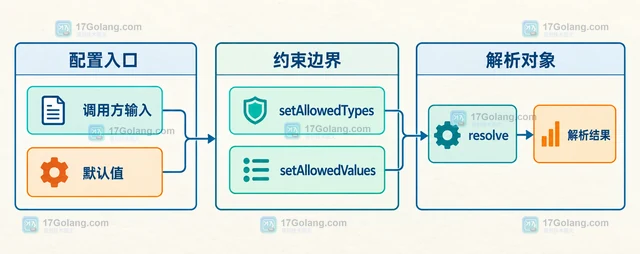
- 文章 · php教程 | 4小时前 | php教程 · php Symfony OptionsResolver setAllowedTypes setAllowedValues
- PHP OptionsResolver怎么限制选项类型和允许值
- 114浏览 收藏
-
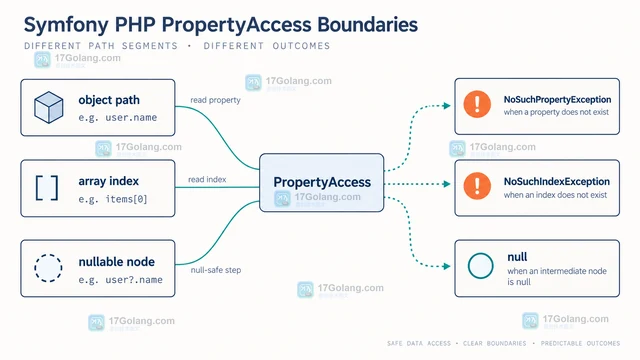
- 文章 · php教程 | 4小时前 |
- PHP PropertyAccess遇到缺失属性怎么处理
- 151浏览 收藏
-
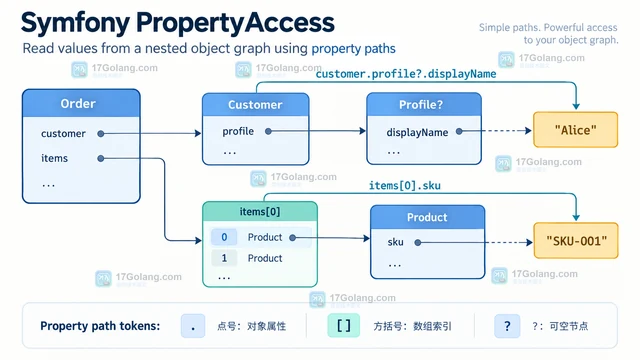
- 文章 · php教程 | 4小时前 | PHP · Symfony 嵌套对象 PHP PropertyAccess getValue 属性路径
- PHP PropertyAccess怎样读取嵌套对象属性
- 368浏览 收藏
-
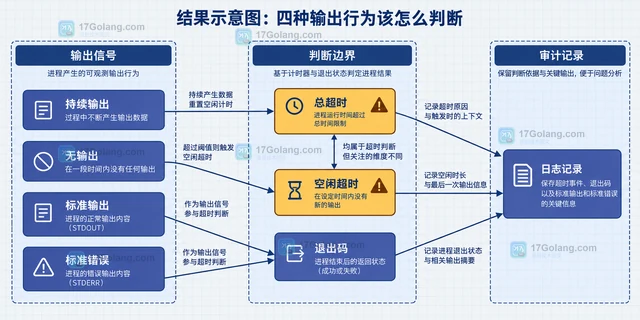
- 文章 · php教程 | 4小时前 |
- PHP Process总超时与空闲超时有什么区别
- 188浏览 收藏
-
- 文章 · php教程 | 4小时前 | 工程实践 · php教程 · 进程管理 · 参数数组 proc_open PHP Symfony Symfony Process PHP子进程
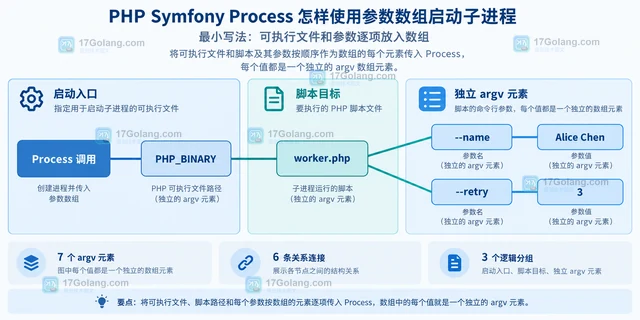
- PHP Symfony Process怎样使用参数数组启动子进程
- 243浏览 收藏
-
- 文章 · php教程 | 4小时前 | php foreach 大目录 Symfony Finder
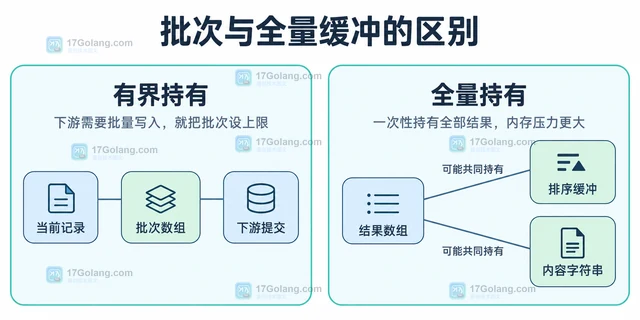
- PHP Finder迭代大目录时如何避免一次载入全部结果
- 495浏览 收藏
-
- 文章 · php教程 | 4小时前 |
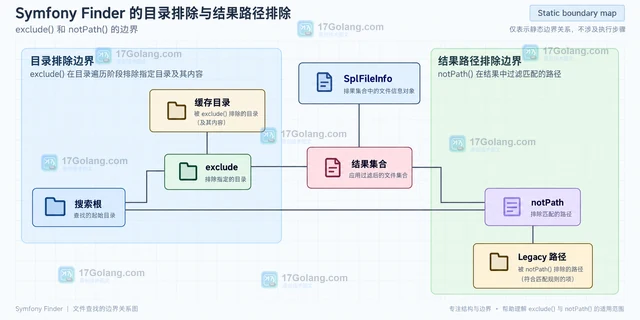
- PHP Symfony Finder怎么组合文件名与目录过滤
- 102浏览 收藏
-
- 文章 · php教程 | 4小时前 | PHP · filter PHP DomCrawler filterXPath children siblings ancestors closest
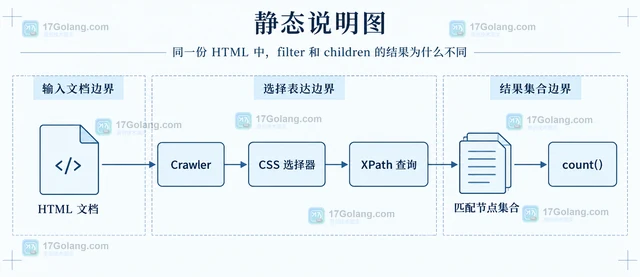
- PHP DomCrawler筛选节点和遍历子节点有什么区别
- 231浏览 收藏
-

- 前端进阶之JavaScript设计模式
- 设计模式是开发人员在软件开发过程中面临一般问题时的解决方案,代表了最佳的实践。本课程的主打内容包括JS常见设计模式以及具体应用场景,打造一站式知识长龙服务,适合有JS基础的同学学习。
- 543次学习
-

- GO语言核心编程课程
- 本课程采用真实案例,全面具体可落地,从理论到实践,一步一步将GO核心编程技术、编程思想、底层实现融会贯通,使学习者贴近时代脉搏,做IT互联网时代的弄潮儿。
- 516次学习
-

- 简单聊聊mysql8与网络通信
- 如有问题加微信:Le-studyg;在课程中,我们将首先介绍MySQL8的新特性,包括性能优化、安全增强、新数据类型等,帮助学生快速熟悉MySQL8的最新功能。接着,我们将深入解析MySQL的网络通信机制,包括协议、连接管理、数据传输等,让
- 500次学习
-

- JavaScript正则表达式基础与实战
- 在任何一门编程语言中,正则表达式,都是一项重要的知识,它提供了高效的字符串匹配与捕获机制,可以极大的简化程序设计。
- 487次学习
-

- 从零制作响应式网站—Grid布局
- 本系列教程将展示从零制作一个假想的网络科技公司官网,分为导航,轮播,关于我们,成功案例,服务流程,团队介绍,数据部分,公司动态,底部信息等内容区块。网站整体采用CSSGrid布局,支持响应式,有流畅过渡和展现动画。
- 485次学习
-

- PubMedQA
- 深入了解PubMedQA生物医学问答数据集,涵盖其核心功能、使用方法及在临床决策、药物研发等场景的应用,助力提升NLP模型性能。
- 463次使用
-

- H2O EvalGPT
- H2O EvalGPT是H2O.ai推出的开源LLM评估平台,提供详细的大模型性能排行榜、行业特定基准测试及A/B测试功能,助您快速选择最适合项目的高性能大语言模型。
- 526次使用
-

- LMArena
- LMArena是加州大学伯克利分校推出的AI模型匿名评测平台。通过盲测投票机制,用户可对比不同大模型回答并生成实时排行榜,助力开发者优化模型及用户选择最佳AI工具。
- 544次使用
-

- HELM
- 深入了解斯坦福推出的HELM(Holistic Evaluation of Language Models)大模型评测体系。本文解析其核心功能、安装配置步骤及应用场景,涵盖准确性、公平性、鲁棒性等多维度指标,助力开发者全面优化语言模型性能。
- 493次使用
-

- MMBench
- MMBench是由上海人工智能实验室等机构联合推出的多模态基准测试平台,提供细粒度能力评估、大规模数据集及VLMEvalKit工具。本文详细介绍其核心功能、安装使用方法及应用场景,助力开发者全面评估多模态模型性能。
- 311次使用
-
- PHP JSON_THROW_ON_ERROR 抛错后怎么保留原始字段位置
- 2026-09-09 501浏览
-
- PHP 8.5 array_last() 怎么处理空数组:从 null 结果到兼容旧版本的 Polyfill
- 2026-08-16 501浏览
-
- 宝塔配置Ruby环境:RVM+Nginx反代教程
- 2026-05-29 501浏览
-
- unset函数作用范围详解
- 2026-05-29 501浏览
-
- VS Code配置Xdebug教程:PHP调试技巧全解析
- 2026-05-13 501浏览


