
技术分享 | innodb-cluster 扫盲-安装篇
大家好,今天本人给大家带来文章《技术分享 | innodb-cluster 扫盲-安装篇》,文中内容主要涉及到MySQL、数据库,如果你对数据库方面的知识点感兴趣,那就请各位朋友继续看下去吧~希望能真正帮到你们,谢谢!
作者:杨涛涛
本文介绍用 MySQL Shell 搭建 MGR 的详细过程。
1、使用前,关掉防火墙,包括 selinux,firewalld,或者 MySQL 企业版的firewall(如果用了企业版的话)
2、两台机器:(4 台 MySQL 实例)
192.168.2.219 centos-ytt57-1 3311/3312
192.168.2.229 centos-ytt57-2 3311/3312
3、安装 MySQL(两台都装), MySQL Shell(任意一台), mysqlrouter(任意一台,官方建议和应用程序装在一个服务器上)
yum install mysql-community-server mysql-shell mysql-router-community
4、搭建 InnoDB-Cluster(两台都装)
- 配置文件如下:
shell>vi /etc/my.cnf
master-info-repository=table
relay-log-info-repository=table
gtid_mode=ON
enforce_gtid_consistency=ON
binlog_checksum=NONE
log_slave_updates=ON
binlog_format=ROW
transaction_write_set_extraction=XXHASH64
- 系统 HOSTS 配置(两台都配)
shell>vi /etc/hosts

127.0.0.1 localhost localhost.localdomain localhost4 localhost4.localdomain4
::1 localhost localhost.localdomain localhost6 localhost6.localdomain6
192.168.2.219 centos-ytt57-2
192.168.2.229 centos-ytt57-3
用 MySQL coalesce 函数确认下 report-host 是否设置正确
(root@localhost) : [(none)] >SELECT coalesce(@@report_host, @@hostname) as r;
+----------------+
| r |
+----------------+
| centos-ytt57-1 |
+----------------+
1 row in set (0.00 sec)
- 创建管理员用户搭建 GROUP REPLICATION (四个节点都要)
create user root identified by 'Root@123';
grant all on *.* to root with grant option;
flush privileges;
- MySQLsh 连接其中一台节点:
[root@centos-ytt57-1 mysql]# mysqlsh root@localhost:3321
- 检查配置正确性:(如果这里不显示 OK,把对应的参数加到配置文件重启 MySQL 再次检查)
dba.checkInstanceConfiguration("root@centos-ytt57-2:3311");
dba.checkInstanceConfiguration("root@centos-ytt57-2:3312");
dba.checkInstanceConfiguration("root@centos-ytt57-3:3311");
dba.checkInstanceConfiguration("root@centos-ytt57-3:3312");
mysqlsh 执行检测
[root@centos-ytt57-1 mysql]# mysqlsh --log-level=8 root@localhost:3311

MySQL localhost:3311 ssl JS > dba.checkInstanceConfiguration("root@centos-ytt57-2:3311")
{
"status": "ok"
}
- 创建集群,节点 1 上创建。(结果显示 Cluster successfully created 表示成功)
MySQL localhost:3311 ssl JS > var cluster = dba.createCluster('ytt_mgr');

Cluster successfully created. Use Cluster.addInstance() to add MySQL instances.
At least 3 instances are needed for the cluster to be able to withstand up to
one server failure.
- 添加节点 2,3,4(全部显示 OK,表示添加成功)
MySQL  localhost:3311 ssl  JS >  cluster.addInstance('root@centos-ytt57-2:3312');
MySQL  localhost:3311 ssl  JS >  cluster.addInstance('root@centos-ytt57-3:3311');
MySQL  localhost:3311 ssl  JS >  cluster.addInstance('root@centos-ytt57-3:3312');
- 查看拓扑图:(describe 简单信息,status 详细描述)
MySQL localhost:3311 ssl JS > cluster.describe()
{
"clusterName": "ytt_mgr",
"defaultReplicaSet": {
"name": "default",
"topology": [
{
"address": "centos-ytt57-2:3311",
"label": "centos-ytt57-2:3311",
"role": "HA",
"version": "8.0.17"
},
{
"address": "centos-ytt57-2:3312",
"label": "centos-ytt57-2:3312",
"role": "HA",
"version": "8.0.17"
},
{
"address": "centos-ytt57-3:3311",
"label": "centos-ytt57-3:3311",
"role": "HA",
"version": "8.0.17"
},
{
"address": "centos-ytt57-3:3312",
"label": "centos-ytt57-3:3312",
"role": "HA",
"version": "8.0.17"
}
],
"topologyMode": "Single-Primary"
}
}

MySQL localhost:3311 ssl JS > cluster.status()

"clusterName": "ytt_mgr",
"defaultReplicaSet": {
"name": "default",
"primary": "centos-ytt57-2:3311",
"ssl": "REQUIRED",
"status": "OK",
"statusText": "Cluster is ONLINE and can tolerate up to ONE failure.",
"topology": {
"centos-ytt57-2:3311": {
"address": "centos-ytt57-2:3311",
"mode": "R/W",
"readReplicas": {},
"role": "HA",
"status": "ONLINE",
"version": "8.0.17"
},
"centos-ytt57-2:3312": {
"address": "centos-ytt57-2:3312",
"mode": "R/O",
"readReplicas": {},
"role": "HA",
"status": "ONLINE",
"version": "8.0.17"
},
"centos-ytt57-3:3311": {
"address": "centos-ytt57-3:3311",
"mode": "R/O",
"readReplicas": {},
"role": "HA",
"status": "ONLINE",
"version": "8.0.17"
},
"centos-ytt57-3:3312": {
"address": "centos-ytt57-3:3312",
"mode": "R/O",
"readReplicas": {},
"role": "HA",
"status": "ONLINE",
"version": "8.0.17"
}
},
"topologyMode": "Single-Primary"
},
"groupInformationSourceMember": "centos-ytt57-2:3311"
- 简单测试下数据是否同步
(root@localhost) : [(none)] >create database ytt;
Query OK, 1 row affected (0.03 sec)

(root@localhost) : [(none)] >use ytt;
Database changed
(root@localhost) : [ytt] >create table p1(id int primary key, log_time datetime);
Query OK, 0 rows affected (0.08 sec)

(root@localhost) : [ytt] >insert into p1 values (1,now());
Query OK, 1 row affected (0.04 sec)

(root@localhost) : [ytt] >show master status;
+---------------+----------+--------------+------------------+-------------------------------------------+
| File | Position | Binlog_Do_DB | Binlog_Ignore_DB | Executed_Gtid_Set |
+---------------+----------+--------------+------------------+-------------------------------------------+
| mysql0.000001 | 25496 | | | 6c7bb9db-b759-11e9-a9c0-0800276cf0fc:1-41 |
+---------------+----------+--------------+------------------+-------------------------------------------+
1 row in set (0.00 sec)
查看其他三个节点
(root@localhost) : [ytt] >show tables;
+---------------+
| Tables_in_ytt |
+---------------+
| p1 |
+---------------+
1 row in set (0.00 sec)

(root@localhost) : [ytt] >select * from p1;
+----+---------------------+
| id | log_time |
+----+---------------------+
| 1 | 2019-08-05 16:44:20 |
+----+---------------------+
1 row in set (0.00 sec)
停掉主节点:
[root@centos-ytt57-2 mysql0]# systemctl stop mysqld@0
现在查看,主节点已经变为本机 3312节点
"centos-ytt57-2:3312": {
"address": "centos-ytt57-2:3312",
"mode": "R/W",
"readReplicas": {},
"role": "HA",
"status": "ONLINE"
}
- 报错处理
错误日志里显示
2019-08-05T09:01:35.125591Z 0 [ERROR] Plugin group_replication reported: 'The group name option is mandatory'
2019-08-05T09:01:35.125622Z 0 [ERROR] Plugin group_replication reported: 'Unable to start Group Replication on boot'
同时用 cluster.rescan() 扫描,发现
The instance 'centos-ytt57-2:3311' is no longer part of the ReplicaSet.
重新加入此节点到集群:
cluster.rejoinInstance('centos-ytt57-2:3311')
再次执行cluster.status()查看集群状态:"status": "OK",
- 移除和加入
cluster.removeInstance("centos-ytt57-3:3312");
The instance 'centos-ytt57-3:3312' was successfully removed from the cluster.
cluster.addInstance("centos-ytt57-3:3312");
The instance 'centos-ytt57-3:3312' was successfully added to the cluster.
- 用 mysqlrouter 生成连接 MGR 相关信息。
涉及到两个用户:
--user=mysqlrouter 是使用mysqlrouter的系统用户
自动创建的MySQL 用户是用来与MGR通信的用户。如果想查看这个用户的用户名以及密码,就加上
--force-password-validation,不过一般也没有必要查看。
[root@centos-ytt57-2 ytt]# mysqlrouter --bootstrap root@centos-ytt57-2:3311 --user=mysqlrouter --force-password-validation --report-host centos-ytt57-2
Please enter MySQL password for root:

# Reconfiguring system MySQL Router instance...

- Checking for old Router accounts
- Found old Router accounts, removing
- Creating mysql account mysql_router1_rdr89tx20r0a@'%' for cluster management
- Storing account in keyring
- Adjusting permissions of generated files
- Creating configuration /etc/mysqlrouter/mysqlrouter.conf

# MySQL Router configured for the InnoDB cluster 'ytt_mgr'

After this MySQL Router has been started with the generated configuration

$ /etc/init.d/mysqlrouter restart
or
$ systemctl start mysqlrouter
or
$ mysqlrouter -c /etc/mysqlrouter/mysqlrouter.conf

the cluster 'ytt_mgr' can be reached by connecting to:

## MySQL Classic protocol

- Read/Write Connections: centos-ytt57-2:6446
- Read/Only Connections: centos-ytt57-2:6447

## MySQL X protocol

- Read/Write Connections: centos-ytt57-2:64460
- Read/Only Connections: centos-ytt57-2:64470
- 启动 mysqlrouter,生效对应服务。
[root@centos-ytt57-2 mysqlrouter]# systemctl start mysqlrouter
- 使用 ROUTER 连接 MySQL
创建一个普通用户使用 ROUTER (四个节点都建立,具体权限看个人)
[root@centos-ytt57-2 mysqlrouter]# /home/ytt/enter_mysql 80
mysql: [Warning] Using a password on the command line interface can be insecure.
Welcome to the MySQL monitor. Commands end with ; or \g.
Your MySQL connection id is 1779
Server version: 8.0.17 MySQL Community Server - GPL

Copyright (c) 2000, 2019, Oracle and/or its affiliates. All rights reserved.

Oracle is a registered trademark of Oracle Corporation and/or its
affiliates. Other names may be trademarks of their respective
owners.

Type 'help;' or '\h' for help. Type '\c' to clear the current input statement.

(root@centos-ytt57-2) : [(none)] >create user ytt_mysqlrouter;
Query OK, 0 rows affected (0.12 sec)

(root@centos-ytt57-2) : [(none)] >alter user ytt_mysqlrouter identified by 'mysql_router';
Query OK, 0 rows affected (0.09 sec)

(root@centos-ytt57-2) : [(none)] >grant all on ytt.* to ytt_mysqlrouter;
Query OK, 0 rows affected (0.05 sec)

(root@centos-ytt57-2) : [(none)] >flush privileges;
Query OK, 0 rows affected (0.07 sec)
14.1 写入端口连接:
[root@centos-ytt57-2 mysqlrouter]# mysql -uytt_mysqlrouter -pmysql_router -hcentos-ytt57-2 -P6446
mysql: [Warning] Using a password on the command line interface can be insecure.
Welcome to the MySQL monitor. Commands end with ; or \g.
Your MySQL connection id is 2030
Server version: 8.0.17 MySQL Community Server - GPL

Copyright (c) 2000, 2019, Oracle and/or its affiliates. All rights reserved.

Oracle is a registered trademark of Oracle Corporation and/or its
affiliates. Other names may be trademarks of their respective
owners.

Type 'help;' or '\h' for help. Type '\c' to clear the current input statement.

(ytt_mysqlrouter@centos-ytt57-2) : [(none)] >use ytt
Reading table information for completion of table and column names
You can turn off this feature to get a quicker startup with -A

Database changed
(ytt_mysqlrouter@centos-ytt57-2) : [ytt] >insert into p1 values (200,now());
Query OK, 1 row affected (0.04 sec)

(ytt_mysqlrouter@centos-ytt57-2) : [ytt] >select * from p1;
+-----+---------------------+
| id | log_time |
+-----+---------------------+
| 1 | 2019-08-05 23:15:38 |
| 2 | 2019-08-05 23:15:42 |
| 100 | 2019-08-05 23:52:58 |
| 200 | 2019-08-05 23:56:23 |
+-----+---------------------+
4 rows in set (0.00 sec)

(ytt_mysqlrouter@centos-ytt57-2) : [ytt] >\q
Bye
[root@centos-ytt57-2 mysqlrouter]#
14.2 读取端口连接:(默认循环选择读服务节点)
[root@centos-ytt57-2 mysqlrouter]# mysql -uytt_mysqlrouter -pmysql_router -hcentos-ytt57-2 -P6447
mysql: [Warning] Using a password on the command line interface can be insecure.
Welcome to the MySQL monitor. Commands end with ; or \g.
Your MySQL connection id is 472
Server version: 8.0.17 MySQL Community Server - GPL

Copyright (c) 2000, 2019, Oracle and/or its affiliates. All rights reserved.

Oracle is a registered trademark of Oracle Corporation and/or its
affiliates. Other names may be trademarks of their respective
owners.

Type 'help;' or '\h' for help. Type '\c' to clear the current input statement.

(ytt_mysqlrouter@centos-ytt57-2) : [(none)] >use ytt
Reading table information for completion of table and column names
You can turn off this feature to get a quicker startup with -A

Database changed
(ytt_mysqlrouter@centos-ytt57-2) : [ytt] >insert into p1 values (300,now());
ERROR 1290 (HY000): The MySQL server is running with the --read-only option so it cannot execute this statement
(ytt_mysqlrouter@centos-ytt57-2) : [ytt] >select * from p1;
+-----+---------------------+
| id | log_time |
+-----+---------------------+
| 1 | 2019-08-05 23:15:38 |
| 2 | 2019-08-05 23:15:42 |
| 100 | 2019-08-05 23:52:58 |
| 200 | 2019-08-05 23:56:23 |
+-----+---------------------+
4 rows in set (0.00 sec)
## (ytt_mysqlrouter@centos-ytt57-2) : [ytt] >\s

mysql Ver 8.0.17 for Linux on x86_64 (MySQL Community Server - GPL)

Connection id: 472
Current database: ytt
Current user: ytt_mysqlrouter@centos-ytt57-2
SSL: Cipher in use is DHE-RSA-AES128-GCM-SHA256
Current pager: stdout
Using outfile: ''
Using delimiter: ;
Server version: 8.0.17 MySQL Community Server - GPL
Protocol version: 10
Connection: centos-ytt57-2 via TCP/IP
Server characterset: utf8mb4
Db characterset: utf8mb4
Client characterset: utf8mb4
Conn. characterset: utf8mb4
TCP port: 6447
Uptime: 45 min 10 sec

## Threads: 5 Questions: 188 Slow queries: 0 Opens: 257 Flush tables: 3 Open tables: 161 Queries per second avg: 0.069


(ytt_mysqlrouter@centos-ytt57-2) : [ytt] >select @@server_id;
+-------------+
| @@server_id |
+-------------+
| 2 |
+-------------+
1 row in set (0.01 sec)

(ytt_mysqlrouter@centos-ytt57-2) : [ytt] >\q
Bye
- 机器全挂了,重启 MGR
MySQL localhost:3311 ssl JS > dba.rebootClusterFromCompleteOutage()
Reconfiguring the default cluster from complete outage...

The instance 'centos-ytt57-2:3312' was part of the cluster configuration.
Would you like to rejoin it to the cluster? [y/N]: y

The instance 'centos-ytt57-3:3311' was part of the cluster configuration.
Would you like to rejoin it to the cluster? [y/N]: y

The instance 'centos-ytt57-3:3312' was part of the cluster configuration.
Would you like to rejoin it to the cluster? [y/N]: y

The safest and most convenient way to provision a new instance is through
automatic clone provisioning, which will completely overwrite the state of
'localhost:3311' with a physical snapshot from an existing cluster member. To
use this method by default, set the 'recoveryMethod' option to 'clone'.

The incremental distributed state recovery may be safely used if you are sure
all updates ever executed in the cluster were done with GTIDs enabled, there
are no purged transactions and the new instance contains the same GTID set as
the cluster or a subset of it. To use this method by default, set the
'recoveryMethod' option to 'incremental'.

Incremental distributed state recovery was selected because it seems to be safely usable.

^C
The cluster was successfully rebooted.
Script execution interrupted by user.
MySQL  localhost:3311 ssl  JS > var cluster = dba.getCluster('ytt_mgr');
MySQL  localhost:3311 ssl  JS > cluste.status();
ReferenceError: cluste is not defined
MySQL  localhost:3311 ssl  JS > cluster.status();
{
   "clusterName": "ytt_mgr",
   "defaultReplicaSet": {
       "name": "default",
       "primary": "centos-ytt57-2:3311",
       "ssl": "REQUIRED",
       "status": "OK",
       "statusText": "Cluster is ONLINE and can tolerate up to ONE failure.",
       "topology": {
           "centos-ytt57-2:3311": {
               "address": "centos-ytt57-2:3311",
               "mode": "R/W",
               "readReplicas": {},
               "role": "HA",
               "status": "ONLINE",
               "version": "8.0.17"
           },
           "centos-ytt57-2:3312": {
               "address": "centos-ytt57-2:3312",
               "mode": "R/O",
               "readReplicas": {},
               "role": "HA",
               "status": "ONLINE",
               "version": "8.0.17"
           },
           "centos-ytt57-3:3311": {
               "address": "centos-ytt57-3:3311",
               "mode": "R/O",
               "readReplicas": {},
               "role": "HA",
               "status": "ONLINE",
               "version": "8.0.17"
           },
           "centos-ytt57-3:3312": {
               "address": "centos-ytt57-3:3312",
               "mode": "R/O",
               "readReplicas": {},
               "role": "HA",
               "status": "ONLINE",
               "version": "8.0.17"
           }
       },
       "topologyMode": "Single-Primary"
   },
   "groupInformationSourceMember": "centos-ytt57-2:3311"
}
今天关于《技术分享 | innodb-cluster 扫盲-安装篇》的内容就介绍到这里了,是不是学起来一目了然!想要了解更多关于mysql的内容请关注golang学习网公众号!
 记录平时开发的一些问题(二)
- 上一篇
- 记录平时开发的一些问题(二)

- 下一篇
- 甲由科技细数APP应用过程中基本构成的几个阶段
-
- 数据库 · MySQL | 2天前 | MySQL · 执行计划 · 慢查询 · MySQL EXPLAIN ANALYZE MySQL估算行数实际行数 MySQL执行计划耗时 MySQL慢查询诊断 MySQL TREE执行计划
- MySQL EXPLAIN ANALYZE对比估算行数与实际耗时的实现方法
- 262浏览 收藏
-
- 数据库 · MySQL | 2天前 |
- MySQL CHECK 约束上线前清理不符合约束的旧数据的实现方法
- 475浏览 收藏
-
- 数据库 · MySQL | 2天前 |
- MySQL 在线 DDL评估加索引时的锁与空间的实现方法
- 202浏览 收藏
-
- 数据库 · MySQL | 2天前 | MySQL · ROW_NUMBER PARTITION BY MySQL 窗口函数 每组最新记录 分组取最新
- MySQL 窗口函数按分组取每组最新记录的实现方法
- 185浏览 收藏
-
- 数据库 · MySQL | 3天前 | MySQL · mysql 临时表 Performance Schema temptable_max_ram tmp_table_size
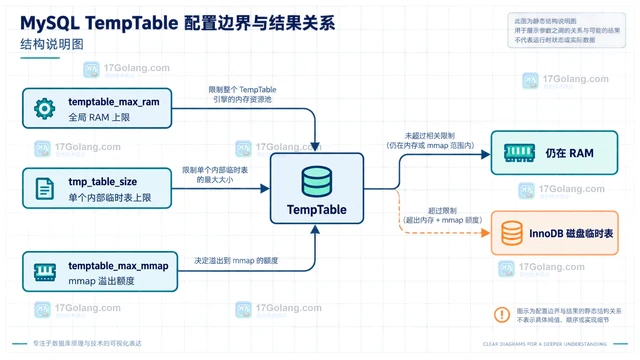
- MySQL temptable_max_ram 观察临时表内存阈值如何设置
- 409浏览 收藏
-
- 数据库 · MySQL | 3天前 | MySQL · 索引优化 · mysql Invisible Index 索引可见性
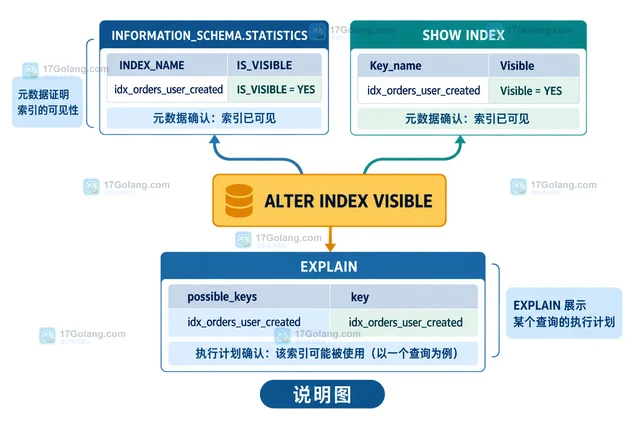
- MySQL invisible index 试验结束后如何恢复可见
- 118浏览 收藏
-
- 数据库 · MySQL | 3天前 |
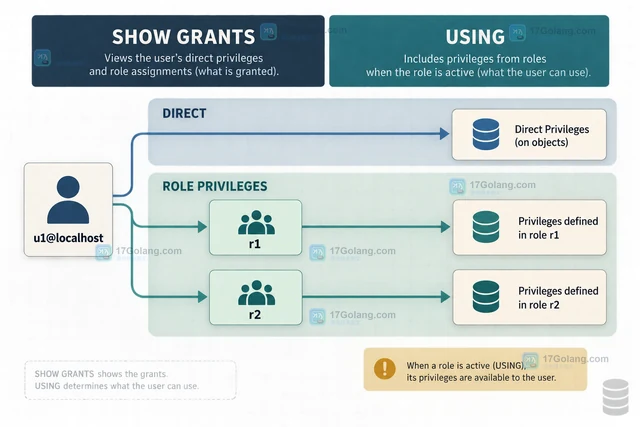
- MySQL 角色继承权限后 SHOW GRANTS 如何解读
- 101浏览 收藏
-
- 数据库 · MySQL | 3天前 |
- MySQL 复制状态中 Retrieved_Gtid_Set 如何辅助定位缺口
- 221浏览 收藏
-
- 数据库 · MySQL | 3天前 | MySQL · mysql Performance Schema events_statements 平均耗时
- MySQL Performance Schema events_statements 如何找平均耗时
- 125浏览 收藏
-
- 数据库 · MySQL | 3天前 |
- MySQL LOAD DATA 导入 TSV 时如何处理字段内制表符
- 253浏览 收藏
-

- 前端进阶之JavaScript设计模式
- 设计模式是开发人员在软件开发过程中面临一般问题时的解决方案,代表了最佳的实践。本课程的主打内容包括JS常见设计模式以及具体应用场景,打造一站式知识长龙服务,适合有JS基础的同学学习。
- 543次学习
-

- GO语言核心编程课程
- 本课程采用真实案例,全面具体可落地,从理论到实践,一步一步将GO核心编程技术、编程思想、底层实现融会贯通,使学习者贴近时代脉搏,做IT互联网时代的弄潮儿。
- 516次学习
-

- 简单聊聊mysql8与网络通信
- 如有问题加微信:Le-studyg;在课程中,我们将首先介绍MySQL8的新特性,包括性能优化、安全增强、新数据类型等,帮助学生快速熟悉MySQL8的最新功能。接着,我们将深入解析MySQL的网络通信机制,包括协议、连接管理、数据传输等,让
- 500次学习
-

- JavaScript正则表达式基础与实战
- 在任何一门编程语言中,正则表达式,都是一项重要的知识,它提供了高效的字符串匹配与捕获机制,可以极大的简化程序设计。
- 487次学习
-

- 从零制作响应式网站—Grid布局
- 本系列教程将展示从零制作一个假想的网络科技公司官网,分为导航,轮播,关于我们,成功案例,服务流程,团队介绍,数据部分,公司动态,底部信息等内容区块。网站整体采用CSSGrid布局,支持响应式,有流畅过渡和展现动画。
- 485次学习
-

- PubMedQA
- 深入了解PubMedQA生物医学问答数据集,涵盖其核心功能、使用方法及在临床决策、药物研发等场景的应用,助力提升NLP模型性能。
- 97次使用
-

- H2O EvalGPT
- H2O EvalGPT是H2O.ai推出的开源LLM评估平台,提供详细的大模型性能排行榜、行业特定基准测试及A/B测试功能,助您快速选择最适合项目的高性能大语言模型。
- 180次使用
-

- LMArena
- LMArena是加州大学伯克利分校推出的AI模型匿名评测平台。通过盲测投票机制,用户可对比不同大模型回答并生成实时排行榜,助力开发者优化模型及用户选择最佳AI工具。
- 122次使用
-

- HELM
- 深入了解斯坦福推出的HELM(Holistic Evaluation of Language Models)大模型评测体系。本文解析其核心功能、安装配置步骤及应用场景,涵盖准确性、公平性、鲁棒性等多维度指标,助力开发者全面优化语言模型性能。
- 98次使用
-
- CMMLU
- 深入了解CMMLU中文评估基准,涵盖67个学科主题,提供数据集下载、Zero-shot/Five-shot评估方法及排行榜,助力优化中文语言模型性能。
- 77次使用
-
- MySQL 明明加了索引,为什么查询还是很慢?先查这 6 个点
- 2026-06-27 374浏览
-
- 接口返回的数据和数据库不一致怎么办?按数据生命周期排查
- 2026-06-27 398浏览
-
- golang MySQL实现对数据库表存储获取操作示例
- 2022-12-22 499浏览
-
- golang 基于 mysql 简单实现分布式读写锁
- 2023-01-07 384浏览
-
- 详解如何利用GORM实现MySQL事务
- 2023-01-07 184浏览


