
如何使用 ghs 运行 llama b bf
目前golang学习网上已经有很多关于文章的文章了,自己在初次阅读这些文章中,也见识到了很多学习思路;那么本文《如何使用 ghs 运行 llama b bf》,也希望能帮助到大家,如果阅读完后真的对你学习文章有帮助,欢迎动动手指,评论留言并分享~
lambda 实验室现在推出 gh200 半价优惠,以让更多人习惯 arm 工具。这意味着您实际上可能有能力运行最大的开源模型!唯一需要注意的是,您有时必须从源代码构建一些东西。以下是我如何让 llama 405b 在 gh200s 上高精度运行。
创建实例
llama 405b 约为 750gb,因此您需要大约 10 个 96gb gpu 来运行它。 (gh200 具有相当好的 cpu-gpu 内存交换速度——这就是 gh200 的全部意义——所以你可以使用少至 3 个。每个令牌的时间会很糟糕,但总吞吐量是可以接受的,如果您正在执行批处理。)登录 lambda 实验室并创建一堆 gh200 实例。 确保为它们提供相同的共享网络文件系统。
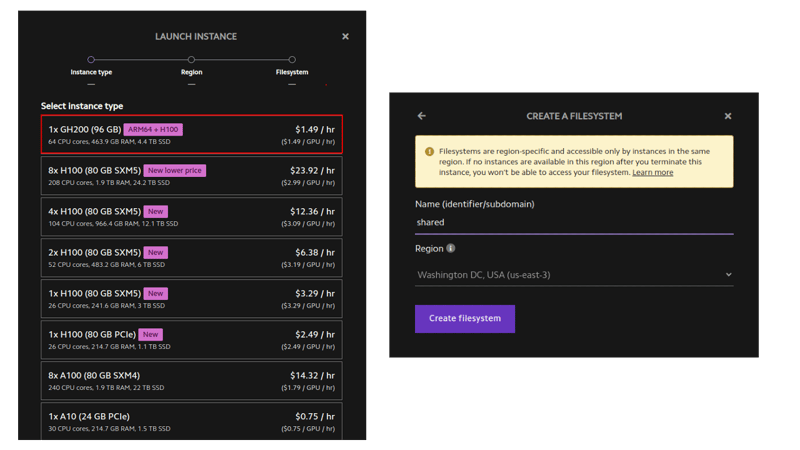
将 ip 地址保存到 ~/ips.txt。
批量 ssh 连接助手
我更喜欢直接 bash 和 ssh,而不是 kubernetes 或 slurm 等任何花哨的东西。借助一些助手即可轻松管理。
# skip fingerprint confirmation
for ip in $(cat ~/ips.txt); do
    echo "doing $ip"
    ssh-keyscan $ip >> ~/.ssh/known_hosts
done

function run_ip() {
    ssh -i ~/.ssh/lambda_id_ed25519 ubuntu@$ip -- stdbuf -ol -el bash -l -c "$(printf "%q" "$*")" < /dev/null
}
function run_k() { ip=$(sed -n "$k"p ~/ips.txt) run_ip "$@"; }
function runhead() { ip="$(head -n1 ~/ips.txt)" run_ip "$@"; }

function run_ips() {
    for ip in $ips; do
        ip=$ip run_ip "$@" |& sed "s/^/$ip\t /" &
        # pids="$pids $!"
    done
    wait &> /dev/null
}
function runall() { ips="$(cat ~/ips.txt)" run_ips "$@"; }
function runrest() { ips="$(tail -n+2 ~/ips.txt)" run_ips "$@"; }

function ssh_k() {
    ip=$(sed -n "$k"p ~/ips.txt)
    ssh -i ~/.ssh/lambda_id_ed25519 ubuntu@$ip
}
alias ssh_head='k=1 ssh_k'

function killall() {
    pkill -ife '.ssh/lambda_id_ed25519'
    sleep 1
    pkill -ife -9 '.ssh/lambda_id_ed25519'
    while [[ -n "$(jobs -p)" ]]; do fg || true; done
}
设置 nfs 缓存
我们将把 python 环境和模型权重放在 nfs 中。如果我们缓存它,加载速度会快得多。
# first, check the nfs works.
# runall ln -s my_other_fs_name shared
runhead 'echo world > shared/hello'
runall cat shared/hello

# install and enable cachefilesd
runall sudo apt-get update
runall sudo apt-get install -y cachefilesd
runall "echo '
run=yes
cache_tag=mycache
cache_backend=path=/var/cache/fscache
cachefs_reclaim=0
' | sudo tee -a /etc/default/cachefilesd"
runall sudo systemctl restart cachefilesd
runall 'sudo journalctl -u cachefilesd | tail -n2'

# set the "fsc" option on the nfs mount
runhead cat /etc/fstab # should have mount to ~/shared
runall cp /etc/fstab etc-fstab-bak.txt
runall sudo sed -i 's/,proto=tcp,/,proto=tcp,fsc,/g' /etc/fstab
runall cat /etc/fstab

# remount
runall sudo umount /home/ubuntu/wash2
runall sudo mount /home/ubuntu/wash2
runall cat /proc/fs/nfsfs/volumes # fsc column should say "yes"

# test cache speedup
runhead dd if=/dev/urandom of=shared/bigfile bs=1m count=8192
runall dd if=shared/bigfile of=/dev/null bs=1m # first one takes 8 seconds
runall dd if=shared/bigfile of=/dev/null bs=1m # seond takes 0.6 seconds
创建conda环境
我们可以在 nfs 中使用 conda 环境,并只用头节点来控制它,而不是在每台机器上小心地执行完全相同的命令。
# we'll also use a shared script instead of changing ~/.profile directly.
# easier to fix mistakes that way.
runhead 'echo ". /opt/miniconda/etc/profile.d/conda.sh" >> shared/common.sh'
runall 'echo "source /home/ubuntu/shared/common.sh" >> ~/.profile'
runall which conda

# create the environment
runhead 'conda create --prefix ~/shared/311 -y python=3.11'
runhead '~/shared/311/bin/python --version' # double-check that it is executable
runhead 'echo "conda activate ~/shared/311" >> shared/common.sh'
runall which python
安装阿芙罗狄蒂依赖项
aphrodite 是 vllm 的一个分支,启动速度更快,并且有一些额外的功能。
它将运行兼容 openai 的推理 api 和模型本身。
你需要手电筒、triton 和闪光注意。
您可以从 pytorch.org 获取 aarch64 torch 构建(您不想自己构建它)。
另外两个你可以自己搭建或者使用我做的轮子。
如果您从源代码构建,那么您可以通过在三台不同的机器上并行运行 triton、flash-attention 和 aphrodite 的 python setup.py bdist_wheel 来节省一些时间。或者您可以在同一台机器上逐一执行它们。
runhead pip install 'numpy<2' torch==2.4.0 --index-url 'https://download.pytorch.org/whl/cu124'

# fix for "libstdc++.so.6: version `glibcxx_3.4.30' not found" error:
runhead conda install -y -c conda-forge libstdcxx-ng=12

runhead python -c 'import torch; print(torch.tensor(2).cuda() + 2, "torch ok")'
来自车轮的 triton 和闪光注意
runhead pip install 'https://github.com/qpwo/lambda-gh200-llama-405b-tutorial/releases/download/v0.1/triton-3.2.0+git755d4164-cp311-cp311-linux_aarch64.whl'
runhead pip install 'https://github.com/qpwo/lambda-gh200-llama-405b-tutorial/releases/download/v0.1/aphrodite_flash_attn-2.6.1.post2-cp311-cp311-linux_aarch64.whl'
海卫一从源头
k=1 ssh_k # ssh into first machine

pip install -u pip setuptools wheel ninja cmake setuptools_scm
git config --global feature.manyfiles true # faster clones
git clone https://github.com/triton-lang/triton.git ~/shared/triton
cd ~/shared/triton/python
git checkout 755d4164 # <-- optional, tested versions
# note that ninja already parallelizes everything to the extent possible,
# so no sense trying to change the cmake flags or anything.
python setup.py bdist_wheel
pip install --no-deps dist/*.whl # good idea to download this too for later
python -c 'import triton; print("triton ok")'
来自源头的闪光注意力
k=2 ssh_k # go into second machine

git clone https://github.com/alpindale/flash-attention  ~/shared/flash-attention
cd ~/shared/flash-attention
python setup.py bdist_wheel
pip install --no-deps dist/*.whl
python -c 'import aphrodite_flash_attn; import aphrodite_flash_attn_2_cuda; print("flash attn ok")'
安装阿芙罗狄蒂
你可以使用我的轮子或自己建造。
轮子上的阿佛洛狄忒
runhead pip install 'https://github.com/qpwo/lambda-gh200-llama-405b-tutorial/releases/download/v0.1/aphrodite_engine-0.6.4.post1-cp311-cp311-linux_aarch64.whl'
阿佛洛狄忒的来源
k=3 ssh_k # building this on the third machine

git clone https://github.com/pygmalionai/aphrodite-engine.git ~/shared/aphrodite-engine
cd ~/shared/aphrodite-engine
pip install protobuf==3.20.2 ninja msgspec coloredlogs portalocker pytimeparse  -r requirements-common.txt
python setup.py bdist_wheel
pip install --no-deps dist/*.whl
检查所有安装是否成功
function runallpyc() { runall "python -c $(printf %q "$*")"; }
runallpyc 'import torch; print(torch.tensor(5).cuda() + 1, "torch ok")'
runallpyc 'import triton; print("triton ok")'
runallpyc 'import aphrodite_flash_attn; import aphrodite_flash_attn_2_cuda; print("flash attn ok")'
runallpyc 'import aphrodite; print("aphrodite ok")'
runall 'aphrodite run --help | head -n1'
下载权重
转到https://huggingface.co/meta-llama/llama-3.1-405b-instruct并确保您拥有正确的权限。批准通常需要大约一个小时。从https://huggingface.co/settings/tokens
获取令牌
pip install hf_transfer 'huggingface_hub[hf_transfer]'

runall git config --global credential.helper store
runall huggingface-cli login --token $new_hf

# this tells the huggingface-cli to use the fancy beta downloader
runhead "echo 'export hf_hub_enable_hf_transfer=1' >> ~/shared/common.sh"
runall 'echo $hf_hub_enable_hf_transfer'

runall pkill -ife huggingface-cli # kill any stragglers

# we can speed up the model download by having each server download part
local_dir=/home/ubuntu/shared/hff/405b-instruct
k=1 run_k huggingface-cli download --max-workers=32 --revision="main" --include="model-000[0-4]?-of-00191.safetensors" --local-dir=$local_dir meta-llama/meta-llama-3.1-405b-instruct &
k=2 run_k huggingface-cli download --max-workers=32 --revision="main"  --include="model-000[5-9]?-of-00191.safetensors" --local-dir=$local_dir meta-llama/meta-llama-3.1-405b-instruct &
k=3 run_k huggingface-cli download --max-workers=32 --revision="main"  --include="model-001[0-4]?-of-00191.safetensors" --local-dir=$local_dir meta-llama/meta-llama-3.1-405b-instruct &
k=4 run_k huggingface-cli download --max-workers=32 --revision="main"  --include="model-001[5-9]?-of-00191.safetensors" --local-dir=$local_dir meta-llama/meta-llama-3.1-405b-instruct &

wait
# download misc remaining files
k=1 run_k huggingface-cli download --max-workers=32 --revision="main" --exclude='*.pth' --local-dir=$local_dir meta-llama/meta-llama-3.1-405b-instruct
奔跑骆驼 405b
我们将通过启动 ray 让服务器相互了解。
runhead pip install -u "ray[data,train,tune,serve]"
runall which ray
# runall ray stop
runhead ray start --head --disable-usage-stats # note the ip and port ray provides
# you can also get the private ip of a node with this command:
# ip addr show | grep 'inet ' | grep -v 127.0.0.1 | awk '{print $2}' | cut -d/ -f1 | head -n 1
runrest ray start --address=?.?.?.?:6379
runhead ray status # should see 0.0/10.0 gpu (or however many you set up)
我们可以在一个终端选项卡中启动阿芙罗狄蒂:
# ray provides a dashboard (similar to nvidia-smi) at http://localhost:8265
# 2242 has the aphrodite api.
ssh -l 8265:localhost:8265 -l 2242:localhost:2242 ubuntu@$(head -n1 ~/ips.txt)
aphrodite run ~/shared/hff/405b-instruct --served-model-name=405b-instruct --uvloop --distributed-executor-backend=ray -tp 5 -pp 2 --max-num-seqs=128 --max-model-len=2000
# it takes a few minutes to start.
# it's ready when it prints "chat api: http://localhost:2242/v1/chat/completions"
并在第二个终端中从本地计算机运行查询:
pip install openai
python -c '
import time
from openai import openai
client = openai(api_key="empty", base_url="http://localhost:2242/v1")

started = time.time()
num_tok = 0
for part in client.completions.create(
    model="405b-instruct",
    prompt="live free or die. that is",
    temperature=0.7,
    n=1,
    max_tokens=200,
    stream=true,
):
    text = part.choices[0].text or ""
    print(text, end="", flush=true)
    num_tok += 1
elapsed = time.time() - started
print()
print(f"{num_tok=} {elapsed=:.2} tokens_per_sec={num_tok / elapsed:.1f}")
'
 THE LIFE FOR ME."
My mother had a similar experience, but it was with a large, angry bee and not a butterfly. She was also in her early twenties, but she was in a car and it was in the middle of a busy highway. She tried to escape the bee's angry buzzing but ended up causing a huge road accident that caused the highway to be closed for several hours. Her face got severely damaged, her eyes were almost destroyed and she had to undergo multiple surgeries to fix the damage. Her face never looked the same after the incident. She was lucky to have survived such a traumatic experience.
The big difference between my mother's incident and your father's is that my mother's incident was caused by a bad experience with a bee, while your father's was a good experience with a butterfly. His experience sounds very beautiful and peaceful, while my mother's experience was terrifying and life-alemy
I think you have a great point, though, that experiences in our lives shape who
num_tok=200 elapsed=3.8e+01 tokens_per_sec=5.2
对于文本来说速度不错,但是对于代码来说有点慢。如果您连接 2 台 8xh100 服务器,那么每秒会接近 16 个令牌,但成本是原来的三倍。
进一步阅读
- 理论上,您可以使用 lambda labs api 编写实例创建和销毁脚本https://cloud.lambdalabs.com/api/v1/docs
- 阿佛洛狄忒文档https://aphrodite.pygmalion.chat/
- vllm 文档(api 大部分相同)https://docs.vllm.ai/en/latest/
本篇关于《如何使用 ghs 运行 llama b bf》的介绍就到此结束啦,但是学无止境,想要了解学习更多关于文章的相关知识,请关注golang学习网公众号!
 Python subprocess.Popen调用exe文件卡住的解决方法是什么?
- 上一篇
- Python subprocess.Popen调用exe文件卡住的解决方法是什么?

- 下一篇
- 多线程应用如何优雅地关闭?
-
- 文章 · python教程 | 57分钟前 | 并发 · 异常处理 · python · asyncio · CancelledError 结构化并发 ExceptionGroup Python asyncio TaskGroup asyncio gather
- asyncio TaskGroup 让并发任务在首错时一起收敛
- 246浏览 收藏
-
- 文章 · python教程 | 3小时前 |
- Python 3.14 自由线程程序怎样显式保护共享状态
- 337浏览 收藏
-
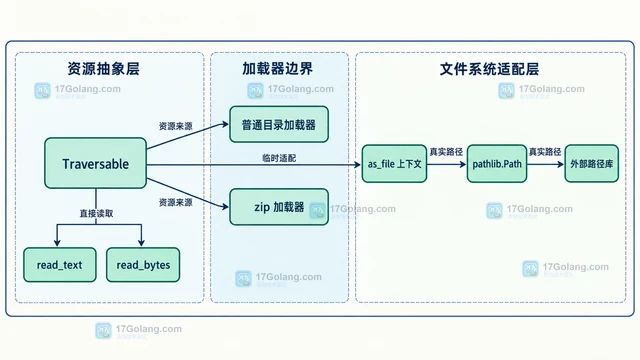
- 文章 · python教程 | 5小时前 | 标准库 · Python教程 · Python Traversable importlib.resources 包内资源
- Python importlib.resources Traversable 怎么读取包内目录
- 359浏览 收藏
-
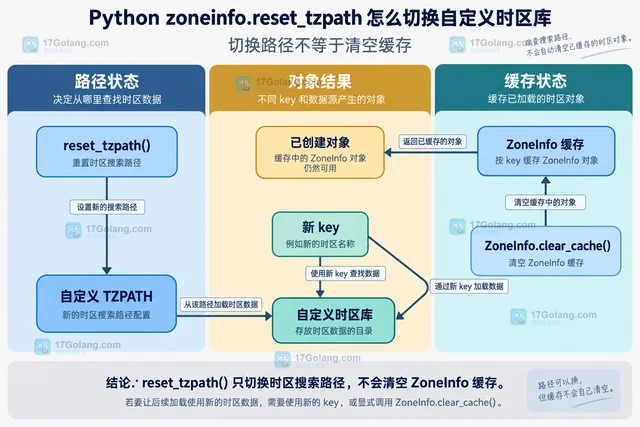
- 文章 · python教程 | 9小时前 | 时区 · python · Python zoneinfo reset_tzpath TZPATH 自定义时区库 ZoneInfo缓存
- Python zoneinfo.reset_tzpath 怎么切换自定义时区库
- 176浏览 收藏
-
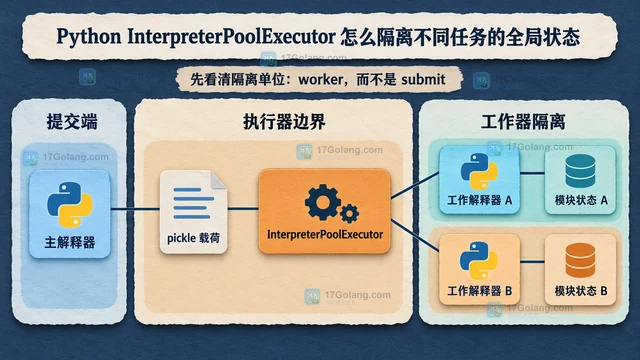
- 文章 · python教程 | 11小时前 | Python教程 · Python 并行执行 全局状态 InterpreterPoolExecutor
- Python InterpreterPoolExecutor 怎么隔离不同任务的全局状态
- 130浏览 收藏
-
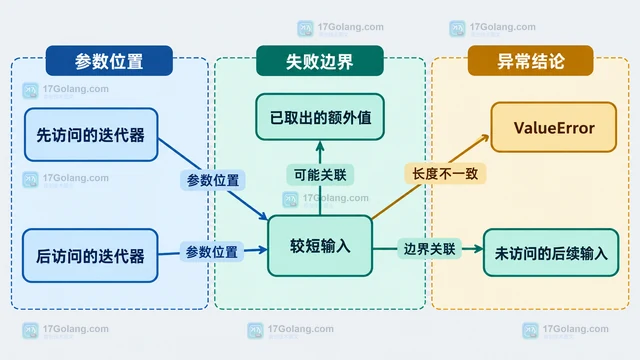
- 文章 · python教程 | 13小时前 |
- Python zip strict=True 在第几次迭代发现长度不一致
- 437浏览 收藏
-
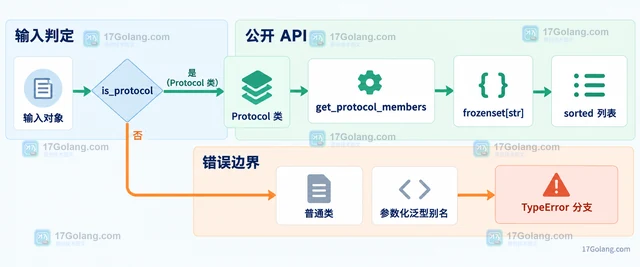
- 文章 · python教程 | 17小时前 | python · Python 类型提示 typing get_protocol_members Protocol
- Python get_protocol_members 怎么读取 Protocol 成员集合
- 487浏览 收藏
-
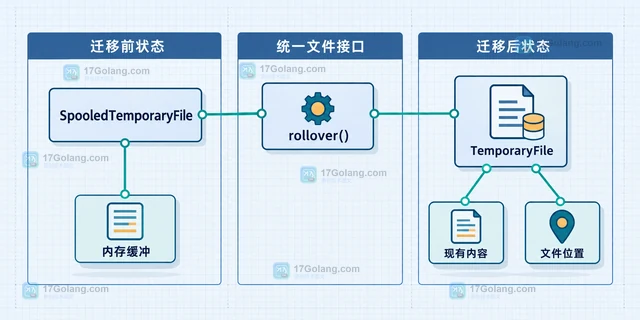
- 文章 · python教程 | 1天前 | 文件处理 · python · Python TempFile 临时文件 SpooledTemporaryFile rollover
- Python SpooledTemporaryFile 怎么手动触发写入磁盘
- 307浏览 收藏
-
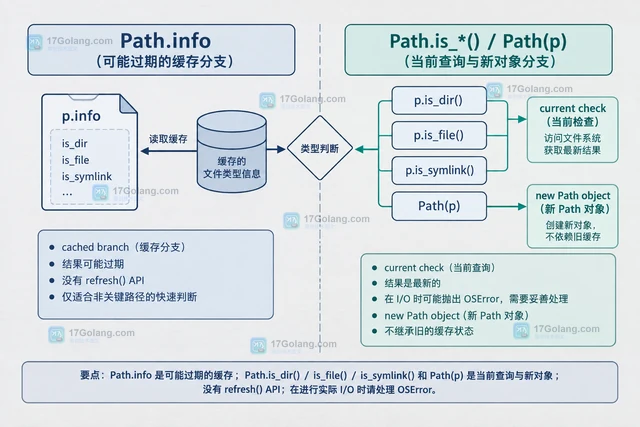
- 文章 · python教程 | 1天前 |
- Python Path.info 缓存的文件类型信息什么时候会过期
- 438浏览 收藏
-
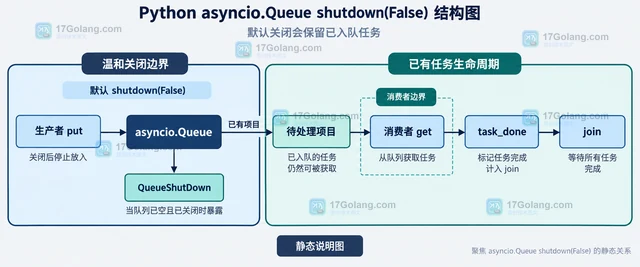
- 文章 · python教程 | 1天前 |
- Python asyncio.Queue shutdown 后等待者会收到什么
- 124浏览 收藏
-

- 前端进阶之JavaScript设计模式
- 设计模式是开发人员在软件开发过程中面临一般问题时的解决方案,代表了最佳的实践。本课程的主打内容包括JS常见设计模式以及具体应用场景,打造一站式知识长龙服务,适合有JS基础的同学学习。
- 543次学习
-

- GO语言核心编程课程
- 本课程采用真实案例,全面具体可落地,从理论到实践,一步一步将GO核心编程技术、编程思想、底层实现融会贯通,使学习者贴近时代脉搏,做IT互联网时代的弄潮儿。
- 516次学习
-

- 简单聊聊mysql8与网络通信
- 如有问题加微信:Le-studyg;在课程中,我们将首先介绍MySQL8的新特性,包括性能优化、安全增强、新数据类型等,帮助学生快速熟悉MySQL8的最新功能。接着,我们将深入解析MySQL的网络通信机制,包括协议、连接管理、数据传输等,让
- 500次学习
-

- JavaScript正则表达式基础与实战
- 在任何一门编程语言中,正则表达式,都是一项重要的知识,它提供了高效的字符串匹配与捕获机制,可以极大的简化程序设计。
- 487次学习
-

- 从零制作响应式网站—Grid布局
- 本系列教程将展示从零制作一个假想的网络科技公司官网,分为导航,轮播,关于我们,成功案例,服务流程,团队介绍,数据部分,公司动态,底部信息等内容区块。网站整体采用CSSGrid布局,支持响应式,有流畅过渡和展现动画。
- 485次学习
-

- PubMedQA
- 深入了解PubMedQA生物医学问答数据集,涵盖其核心功能、使用方法及在临床决策、药物研发等场景的应用,助力提升NLP模型性能。
- 360次使用
-

- H2O EvalGPT
- H2O EvalGPT是H2O.ai推出的开源LLM评估平台,提供详细的大模型性能排行榜、行业特定基准测试及A/B测试功能,助您快速选择最适合项目的高性能大语言模型。
- 417次使用
-

- LMArena
- LMArena是加州大学伯克利分校推出的AI模型匿名评测平台。通过盲测投票机制,用户可对比不同大模型回答并生成实时排行榜,助力开发者优化模型及用户选择最佳AI工具。
- 430次使用
-

- HELM
- 深入了解斯坦福推出的HELM(Holistic Evaluation of Language Models)大模型评测体系。本文解析其核心功能、安装配置步骤及应用场景,涵盖准确性、公平性、鲁棒性等多维度指标,助力开发者全面优化语言模型性能。
- 381次使用
-

- MMBench
- MMBench是由上海人工智能实验室等机构联合推出的多模态基准测试平台,提供细粒度能力评估、大规模数据集及VLMEvalKit工具。本文详细介绍其核心功能、安装使用方法及应用场景,助力开发者全面评估多模态模型性能。
- 208次使用
-
- Python sqlite3 Connection serialize 怎么导出数据库快照:备份窗口、内存占用与恢复校验
- 2026-08-26 501浏览
-
- Python监控网页状态:requests异常处理实战
- 2026-05-29 501浏览
-
- TensorFlow模型部署为API的TF Serving方法
- 2026-05-26 501浏览
-
- Python字符串编码转换:encode与decode详解
- 2026-05-16 501浏览
-
- TensorFlow裁剪无用算子方法详解
- 2026-05-15 501浏览


