
JavaScript 就像 Python
欢迎各位小伙伴来到golang学习网,相聚于此都是缘哈哈哈!今天我给大家带来《JavaScript 就像 Python》,这篇文章主要讲到等等知识,如果你对文章相关的知识非常感兴趣或者正在自学,都可以关注我,我会持续更新相关文章!当然,有什么建议也欢迎在评论留言提出!一起学习!
本文对 javascript 和 python 的语法和基本编程结构进行了比较。它旨在强调这两种流行的编程语言在实现基本编程概念方面的相似之处。
虽然两种语言有许多共同点,使开发人员更容易在它们之间切换或理解对方的代码,但也应该注意明显的语法和操作差异。
重要的是要以轻松的角度进行这种比较,而不是过分强调 javascript 和 python 之间的相似或差异。目的不是要声明一种语言优于另一种语言,而是提供一种资源,可以帮助熟悉 python 的程序员更轻松地理解并过渡到 javascript。
你好世界
javascript
// in codeguppy.com environment
println('hello, world');

// outside codeguppy.com
console.log('hello, world');
python
print('hello, world')
变量和常量
javascript
let myvariable = 100;

const myconstant = 3.14159;
python
myvariable = 100

myconstant = 3.14159
字符串插值
javascript
let a = 100;
let b = 200;

println(`sum of ${a} and ${b} is ${a + b}`);
python
a = 100
b = 200

print(f'sum of {a} and {b} is {a + b}')
if 表达式/语句
javascript
let age = 18;

if (age < 13)
{
    println("child");
}
else if (age < 20)
{
    println("teenager");
}
else
{
    println("adult");
}
python
age = 18

if age < 13:
    print("child")
elif age < 20:
    print("teenager")
else:
    print("adult")
条件句
javascript
let age = 20;
let message = age >= 18 ? "can vote" : "cannot vote";
println(message);  // output: can vote
python
age = 20
message = "can vote" if age >= 18 else "cannot vote"
print(message)  # output: can vote
数组
javascript
// creating an array
let myarray = [1, 2, 3, 4, 5];

// accessing elements
println(myarray[0]);  // access the first element: 1
println(myarray[3]);  // access the fourth element: 4

// modifying an element
myarray[2] = 30;  // change the third element from 3 to 30

// adding a new element
myarray.push(6);  // add a new element to the end
python
# creating a list to represent an array
my_array = [1, 2, 3, 4, 5]

# accessing elements
print(my_array[0])  # access the first element: 1
print(my_array[3])  # access the fourth element: 4

# modifying an element
my_array[2] = 30  # change the third element from 3 to 30

# adding a new element
my_array.append(6)  # add a new element to the end
对于每个
javascript
let fruits = ["apple", "banana", "cherry", "date"];

for(let fruit of fruits)
    println(fruit);
python
fruits = ["apple", "banana", "cherry", "date"]

for fruit in fruits:
    print(fruit)
词典
javascript
// creating a dictionary
fruit_prices = {
    apple: 0.65,
    banana: 0.35,
    cherry: 0.85
};

// accessing a value by key
println(fruit_prices["apple"]);  // output: 0.65
python
# creating a dictionary
fruit_prices = {
    "apple": 0.65,
    "banana": 0.35,
    "cherry": 0.85
}

# accessing a value by key
print(fruit_prices["apple"])  # output: 0.65
功能
javascript
function addnumbers(a, b)
{
    return a + b;
}

let result = addnumbers(100, 200);
println("the sum is: ", result);
python
def add_numbers(a, b):
    return a + b

result = add_numbers(100, 200)
print("the sum is: ", result)
元组返回
javascript
function getcircleproperties(radius)
{
    const area = math.pi * radius ** 2;
    const circumference = 2 * math.pi * radius;

    return [area, circumference];  // return as an array
}

// using the function
const [area, circumference] = getcircleproperties(5);

println(`the area of the circle is: ${area}`);
println(`the circumference of the circle is: ${circumference}`);
python
import math

def getcircleproperties(radius):
    """calculate and return the area and circumference of a circle."""
    area = math.pi * radius**2
    circumference = 2 * math.pi * radius
    return (area, circumference)

# using the function
radius = 5
area, circumference = getcircleproperties(radius)

print(f"the area of the circle is: {area}")
print(f"the circumference of the circle is: {circumference}")
可变数量的参数
javascript
function sumnumbers(...args)
{
    let sum = 0;
    for(let i of args)
        sum += i;
    return sum;
}

println(sumnumbers(1, 2, 3));
println(sumnumbers(100, 200));
python
def sum_numbers(*args):
    sum = 0
    for i in args:
        sum += i
    return sum

print(sum_numbers(1, 2, 3))
print(sum_numbers(100, 200))
拉姆达斯
javascript
const numbers = [1, 2, 3, 4, 5];

// use map to apply a function to all elements of the array
const squarednumbers = numbers.map(x => x ** 2);

println(squarednumbers);  // output: [1, 4, 9, 16, 25]
python
numbers = [1, 2, 3, 4, 5]

# use map to apply a function to all elements of the list
squared_numbers = map(lambda x: x**2, numbers)

# convert map object to a list to print the results
squared_numbers_list = list(squared_numbers)

print(squared_numbers_list)  # output: [1, 4, 9, 16, 25]
课程
javascript
class book
{
    constructor(title, author, pages)
    {
        this.title = title;
        this.author = author;
        this.pages = pages;
    }

    describebook()
    {
        println(`book title: ${this.title}`);
        println(`author: ${this.author}`);
        println(`number of pages: ${this.pages}`);
    }
}
python
class book:
    def __init__(self, title, author, pages):
        self.title = title
        self.author = author
        self.pages = pages

    def describe_book(self):
        print(f"book title: {self.title}")
        print(f"author: {self.author}")
        print(f"number of pages: {self.pages}")
类的使用
javascript
// creating an instance of the book class
// this is actually a real book (see curriculum section for more info)
const mybook = new book("illustrated javascript", "adrian", 684);
mybook.describebook();
python
# Creating an instance of the Book class
# This is actually a real book (see Curriculum section for more info)
my_book = Book("Illustrated JavaScript", "Adrian", 684)
my_book.describe_book()
结论
我们鼓励您参与完善此比较。您的贡献,无论是更正、增强还是新增内容,都受到高度重视。通过合作,我们可以创建更准确、更全面的指南,让所有有兴趣学习 javascript 和 python 的开发人员受益。
制作人员
本文转载自免费编码平台https://codeguppy.com平台的博客。
本文受到其他编程语言之间类似比较的影响:
- kotlin 就像 c# https://ttu.github.io/kotlin-is-like-csharp/
- kotlin 就像 typescript https://gi-no.github.io/kotlin-is-like-typescript/
- swift 就像 kotlin https://nilhcem.com/swift-is-like-kotlin/
- swift 就像 go http://repo.tiye.me/jiyinyiyong/swift-is-like-go/
- swift 就像 scala https://leverich.github.io/swiftislikescala/
理论要掌握,实操不能落!以上关于《JavaScript 就像 Python》的详细介绍,大家都掌握了吧!如果想要继续提升自己的能力,那么就来关注golang学习网公众号吧!
 畅玩神武手游电脑版的最佳指南
- 上一篇
- 畅玩神武手游电脑版的最佳指南
- 下一篇
- Win10右下角日历打不开怎么办 Win10任务栏日历打不开的处理方法怎么办
-
- 文章 · python教程 | 2天前 | Python教程 · Python 鸭子类型 typing.Protocol 结构子类型
- Python typing.Protocol 约束鸭子类型接口
- 246浏览 收藏
-
- 文章 · python教程 | 2天前 | Python教程 · Python 相对路径 is_file pathlib Path.resolve
- Python pathlib 相对路径规范化与文件判断
- 144浏览 收藏
-
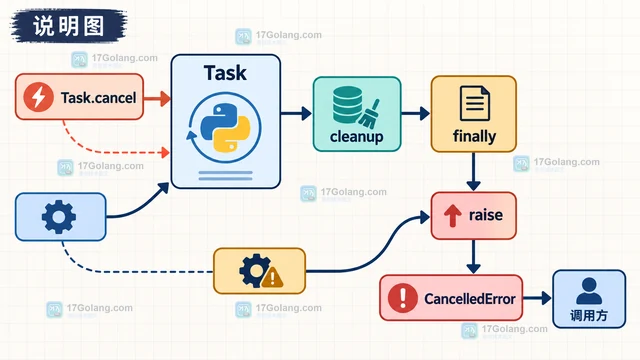
- 文章 · python教程 | 2天前 | python · 异步编程 · asyncio · Python CancelledError asyncio.timeout TimeoutError
- Python asyncio.timeout 嵌套取消与异常传播
- 373浏览 收藏
-
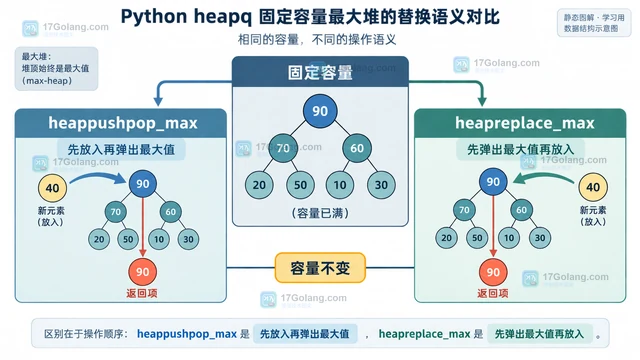
- 文章 · python教程 | 3天前 |
- Python heapq 最大堆 API 怎么避免手动取负数
- 397浏览 收藏
-
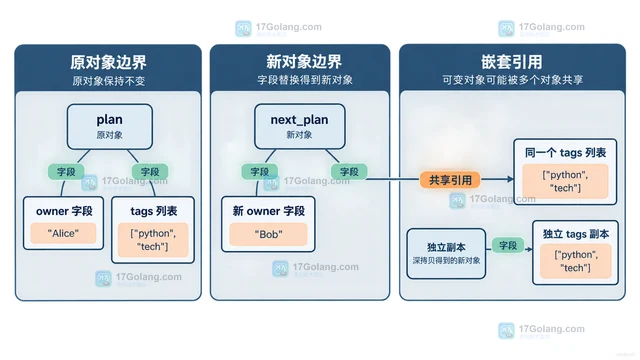
- 文章 · python教程 | 3天前 | python · Python 不可变对象 namedtuple dataclass copy.replace
- Python copy.replace 怎么更新不可变对象字段
- 245浏览 收藏
-
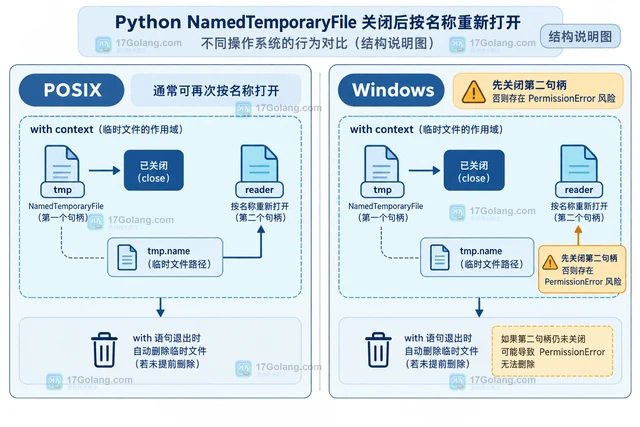
- 文章 · python教程 | 3天前 | python ·
- Python NamedTemporaryFile 的 delete_on_close 怎么设置
- 311浏览 收藏
-
- 文章 · python教程 | 4天前 |
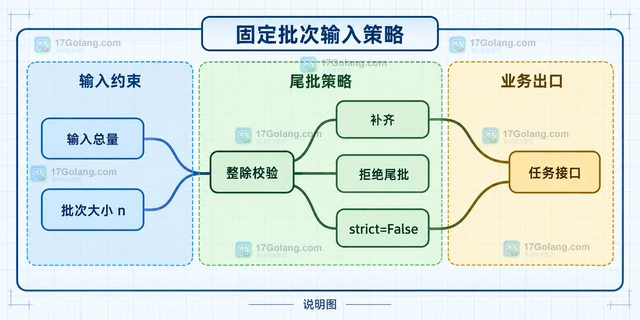
- Python itertools.batched strict 参数什么时候会报错
- 306浏览 收藏
-

- 前端进阶之JavaScript设计模式
- 设计模式是开发人员在软件开发过程中面临一般问题时的解决方案,代表了最佳的实践。本课程的主打内容包括JS常见设计模式以及具体应用场景,打造一站式知识长龙服务,适合有JS基础的同学学习。
- 543次学习
-

- GO语言核心编程课程
- 本课程采用真实案例,全面具体可落地,从理论到实践,一步一步将GO核心编程技术、编程思想、底层实现融会贯通,使学习者贴近时代脉搏,做IT互联网时代的弄潮儿。
- 516次学习
-

- 简单聊聊mysql8与网络通信
- 如有问题加微信:Le-studyg;在课程中,我们将首先介绍MySQL8的新特性,包括性能优化、安全增强、新数据类型等,帮助学生快速熟悉MySQL8的最新功能。接着,我们将深入解析MySQL的网络通信机制,包括协议、连接管理、数据传输等,让
- 500次学习
-

- JavaScript正则表达式基础与实战
- 在任何一门编程语言中,正则表达式,都是一项重要的知识,它提供了高效的字符串匹配与捕获机制,可以极大的简化程序设计。
- 487次学习
-

- 从零制作响应式网站—Grid布局
- 本系列教程将展示从零制作一个假想的网络科技公司官网,分为导航,轮播,关于我们,成功案例,服务流程,团队介绍,数据部分,公司动态,底部信息等内容区块。网站整体采用CSSGrid布局,支持响应式,有流畅过渡和展现动画。
- 485次学习
-

- PubMedQA
- 深入了解PubMedQA生物医学问答数据集,涵盖其核心功能、使用方法及在临床决策、药物研发等场景的应用,助力提升NLP模型性能。
- 289次使用
-

- H2O EvalGPT
- H2O EvalGPT是H2O.ai推出的开源LLM评估平台,提供详细的大模型性能排行榜、行业特定基准测试及A/B测试功能,助您快速选择最适合项目的高性能大语言模型。
- 342次使用
-

- LMArena
- LMArena是加州大学伯克利分校推出的AI模型匿名评测平台。通过盲测投票机制,用户可对比不同大模型回答并生成实时排行榜,助力开发者优化模型及用户选择最佳AI工具。
- 344次使用
-

- HELM
- 深入了解斯坦福推出的HELM(Holistic Evaluation of Language Models)大模型评测体系。本文解析其核心功能、安装配置步骤及应用场景,涵盖准确性、公平性、鲁棒性等多维度指标,助力开发者全面优化语言模型性能。
- 308次使用
-

- MMBench
- MMBench是由上海人工智能实验室等机构联合推出的多模态基准测试平台,提供细粒度能力评估、大规模数据集及VLMEvalKit工具。本文详细介绍其核心功能、安装使用方法及应用场景,助力开发者全面评估多模态模型性能。
- 130次使用
-
- Python sqlite3 Connection serialize 怎么导出数据库快照:备份窗口、内存占用与恢复校验
- 2026-08-26 501浏览
-
- Python监控网页状态:requests异常处理实战
- 2026-05-29 501浏览
-
- TensorFlow模型部署为API的TF Serving方法
- 2026-05-26 501浏览
-
- Python字符串编码转换:encode与decode详解
- 2026-05-16 501浏览
-
- TensorFlow裁剪无用算子方法详解
- 2026-05-15 501浏览


