
详解SSH框架和Redis的整合
本篇文章给大家分享《详解SSH框架和Redis的整合》,覆盖了数据库的常见基础知识,其实一个语言的全部知识点一篇文章是不可能说完的,但希望通过这些问题,让读者对自己的掌握程度有一定的认识(B 数),从而弥补自己的不足,更好的掌握它。
一个已有的Struts+Spring+Hibernate项目,以前使用MySQL数据库,现在想把Redis也整合进去。
1. 相关Jar文件
下载并导入以下3个Jar文件:
commons-pool2-2.4.2.jar、jedis-2.3.1.jar、spring-data-redis-1.3.4.RELEASE.jar。
2. Redis配置文件
在src文件夹下面新建一个redis.properties文件,设置连接Redis的一些属性。
redis.host=127.0.0.1
redis.port=6379
redis.default.db=1
redis.timeout=100000
redis.maxActive=300
redis.maxIdle=100
redis.maxWait=1000
redis.testOnBorrow=true
再新建一个redis.xml文件。
classpath:redis.properties
3. Redis类
新建一个com.school.redisclient包,结构如下:
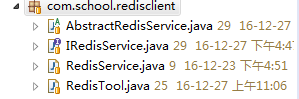
接口IRedisService:
public interface IRedisService{ public void set(K key, V value, long expiredTime); public V get(K key); public Object getHash(K key, String name); public void del(K key); }
抽象类AbstractRedisService,主要是对RedisTemplate进行操作:
public abstract class AbstractRedisServiceimplements IRedisService { @Autowired private RedisTemplate redisTemplate; public RedisTemplate getRedisTemplate() { return redisTemplate; } public void setRedisTemplate(RedisTemplate redisTemplate) { this.redisTemplate = redisTemplate; } @Override public void set(final K key, final V value, final long expiredTime) { BoundValueOperations valueOper = redisTemplate.boundValueOps(key); if (expiredTime valueOper = redisTemplate.boundValueOps(key); return valueOper.get(); } @Override public Object getHash(K key, String name){ Object res = redisTemplate.boundHashOps(key).get(name); return res; } @Override public void del(K key) { if (redisTemplate.hasKey(key)) { redisTemplate.delete(key); } } }
实现类RedisService:
@Service("redisService")
public class RedisService extends AbstractRedisService {

}
工具类RedisTool:
public class RedisTool {
 private static ApplicationContext factory;
 private static RedisService redisService;

 public static ApplicationContext getFactory(){
  if (factory == null){
   factory = new ClassPathXmlApplicationContext("classpath:redis.xml");
  }
  return factory;
 }
 public static RedisService getRedisService(){
  if (redisService == null){
   redisService = (RedisService) getFactory().getBean("redisService");
  }
  return redisService;
 }

}
4. 查询功能的实现
新建一个Action:RClasQueryAction,返回Redis里面所有的课程数据。
@SuppressWarnings("serial")
public class RClasQueryAction extends ActionSupport {
RedisService rs = RedisTool.getRedisService();
List claslist = new ArrayList();
Clas c;
public String execute(){
if (rs != null){
System.out.println("RedisService : " + rs);
getAllClas();
}
ServletActionContext.getRequest().setAttribute("claslist", claslist);
return SUCCESS;
}
private void getAllClas(){
claslist = new ArrayList();
int num = Integer.parseInt(rs.get("clas:count"));
for (int i=0; iStruts的设置和jsp文件就不详细讲了。
5. Redis数据库
Redis数据库里面的内容(使用的是Redis Desktop Manager):

最后是运行结果:
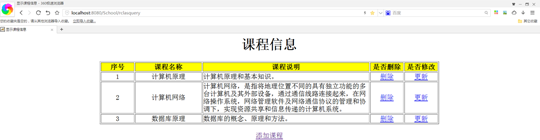
当然,这只是实现了从Redis查询数据,还没有实现将Redis作为MySQL的缓存。
5. 添加功能的实现
新建一个Action:RClasAction,实现向Redis添加课程数据,并同步到MySQL。
package com.school.action;
import java.util.ArrayList;
import java.util.HashMap;
import java.util.List;
import org.springframework.beans.factory.annotation.Autowired;
import com.opensymphony.xwork2.ActionSupport;
import com.school.entity.Clas;
import com.school.redisclient.RedisService;
import com.school.redisclient.RedisTool;
import com.school.service.ClasService;
@SuppressWarnings("serial")
public class RClasAction extends ActionSupport {
@Autowired
private ClasService clasService;
RedisService rs = RedisTool.getRedisService();
List claslist = new ArrayList();
private Clas clas;
public Clas getClas() {
return clas;
}
public void setClas(Clas Clas) {
this.clas = Clas;
}
public String execute(){
saveClas(clas);
return SUCCESS;
}
@SuppressWarnings({ "rawtypes", "unchecked" })
private void saveClas(Clas c){
List ids = rs.getList("clas:id");
// clas:id
int num = ids.size();
int id = Integer.parseInt(ids.get(num-1)) + 1;
rs.rightPushList("clas:id", String.valueOf(id));
// clas:count
int count = Integer.parseInt(rs.get("clas:count"));
rs.set("clas:count", String.valueOf(count+1), -1);
// 增加
HashMap hashmap = new HashMap();
hashmap.put("ID", String.valueOf(id));
hashmap.put("NAME", clas.getName());
hashmap.put("COMMENT", clas.getComment());
rs.addHash("clas:" + id, hashmap);
// 同步到MySQL
clasService.saveClas(clas);
}
}
clas:id是一个List类型的Key-Value,记录了所有的课程ID,取出最后一个ID,再+1,作为增加的课程的ID,同时clas:count的值也要+1。使用addHash()方法向Redis添加了一个Hash类型的Key-Value(也就是一门课程):
@SuppressWarnings({ "unchecked", "rawtypes" })
public synchronized void addHash(K key, HashMap map){
redisTemplate.opsForHash().putAll(key, map);
}
同时将该门课程增加到MySQL。
6. 删除功能的实现
新建一个Action:RClasDeleteAction,实现删除Redis的课程数据,并同步到MySQL。
package com.school.action;
import org.springframework.beans.factory.annotation.Autowired;
import com.opensymphony.xwork2.ActionSupport;
import com.school.redisclient.RedisService;
import com.school.redisclient.RedisTool;
import com.school.service.ClasService;
@SuppressWarnings("serial")
public class RClasDeleteAction extends ActionSupport {
@Autowired
private ClasService clasService;
RedisService rs = RedisTool.getRedisService()
private int id;
public int getId(){
return id;
}
public void setId(int id){
this.id=id;
}
public String execute(){
deleteClas(id);
// 同步到MySQL
clasService.deleteClas(id);
return SUCCESS;
}
private void deleteClas(int id){
// 删除
rs.del("clas:" + id);
// clas:count
int count = Integer.parseInt(rs.get("clas:count"));
rs.set("clas:count", String.valueOf(count-1), -1);
// clas:id
rs.delListItem("clas:id", String.valueOf(id));
}
}
直接删除clas:id,再将clas:count的值-1,这两步比较简单,复杂的是从clas:id中删除该课程的ID,使用了delListItem()方法来实现:
@Override
public synchronized void delListItem(K key, V value){
redisTemplate.opsForList().remove(key, 1, value);
}
redisTemplate.opsForList().remove()方法类似于LREM命令。最后在MySQL中也删除相同的课程。
7. 修改功能的实现
新建一个Action:RClasUpdateAction,实现删除Redis的课程数据,并同步到MySQL。
package com.school.action;
import java.util.HashMap;
import org.springframework.beans.factory.annotation.Autowired;
import com.opensymphony.xwork2.ActionSupport;
import com.school.entity.Clas;
import com.school.redisclient.RedisService;
import com.school.redisclient.RedisTool;
import com.school.service.ClasService;
@SuppressWarnings("serial")
public class RClasUpdateAction extends ActionSupport{
@Autowired
private ClasService clasService;
RedisService rs = RedisTool.getRedisService();
private Clas clas;
public Clas getClas() {
return clas;
}
public void setClas(Clas clas) {
this.clas = clas;
}
@SuppressWarnings({ "unchecked", "rawtypes" })
public String execute(){
HashMap hashmap = new HashMap();
hashmap.put("ID", String.valueOf(clas.getId()));
hashmap.put("NAME", clas.getName());
hashmap.put("COMMENT", clas.getComment());
rs.putHash("clas:" + clas.getId(), hashmap);
// 同步到MySQL
clasService.updateClas(clas);
return SUCCESS;
}
}
使用了putHash()方法来更新:
@SuppressWarnings({ "rawtypes", "unchecked" })
@Override
public synchronized void putHash(K key, HashMap map){
redisTemplate.boundHashOps(key).putAll(map);
}
同时在MySQL做相同的更新操作。
好了,本文到此结束,带大家了解了《详解SSH框架和Redis的整合》,希望本文对你有所帮助!关注golang学习网公众号,给大家分享更多数据库知识!
 Redis中五种数据类型简单操作
- 上一篇
- Redis中五种数据类型简单操作
- 下一篇
- 解锁redis锁的正确姿势
-

- 想人陪的茉莉
- 细节满满,收藏了,感谢作者的这篇文章内容,我会继续支持!
- 2023-02-16 13:18:48
-
- 健康的钻石
- 这篇技术文章真及时,好细啊,太给力了,收藏了,关注up主了!希望up主能多写数据库相关的文章。
- 2023-01-28 14:46:21
-
- 无心的母鸡
- 很棒,一直没懂这个问题,但其实工作中常常有遇到...不过今天到这,帮助很大,总算是懂了,感谢楼主分享博文!
- 2023-01-20 18:54:44
-
- 爱听歌的小甜瓜
- 这篇文章真及时,很详细,很好,已加入收藏夹了,关注up主了!希望up主能多写数据库相关的文章。
- 2023-01-17 08:07:55
-
- 悲凉的胡萝卜
- 赞 ??,一直没懂这个问题,但其实工作中常常有遇到...不过今天到这,帮助很大,总算是懂了,感谢博主分享文章内容!
- 2023-01-16 16:04:34
-
- 兴奋的小笼包
- 这篇文章真是及时雨啊,细节满满,很好,已加入收藏夹了,关注作者大大了!希望作者大大能多写数据库相关的文章。
- 2023-01-07 04:23:16
-
- 数据库 · Redis | 39分钟前 | Redis · 排行榜 · Sorted Set · 分页设计 · 游标分页 · redis 分页 limit rev ZRANGE Sorted Set
- Redis Sorted Set 分数相同时怎么保证分页稳定
- 349浏览 收藏
-
- 数据库 · Redis | 1小时前 |
- Redis Hash 只给单个 field 设置过期时间为什么不行
- 456浏览 收藏
-
- 数据库 · Redis | 11小时前 | Redis · lua · eval · eval Redis Lua 多 key 原子校验
- Redis Lua 脚本读取多个 key 时怎么保持原子校验
- 423浏览 收藏
-
- 数据库 · Redis | 19小时前 |
- Redis ZRANGEBYSCORE 分数边界怎么写成开区间
- 440浏览 收藏
-
- 数据库 · Redis | 1天前 |
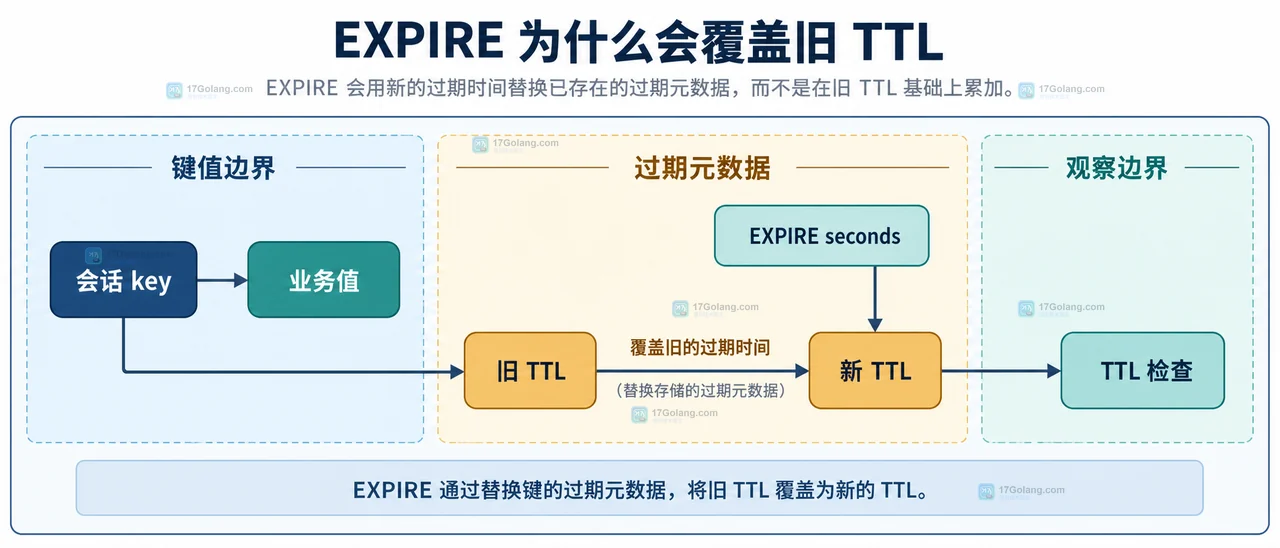
- Redis EXPIRE 续期时为什么会把旧过期时间覆盖
- 273浏览 收藏
-

- 前端进阶之JavaScript设计模式
- 设计模式是开发人员在软件开发过程中面临一般问题时的解决方案,代表了最佳的实践。本课程的主打内容包括JS常见设计模式以及具体应用场景,打造一站式知识长龙服务,适合有JS基础的同学学习。
- 543次学习
-

- GO语言核心编程课程
- 本课程采用真实案例,全面具体可落地,从理论到实践,一步一步将GO核心编程技术、编程思想、底层实现融会贯通,使学习者贴近时代脉搏,做IT互联网时代的弄潮儿。
- 516次学习
-

- 简单聊聊mysql8与网络通信
- 如有问题加微信:Le-studyg;在课程中,我们将首先介绍MySQL8的新特性,包括性能优化、安全增强、新数据类型等,帮助学生快速熟悉MySQL8的最新功能。接着,我们将深入解析MySQL的网络通信机制,包括协议、连接管理、数据传输等,让
- 500次学习
-

- JavaScript正则表达式基础与实战
- 在任何一门编程语言中,正则表达式,都是一项重要的知识,它提供了高效的字符串匹配与捕获机制,可以极大的简化程序设计。
- 487次学习
-

- 从零制作响应式网站—Grid布局
- 本系列教程将展示从零制作一个假想的网络科技公司官网,分为导航,轮播,关于我们,成功案例,服务流程,团队介绍,数据部分,公司动态,底部信息等内容区块。网站整体采用CSSGrid布局,支持响应式,有流畅过渡和展现动画。
- 485次学习
-

- H2O EvalGPT
- H2O EvalGPT是H2O.ai推出的开源LLM评估平台,提供详细的大模型性能排行榜、行业特定基准测试及A/B测试功能,助您快速选择最适合项目的高性能大语言模型。
- 62次使用
-
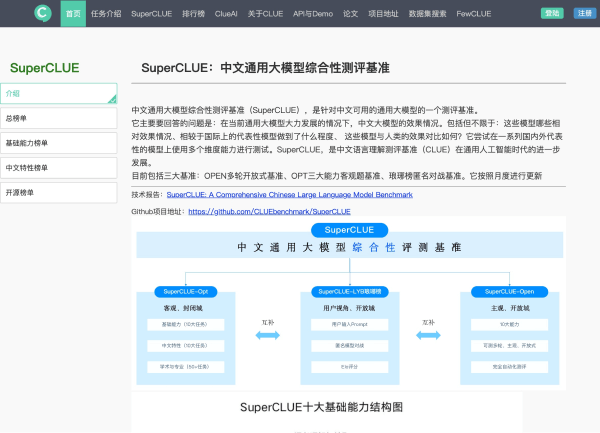
- SuperCLUE
- SuperCLUE是权威的中文大语言模型综合评测基准,涵盖语言理解、知识应用、AI Agent智能体及安全性等12项核心能力。通过多轮对话与客观测试,定期发布榜单与技术报告,为模型研发、优化及行业选型提供科学依据。
- 223次使用
-

- C-Eval
- 深入了解C-Eval中文评估套件,涵盖52个学科与4级难度。本文详解其功能特点、Zero-shot/Few-shot使用方法及代码示例,助您全面评测LLM中文理解与泛化能力。
- 148次使用
-
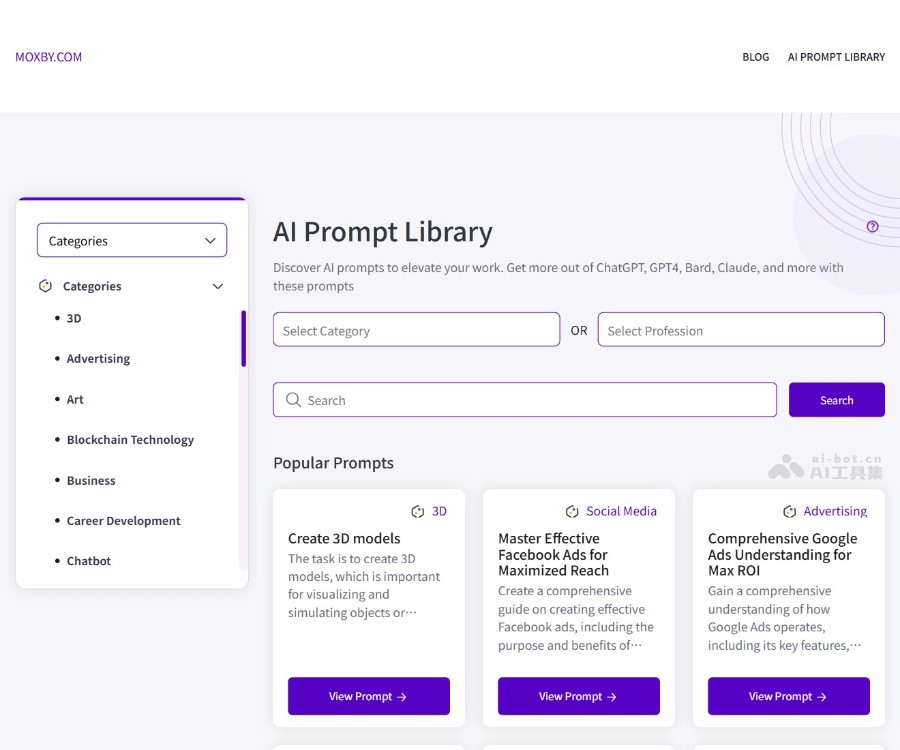
- AI Prompt Library
- 探索AI Prompt Library免费资源库,涵盖营销、写作及多场景AI提示词。兼容ChatGPT、Claude等工具,一键复制优化输出,提升工作效率。
- 79次使用
-

- Generrated
- Generrated汇集9300+张DALL·E生成图像及对应提示词,支持查看完整图集、对比DALL·E 2与3版本差异,是AI绘图新手学习Prompt设计与获取创作灵感的实用工具。
- 58次使用
-
- Spring+Redis+RabbitMQ开发限流和秒杀项目功能
- 2023-01-01 331浏览


