
使用 nodeJS 从头开始创建 ReAct Agent(维基百科搜索)
哈喽!今天心血来潮给大家带来了《使用 nodeJS 从头开始创建 ReAct Agent(维基百科搜索)》,想必大家应该对文章都不陌生吧,那么阅读本文就都不会很困难,以下内容主要涉及到,若是你正在学习文章,千万别错过这篇文章~希望能帮助到你!

介绍
我们将创建一个能够搜索维基百科并根据找到的信息回答问题的人工智能代理。该 react(理性与行动)代理使用 google generative ai api 来处理查询并生成响应。我们的代理将能够:
- 搜索维基百科获取相关信息。
- 从维基百科页面中提取特定部分。
- 对收集到的信息进行推理并制定答案。
[2] 什么是react代理?
react agent 是一种遵循反射-操作循环的特定类型的代理。它根据可用信息和它可以执行的操作反映当前任务,然后决定采取哪个操作或是否结束任务。
[3] 规划代理
3.1 所需工具
- node.js
- 用于 http 请求的 axios 库
- google 生成式 ai api (gemini-1.5-flash)
- 维基百科 api
3.2 代理结构
我们的 react agent 将具有三个主要状态:
- 思想(反思)
- 行动(执行)
- 答案(回复)
3.3 思想状态
思想状态是reactagent反思收集到的信息并决定下一步应该做什么的时刻。
async thought() {
 .....
}
4.4 动作状态(action)
在动作状态下,代理根据先前的想法执行可用功能之一。
请注意,存在操作(执行)和操作的决策。
这只是一个 llm 通话,内容为:
保证发送到函数的参数。
避免在 javascript 中使用大量正则表达式或转换。
async action() {
 // call the decision
 // execute the action and return a actionresult
}

async decideaction() {
 // call the llm based on the thought ( reflection ) to format and adequate the functioncall.
// look around for a function-tool mode at [google dapi docs](https://ai.google.dev/gemini-api/docs/function-calling)
}
[4] 实现代理
让我们逐步构建 react agent,突出显示每个状态。
4.1 初始设置
首先,设置项目并安装依赖项:
mkdir react-agent-project
cd react-agent-project
npm init -y
npm install axios dotenv @google/generative-ai
在项目根目录创建一个 .env 文件:
google_ai_api_key=your_api_key_here
在这里获取 apikey
4.2 创建tools.js文件
使用以下内容创建 tools.js:
const axios = require("axios");

class tools {
  static async wikipedia(q) {
    try {
      const response = await axios.get("https://en.wikipedia.org/w/api.php", {
        params: {
          action: "query",
          list: "search",
          srsearch: q,
          srwhat: "text",
          format: "json",
          srlimit: 4,
        },
      });

      const results = await promise.all(
        response.data.query.search.map(async (searchresult) => {
          const sectionresponse = await axios.get(
            "https://en.wikipedia.org/w/api.php",
            {
              params: {
                action: "parse",
                pageid: searchresult.pageid,
                prop: "sections",
                format: "json",
              },
            },
          );

          const sections = object.values(
            sectionresponse.data.parse.sections,
          ).map((section) => `${section.index}, ${section.line}`);

          return {
            pagetitle: searchresult.title,
            snippet: searchresult.snippet,
            pageid: searchresult.pageid,
            sections: sections,
          };
        }),
      );

      return results
        .map(
          (result) =>
            `snippet: ${result.snippet}\npageid: ${result.pageid}\nsections: ${json.stringify(result.sections)}`,
        )
        .join("\n\n");
    } catch (error) {
      console.error("error fetching from wikipedia:", error);
      return "error fetching data from wikipedia";
    }
  }

  static async wikipedia_with_pageid(pageid, sectionid) {
    if (sectionid) {
      const response = await axios.get("https://en.wikipedia.org/w/api.php", {
        params: {
          action: "parse",
          format: "json",
          pageid: parseint(pageid),
          prop: "wikitext",
          section: parseint(sectionid),
          disabletoc: 1,
        },
      });
      return object.values(response.data.parse?.wikitext ?? {})[0]?.substring(
        0,
        25000,
      );
    } else {
      const response = await axios.get("https://en.wikipedia.org/w/api.php", {
        params: {
          action: "query",
          pageids: parseint(pageid),
          prop: "extracts",
          exintro: true,
          explaintext: true,
          format: "json",
        },
      });
      return object.values(response.data?.query.pages)[0]?.extract;
    }
  }
}

module.exports = tools;
4.3 创建reactagent.js文件
使用以下内容创建 reactagent.js:
require("dotenv").config();
const { googlegenerativeai } = require("@google/generative-ai");
const tools = require("./tools");

const genai = new googlegenerativeai(process.env.google_ai_api_key);

class reactagent {
  constructor(query, functions) {
    this.query = query;
    this.functions = new set(functions);
    this.state = "thought";
    this._history = [];
    this.model = genai.getgenerativemodel({
      model: "gemini-1.5-flash",
      temperature: 2,
    });
  }

  get history() {
    return this._history;
  }

  pushhistory(value) {
    this._history.push(`\n ${value}`);
  }

  async run() {
    this.pushhistory(`**task: ${this.query} **`);
    try {
      return await this.step();
    } catch (e) {
      if (e.message.includes("exhausted")) {
        return "sorry, i'm exhausted, i can't process your request anymore. ><";
      }
      return "unable to process your request, please try again? ><";
    }
  }

  async step() {
    const colors = {
      reset: "\x1b[0m",
      yellow: "\x1b[33m",
      red: "\x1b[31m",
      cyan: "\x1b[36m",
    };

    console.log("====================================");
    console.log(
      `next movement: ${
        this.state === "thought"
          ? colors.yellow
          : this.state === "action"
            ? colors.red
            : this.state === "answer"
              ? colors.cyan
              : colors.reset
      }${this.state}${colors.reset}`,
    );
    console.log(`last movement: ${this.history[this.history.length - 1]}`);
    console.log("====================================");
    switch (this.state) {
      case "thought":
        await this.thought();
        break;
      case "action":
        await this.action();
        break;
      case "answer":
        await this.answer();
        break;
    }
  }

  async promptmodel(prompt) {
    const result = await this.model.generatecontent(prompt);
    const response = await result.response;
    return response.text();
  }


  async thought() {
    const availablefunctions = json.stringify(array.from(this.functions));
    const historycontext = this.history.join("\n");

//play around with the prompt to perceive the differences.
//feel free to comment asking for guidance if anything.
//feel free to comment looking for guidance.
//improving the thought part can be as simple as adding this two lines to the beginning of the prompt: becoming :

//your task to fullfill ${this.query}.
//if you already have an answer for the task, you can go ahead and
fullfill it.
//otherwise you act accordingly to the following scenario >>>


    const prompt = `your task to fullfill ${this.query}.
context contains all the reflection you made so far and the actionresult you collected.
availableactions are functions you can call whenever you need more data.

context: "${historycontext}" <<

availableactions: "${availablefunctions}" <<

task: "${this.query}" <<

reflect uppon your task using context, actionresult and availableactions to find your next_step.
print your next_step with a thought or fullfill your task `;

    const thought = await this.promptmodel(prompt);
    this.pushhistory(`\n **${thought.trim()}**`);
    if (
      thought.tolowercase().includes("fullfill") ||
      thought.tolowercase().includes("fulfill")
    ) {
      this.state = "answer";
      return await this.step();
    }
    this.state = "action";
    return await this.step();
  }

  async action() {
    const action = await this.decideaction();
    this.pushhistory(`** action: ${action} **`);
    const result = await this.executefunctioncall(action);
    this.pushhistory(`** actionresult: ${result} **`);
    this.state = "thought";
    return await this.step();
  }

  async decideaction() {
    const availablefunctions = json.stringify(array.from(this.functions));
    const historycontext = this.history;
    const prompt = `reflect uppon the thought, query and availableactions

    ${historycontext[historycontext.length - 2]}

    thought <<< ${historycontext[historycontext.length - 1]}

    query: "${this.query}"

    availableactions: ${availablefunctions}

    output only the function,parametervalues separated by a comma. for example: "wikipedia,ronaldinho gaucho, 1450"`;

    const decision = await this.promptmodel(prompt);
    return `${decision.replace(/`/g, "").trim()}`;
  }

  async executefunctioncall(functioncall) {
    const [functionname, ...args] = functioncall.split(",");
    const func = tools[functionname.trim()];
    if (func) {
      return await func.call(null, ...args);
    }
    throw new error(`function ${functionname} not found`);
  }

  async answer() {
    const historycontext = this.history;
    const prompt = `based on the following context, provide a complete, detailed and descriptive formated answer for the following task: ${this.query} .

context:
${historycontext}

task: "${this.query}"`;

    const finalanswer = await this.promptmodel(prompt);
    this.history.push(`answer: ${this.finalanswer}`);
    console.log("we will answer >>>>>>>", finalanswer);
    return finalanswer;
  }
}

module.exports = reactagent;
4.4 运行代理(index.js)
使用以下内容创建index.js:
const ReActAgent = require("./ReactAgent.js");

async function main() {
  const query = "What does England border with?";
  // const query = "what are the neighbourhoods of Joinville?";
  // const query = "what is the capital of France?";
  // const query = "What does england borders with?";
  // const query = "what is the color of the sky?";
  const functions = [
    [
      "wikipedia",
      "params: query",
      "Semantic Search Wikipedia API for snippets, pageIds and sectionIds >> \n ex: Date brazil has been colonized? \n Brazil was colonized at 1500, pageId, sections : []",
    ],
    [
      "wikipedia_with_pageId",
      "params : pageId, sectionId",
      "Search Wikipedia API for data using a pageId and a sectionIndex as params.  \n ex: 1500, 1234 \n Section information about blablalbal",
    ],
  ];

  const agent = new ReActAgent(query, functions);
  try {
    const result = await agent.run();
    console.log("THE AGENT RETURN THE FOLLOWING >>>", result);
  } catch (e) {
    console.log("FAILED TO RUN T.T", e);
  }
}

main().catch(console.error);
[5] 维基百科部分如何运作
与维基百科的交互主要分为两个步骤:
-
初始搜索(维基百科功能):
- 向维基百科搜索 api 发出请求。
- 最多返回 4 个相关的查询结果。
- 对于每个结果,它都会获取页面的各个部分。
-
详细搜索(wikipedia_with_pageid函数):
- 使用页面 id 和部分 id 来获取特定内容。
- 返回请求部分的文本。
此过程允许代理首先获得与查询相关的主题的概述,然后根据需要深入研究特定部分。
[6] 执行流程示例
- 用户提出问题。
- 智能体进入思考状态并反思问题。
- 它决定搜索维基百科并进入 action 状态。
- 执行wikipedia函数并获取结果。
- 返回thought状态反思结果。
- 可能决定搜索更多详细信息或不同的方法。
- 根据需要重复思想和行动循环。
- 当它有足够的信息时,它进入answer状态。
- 根据收集到的所有信息生成最终答案。
- 只要维基百科没有可收集的数据,就会进入无限循环。用计时器修复它=p
[7] 最后的考虑
- 模块化结构可以轻松添加新工具或 api。
- 实施错误处理和时间/迭代限制非常重要,以避免无限循环或过度资源使用。
- 此示例使用温度 2。温度越小,该代理在轮流中的创造力就越少。尝试使用它来感知 llms 中温度的影响。
以上就是本文的全部内容了,是否有顺利帮助你解决问题?若是能给你带来学习上的帮助,请大家多多支持golang学习网!更多关于文章的相关知识,也可关注golang学习网公众号。
 Quarkus 简介:Kubernetes 的 Java Native
- 上一篇
- Quarkus 简介:Kubernetes 的 Java Native

- 下一篇
- 理解 TypeScript 中的 infer 关键字
-
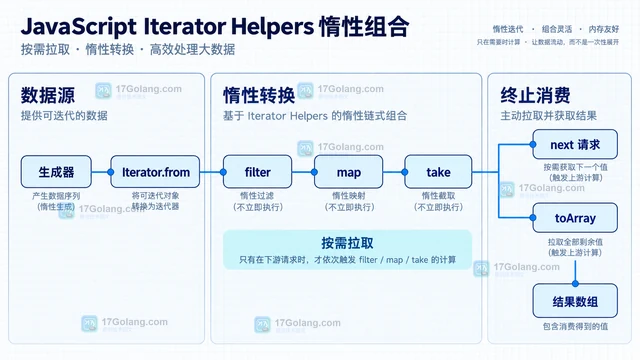
- 文章 · 前端 | 1小时前 |
- JavaScript Iterator Helpers 怎样组合惰性数据处理
- 110浏览 收藏
-
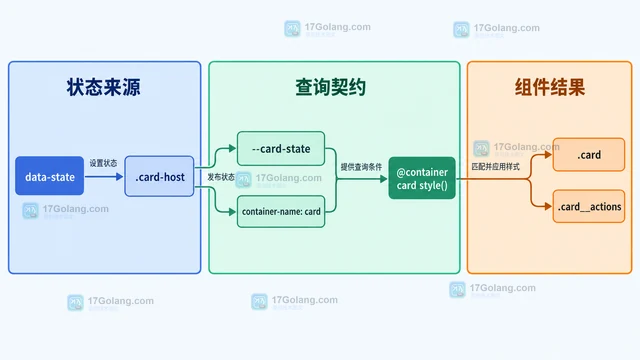
- 文章 · 前端 | 3小时前 | css ·
- CSS 容器样式查询如何根据父级状态改组件
- 120浏览 收藏
-
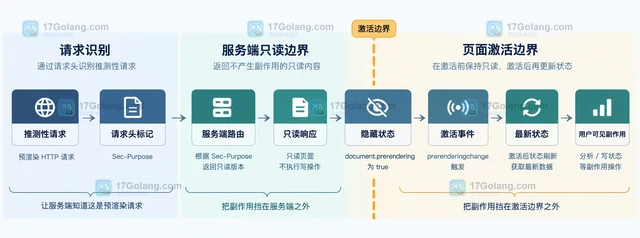
- 文章 · 前端 | 5小时前 | prefetch 前端性能 Speculation Rules API prerender
- Speculation Rules API 如何安全预渲染下一页
- 202浏览 收藏
-
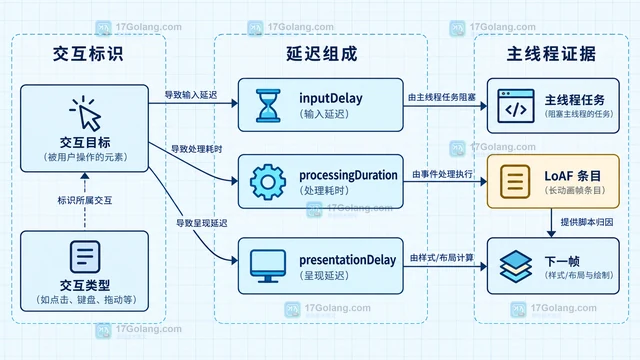
- 文章 · 前端 | 7小时前 | javascript · 前端性能 长任务 INP优化 交互延迟 web-vitals Long Animation Frames
- INP 偏高时如何定位长任务与交互延迟
- 257浏览 收藏
-
- 文章 · 前端 | 9小时前 | 前端 · Web Components 服务端渲染 shadowrootmode 声明式 Shadow DOM Custom Elements hydration
- Web Components 声明式 Shadow DOM 如何用于服务端渲染
- 315浏览 收藏
-
- 文章 · 前端 | 11小时前 |
- HTML Popover API 怎样处理嵌套弹层与焦点
- 356浏览 收藏
-
- 文章 · 前端 | 13小时前 | 前端开发 · 前端动画 View Transition API 列表重排 match-element
- View Transition API 如何为列表重排添加过渡
- 158浏览 收藏
-
- 文章 · 前端 | 15小时前 |
- CSS Anchor Positioning 如何配置 position-try 回退位置
- 234浏览 收藏
-
- 文章 · 前端 | 19小时前 | 前端 · 性能优化 ·
- 前端性能预算怎么落地:图片、脚本与交互延迟阈值
- 446浏览 收藏
-
- 文章 · 前端 | 21小时前 |
- 表单校验怎样同时服务键盘用户与屏幕阅读器
- 225浏览 收藏
-
- 文章 · 前端 | 23小时前 | 前端 · css ·
- CSS 层叠层解决组件库与业务样式优先级冲突
- 464浏览 收藏
-
- 文章 · 前端 | 1天前 |
- 浏览器缓存命中却仍请求服务器:强缓存与协商缓存排查
- 477浏览 收藏
-

- 前端进阶之JavaScript设计模式
- 设计模式是开发人员在软件开发过程中面临一般问题时的解决方案,代表了最佳的实践。本课程的主打内容包括JS常见设计模式以及具体应用场景,打造一站式知识长龙服务,适合有JS基础的同学学习。
- 543次学习
-

- GO语言核心编程课程
- 本课程采用真实案例,全面具体可落地,从理论到实践,一步一步将GO核心编程技术、编程思想、底层实现融会贯通,使学习者贴近时代脉搏,做IT互联网时代的弄潮儿。
- 516次学习
-

- 简单聊聊mysql8与网络通信
- 如有问题加微信:Le-studyg;在课程中,我们将首先介绍MySQL8的新特性,包括性能优化、安全增强、新数据类型等,帮助学生快速熟悉MySQL8的最新功能。接着,我们将深入解析MySQL的网络通信机制,包括协议、连接管理、数据传输等,让
- 500次学习
-

- JavaScript正则表达式基础与实战
- 在任何一门编程语言中,正则表达式,都是一项重要的知识,它提供了高效的字符串匹配与捕获机制,可以极大的简化程序设计。
- 487次学习
-

- 从零制作响应式网站—Grid布局
- 本系列教程将展示从零制作一个假想的网络科技公司官网,分为导航,轮播,关于我们,成功案例,服务流程,团队介绍,数据部分,公司动态,底部信息等内容区块。网站整体采用CSSGrid布局,支持响应式,有流畅过渡和展现动画。
- 485次学习
-

- PubMedQA
- 深入了解PubMedQA生物医学问答数据集,涵盖其核心功能、使用方法及在临床决策、药物研发等场景的应用,助力提升NLP模型性能。
- 389次使用
-

- H2O EvalGPT
- H2O EvalGPT是H2O.ai推出的开源LLM评估平台,提供详细的大模型性能排行榜、行业特定基准测试及A/B测试功能,助您快速选择最适合项目的高性能大语言模型。
- 469次使用
-

- LMArena
- LMArena是加州大学伯克利分校推出的AI模型匿名评测平台。通过盲测投票机制,用户可对比不同大模型回答并生成实时排行榜,助力开发者优化模型及用户选择最佳AI工具。
- 476次使用
-

- HELM
- 深入了解斯坦福推出的HELM(Holistic Evaluation of Language Models)大模型评测体系。本文解析其核心功能、安装配置步骤及应用场景,涵盖准确性、公平性、鲁棒性等多维度指标,助力开发者全面优化语言模型性能。
- 420次使用
-

- MMBench
- MMBench是由上海人工智能实验室等机构联合推出的多模态基准测试平台,提供细粒度能力评估、大规模数据集及VLMEvalKit工具。本文详细介绍其核心功能、安装使用方法及应用场景,助力开发者全面评估多模态模型性能。
- 244次使用
-
- JavaScript函数定义及示例详解
- 2025-05-11 502浏览
-
- 智能体安全引领产业升级——国内AI安全产品市场深度分析
- 2026-08-21 501浏览
-
- CSS变量简化按钮悬停效果技巧
- 2026-05-31 501浏览
-
- JavaScript符号类型详解与应用
- 2026-05-31 501浏览
-
- HTML剪贴板复制粘贴怎么用
- 2026-05-26 501浏览


