go语言实现sftp包上传文件和文件夹到远程服务器操作
来源:脚本之家
2023-02-24 21:36:45
0浏览
收藏
IT行业相对于一般传统行业,发展更新速度更快,一旦停止了学习,很快就会被行业所淘汰。所以我们需要踏踏实实的不断学习,精进自己的技术,尤其是初学者。今天golang学习网给大家整理了《go语言实现sftp包上传文件和文件夹到远程服务器操作》,聊聊服务器、上传、gosftp,我们一起来看看吧!
使用go语言的第三方包:github.com/pkg/sftp和golang.org/x/crypto/ssh实现文件和文件夹传输。
1、创建connect方法:
func connect(user, password, host string, port int) (*sftp.Client, error) {
 var (
  auth   []ssh.AuthMethod
  addr   string
  clientConfig *ssh.ClientConfig
  sshClient *ssh.Client
  sftpClient *sftp.Client
  err   error
 )
 // get auth method
 auth = make([]ssh.AuthMethod, 0)
 auth = append(auth, ssh.Password(password))
 clientConfig = &ssh.ClientConfig{
  User:   user,
  Auth:   auth,
  Timeout:   30 * time.Second,
  HostKeyCallback: ssh.InsecureIgnoreHostKey(), //ssh.FixedHostKey(hostKey),
 }
 // connet to ssh
 addr = fmt.Sprintf("%s:%d", host, port)
 if sshClient, err = ssh.Dial("tcp", addr, clientConfig); err != nil {
  return nil, err
 }
 // create sftp client
 if sftpClient, err = sftp.NewClient(sshClient); err != nil {
  return nil, err
 }
 return sftpClient, nil
}
2、上传文件
func uploadFile(sftpClient *sftp.Client, localFilePath string, remotePath string) {
 srcFile, err := os.Open(localFilePath)
 if err != nil {
  fmt.Println("os.Open error : ", localFilePath)
  log.Fatal(err)
 }
 defer srcFile.Close()
 var remoteFileName = path.Base(localFilePath)
 dstFile, err := sftpClient.Create(path.Join(remotePath, remoteFileName))
 if err != nil {
  fmt.Println("sftpClient.Create error : ", path.Join(remotePath, remoteFileName))
  log.Fatal(err)
 }
 defer dstFile.Close()
 ff, err := ioutil.ReadAll(srcFile)
 if err != nil {
  fmt.Println("ReadAll error : ", localFilePath)
  log.Fatal(err)
 }
 dstFile.Write(ff)
 fmt.Println(localFilePath + " copy file to remote server finished!")
}
3、上传文件夹
func uploadDirectory(sftpClient *sftp.Client, localPath string, remotePath string) {
 localFiles, err := ioutil.ReadDir(localPath)
 if err != nil {
  log.Fatal("read dir list fail ", err)
 }
 for _, backupDir := range localFiles {
  localFilePath := path.Join(localPath, backupDir.Name())
  remoteFilePath := path.Join(remotePath, backupDir.Name())
  if backupDir.IsDir() {
   sftpClient.Mkdir(remoteFilePath)
   uploadDirectory(sftpClient, localFilePath, remoteFilePath)
  } else {
   uploadFile(sftpClient, path.Join(localPath, backupDir.Name()), remotePath)
  }
 }
 fmt.Println(localPath + " copy directory to remote server finished!")
}
4、上传测试
func DoBackup(host string, port int, userName string, password string, localPath string, remotePath string) {
 var (
  err  error
  sftpClient *sftp.Client
 )
 start := time.Now()
 sftpClient, err = connect(userName, password, host, port)
 if err != nil {
  log.Fatal(err)
 }
 defer sftpClient.Close()
 _, errStat := sftpClient.Stat(remotePath)
 if errStat != nil {
  log.Fatal(remotePath + " remote path not exists!")
 }
 backupDirs, err := ioutil.ReadDir(localPath)
 if err != nil {
  log.Fatal(localPath + " local path not exists!")
 }
 uploadDirectory(sftpClient, localPath, remotePath)
 elapsed := time.Since(start)
 fmt.Println("elapsed time : ", elapsed)
}
补充:go实现ssh远程机器并传输文件
核心依赖包:
golang.org/x/crypto/ssh
github.com/pkg/sftp
其中golang.org/x/crypto/ssh 可从github上下载,
下载地址:https://github.com/golang/crypto
ssh连接源码(这里是根据秘钥连接):
var keypath = "key/id_rsa"
//获取秘钥
func publicKey(path string) ssh.AuthMethod {
 keypath, err := homedir.Expand(path)
 if err != nil {
 fmt.Println("获取秘钥路径失败", err)
 }
 key, err1 := ioutil.ReadFile(keypath)
 if err1 != nil {
 fmt.Println("读取秘钥失败", err1)
 }
 signer, err2 := ssh.ParsePrivateKey(key)
 if err2 != nil {
 fmt.Println("ssh 秘钥签名失败", err2)
 }
 return ssh.PublicKeys(signer)
}
//获取ssh连接
func GetSSHConect(ip, user string, port int) (*ssh.Client) {
 con := &ssh.ClientConfig{
 User: user,
 Auth: []ssh.AuthMethod{publicKey(keypath)},
 HostKeyCallback: func(hostname string, remote net.Addr, key ssh.PublicKey) error {
 return nil
 },
 }
 addr := fmt.Sprintf("%s:%d", ip, port)
 client, err := ssh.Dial("tcp", addr, con)
 if err != nil {
 fmt.Println("Dail failed: ", err)
 panic(err)
 }
 return client
}
// 远程执行脚本
func Exec_Task(ip, user, localpath, remotepath string) int {
 port := 22
 client := GetSSHConect(ip, user, port)
 UploadFile(ip, user, localpath, remotepath, port)
 session, err := client.NewSession()
 if err != nil {
 fmt.Println("创建会话失败", err)
 panic(err)
 }
 defer session.Close()
 remoteFileName := path.Base(localpath)
 dstFile := path.Join(remotepath, remoteFileName)
 err1 := session.Run(fmt.Sprintf("/usr/bin/sh %s", dstFile))
 if err1 != nil {
 fmt.Println("远程执行脚本失败", err1)
 return 2
 } else {
 fmt.Println("远程执行脚本成功")
 return 1
 }
}
文件传输功能:
//获取ftp连接
func getftpclient(client *ssh.Client) (*sftp.Client) {
 ftpclient, err := sftp.NewClient(client)
 if err != nil {
 fmt.Println("创建ftp客户端失败", err)
 panic(err)
 }
 return ftpclient
}
//上传文件
func UploadFile(ip, user, localpath, remotepath string, port int) {
 client := GetSSHConect(ip, user, port)
 ftpclient := getftpclient(client)
 defer ftpclient.Close()
 remoteFileName := path.Base(localpath)
 fmt.Println(localpath, remoteFileName)
 srcFile, err := os.Open(localpath)
 if err != nil {
 fmt.Println("打开文件失败", err)
 panic(err)
 }
 defer srcFile.Close()
 dstFile, e := ftpclient.Create(path.Join(remotepath, remoteFileName))
 if e != nil {
 fmt.Println("创建文件失败", e)
 panic(e)
 }
 defer dstFile.Close()
 buffer := make([]byte, 1024)
 for {
 n, err := srcFile.Read(buffer)
 if err != nil {
 if err == io.EOF {
 fmt.Println("已读取到文件末尾")
 break
 } else {
 fmt.Println("读取文件出错", err)
 panic(err)
 }
 }
 dstFile.Write(buffer[:n])
 //注意,由于文件大小不定,不可直接使用buffer,否则会在文件末尾重复写入,以填充1024的整数倍
 }
 fmt.Println("文件上传成功")
}
//文件下载
func DownLoad(ip, user, localpath, remotepath string, port int) {
 client := GetSSHConect(ip, user, port)
 ftpClient := getftpclient(client)
 defer ftpClient.Close()
 srcFile, err := ftpClient.Open(remotepath)
 if err != nil {
 fmt.Println("文件读取失败", err)
 panic(err)
 }
 defer srcFile.Close()
 localFilename := path.Base(remotepath)
 dstFile, e := os.Create(path.Join(localpath, localFilename))
 if e != nil {
 fmt.Println("文件创建失败", e)
 panic(e)
 }
 defer dstFile.Close()
 if _, err1 := srcFile.WriteTo(dstFile); err1 != nil {
 fmt.Println("文件写入失败", err1)
 panic(err1)
 }
 fmt.Println("文件下载成功")
}
以上为个人经验,希望能给大家一个参考,也希望大家多多支持golang学习网。如有错误或未考虑完全的地方,望不吝赐教。
以上就是本文的全部内容了,是否有顺利帮助你解决问题?若是能给你带来学习上的帮助,请大家多多支持golang学习网!更多关于Golang的相关知识,也可关注golang学习网公众号。
版本声明
本文转载于:脚本之家 如有侵犯,请联系study_golang@163.com删除
 Go外部依赖包从vendor,$GOPATH和$GOPATH/pkg/mod查找顺序
- 上一篇
- Go外部依赖包从vendor,$GOPATH和$GOPATH/pkg/mod查找顺序
- 下一篇
- golang实现ftp实时传输文件的案例
评论列表
-

- 高贵的书本
- 感谢大佬分享,一直没懂这个问题,但其实工作中常常有遇到...不过今天到这,看完之后很有帮助,总算是懂了,感谢老哥分享文章内容!
- 2023-03-23 04:10:40
-
- 痴情的钢笔
- 这篇博文太及时了,up主加油!
- 2023-03-20 02:10:10
-
- 安静的歌曲
- 这篇博文真是及时雨啊,很详细,很有用,mark,关注楼主了!希望楼主能多写Golang相关的文章。
- 2023-03-13 18:17:06
-
- 优美的猎豹
- 很详细,mark,感谢楼主的这篇博文,我会继续支持!
- 2023-03-10 11:50:45
-
- 害怕的花瓣
- 太细致了,码住,感谢大佬的这篇文章内容,我会继续支持!
- 2023-03-05 06:32:02
-
- 要减肥的铅笔
- 这篇文章内容出现的刚刚好,细节满满,受益颇多,收藏了,关注楼主了!希望楼主能多写Golang相关的文章。
- 2023-03-03 21:37:30
-
- 曾经的百褶裙
- 这篇技术贴出现的刚刚好,作者大大加油!
- 2023-03-03 11:50:46
-
- 香蕉黑夜
- 赞 ??,一直没懂这个问题,但其实工作中常常有遇到...不过今天到这,看完之后很有帮助,总算是懂了,感谢博主分享技术贴!
- 2023-03-02 00:05:44
查看更多
最新文章
-
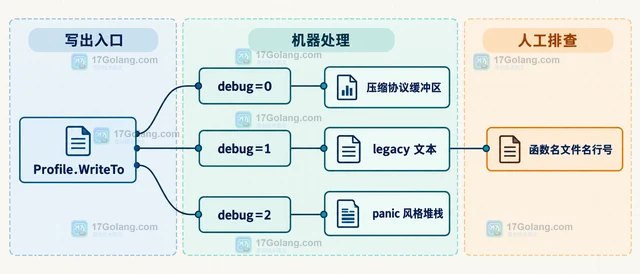
- Golang · Go教程 | 4小时前 | goroutine · pprof · Go教程 · 运行时 · Go pprof 性能诊断 goroutine profile pprof.Lookup
- Go pprof.Lookup 怎样读取 goroutine profile 文本
- 465浏览 收藏
-
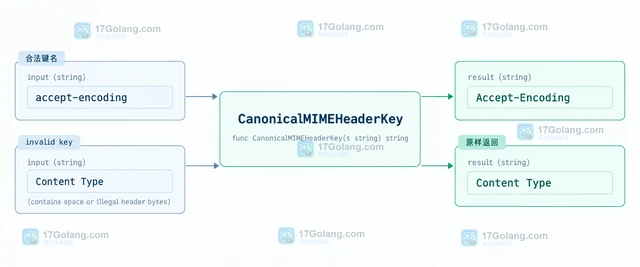
- Golang · Go教程 | 4小时前 | 标准库 · HTTP · Go教程 · Go 请求头 textproto CanonicalMIMEHeaderKey MIMEHeader
- Go textproto.CanonicalMIMEHeaderKey 怎样统一请求头键名
- 283浏览 收藏
-
- Golang · Go教程 | 4小时前 |
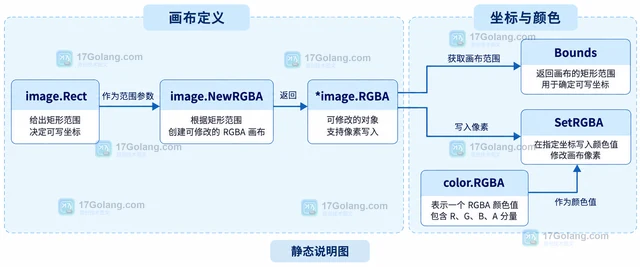
- Go image.NewRGBA 怎样创建可修改的 RGBA 画布
- 289浏览 收藏
-
- Golang · Go教程 | 4小时前 |
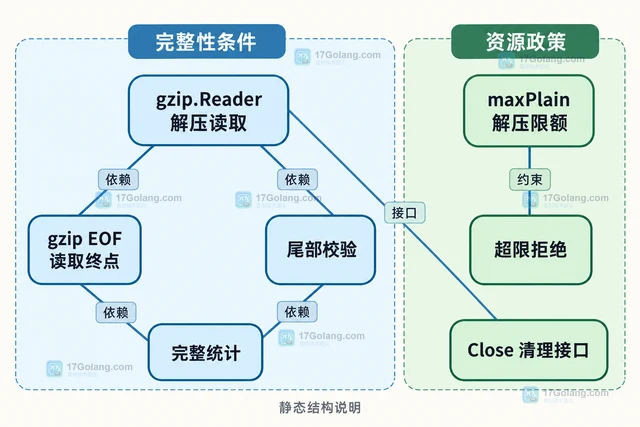
- Go compress/gzip Reader 怎样复用并正确关闭
- 454浏览 收藏
-
- Golang · Go教程 | 4小时前 |
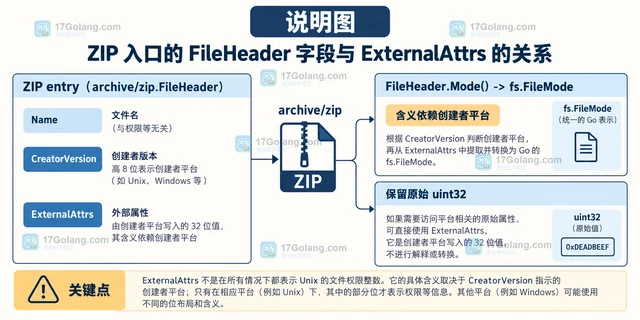
- Go archive/zip FileHeader.ExternalAttrs 读取条目权限属性
- 460浏览 收藏
-
- Golang · Go教程 | 4小时前 | 标准库 · Go教程 · Go 邮箱地址 net/mail ParseAddressList 收件人列表
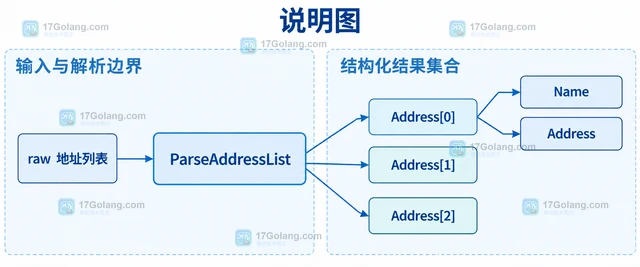
- Go net/mail ParseAddressList 怎样解析多个收件人
- 465浏览 收藏
-
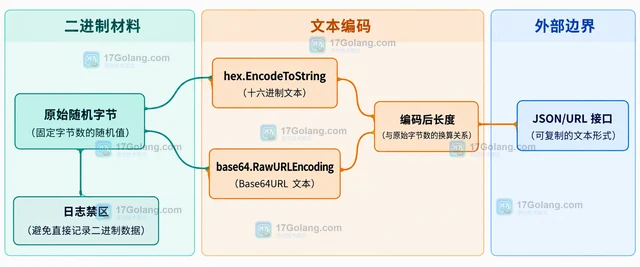
- Golang · Go教程 | 4小时前 | Go教程 · Go crypto/rand 随机令牌 随机字节 密钥材料
- Go crypto/rand 怎样生成固定字节数随机值
- 443浏览 收藏
-
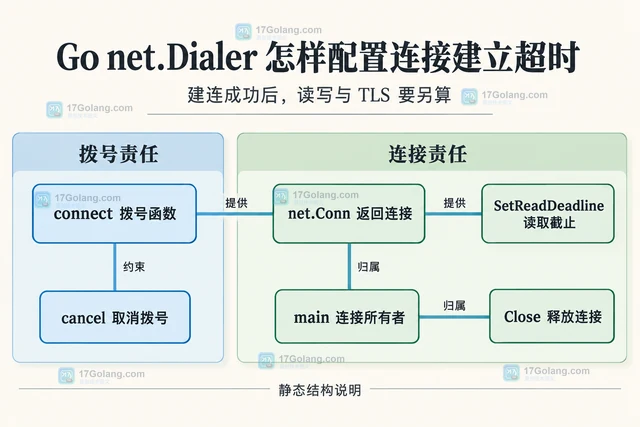
- Golang · Go教程 | 4小时前 |
- Go net.Dialer 怎样配置连接建立超时
- 151浏览 收藏
-
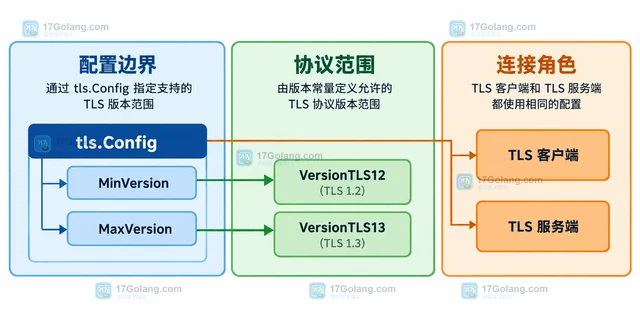
- Golang · Go教程 | 4小时前 |
- Go tls.Config 怎样限制最低 TLS 版本
- 197浏览 收藏
-
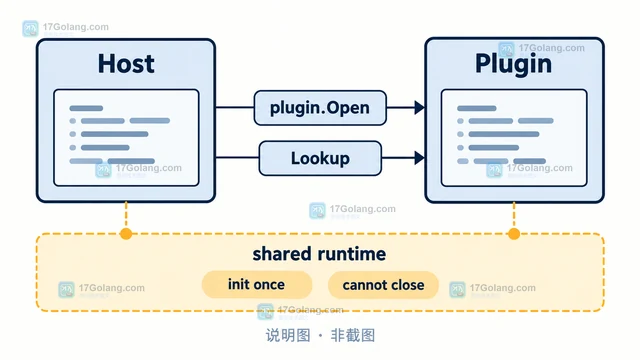
- Golang · Go教程 | 4小时前 | go · Plugin · Go plugin 版本兼容 buildmode=plugin
- Go plugin 包为什么不适合跨版本加载
- 426浏览 收藏
查看更多
课程推荐
-
- 前端进阶之JavaScript设计模式
- 设计模式是开发人员在软件开发过程中面临一般问题时的解决方案,代表了最佳的实践。本课程的主打内容包括JS常见设计模式以及具体应用场景,打造一站式知识长龙服务,适合有JS基础的同学学习。
- 543次学习
-

- GO语言核心编程课程
- 本课程采用真实案例,全面具体可落地,从理论到实践,一步一步将GO核心编程技术、编程思想、底层实现融会贯通,使学习者贴近时代脉搏,做IT互联网时代的弄潮儿。
- 516次学习
-

- 简单聊聊mysql8与网络通信
- 如有问题加微信:Le-studyg;在课程中,我们将首先介绍MySQL8的新特性,包括性能优化、安全增强、新数据类型等,帮助学生快速熟悉MySQL8的最新功能。接着,我们将深入解析MySQL的网络通信机制,包括协议、连接管理、数据传输等,让
- 500次学习
-

- JavaScript正则表达式基础与实战
- 在任何一门编程语言中,正则表达式,都是一项重要的知识,它提供了高效的字符串匹配与捕获机制,可以极大的简化程序设计。
- 487次学习
-

- 从零制作响应式网站—Grid布局
- 本系列教程将展示从零制作一个假想的网络科技公司官网,分为导航,轮播,关于我们,成功案例,服务流程,团队介绍,数据部分,公司动态,底部信息等内容区块。网站整体采用CSSGrid布局,支持响应式,有流畅过渡和展现动画。
- 485次学习
查看更多
AI推荐
-
- PubMedQA
- 深入了解PubMedQA生物医学问答数据集,涵盖其核心功能、使用方法及在临床决策、药物研发等场景的应用,助力提升NLP模型性能。
- 600次使用
-
- H2O EvalGPT
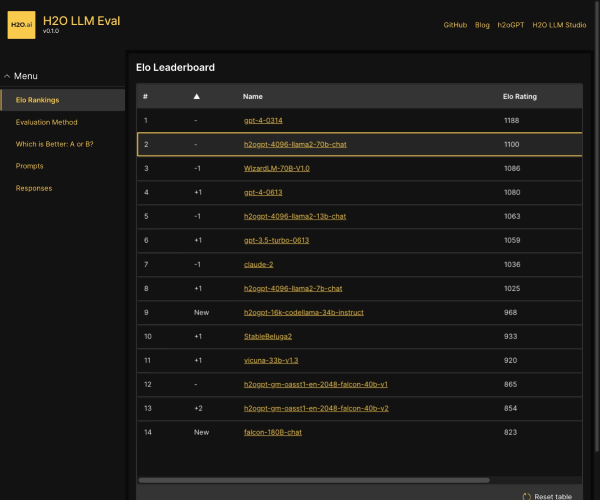
- H2O EvalGPT是H2O.ai推出的开源LLM评估平台,提供详细的大模型性能排行榜、行业特定基准测试及A/B测试功能,助您快速选择最适合项目的高性能大语言模型。
- 641次使用
-

- LMArena
- LMArena是加州大学伯克利分校推出的AI模型匿名评测平台。通过盲测投票机制,用户可对比不同大模型回答并生成实时排行榜,助力开发者优化模型及用户选择最佳AI工具。
- 673次使用
-
- HELM
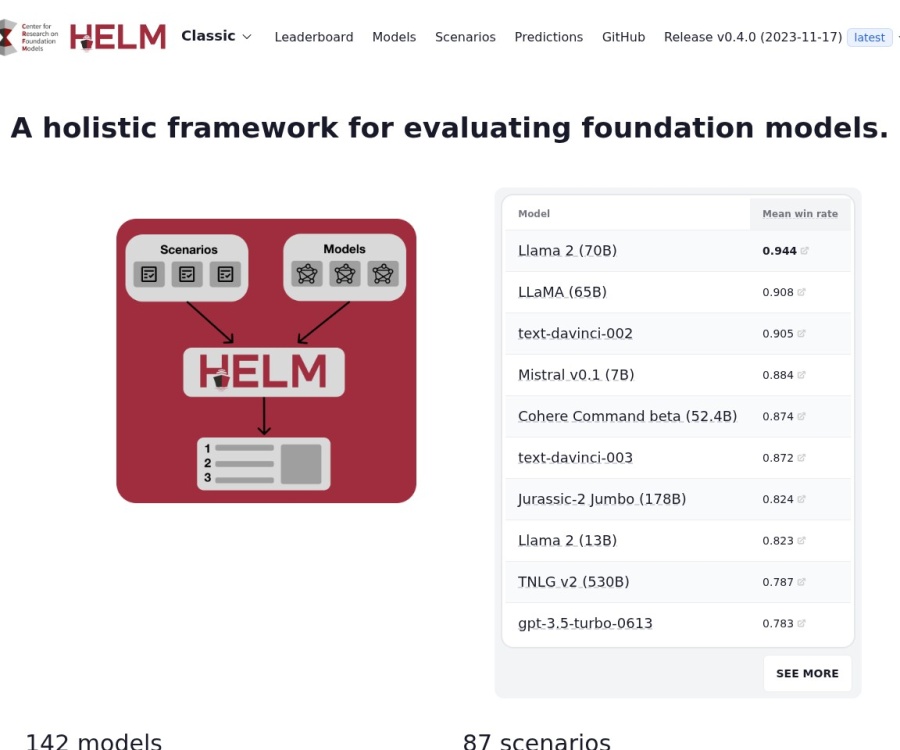
- 深入了解斯坦福推出的HELM(Holistic Evaluation of Language Models)大模型评测体系。本文解析其核心功能、安装配置步骤及应用场景,涵盖准确性、公平性、鲁棒性等多维度指标,助力开发者全面优化语言模型性能。
- 639次使用
-

- MMBench
- MMBench是由上海人工智能实验室等机构联合推出的多模态基准测试平台,提供细粒度能力评估、大规模数据集及VLMEvalKit工具。本文详细介绍其核心功能、安装使用方法及应用场景,助力开发者全面评估多模态模型性能。
- 459次使用
查看更多
相关文章
-
- Golang 编写Tcp服务器的解决方案
- 2022-12-26 102浏览
-
- Go 语言实现 HTTP 文件上传和下载
- 2023-01-19 235浏览
-
- GO语言实现文件上传的示例代码
- 2022-12-23 475浏览
-
- Go实现文件分片上传
- 2023-01-07 181浏览
-
- Go Web编程添加服务器错误和访问日志
- 2023-01-01 347浏览