
golang elasticsearch Client的使用详解
怎么入门Golang编程?需要学习哪些知识点?这是新手们刚接触编程时常见的问题;下面golang学习网就来给大家整理分享一些知识点,希望能够给初学者一些帮助。本篇文章就来介绍《golang elasticsearch Client的使用详解》,涉及到client、Elasticsearch,有需要的可以收藏一下
elasticsearch 的client ,通过 NewClient 建立连接,通过 NewClient 中的 Set.URL设置访问的地址,SetSniff设置集群
获得连接 后,通过 Index 方法插入数据,插入后可以通过 Get 方法获得数据(最后的测试用例中会使用 elasticsearch client 的Get 方法)
func Save(item interface{}) {
    client, err := elastic.NewClient(
  elastic.SetURL("http://192.168.174.128:9200/"),
  // Must turn off sniff in docker
  elastic.SetSniff(false),
 )

 if err != nil {
  panic(err)
 }

 resp, err := client.Index().
  Index("dating_profile").
  Type("zhenai").
  BodyJson(item).
  Do(context.Background()) //contex需要context 包
 if err != nil {
  panic(err)
 }

 fmt.Printf("%+v", resp)

}
测试程序,自行定义一个数据结构 Profile 进行测试
func TestSave(t *testing.T) {
 profile := model.Profile{
  Age:        34,
  Height:     162,
  Weight:     57,
  Income:     "3001-5000元",
  Gender:     "女",
  Name:       "安静的雪",
  XingZuo:    "牡羊座",
  Occupation: "人事/行政",
  Marriage:   "离异",
  House:      "已购房",
  Hukou:      "山东菏泽",
  Education:  "大学本科",
  Car:        "未购车",
 }

 Save(profile)
}
go test 成功

通过 Get 方法查看数据是否存在elasticsearch 中

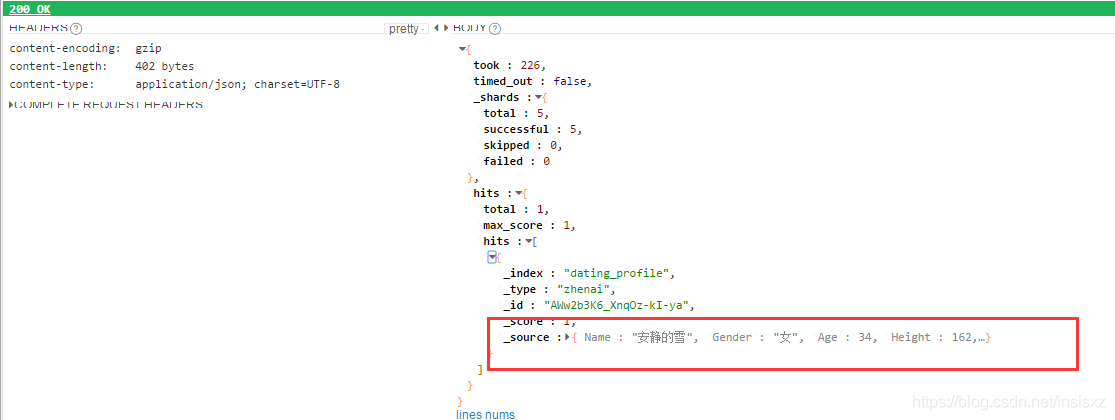
我们在test中panic,在函数中讲错误返回。在从elastisearch中 取出存入的数据,与我们定义的数据进行比较,
所以save中需要将插入数据的Id返回出来
func Save(item interface{}) (id string, err error) {
	client, err := elastic.NewClient(
		elastic.SetURL("http://192.168.174.128:9200/"),
		// Must turn off sniff in docker
		elastic.SetSniff(false),
	)

	if err != nil {
		return "", err
	}

	resp, err := client.Index().
		Index("dating_profile").
		Type("zhenai").
		BodyJson(item).
		Do(context.Background())
	if err != nil {
		return "", err
	}

	return resp.Id, nil

}
测试用例
package persist

import (
	"context"
	"encoding/json"
	"my_crawler_single/model"
	"testing"

	elastic "gopkg.in/olivere/elastic.v5"
)

func TestSave(t *testing.T) {
	expected := model.Profile{
		Age:        34,
		Height:     162,
		Weight:     57,
		Income:     "3001-5000元",
		Gender:     "女",
		Name:       "安静的雪",
		XingZuo:    "牡羊座",
		Occupation: "人事/行政",
		Marriage:   "离异",
		House:      "已购房",
		Hukou:      "山东菏泽",
		Education:  "大学本科",
		Car:        "未购车",
	}

	id, err := Save(expected)
	if err != nil {
		panic(err)
	}

	client, err := elastic.NewClient(
		elastic.SetURL("http://192.168.174.128:9200/"),
		elastic.SetSniff(false),
	)
	if err != nil {
		panic(err)
	}

	resp, err := client.Get().
		Index("dating_profile").
		Type("zhenai").
		Id(id). //查找指定id的那一条数据
		Do(context.Background())
	if err != nil {
		panic(err)
	}

	t.Logf("%+v", resp)
	//从打印得知,数据在resp.Source中,从rest client的截图也可以知道

	var actual model.Profile
	//查看 *resp.Source 可知其数据类型为[]byte
	err = json.Unmarshal(*resp.Source, &actual)
	if err != nil {
		panic(err)
	}

	if actual != expected {
		t.Errorf("got %v;expected %v", actual, expected)
	}
}
补充:go-elasticsearch: Elastic官方的Go语言客户端
说明
Elastic官方鼓励在项目中尝试用这个包,但请记住以下几点:
这个项目的工作还在进行中,并非所有计划的功能和Elasticsearch官方客户端中的标准(故障重试,节点自动发现等)都实现了。
API稳定性无法保证。 尽管公共API的设计非常谨慎,但它们可以根据进一步的探索和用户反馈以不兼容的方式进行更改。
客户端的目标是Elasticsearch 7.x版本。后续将添加对6.x和5.x版本API的支持。
安装
用go get安装这个包:
go get -u github.com/elastic/go-elasticsearch
或者将这个包添加到go.mod文件:
require github.com/elastic/go-elasticsearch v0.0.0
或者克隆这个仓库:
git clone https://github.com/elastic/go-elasticsearch.git \u0026amp;\u0026amp; cd go-elasticsearch
一个完整的示例:
mkdir my-elasticsearch-app \u0026amp;\u0026amp; cd my-elasticsearch-appcat \u0026gt; go.mod \u0026lt;\u0026lt;-END module my-elasticsearch-app require github.com/elastic/go-elasticsearch v0.0.0ENDcat \u0026gt; main.go \u0026lt;\u0026lt;-END package main import ( \u0026quot;log\u0026quot; \u0026quot;github.com/elastic/go-elasticsearch\u0026quot; ) func main() { es, _ := elasticsearch.NewDefaultClient() log.Println(es.Info()) }ENDgo run main.go
用法
elasticsearch包与另外两个包绑定在一起,esapi用于调用Elasticsearch的API,estransport通过HTTP传输数据。
使用elasticsearch.NewDefaultClient()函数创建带有以下默认设置的客户端:
es, err := elasticsearch.NewDefaultClient()if err != nil { log.Fatalf(\u0026quot;Error creating the client: %s\u0026quot;, err)}res, err := es.Info()if err != nil { log.Fatalf(\u0026quot;Error getting response: %s\u0026quot;, err)}log.Println(res)// [200 OK] {// \u0026quot;name\u0026quot; : \u0026quot;node-1\u0026quot;,// \u0026quot;cluster_name\u0026quot; : \u0026quot;go-elasticsearch\u0026quot;// ...
注意:当导出ELASTICSEARCH_URL环境变量时,它将被用作集群端点。
使用elasticsearch.NewClient()函数(仅用作演示)配置该客户端:
cfg := elasticsearch.Config{ Addresses: []string{ \u0026quot;http://localhost:9200\u0026quot;, \u0026quot;http://localhost:9201\u0026quot;, }, Transport: \u0026amp;http.Transport{ MaxIdleConnsPerHost: 10, ResponseHeaderTimeout: time.Second, DialContext: (\u0026amp;net.Dialer{Timeout: time.Second}).DialContext, TLSClientConfig: \u0026amp;tls.Config{ MaxVersion: tls.VersionTLS11, InsecureSkipVerify: true, }, },}es, err := elasticsearch.NewClient(cfg)// ...
下面的示例展示了更复杂的用法。它从集群中获取Elasticsearch版本,同时索引几个文档,并使用响应主体周围的一个轻量包装器打印搜索结果。
// $ go run _examples/main.gopackage mainimport ( \u0026quot;context\u0026quot; \u0026quot;encoding/json\u0026quot; \u0026quot;log\u0026quot; \u0026quot;strconv\u0026quot; \u0026quot;strings\u0026quot; \u0026quot;sync\u0026quot; \u0026quot;github.com/elastic/go-elasticsearch\u0026quot; \u0026quot;github.com/elastic/go-elasticsearch/esapi\u0026quot;)func main() { log.SetFlags(0) var ( r map[string]interface{} wg sync.WaitGroup ) // Initialize a client with the default settings. // // An `ELASTICSEARCH_URL` environment variable will be used when exported. // es, err := elasticsearch.NewDefaultClient() if err != nil { log.Fatalf(\u0026quot;Error creating the client: %s\u0026quot;, err) } // 1. Get cluster info // res, err := es.Info() if err != nil { log.Fatalf(\u0026quot;Error getting response: %s\u0026quot;, err) } // Deserialize the response into a map. if err := json.NewDecoder(res.Body).Decode(\u0026amp;r); err != nil { log.Fatalf(\u0026quot;Error parsing the response body: %s\u0026quot;, err) } // Print version number. log.Printf(\u0026quot;~~~~~~~\u0026gt; Elasticsearch %s\u0026quot;, r[\u0026quot;version\u0026quot;].(map[string]interface{})[\u0026quot;number\u0026quot;]) // 2. Index documents concurrently // for i, title := range []string{\u0026quot;Test One\u0026quot;, \u0026quot;Test Two\u0026quot;} { wg.Add(1) go func(i int, title string) { defer wg.Done() // Set up the request object directly. req := esapi.IndexRequest{ Index: \u0026quot;test\u0026quot;, DocumentID: strconv.Itoa(i + 1), Body: strings.NewReader(`{\u0026quot;title\u0026quot; : \u0026quot;` + title + `\u0026quot;}`), Refresh: \u0026quot;true\u0026quot;, } // Perform the request with the client. res, err := req.Do(context.Background(), es) if err != nil { log.Fatalf(\u0026quot;Error getting response: %s\u0026quot;, err) } defer res.Body.Close() if res.IsError() { log.Printf(\u0026quot;[%s] Error indexing document ID=%d\u0026quot;, res.Status(), i+1) } else { // Deserialize the response into a map. var r map[string]interface{} if err := json.NewDecoder(res.Body).Decode(\u0026amp;r); err != nil { log.Printf(\u0026quot;Error parsing the response body: %s\u0026quot;, err) } else { // Print the response status and indexed document version. log.Printf(\u0026quot;[%s] %s; version=%d\u0026quot;, res.Status(), r[\u0026quot;result\u0026quot;], int(r[\u0026quot;_version\u0026quot;].(float64))) } } }(i, title) } wg.Wait() log.Println(strings.Repeat(\u0026quot;-\u0026quot;, 37)) // 3. Search for the indexed documents // // Use the helper methods of the client. res, err = es.Search( es.Search.WithContext(context.Background()), es.Search.WithIndex(\u0026quot;test\u0026quot;), es.Search.WithBody(strings.NewReader(`{\u0026quot;query\u0026quot; : { \u0026quot;match\u0026quot; : { \u0026quot;title\u0026quot; : \u0026quot;test\u0026quot; } }}`)), es.Search.WithTrackTotalHits(true), es.Search.WithPretty(), ) if err != nil { log.Fatalf(\u0026quot;ERROR: %s\u0026quot;, err) } defer res.Body.Close() if res.IsError() { var e map[string]interface{} if err := json.NewDecoder(res.Body).Decode(\u0026amp;e); err != nil { log.Fatalf(\u0026quot;error parsing the response body: %s\u0026quot;, err) } else { // Print the response status and error information. log.Fatalf(\u0026quot;[%s] %s: %s\u0026quot;, res.Status(), e[\u0026quot;error\u0026quot;].(map[string]interface{})[\u0026quot;type\u0026quot;], e[\u0026quot;error\u0026quot;].(map[string]interface{})[\u0026quot;reason\u0026quot;], ) } } if err := json.NewDecoder(res.Body).Decode(\u0026amp;r); err != nil { log.Fatalf(\u0026quot;Error parsing the response body: %s\u0026quot;, err) } // Print the response status, number of results, and request duration. log.Printf( \u0026quot;[%s] %d hits; took: %dms\u0026quot;, res.Status(), int(r[\u0026quot;hits\u0026quot;].(map[string]interface{})[\u0026quot;total\u0026quot;].(map[string]interface{})[\u0026quot;value\u0026quot;].(float64)), int(r[\u0026quot;took\u0026quot;].(float64)), ) // Print the ID and document source for each hit. for _, hit := range r[\u0026quot;hits\u0026quot;].(map[string]interface{})[\u0026quot;hits\u0026quot;].([]interface{}) { log.Printf(\u0026quot; * ID=%s, %s\u0026quot;, hit.(map[string]interface{})[\u0026quot;_id\u0026quot;], hit.(map[string]interface{})[\u0026quot;_source\u0026quot;]) } log.Println(strings.Repeat(\u0026quot;=\u0026quot;, 37))}// ~~~~~~~\u0026gt; Elasticsearch 7.0.0-SNAPSHOT// [200 OK] updated; version=1// [200 OK] updated; version=1// -------------------------------------// [200 OK] 2 hits; took: 7ms// * ID=1, map[title:Test One]// * ID=2, map[title:Test Two]// =====================================
如上述示例所示,esapi包允许通过两种不同的方式调用Elasticsearch API:通过创建结构(如IndexRequest),并向其传递上下文和客户端来调用其Do()方法,或者通过客户端上可用的函数(如WithIndex())直接调用其上的Search()函数。更多信息请参阅包文档。
estransport包处理与Elasticsearch之间的数据传输。 目前,这个实现只占据很小的空间:它只在已配置的集群端点上进行循环。后续将添加更多功能:重试失败的请求,忽略某些状态代码,自动发现群集中的节点等等。
Examples
_examples文件夹包含许多全面的示例,可帮助你上手使用客户端,包括客户端的配置和自定义,模拟单元测试的传输,将客户端嵌入自定义类型,构建查询,执行请求和解析回应。
许可证
遵循Apache License 2.0版本。
以上为个人经验,希望能给大家一个参考,也希望大家多多支持golang学习网。如有错误或未考虑完全的地方,望不吝赐教。
到这里,我们也就讲完了《golang elasticsearch Client的使用详解》的内容了。个人认为,基础知识的学习和巩固,是为了更好的将其运用到项目中,欢迎关注golang学习网公众号,带你了解更多关于golang的知识点!
 golang日志包logger的用法详解
- 上一篇
- golang日志包logger的用法详解
- 下一篇
- goland设置颜色和字体的操作
-

- 无聊的缘分
- 这篇技术贴真及时,很详细,很棒,收藏了,关注老哥了!希望老哥能多写Golang相关的文章。
- 2023-06-17 17:04:58
-
- 害怕的楼房
- 很详细,mark,感谢up主的这篇博文,我会继续支持!
- 2023-05-20 15:25:53
-
- 无奈的御姐
- 赞 ??,一直没懂这个问题,但其实工作中常常有遇到...不过今天到这,帮助很大,总算是懂了,感谢大佬分享文章内容!
- 2023-04-29 07:01:56
-
- 尊敬的冰棍
- 这篇博文真是及时雨啊,细节满满,太给力了,码住,关注师傅了!希望师傅能多写Golang相关的文章。
- 2023-03-15 16:23:59
-
- 怕孤独的乌龟
- 这篇博文出现的刚刚好,大佬加油!
- 2023-03-03 03:19:52
-
- 激情的鸭子
- 太全面了,mark,感谢老哥的这篇技术贴,我会继续支持!
- 2023-02-21 20:43:33
-
- 正直的大叔
- 真优秀,一直没懂这个问题,但其实工作中常常有遇到...不过今天到这,看完之后很有帮助,总算是懂了,感谢博主分享技术贴!
- 2023-02-04 14:19:56
-
- 拼搏的蜡烛
- 这篇技术贴太及时了,太详细了,赞 ??,已收藏,关注楼主了!希望楼主能多写Golang相关的文章。
- 2023-01-13 02:36:25
-
- 追寻的美女
- 这篇技术贴真是及时雨啊,老哥加油!
- 2023-01-02 02:52:25
-
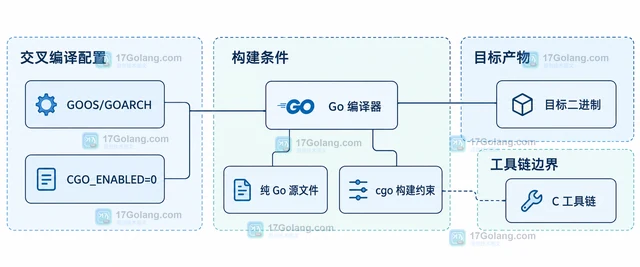
- Golang · Go教程 | 4小时前 | go · Go 交叉编译 GOARCH GOOS CGO_ENABLED
- Go 交叉编译怎样关闭 CGO
- 487浏览 收藏
-
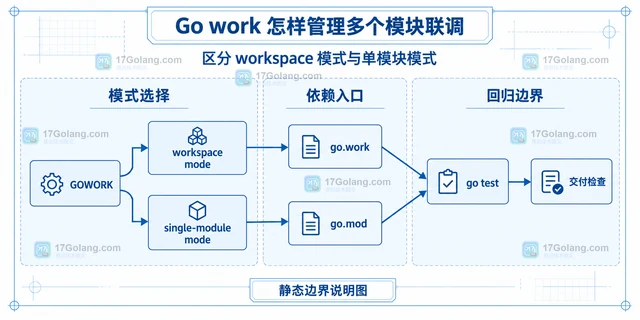
- Golang · Go教程 | 4小时前 | go · Go教程 · go.work Go Modules go work 多模块联调
- Go work 怎样管理多个模块联调
- 245浏览 收藏
-
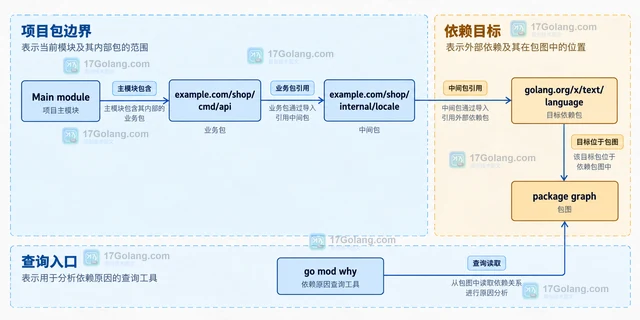
- Golang · Go教程 | 4小时前 | Go教程 · Go 模块依赖 Go Modules go mod why 依赖路径
- Go mod why 怎样解释模块引入路径
- 394浏览 收藏
-
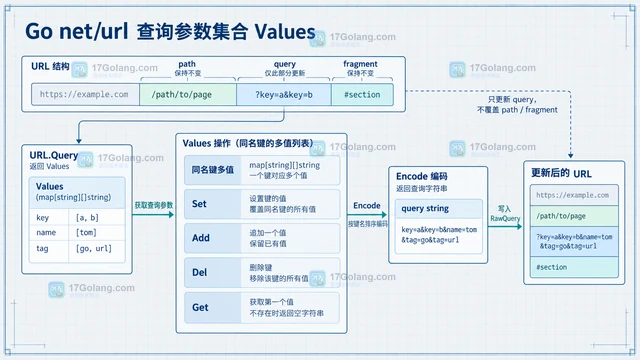
- Golang · Go教程 | 4小时前 |
- Go net/url 怎样只修改查询参数而保留路径
- 274浏览 收藏
-
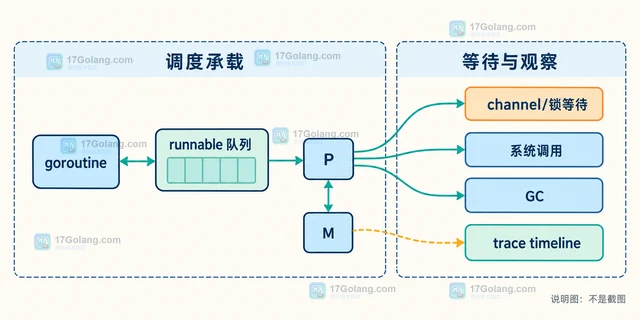
- Golang · Go教程 | 4小时前 | goroutine · go ·
- Go trace 怎样观察 goroutine 调度
- 351浏览 收藏
-
- Golang · Go教程 | 4小时前 |
- Go pprof 怎样定位 CPU 热点函数
- 321浏览 收藏
-
- Golang · Go教程 | 4小时前 |
- Go benchmark 怎样排除初始化耗时
- 266浏览 收藏
-

- 前端进阶之JavaScript设计模式
- 设计模式是开发人员在软件开发过程中面临一般问题时的解决方案,代表了最佳的实践。本课程的主打内容包括JS常见设计模式以及具体应用场景,打造一站式知识长龙服务,适合有JS基础的同学学习。
- 543次学习
-

- GO语言核心编程课程
- 本课程采用真实案例,全面具体可落地,从理论到实践,一步一步将GO核心编程技术、编程思想、底层实现融会贯通,使学习者贴近时代脉搏,做IT互联网时代的弄潮儿。
- 516次学习
-

- 简单聊聊mysql8与网络通信
- 如有问题加微信:Le-studyg;在课程中,我们将首先介绍MySQL8的新特性,包括性能优化、安全增强、新数据类型等,帮助学生快速熟悉MySQL8的最新功能。接着,我们将深入解析MySQL的网络通信机制,包括协议、连接管理、数据传输等,让
- 500次学习
-

- JavaScript正则表达式基础与实战
- 在任何一门编程语言中,正则表达式,都是一项重要的知识,它提供了高效的字符串匹配与捕获机制,可以极大的简化程序设计。
- 487次学习
-

- 从零制作响应式网站—Grid布局
- 本系列教程将展示从零制作一个假想的网络科技公司官网,分为导航,轮播,关于我们,成功案例,服务流程,团队介绍,数据部分,公司动态,底部信息等内容区块。网站整体采用CSSGrid布局,支持响应式,有流畅过渡和展现动画。
- 485次学习
-

- PubMedQA
- 深入了解PubMedQA生物医学问答数据集,涵盖其核心功能、使用方法及在临床决策、药物研发等场景的应用,助力提升NLP模型性能。
- 583次使用
-

- H2O EvalGPT
- H2O EvalGPT是H2O.ai推出的开源LLM评估平台,提供详细的大模型性能排行榜、行业特定基准测试及A/B测试功能,助您快速选择最适合项目的高性能大语言模型。
- 621次使用
-

- LMArena
- LMArena是加州大学伯克利分校推出的AI模型匿名评测平台。通过盲测投票机制,用户可对比不同大模型回答并生成实时排行榜,助力开发者优化模型及用户选择最佳AI工具。
- 655次使用
-

- HELM
- 深入了解斯坦福推出的HELM(Holistic Evaluation of Language Models)大模型评测体系。本文解析其核心功能、安装配置步骤及应用场景,涵盖准确性、公平性、鲁棒性等多维度指标,助力开发者全面优化语言模型性能。
- 622次使用
-

- MMBench
- MMBench是由上海人工智能实验室等机构联合推出的多模态基准测试平台,提供细粒度能力评估、大规模数据集及VLMEvalKit工具。本文详细介绍其核心功能、安装使用方法及应用场景,助力开发者全面评估多模态模型性能。
- 436次使用
-
- golang在GRPC中设置client的超时时间
- 2022-12-29 162浏览
-
- go语言操作es的实现示例
- 2022-12-30 371浏览
-
- Go语言Elasticsearch数据清理工具思路详解
- 2022-12-31 165浏览
-
- golang操作elasticsearch的实现
- 2023-01-01 140浏览
-
- k8s在go语言中的使用及client 初始化简介
- 2023-01-07 118浏览


