
go语言实现Elasticsearches批量修改查询及发送MQ操作示例
来源:脚本之家
2023-01-08 19:15:05
0浏览
收藏
对于一个Golang开发者来说,牢固扎实的基础是十分重要的,golang学习网就来带大家一点点的掌握基础知识点。今天本篇文章带大家了解《go语言实现Elasticsearches批量修改查询及发送MQ操作示例》,主要介绍了goElasticsearches、修改查询、发送MQ,希望对大家的知识积累有所帮助,快点收藏起来吧,否则需要时就找不到了!
update_by_query批量修改
POST post-v1_1-2021.02,post-v1_1-2021.03,post-v1_1-2021.04/_update_by_query
{
  "query": {
    "bool": {
      "must": [
        {
          "term": {
            "join_field": {
              "value": "post"
            }
          }
        },
        {
          "term": {
            "platform": {
              "value": "toutiao"
            }
          }
        },
        {
          "exists": {
            "field": "liked_count"
          }
        }
      ]
    }
  },
  "script":{
    "source":"ctx._source.liked_count=0",
    "lang":"painless"
  }
}
索引添加字段
PUT user_tiktok/_doc/_mapping?include_type_name=true
{
  "post_signature":{
    "StuClass":{
      "type":"keyword"
    },
    "post_token":{
      "type":"keyword"
    }
  }
}
PUT user_toutiao/_mapping
{
  "properties": {
    "user_token": {
      "type": "text"
    }
  }
}
查询es发送MQ
from celery import Celery
from elasticsearch import Elasticsearch
import logging
import arrow
import pytz
from elasticsearch.helpers import scan, streaming_bulk
import redis
pool_16_8 = redis.ConnectionPool(host='10.0.3.100', port=6379, db=8, password='EfcHGSzKqg6cfzWq')
rds_16_8 = redis.StrictRedis(connection_pool=pool_16_8)
logger = logging.getLogger('elasticsearch')
logger.disabled = False
logger.setLevel(logging.INFO)
es_zoo_connection = Elasticsearch('http://eswriter:e s密码@e sip:4000', dead_timeout=10,
                                  retry_on_timeout=True)
logger = logging.getLogger(__name__)
class ES(object):
    index = None
    doc_type = None
    id_field = '_id'
    version = ''
    source_id_field = ''
    aliase_field = ''
    separator = '-'
    aliase_func = None
    es = None
    tz = pytz.timezone('Asia/Shanghai')
    logger = logger
    @classmethod
    def mget(cls, ids=None, index=None, **kwargs):
        index = index or cls.index
        docs = cls.es.mget(body={'ids': ids}, doc_type=cls.doc_type, index=index, **kwargs)
        return docs
    @classmethod
    def count(cls, query=None, index=None, **kwargs):
        index = index or cls.index
        c = cls.es.count(doc_type=cls.doc_type, body=query, index=index, **kwargs)
        return c.get('count', 0)
    @classmethod
    def upsert(cls, doc, doc_id=None, index=None, doc_as_upsert=True, **kwargs):
        body = {
            "doc": doc,
        }
        if doc_as_upsert:
            body['doc_as_upsert'] = True
        id = doc_id or cls.id_name(doc)
        index = index or cls.index_name(doc)
        cls.es.update(index, id, cls.doc_type, body, **kwargs)
    @classmethod
    def search(cls, index=None, query=None, **kwargs):
        index = index or cls.index
        return cls.es.search(index=index, body=query, **kwargs)
    @classmethod
    def scan(cls, query, index=None, **kwargs):
        return scan(cls.es,
                    query=query,
                    index=index or cls.index,
                    **kwargs)
    @classmethod
    def index_name(cls, doc):
        if cls.aliase_field and cls.aliase_field in doc.keys():
            aliase_part = doc[cls.aliase_field]
            if isinstance(aliase_part, str):
                aliase_part = arrow.get(aliase_part)
            if isinstance(aliase_part, int):
                aliase_part = arrow.get(aliase_part).astimezone(cls.tz)
            if cls.version:
                index = '{}{}{}{}{}'.format(cls.index, cls.separator, cls.version, cls.separator,
                                            cls.aliase_func(aliase_part))
            else:
                index = '{}{}{}'.format(cls.index, cls.separator, cls.aliase_func(aliase_part))
        else:
            index = cls.index
        return index
    @classmethod
    def id_name(cls, doc):
        id = doc.get(cls.id_field) and doc.pop(cls.id_field) or doc.get(cls.source_id_field)
        if not id:
            print('========', doc)
        assert id, 'doc _id must not be None'
        return id
    @classmethod
    def bulk_upsert(cls, docs, **kwargs):
        """
        批量操作文章, 仅支持 index 和 update
        """
        op_type = kwargs.get('op_type') or 'update'
        chunk_size = kwargs.get('chunk_size')
        if op_type == 'update':
            upsert = kwargs.get('upsert', True)
            if upsert is None:
                upsert = True
        else:
            upsert = False
        actions = cls._gen_bulk_actions(docs, cls.index_name, cls.doc_type, cls.id_name, op_type, upsert=upsert)
        result = streaming_bulk(cls.es, actions, chunk_size=chunk_size, raise_on_error=False, raise_on_exception=False,
                                max_retries=5, request_timeout=25)
        return result
    @classmethod
    def _gen_bulk_actions(cls, docs, index_name, doc_type, id_name, op_type, upsert=True, **kwargs):
        assert not upsert or (upsert and op_type == 'update'), 'upsert should use "update" as op_type'
        for doc in docs:
            # 支持 index_name 作为一个工厂函数
            if callable(index_name):
                index = index_name(doc)
            else:
                index = index_name
            if op_type == 'index':
                _source = doc
            elif op_type == 'update' and not upsert:
                _source = {'doc': doc}
            elif op_type == 'update' and upsert:
                _source = {'doc': doc, 'doc_as_upsert': True}
            else:
                continue
            if callable(id_name):
                id = id_name(doc)
            else:
                id = id_name
            # 生成 Bulk 动作
            action = {
                "_op_type": op_type,
                "_index": index,
                "_type": doc_type,
                "_id": id,
                "_source": _source
            }
            yield action
class tiktokEsUser(ES):
    index = 'user_tiktok'
    doc_type = '_doc'
    id_field = '_id'
    source_id_field = 'user_id'
    es = es_zoo_connection
from kombu import Exchange, Queue, binding
def data_es_route_task_spider(name, args, kwargs, options, task=None, **kw):
    return {
        'exchange': 'tiktok',
        'exchange_type': 'topic',
        'routing_key': name
    }
class DataEsConfig_download(object):
    broker_url = 'amqp://用户:密码@ip:端口/'
    task_ignore_result = True
    task_serializer = 'json'
    accept_content = ['json']
    task_default_queue = 'default'
    task_default_exchange = 'default'
    task_default_routing_key = 'default'
    exchange = Exchange('tiktok', type='topic')
    task_queues = [
        Queue(
            'tiktok.user_avatar.download',
            [binding(exchange, routing_key='tiktok.user_avatar.download')],
            queue_arguments={'x-queue-mode': 'lazy'}
        ),
        Queue(
            'tiktok.post_avatar.download',
            [binding(exchange, routing_key='tiktok.post_avatar.download')],
            queue_arguments={'x-queue-mode': 'lazy'}
        ),
        Queue(
            'tiktok.post.spider',
            [binding(exchange, routing_key='tiktok.post.spider')],
            queue_arguments={'x-queue-mode': 'lazy'}
        ),
        Queue(
            'tiktok.post.save',
            [binding(exchange, routing_key='tiktok.post.save')],
            queue_arguments={'x-queue-mode': 'lazy'}
        ),
        Queue(
            'tiktok.user.save',
            [binding(exchange, routing_key='tiktok.user.save')],
            queue_arguments={'x-queue-mode': 'lazy'}
        ),
        Queue(
            'tiktok.post_avatar.invalid',
            [binding(exchange, routing_key='tiktok.post_avatar.invalid')],
            queue_arguments={'x-queue-mode': 'lazy'}
        ),
        Queue(
            'tiktok.user_avatar.invalid',
            [binding(exchange, routing_key='tiktok.user_avatar.invalid')],
            queue_arguments={'x-queue-mode': 'lazy'}
        ),
        Queue(
            'tiktok.comment.save',
            [binding(exchange, routing_key='tiktok.comment.save')],
            queue_arguments={'x-queue-mode': 'lazy'}
        ),
    ]
    task_routes = (data_es_route_task_spider,)
    enable_utc = True
    timezone = "Asia/Shanghai"
# 下载app
tiktok_app = Celery(
    'tiktok',
    include=[
        'task.tasks',
    ]
)
tiktok_app.config_from_object(DataEsConfig_download)
# 发任务生产者,更新舆情user历史信息
def send_post():
    query = {
        "query": {
            "bool": {
                "must": [
                    {
                        "exists": {
                            "field": "post_signature"
                        }
                    },
                    {
                        "range": {
                            "following_num": {
                                "gte": 1000
                            }
                        }
                    }
                ]
            }
        },
        "_source": ["region", "sec_uid", "post_signature"]
    }
    # query = {
    #     "query": {
    #         "bool": {
    #             "must": [
    #                 {"exists": {
    #                     "field": "post_signature"
    #                 }},
    #                 {
    #                     "match": {
    #                         "region": "MY"
    #                     }
    #                 }
    #             ]
    #         }
    #     },
    #     "_source": ["region", "sec_uid", "post_signature"]
    # }
    r = tiktokEsUser.scan(query=query, scroll='30m', request_timeout=100)
    for item in map(lambda x: x['_source'], r):
        tiktok_app.send_task('tiktok.post.spider', args=(item,))
def send_sign_token():
    query = {
        "query": {
            "bool": {
                "must": [
                    {
                        "exists": {
                            "field": "post_signature"
                        }
                    },
                    {
                        "range": {
                            "following_num": {
                                "gte": 1000
                            }
                        }
                    },
                    {
                        "range": {
                            "create_time": {
                                "gte": "2021-01-06T00:00:00",
                                "lte": "2021-01-06T01:00:00"
                            }
                        }
                    }
                ]
            }
        },
        "_source": ["user_id", "sec_uid"]
    }
    r = tiktokEsUser.scan(query=query, scroll='30m', request_timeout=100)
    for item in map(lambda x: x['_source'], r):
        tiktok_app.send_task('tiktok.user.sign_token', args=(item,))
if __name__ == '__main__':
    send_post()
    # send_sign_token()
好了,本文到此结束,带大家了解了《go语言实现Elasticsearches批量修改查询及发送MQ操作示例》,希望本文对你有所帮助!关注golang学习网公众号,给大家分享更多Golang知识!
版本声明
本文转载于:脚本之家 如有侵犯,请联系study_golang@163.com删除
 Go语言学习之链表的使用详解
- 上一篇
- Go语言学习之链表的使用详解
- 下一篇
- 深入解析Go 变量字符串与字符编码问题
评论列表
-

- 文艺的乐曲
- 这篇博文出现的刚刚好,太全面了,受益颇多,码住,关注作者了!希望作者能多写Golang相关的文章。
- 2023-03-20 04:13:58
-
- 细腻的棒棒糖
- 受益颇多,一直没懂这个问题,但其实工作中常常有遇到...不过今天到这,帮助很大,总算是懂了,感谢大佬分享技术贴!
- 2023-02-08 19:17:38
-
- 谦让的月饼
- 这篇技术文章太及时了,细节满满,写的不错,mark,关注师傅了!希望师傅能多写Golang相关的文章。
- 2023-01-15 11:52:19
-
- 热心的唇膏
- 很好,一直没懂这个问题,但其实工作中常常有遇到...不过今天到这,看完之后很有帮助,总算是懂了,感谢楼主分享博文!
- 2023-01-14 18:31:57
-
- 风趣的项链
- 细节满满,码住,感谢up主的这篇技术文章,我会继续支持!
- 2023-01-10 21:30:35
查看更多
最新文章
-
- Golang · Go教程 | 3小时前 | goroutine · pprof · Go教程 · 运行时 · Go pprof 性能诊断 goroutine profile pprof.Lookup
- Go pprof.Lookup 怎样读取 goroutine profile 文本
- 465浏览 收藏
-
- Golang · Go教程 | 3小时前 | 标准库 · HTTP · Go教程 · Go 请求头 textproto CanonicalMIMEHeaderKey MIMEHeader
- Go textproto.CanonicalMIMEHeaderKey 怎样统一请求头键名
- 283浏览 收藏
-
- Golang · Go教程 | 3小时前 |
- Go image.NewRGBA 怎样创建可修改的 RGBA 画布
- 289浏览 收藏
-
- Golang · Go教程 | 3小时前 |
- Go compress/gzip Reader 怎样复用并正确关闭
- 454浏览 收藏
-
- Golang · Go教程 | 3小时前 |
- Go archive/zip FileHeader.ExternalAttrs 读取条目权限属性
- 460浏览 收藏
-
- Golang · Go教程 | 3小时前 | 标准库 · Go教程 · Go 邮箱地址 net/mail ParseAddressList 收件人列表
- Go net/mail ParseAddressList 怎样解析多个收件人
- 465浏览 收藏
-
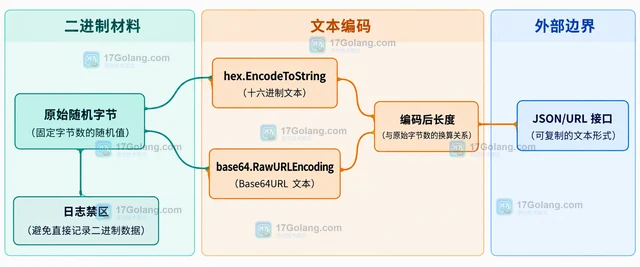
- Golang · Go教程 | 3小时前 | Go教程 · Go crypto/rand 随机令牌 随机字节 密钥材料
- Go crypto/rand 怎样生成固定字节数随机值
- 443浏览 收藏
-
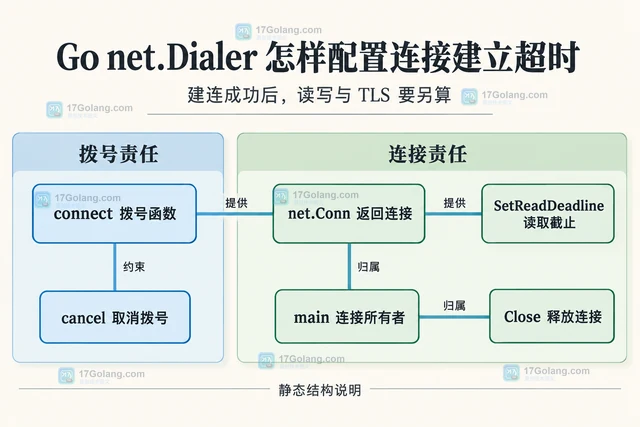
- Golang · Go教程 | 3小时前 |
- Go net.Dialer 怎样配置连接建立超时
- 151浏览 收藏
-
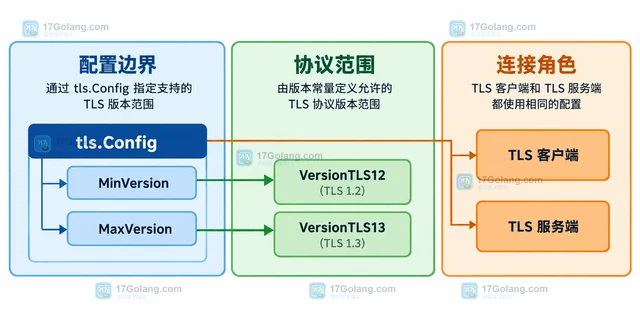
- Golang · Go教程 | 3小时前 |
- Go tls.Config 怎样限制最低 TLS 版本
- 197浏览 收藏
-
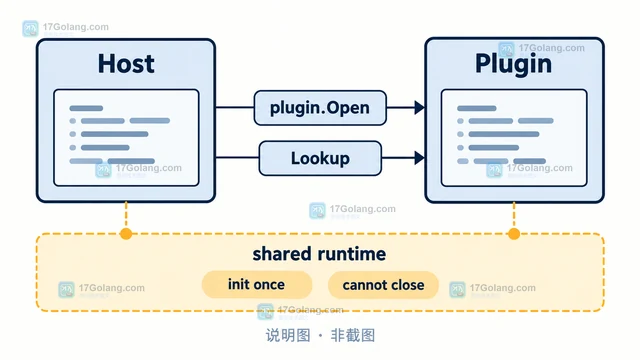
- Golang · Go教程 | 3小时前 | go · Plugin · Go plugin 版本兼容 buildmode=plugin
- Go plugin 包为什么不适合跨版本加载
- 426浏览 收藏
查看更多
课程推荐
-

- 前端进阶之JavaScript设计模式
- 设计模式是开发人员在软件开发过程中面临一般问题时的解决方案,代表了最佳的实践。本课程的主打内容包括JS常见设计模式以及具体应用场景,打造一站式知识长龙服务,适合有JS基础的同学学习。
- 543次学习
-

- GO语言核心编程课程
- 本课程采用真实案例,全面具体可落地,从理论到实践,一步一步将GO核心编程技术、编程思想、底层实现融会贯通,使学习者贴近时代脉搏,做IT互联网时代的弄潮儿。
- 516次学习
-

- 简单聊聊mysql8与网络通信
- 如有问题加微信:Le-studyg;在课程中,我们将首先介绍MySQL8的新特性,包括性能优化、安全增强、新数据类型等,帮助学生快速熟悉MySQL8的最新功能。接着,我们将深入解析MySQL的网络通信机制,包括协议、连接管理、数据传输等,让
- 500次学习
-

- JavaScript正则表达式基础与实战
- 在任何一门编程语言中,正则表达式,都是一项重要的知识,它提供了高效的字符串匹配与捕获机制,可以极大的简化程序设计。
- 487次学习
-

- 从零制作响应式网站—Grid布局
- 本系列教程将展示从零制作一个假想的网络科技公司官网,分为导航,轮播,关于我们,成功案例,服务流程,团队介绍,数据部分,公司动态,底部信息等内容区块。网站整体采用CSSGrid布局,支持响应式,有流畅过渡和展现动画。
- 485次学习
查看更多
AI推荐
-

- PubMedQA
- 深入了解PubMedQA生物医学问答数据集,涵盖其核心功能、使用方法及在临床决策、药物研发等场景的应用,助力提升NLP模型性能。
- 598次使用
-

- H2O EvalGPT
- H2O EvalGPT是H2O.ai推出的开源LLM评估平台,提供详细的大模型性能排行榜、行业特定基准测试及A/B测试功能,助您快速选择最适合项目的高性能大语言模型。
- 640次使用
-

- LMArena
- LMArena是加州大学伯克利分校推出的AI模型匿名评测平台。通过盲测投票机制,用户可对比不同大模型回答并生成实时排行榜,助力开发者优化模型及用户选择最佳AI工具。
- 672次使用
-

- HELM
- 深入了解斯坦福推出的HELM(Holistic Evaluation of Language Models)大模型评测体系。本文解析其核心功能、安装配置步骤及应用场景,涵盖准确性、公平性、鲁棒性等多维度指标,助力开发者全面优化语言模型性能。
- 637次使用
-

- MMBench
- MMBench是由上海人工智能实验室等机构联合推出的多模态基准测试平台,提供细粒度能力评估、大规模数据集及VLMEvalKit工具。本文详细介绍其核心功能、安装使用方法及应用场景,助力开发者全面评估多模态模型性能。
- 458次使用
查看更多
相关文章
-
- Java 性能优化上线清单:从定位、改造到灰度发布
- 2026-06-11 860浏览
-
- Spring Boot 压测验证:Gatling、JMeter 与性能回归门禁
- 2026-06-11 843浏览
-
- Java NMT 非堆内存排查:Direct Buffer、线程栈与 Metaspace 分析
- 2026-06-11 826浏览
-
- Spring Boot 容器内存优化:JVM 堆、非堆与 MaxRAMPercentage
- 2026-06-11 809浏览
-
- Tomcat 连接与线程参数调优:maxThreads、acceptCount 与 KeepAlive
- 2026-06-11 792浏览


